
Uvod
Thank you for choosing the VECHTEL 2 Din Car Stereo. This device features a 7-inch touchscreen with wireless CarPlay and Android Auto, Bluetooth 5.1, FM radio, Mirror Link functionality, and support for a rear view camera. This manual provides essential information for installation, operation, maintenance, and troubleshooting to ensure optimal performance and user safety.
Sigurnosne informacije
- Prije instalacije i upotrebe pažljivo pročitajte sva uputstva.
- Professional installation is recommended to prevent damage to the unit or vehicle.
- Ne koristite uređaj na način koji vas odvlači od vožnje. Uvijek dajte prioritet sigurnosti u saobraćaju.
- Provjerite jesu li sve žice ispravno spojene kako biste izbjegli kratke spojeve ili električne opasnosti.
- Držite uređaj dalje od vode i prekomjerne vlage.
- Ne pokušavajte rastavljati ili modificirati uređaj. To će poništiti garanciju.
Sadržaj paketa
Provjerite da li su sve stavke prisutne u paketu:
- 1 x VECHTEL 2 Din Car Stereo
- 1 x stražnji View Kamera
- 1 x kabl za napajanje
- 1 x Kabl za zvučnik
- 1 x daljinski upravljač
- 1 x vanjski mikrofon
- 1 x Uputstvo za upotrebu

Image: VECHTEL 2 Din Car Stereo with included accessories.
Product Overview
The VECHTEL car stereo features a 7-inch HD touchscreen for intuitive control and a clear display. Physical buttons and a rotary volume knob provide convenient access to essential functions while driving.

Image: 7-inch HD Touch Screen display comparison.

Image: Car stereo interface and port overview.
Setup
Instalacija
This unit is a standard 2 DIN size. Ensure your vehicle's dashboard opening is compatible. It is highly recommended to have the unit installed by a qualified professional to ensure correct wiring and secure mounting.
Ožičenje
Connect the power cable, speaker cables, external microphone, and rear view camera according to the provided wiring diagram in the included user manual. Pay close attention to positive and negative terminals to avoid damage.
- Snaga: Spojite na napajanje vozila (ACC, B+, uzemljenje).
- Zvučnici: Povežite se sa zvučnicima vašeg vozila (prednji lijevi, prednji desni, zadnji lijevi, zadnji desni).
- stražnja kamera: Connect the video input (CVBS) and power for the camera. The unit will automatically display the camera feed when reversing.
- Vanjski mikrofon: Plug into the designated microphone input for improved call clarity.
- USB/AUX: Connect USB devices for media playback or charging, and AUX for external audio sources.
Uputstvo za upotrebu
Bežični CarPlay i Android Auto
Connect your smartphone wirelessly via Bluetooth to access CarPlay or Android Auto. This allows safe use of navigation, music, and messaging apps through the car stereo's display. Voice control via Siri or Google Assistant is supported for hands-free operation.
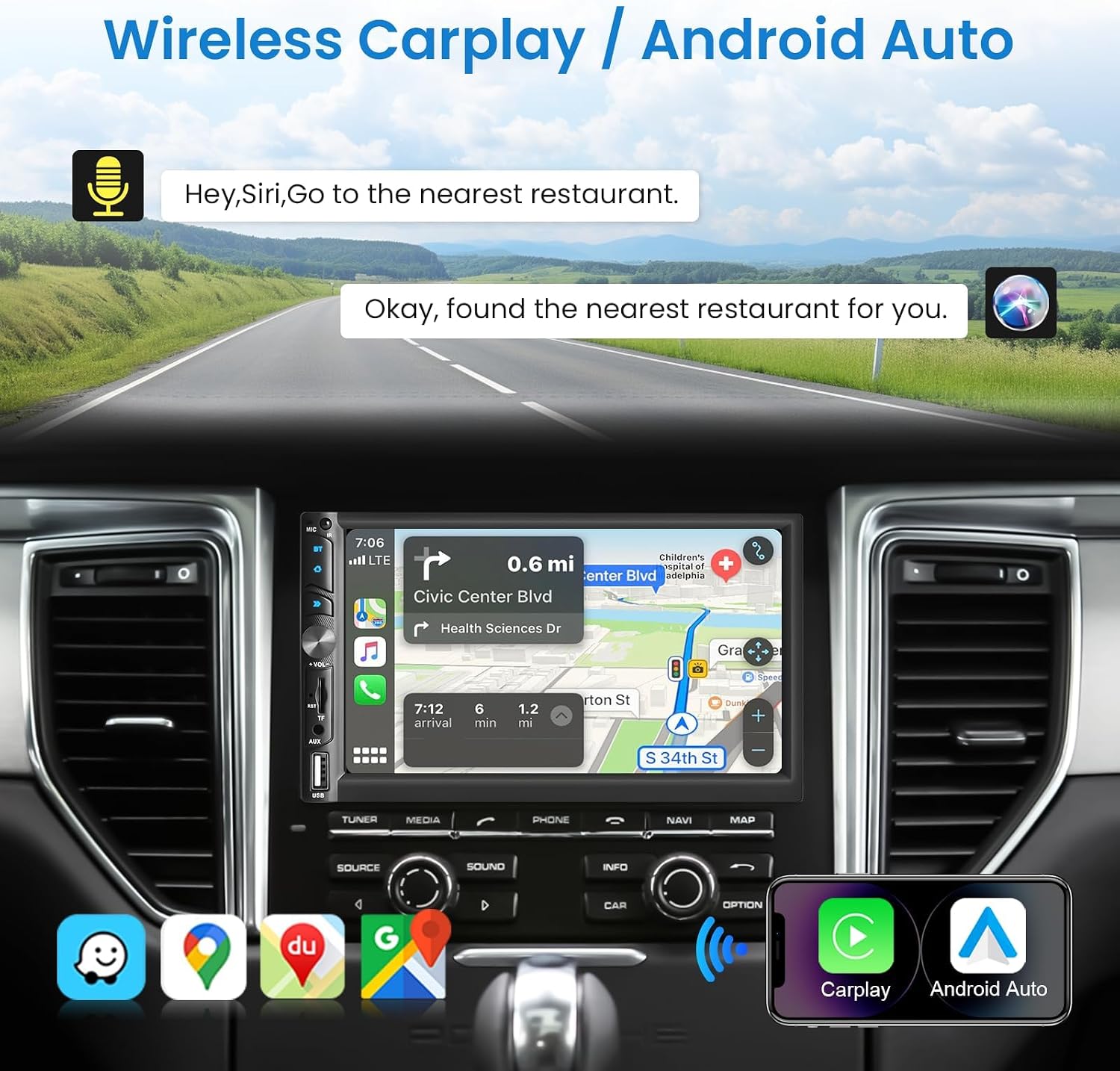
Image: Wireless CarPlay / Android Auto in use.
Bluetooth 5.1 Povezivanje
The unit features Bluetooth 5.1 for stable and fast wireless connections. Pair your phone to make hands-free calls and stream audio. The dual microphone system (built-in and external) ensures clear communication.

Image: Upgraded Bluetooth 5.1 features.
Funkcija ogledalne veze
Connect your iOS or Android smartphone via USB to use the Mirror Link function. This allows you to display your phone's screen content, such as navigation apps, Spotify, or YouTube, directly on the car stereo's display.

Image: iOS / Android Mirror Link in action.
FM Radio
Tune into your favorite FM radio stations. The unit supports 18 preset stations for quick access.
Pozadi View Kamera
When the vehicle is shifted into reverse, the car stereo automatically displays the feed from the included 12-LED night vision rear camera. This feature provides a wide-angle view za pomoć pri parkiranju i manevriranju.

Slika: Stražnja strana View Camera display and features.
Postavke zvuka
Adjust the audio output to your preference using the built-in 10-band equalizer. The unit also supports woofer output for enhanced bass performance.

Image: Excellent Sound Quality settings and connections.
USB/TF/AUX Playback
Insert a USB drive or TF card into the respective ports for media playback. Connect external audio devices via the AUX input.
Održavanje
- čišćenje: Za čišćenje ekrana i uređaja koristite meku, suhu krpu. Izbjegavajte abrazivna sredstva za čišćenje ili rastvarače.
- Ažuriranja softvera: Check the VECHTEL webweb-mjesto ili kontaktirajte podršku za sva dostupna ažuriranja softvera kako biste osigurali optimalne performanse i nove funkcije.
- Uslovi okoline: Izbjegavajte izlaganje uređaja ekstremnim temperaturama ili direktnoj sunčevoj svjetlosti tokom dužeg perioda.
Rješavanje problema
| Problem | Mogući uzrok | Rješenje |
|---|---|---|
| Nema struje | Nepravilno ožičenje; Pregoreli osigurač; Problem sa akumulatorom vozila. | Check power connections (ACC, B+, Ground). Inspect vehicle fuses. Consult a professional if necessary. |
| Nema zvuka | Incorrect speaker wiring; Volume too low; Mute function active; Audio source issue. | Verify speaker connections. Increase volume. Disable mute. Check selected audio source. |
| Bluetooth veza je nestabilna | Interference; Device too far; Phone Bluetooth issue. | Ensure phone is close to the unit. Restart phone and car stereo. Re-pair the device. |
| Zadnja kamera ne prikazuje sliku | Incorrect camera wiring; Camera power issue; Reverse trigger not connected. | Check camera video input and power connections. Ensure the reverse trigger wire is correctly connected to the vehicle's reverse light circuit. |
| Ekran osjetljiv na dodir ne reagira | System freeze; Dirt on screen. | Restart the unit. Clean the screen with a soft cloth. |
Specifikacije
| Feature | Detalj |
|---|---|
| Broj modela | 113266 |
| Veličina ekrana | 7.0 inča |
| Rezolucija ekrana | 1024*600 |
| Voltage | 12V |
| Bluetooth verzija | 5.1 |
| Izlazna snaga | 4*45W (180 Watts total) |
| USB interfejs | USB2.0 |
| Reverse Input | CVBS |
| FM radio opseg | 87.5-108.0MHz |
| DVR Support | Da |
| Woofer Output | Da |
| Audio formati | MP3 / WMA / WAV / APE / FLAC |
| Video Formati | MKV/AVI/TS/TP/MP4/M4V (Max bitrate 50-80Mbps) |
| Dimenzije (D x Š x V) | 9.2 x 17.8 x 9.8 cm |
Informacije o garanciji
This VECHTEL car stereo is covered by a trogodišnja garancija od datuma kupovine. Ova garancija pokriva proizvodne nedostatke i kvarove pri normalnoj upotrebi. Molimo sačuvajte dokaz o kupovini za reklamacije. Garancija ne pokriva štetu uzrokovanu nepravilnom instalacijom, zloupotrebom, nezgodama ili neovlaštenim modifikacijama.
Podrška
VECHTEL specializes in automotive electronics and provides dedicated customer support. If you encounter any issues with compatibility, installation, or operation, please do not hesitate to contact us. Our professional team is available to provide assistance.
For technical support, please follow these steps:
- Korak 1: Locate your order on the platform where you purchased the product.
- Korak 2: Click on the seller's name (VECHTEL) and select the option to 'Ask a question' or 'Contact seller'.
We offer 24/7 technical support to ensure your satisfaction.