
1. Proizvod je gotovview
The iJoy Mini Projector is a compact and portable device designed for versatile entertainment. It supports Full HD 1080P video quality and offers various connectivity options, making it suitable for home cinema, outdoor movie nights, or enhancing room decor. The projector features a built-in HiFi speaker and supports expandable storage via a micro SD card.

Figure 1.1: The iJoy Mini Projector, showing its compact design, included remote control, and USB cables.
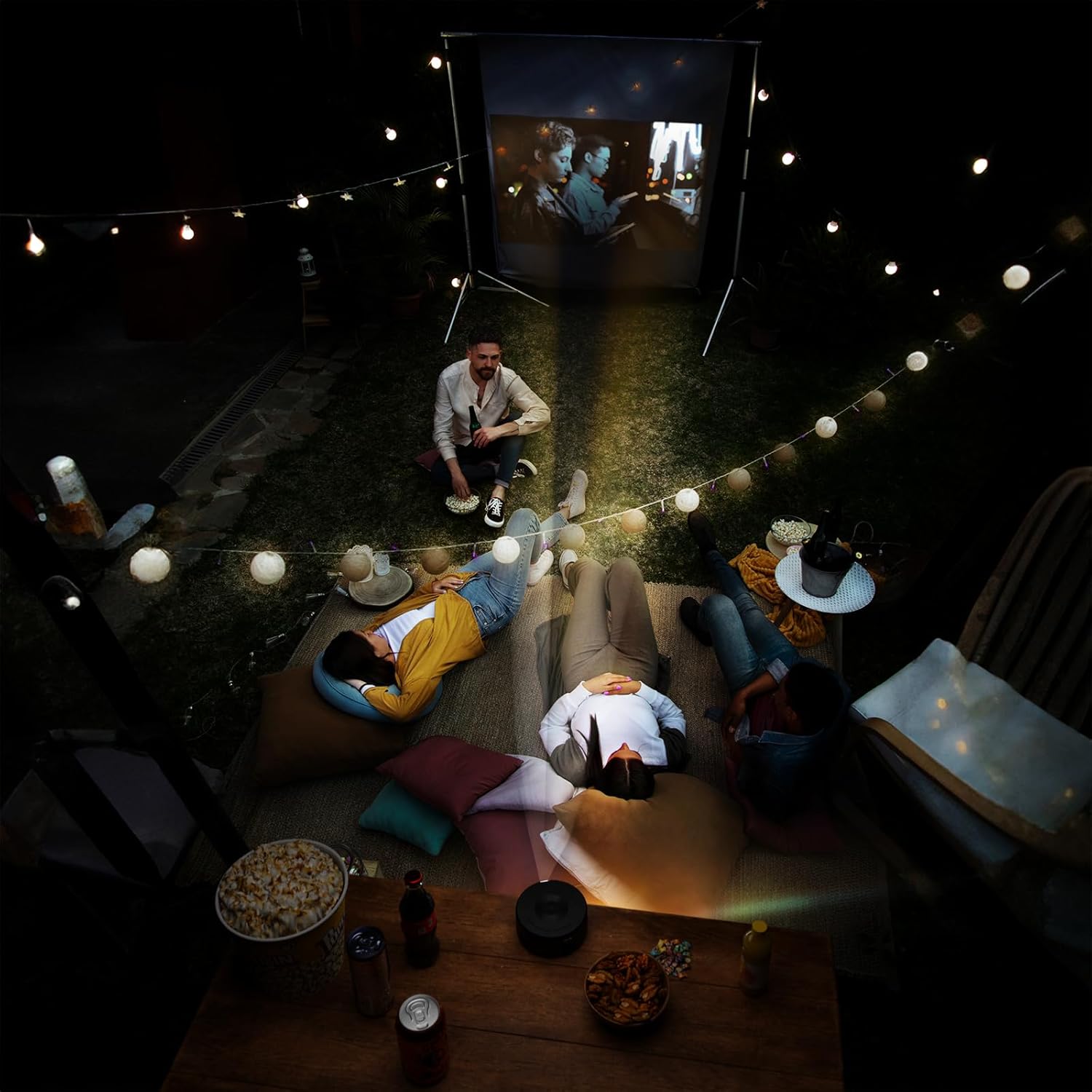
Figure 1.2: Dimensions of the iJoy Mini Projector, measuring 4.5 inches across and 2 inches tall, highlighting its compact size.
2. Sadržaj paketa
Prilikom otvaranja paketa, provjerite da li su prisutni svi sljedeći elementi:
- iJoy Mini Projector
- Korisnički priručnik (ovaj dokument)
- Adapter za napajanje
- Daljinski upravljač
- USB Cables (Type-A to Type-C)
- Mini Tripod (if included with your specific model)
3. Vodič za postavljanje
3.1 Priključak za napajanje
- Connect the provided power adaptor to the projector's power input port.
- Uključite adapter za napajanje u standardnu električnu utičnicu.
- The projector will typically indicate power status with an LED light.
3.2 Postavljanje i pozicioniranje
Za optimalno viewing, place the projector on a stable, flat surface. The included mini tripod can be used to adjust the angle and height. Ensure there are no obstructions in front of the lens or around the ventilation openings.
- Udaljenost projekcije: Adjust the distance between the projector and the projection surface (wall or screen) to achieve the desired screen size.
- Podešavanje fokusa: Use the focus wheel on the projector to sharpen the image until it is clear.

Figure 3.1: The projector in use, demonstrating its ability to project high-quality video with an adjustable screen size, suitable for various environments.
4. Uputstvo za upotrebu
4.1 Povezivanje uređaja
The iJoy Mini Projector offers multiple ways to connect your devices:
- iOS Devices (iPhone/iPad): Connect directly using a compatible USB cable (e.g., Lightning to USB). The projector supports plug-and-play functionality for iOS.
- Android uređaji: Connect using a compatible USB cable (e.g., USB-C to USB). An app may be required for screen mirroring on some Android devices. Refer to your device's instructions for specific mirroring requirements.
- USB pohrana: Insert a USB flash drive into the projector's USB port to play media files direktno.
- Micro SD kartica: Insert a micro SD card into the designated slot to access media files.
- Bluetooth: The projector features Bluetooth connectivity. This is primarily for connecting to external audio devices like Bluetooth speakers. To pair, navigate to the Bluetooth settings on the projector's menu and select your desired device.

Figure 4.1: Demonstrates the projector's compatibility with iPhone devices, allowing for direct plug-and-play connection.

Figure 4.2: Illustrates the projector's support for Android devices, which may require an app download for full functionality.
4.2 Osnovni rad
- Uključivanje/isključivanje: Pritisnite dugme za napajanje na projektoru ili daljinskom upravljaču da biste uključili ili isključili uređaj.
- Odabir izvora ulaza: Use the remote control or the projector's buttons to navigate the menu and select the desired input source (e.g., USB, Micro SD, Phone).
- Navigacija: Use the arrow keys and OK/Enter button on the remote or projector to navigate menus and confirm selections.
- Kontrola jačine zvuka: Adjust the volume using the dedicated volume buttons on the remote control. The projector has a built-in HiFi speaker.
5. Održavanje
Proper maintenance ensures the longevity and optimal performance of your iJoy Mini Projector.
- Čišćenje sočiva: Pažljivo obrišite sočivo projektora mekom krpom koja ne ostavlja dlačice, posebno dizajniranom za optičke površine. Nemojte koristiti abrazivna sredstva za čišćenje ili prekomjernu silu.
- Uklanjanje prašine: Keep the projector free from dust. Use a soft brush or compressed air (held upright) to clean ventilation openings.
- Skladištenje: When not in use, store the projector in a cool, dry place, away from direct sunlight and extreme temperatures. Use the original packaging or a protective case to prevent damage.
- Isključeno ispravno: Always power off the projector using the designated power button and allow it to cool down before unplugging or moving.
6. Otkrivanje problema
If you encounter issues with your iJoy Mini Projector, refer to the following common problems and solutions:
| Problem | Mogući uzrok | Rješenje |
|---|---|---|
| Nema projicirane slike |
|
|
| Slika je mutna ili van fokusa |
|
|
| Nema zvuka |
|
|
| Device not connecting via USB |
|
|
7. Specifikacije
| Feature | Detalj |
|---|---|
| Brand | iJoy |
| Broj modela | B0D6GVWNK2 |
| Težina artikla | 13.1 unce |
| Dimenzije paketa | 7 x 6.5 x 3 inča |
| Baterije | 1 litijum-jonska baterija (uključena) |
| Boja | Crna |
| Posebne karakteristike | Prijenosni |
| Preporučena upotreba | Kućno kino |
| Tehnologija povezivanja | Bluetooth, USB |
| Rezolucija ekrana | 1024 x 768 (Izvorno) |
| Prvi raspoloživi datum | 7. juna 2024 |
8. Garancija i podrška
For detailed warranty information, please refer to the warranty card included with your product or visit the official iJoy website. If you require technical support or have questions not covered in this manual, please contact iJoy customer service through their official channels.
You can often find support contact information on the product packaging or the brand's official webSačuvajte račun kao dokaz o kupovini za reklamacije u slučaju reklamacije.