
Uvod
This manual provides detailed instructions for the installation, operation, and maintenance of your Aiwit P50 1080p Wireless Video Doorbell Camera. Please read this manual thoroughly before use to ensure proper functionality and safety.

Image: The Aiwit P50 Wireless Video Doorbell Camera (right) and its accompanying indoor chime (left). The doorbell features a camera lens, motion sensor, and a call button. The chime has a sync button and speaker grille.
Sadržaj paketa
Provjerite da li se sve stavke nalaze u vašem paketu:
- Aiwit P50 Video Doorbell Camera
- Bežično unutarnje zvono
- Montažni nosač
- Vijci za montažu i zidni tiplovi
- USB kabl za punjenje
- Uputstvo za upotrebu
Product Overview
Familiarize yourself with the components of your Aiwit Video Doorbell and Chime.
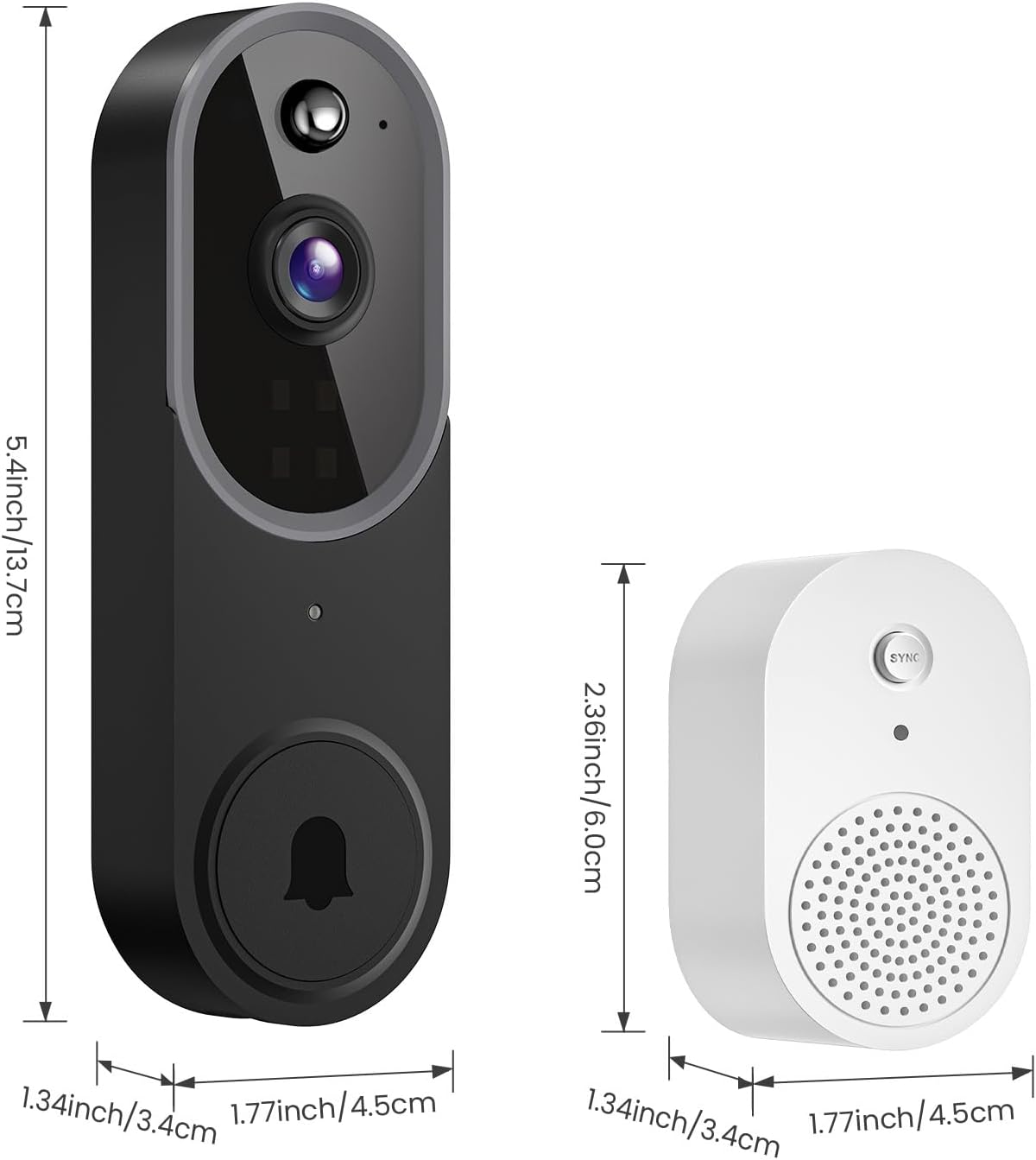
Image: This image illustrates the dimensions of the Aiwit P50 Video Doorbell and its accompanying chime. The doorbell measures approximately 5.4 inches (13.7 cm) in height, 1.77 inches (4.5 cm) in width, and 1.34 inches (3.4 cm) in depth. The chime measures approximately 2.36 inches (6.0 cm) in height, 1.77 inches (4.5 cm) in width, and 1.34 inches (3.4 cm) in depth.
Doorbell Components:
- Objektiv kamere: Snima video u 1080p rezoluciji.
- PIR senzor pokreta: Detects movement.
- mikrofon: Za dvosmjernu audio komunikaciju.
- govornik: Za dvosmjernu audio komunikaciju.
- Dugme za poziv: Aktivira zvono na vratima i šalje obavještenja.
- Lampica indikatora statusa: Shows device status (e.g., charging, connected).
Chime Components:
- Dugme za sinhronizaciju: Used for pairing with the doorbell.
- govornik: Emituje zvuk zvona na vratima.
- Utikač: For connecting to a standard power outlet.
Setup
1. Punjenje zvona na vratima
Before initial use, fully charge the doorbell using the provided USB cable. The status indicator light will show charging progress and completion.
2. Instalacija aplikacije i kreiranje računa
- Preuzmite Aiwit APP iz trgovine aplikacija na vašem mobilnom uređaju (iOS ili Android).
- Otvorite aplikaciju i pratite uputstva na ekranu da kreirate nalog i prijavite se.
3. Povezivanje na Wi-Fi
- Provjerite je li vaš mobilni uređaj povezan s Wi-Fi mreža od 2.4 GHz. The Aiwit P50 does not support 5GHz Wi-Fi.
- In the Aiwit app, tap the '+' icon to add a new device.
- Select 'Video Doorbell' and follow the app's instructions to connect the doorbell to your Wi-Fi network. This typically involves scanning a QR code generated by the app with the doorbell camera.
4. Montiranje zvona na vratima
The Aiwit P50 is designed for wall-mounted installation.
- Odaberite odgovarajuću lokaciju u blizini vrata, osiguravajući jasan view and good Wi-Fi signal strength.
- Use the mounting bracket as a template to mark drill holes on the wall.
- Izbušite rupe i po potrebi umetnite zidne tiple.
- Pričvrstite nosač za montažu na zid vijcima.
- Attach the doorbell to the mounting bracket, ensuring it clicks securely into place.
5. Uparivanje zvona
The included chime provides an audible alert inside your home when the doorbell is pressed.

Image: This image shows the Aiwit doorbell mounted next to a door and the wireless chime plugged into an indoor wall outlet. The chime emits musical notes, indicating it is sounding an alert when the doorbell button is pressed.
- Plug the wireless chime into a standard power outlet inside your home.
- Press the 'SYNC' button on the chime. The chime's indicator light will flash.
- Press the doorbell button on your Aiwit P50. The chime should ring, indicating successful pairing.
- You can adjust the chime volume and melody through the Aiwit app.
Uputstvo za upotrebu
Uživo View i dvosmjerni audio
Access real-time video and communicate with visitors directly through the Aiwit app.

Image: A person is shown interacting with a visitor via the Aiwit app on a smartphone, demonstrating the two-way audio feature. Speech bubbles indicate a conversation: "Pamela, Please open the door." and "Okay, hold on." The app interface displays live video with microphone and speaker icons.
- Open the Aiwit app and select your doorbell from the device list to view live feed.
- Tap the microphone icon to speak through the doorbell's speaker. Tap again to end speaking.
- Tap the speaker icon to hear audio from the doorbell's microphone.
Motion Detection and AI Human Detection
The doorbell can detect motion and send alerts to your phone. Advanced AI human detection helps reduce false alarms.

Image: This image illustrates the AI Human Detection capability. A person walking past the doorbell is highlighted with a blue box and a checkmark, indicating successful human detection. In contrast, a bird flying by is marked with a red box and an 'X', showing that it is filtered out as irrelevant motion. A notification on a phone screen reads "Human Detection: There is a motion at Front door."
- In the Aiwit app settings for your doorbell, navigate to 'Motion Detection' or 'AI Detection'.
- Enable motion detection and configure sensitivity levels.
- Activate AI Human Detection to distinguish between human figures and other moving objects like vehicles or animals.
Night Vision
The doorbell automatically switches to infrared (IR) night vision in low-light conditions, providing clear video footage dan i noć.

Image: A split image comparing day vision and night vision from the Aiwit doorbell. The left side shows a clear, colored view of a house during the day. The right side shows the same scene in black and white, demonstrating the clarity and detail provided by IR night vision in darkness.
Cloud Storage
The Aiwit P50 supports cloud storage for recorded video events. This allows you to review, download, and share footage.
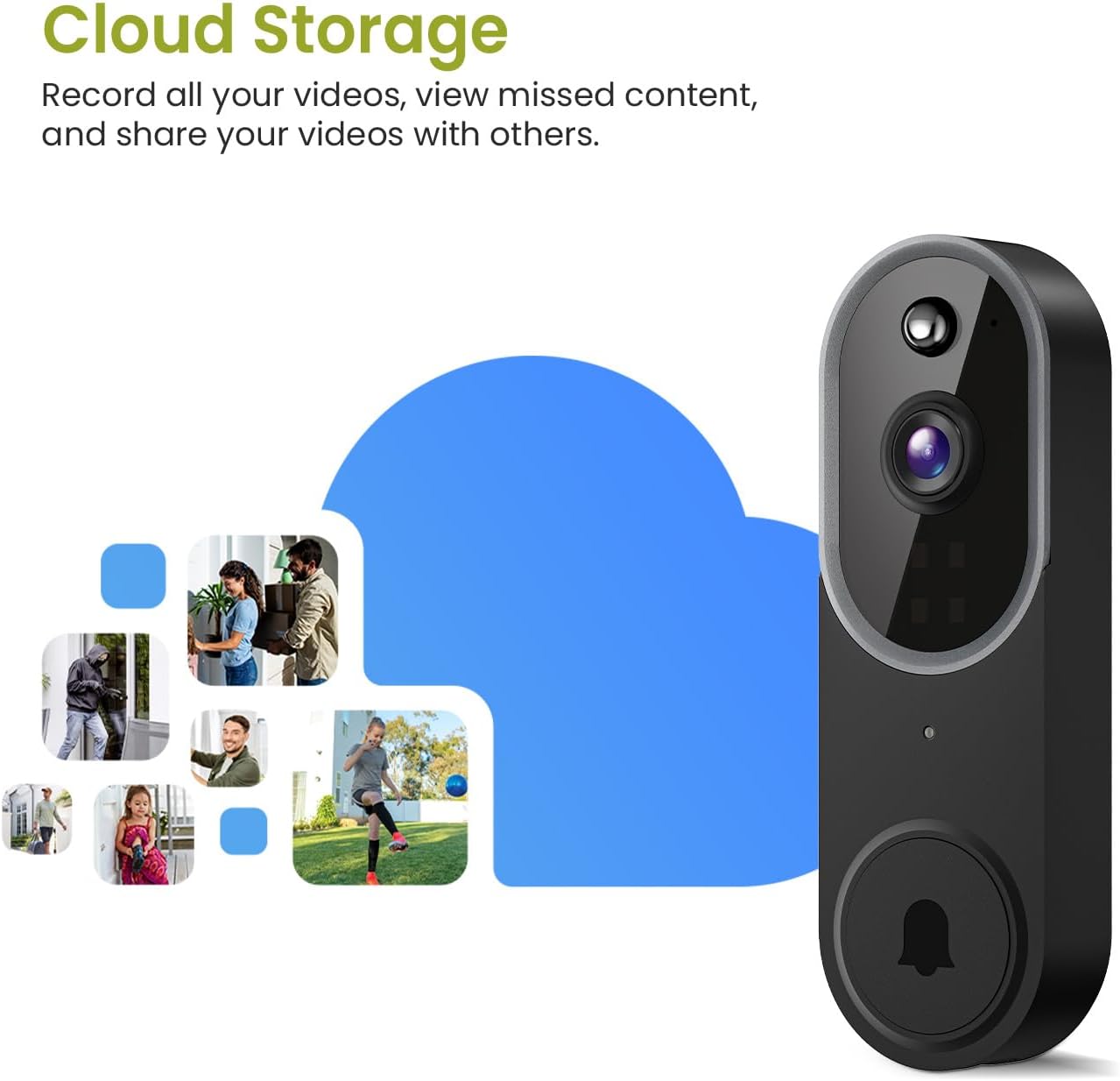
Image: The Aiwit doorbell is shown next to a large cloud icon, with smaller images of various recorded events (people, packages, pets) floating around it, symbolizing the cloud storage feature. This visually represents the ability to record, view, and share videos stored in the cloud.
- Cloud storage is an optional subscription service. A 30-day free trial may be available.
- Access recorded events through the 'Playback' or 'Cloud' section within the Aiwit app.
- All cloud storage is AES-128 encrypted for security.
Održavanje
Čišćenje
Obrišite sočivo i tijelo kamere zvona na vratima mekom,amp krpom po potrebi. Izbjegavajte upotrebu jakih hemikalija ili abrazivnih sredstava za čišćenje.
Trajanje baterije
The doorbell is powered by rechargeable Lithium-Ion batteries. Battery life varies based on usage and environmental factors. Recharge the doorbell when the app indicates low battery or the status light changes.
Weather Resistance
The Aiwit P50 has an IP65 weather resistance rating, making it suitable for outdoor use in various conditions.

Image: This graphic highlights the IP65 weather resistance of the Aiwit doorbell. The doorbell is shown mounted outdoors with icons representing shine, rain, snow, and dust, indicating its ability to withstand various environmental elements. The working temperature range is specified as 14-140°F (-10-60°C).
Rješavanje problema
- Zvono na vratima se ne povezuje na Wi-Fi: Ensure your router is broadcasting a 2.4GHz Wi-Fi signal. Verify the Wi-Fi password is correct. Move the doorbell closer to the router during setup.
- Nema obavještenja: Check app notification settings on your phone and within the Aiwit app. Ensure the doorbell has a stable Wi-Fi connection.
- Loš kvalitet videa: Check your Wi-Fi signal strength at the doorbell's location. Ensure the camera lens is clean.
- Zvono ne zvoni: Ensure the chime is plugged in and powered. Re-pair the chime with the doorbell if necessary.
- Doorbell not turning on: Uverite se da je baterija potpuno napunjena.
Specifikacije
| Feature | Specifikacija |
|---|---|
| Naziv modela | Smart Video Doorbell Camera (P50) |
| Rezolucija video snimanja | 1080p |
| Tehnologija povezivanja | bežični (Wi-Fi) |
| Wi-Fi frekvencija | 2.4 GHz (5 GHz nije podržano) |
| Izvor napajanja | Napajanje baterijama (2 litijum-jonske baterije uključene) |
| Posebne karakteristike | 2-Way Audio, AI Human Detection, Night Vision |
| Unutarnja/vanjska upotreba | Indoor/Outdoor (IP65 Weather Resistance) |
| Vrsta montaže | Zidni nosač |
| Uključene komponente | Chime |
| Tip kontrolera | Aiwit APP |
| Dimenzije proizvoda (D x Š x V) | 4.52 x 3.4 x 13.72 cm |
| Težina artikla | 290 g |
Garancija i podrška
For warranty information, please refer to the documentation provided with your purchase or contact Aiwit customer support. If you encounter any issues or have questions regarding your Aiwit P50 Video Doorbell Camera, please visit the official Aiwit webstranice ili kontaktirajte njihovu korisničku službu za pomoć.