
realme RMX3834
realme Note 50 User Manual
Model: RMX3834
Uvod
Welcome to the realme Note 50 user manual. This guide provides detailed instructions on how to set up, operate, and maintain your new realme Note 50 smartphone. The realme Note 50 is an unlocked Dual-SIM Android smartphone featuring a 6.74" LCD 90Hz Vivid Display, 3+64GB memory, a 5000 mAh battery, and a 13MP AI Camera. Please read this manual thoroughly to ensure optimal performance and longevity of your device.

Slika: Prednja i zadnja strana view of the realme Note 50 smartphone in Midnight Black.
Šta je u kutiji
Verify that all items are present in your realme Note 50 package:
- Realme Note 50 pametni telefon
- Adapter za napajanje
- USB kabel
- Izbacivač SIM ležišta
- Case za telefon
- Zaštitna folija za ekran (unaprijed postavljena ili uključena)
Setup
1. Instalacija SIM kartice i MicroSD kartice
The realme Note 50 supports Dual-SIM functionality and expandable storage via a MicroSD card.
- Pronađite ladicu za SIM karticu sa strane uređaja.
- Insert the SIM Tray Ejector tool into the small hole next to the tray and press gently until the tray pops out.
- Place your Nano-SIM cards (up to two) and/or a MicroSD card into the designated slots on the tray. Ensure the gold contacts face downwards.
- Pažljivo vratite nosač u telefon dok ne klikne na svoje mjesto.

Image: Illustration showing the installation of SIM cards and a MicroSD card into the realme Note 50's tray.
Important Note on Network Compatibility: This device is designed for GSM networks. It is NOT COMPATIBLE with CDMA carriers such as Cricket, Verizon, Sprint, Boost Mobile, US Cellular, etc. Please verify your carrier's network type before use.

Image: Diagram illustrating the supported GSM, WCDMA, FDD-LTE, and TD-LTE frequency bands for the realme Note 50.
2. Početno uključivanje i punjenje
To power on your device, press and hold the Power button located on the side until the realme logo appears. For first-time use, it is recommended to fully charge the device.
- Spojite USB kabel na USB-C priključak telefona.
- Connect the other end of the USB cable to the Power Adapter.
- Uključite adapter za napajanje u zidnu utičnicu.
- Indikator punjenja će se pojaviti na ekranu.

Image: Visual representation of the realme Note 50 being charged, highlighting its 5000mAh battery capacity and 10W fast charge capability.
Operating Your realme Note 50
Prikaz i navigacija
The realme Note 50 features a 6.74-inch LCD display with a 90Hz refresh rate, providing a smooth visual experience.
- Navigacija na ekranu osjetljivom na dodir: Use gestures such as tap, swipe, pinch-to-zoom to navigate the interface.
- Podešavanje svjetline: Adjust screen brightness from the quick settings panel or Display settings for optimal viewing u različitim uslovima osvetljenja.
- Brzina osvježavanja: The 90Hz refresh rate enhances fluidity in scrolling and animations.

Image: The realme Note 50 display showcasing its 90Hz refresh rate and vivid color reproduction, with specifications like 6.74" broad view and 560 nit peak brightness.
Upotreba kamere
Capture stunning photos and videos with the 13MP AI Camera.
- Pokretanje kamere: Dodirnite ikonu kamere na početnom ekranu ili zaključanom ekranu.
- Načini rada: Switch between various modes like Photo, Video, Portrait, and more.
- Poboljšanja umjetne inteligencije: The AI camera automatically optimizes settings for different scenes.
- Prednja kamera: Use the 5MP AI Selfie Camera for self-portraits and video calls.
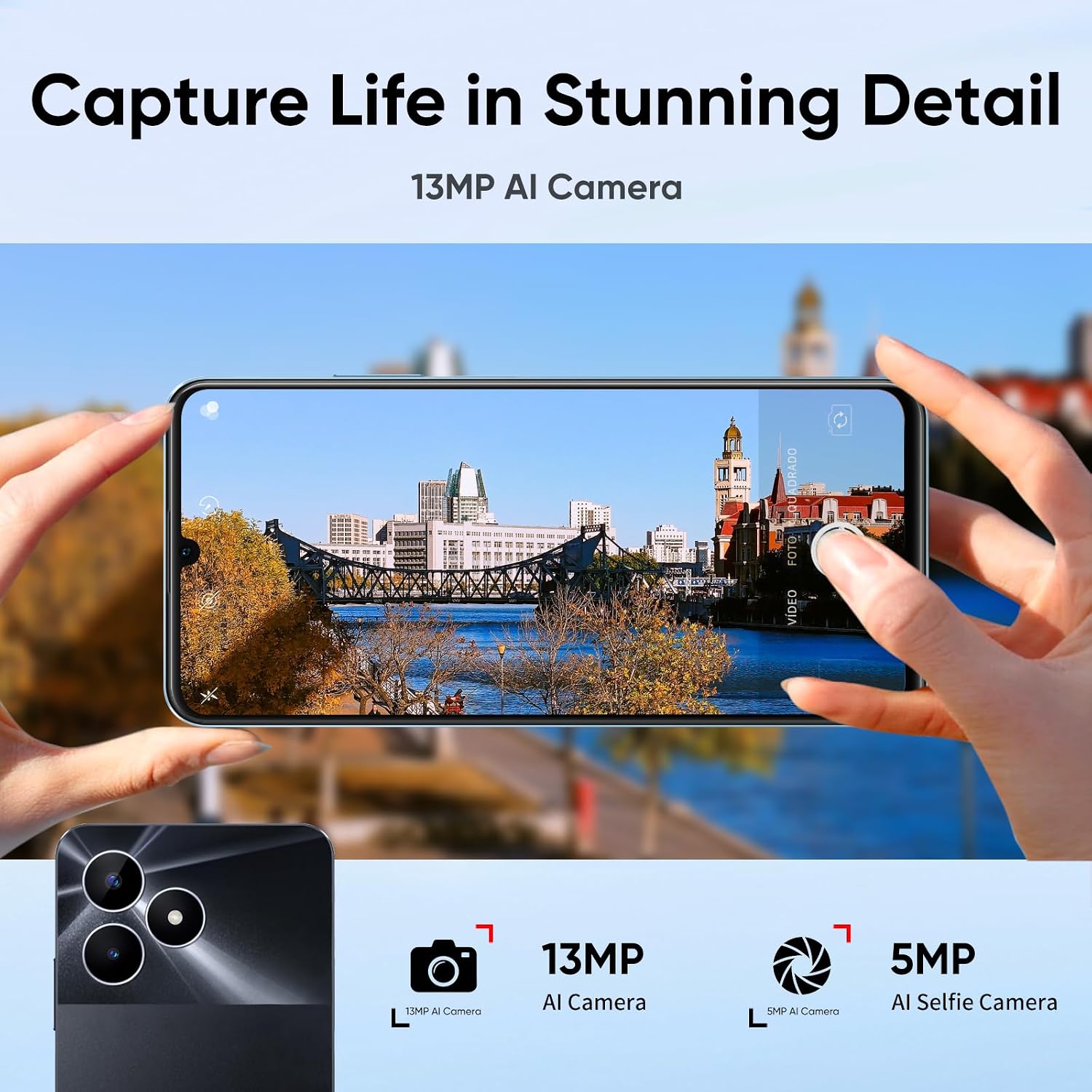
Image: A visual demonstrating the realme Note 50's 13MP AI Camera capturing a cityscape, highlighting its photographic capabilities.
Pohrana i performanse
The realme Note 50 comes with 64GB of internal storage, expandable up to 2TB via MicroSD card, and is powered by a robust 8-Core Chipset for smooth performance.
- Upravljanje skladištem: Redovno uklanjajte nepotrebne filei aplikacije za održavanje optimalnih performansi.
- Octa-Core Chipset: The powerful processor ensures efficient multitasking and smooth operation of applications and games.
- Dinamička RAM memorija: Up to 3GB+3GB Dynamic RAM for enhanced app responsiveness.

Image: The realme Note 50 showcasing its powerful 8-Core Chipset (Unisoc Tiger T612) and Android 13 operating system, emphasizing smooth performance.
Održavanje
Proper maintenance ensures the longevity and optimal performance of your realme Note 50.
- čišćenje: Za čišćenje ekrana i kućišta koristite meku krpu koja ne ostavlja dlačice. Izbjegavajte jake hemikalije.
- Ažuriranja softvera: Keep your device's software updated to the latest version for security and performance improvements.
- Održavanje baterije: Izbjegavajte ekstremne temperature. Ne dozvolite da se baterija često potpuno isprazni.
- Otpornost na vodu i prašinu: The device has IP54 water and dust resistance, meaning it is protected against limited dust ingress and water spray from any direction. It is not designed for submersion.

Slika: Prekoview of realme Note 50 features, including its 7.99mm ultra-slim body, 64GB storage, 90Hz display, 48-month fluency protection, 5000mAh battery, 13MP AI camera, and IP54 water & dust resistance.
Rješavanje problema
If you encounter issues with your realme Note 50, refer to the following common solutions.
| Problem | Mogući uzrok / rješenje |
|---|---|
| Telefon se ne uključuje | Provjerite je li baterija napunjena. Pritisnite i držite dugme za napajanje najmanje 10 sekundi. |
| "NOT UNLOCKED" / Network issues | Verify your carrier uses GSM technology. This phone is not compatible with CDMA networks (e.g., Verizon, Sprint, Boost Mobile). Check SIM card insertion. |
| Screen line appeared | This may indicate a hardware issue. Contact customer support for assistance. |
| Loš kvalitet kamere | Ensure the camera lens is clean. Check lighting conditions. Update software if available. |
| Spore performanse | Close background apps. Clear cache. Free up storage space. Restart the device. |
Specifikacije
Detailed technical specifications for the realme Note 50 (Model: RMX3834).
- Naziv modela: Napomena 50
- Broj modela stavke: RMX3834
- Operativni sistem: Android
- Prikaz: 6.74 Inches LCD, 90Hz Vivid Display, 720 x 1600 Resolution
- procesor: Powerful 8-Core Chipset (Octa-Core)
- RAM: 3 GB (Up to 3+3GB Dynamic RAM)
- Interna pohrana: 64 GB (proširivo do 2 TB putem MicroSD kartice)
- stražnja kamera: 13MP AI kamera
- Prednja kamera: 5MP AI Selfie kamera
- baterija: 5000 mAh litijum-polimer (uključena)
- Punjenje: 10W brzo punjenje
- Povezivanje: USB Type-C, 3.5 mm Audio Jack, Cellular (GSM 850/900/1800/1900MHz, WCDMA Bands 1/5/8, FDD-LTE Bands 1/3/5/7/8/20/28, TD-LTE Bands 38/40/41)
- Bežična komunikacija: Mobilni, bežični
- Dimenzije: 6.57 x 3.02 x 0.31 inča (16.69 x 7.67 x 0.79 cm)
- Težina: 6.6 unce (187 grama)
- Boja: Midnight Black
- Otpornost na vodu i prašinu: IP54
Garancija i podrška
Za informacije o garanciji i tehničkoj podršci, molimo pogledajte garantni list koji dolazi uz vaš proizvod ili posjetite službenu Realme podršku. webSačuvajte dokaz o kupovini za slučaj reklamacije.
Online podrška: For frequently asked questions, software updates, and troubleshooting guides, please visit the realme official support page.