
Uvod
This user manual provides detailed instructions for the operation and maintenance of your MOBI Connect Smart 4 in 1 Wi-Fi Air Purifier & Humidifier. This device is designed to improve indoor air quality by purifying and humidifying the air, offering a healthier and more comfortable living environment. Please read this manual thoroughly before use to ensure proper function and safety.

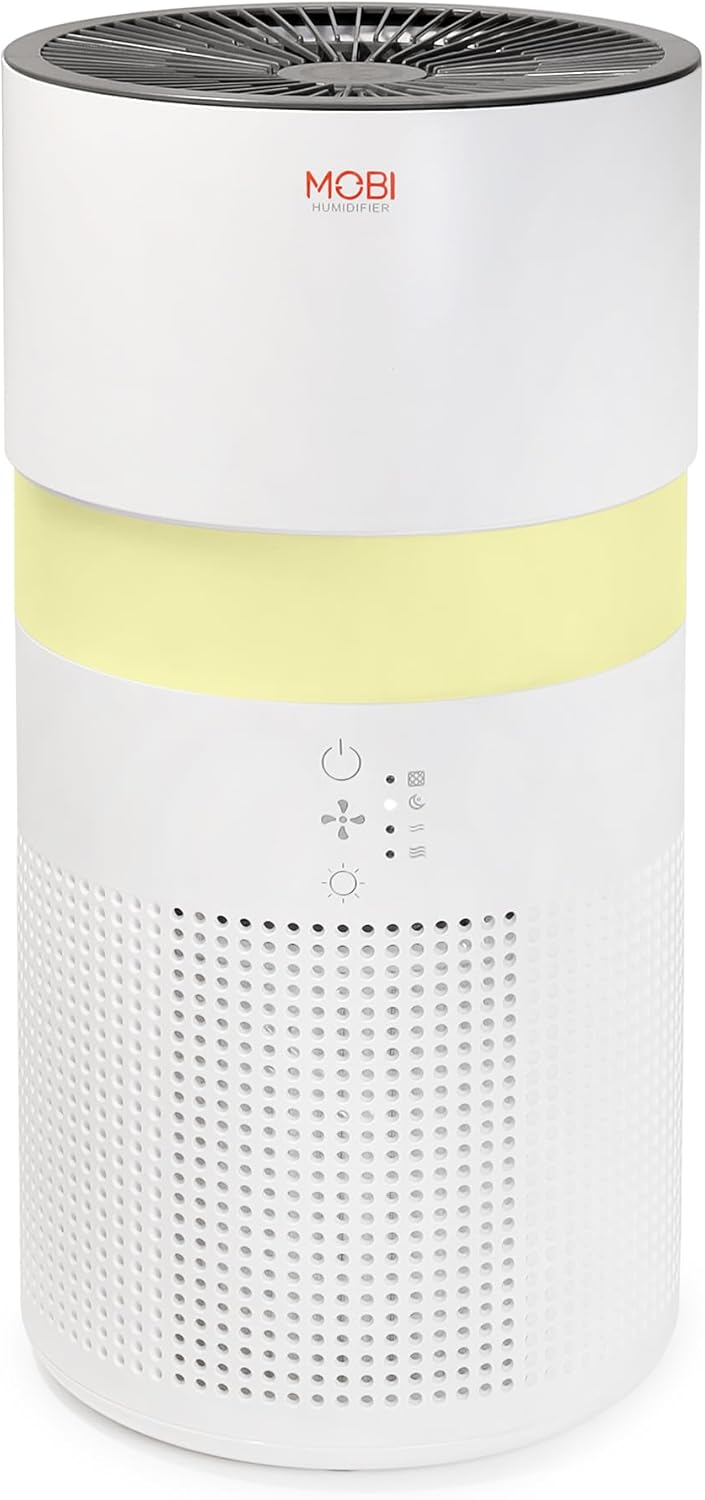
Image: The MOBI Connect Smart 4 in 1 Wi-Fi Air Purifier & Humidifier, a compact white cylindrical device with a light band and control panel.
Važne informacije o sigurnosti
Da biste smanjili rizik od požara, strujnog udara ili povrede, uvijek se pridržavajte osnovnih sigurnosnih mjera opreza prilikom korištenja ovog uređaja.
- Always place the device on a firm, level surface.
- Nemojte blokirati ulaze ili izlaze zraka.
- Držite uređaj dalje od vode i vlage.
- Isključite uređaj prije čišćenja ili održavanja.
- Nemojte koristiti uređaj ako su kabl za napajanje ili utikač oštećeni.
- Čuvati van domašaja djece i kućnih ljubimaca.
- Only use original MOBI replacement filters.
Product Overview
Familiarize yourself with the components and controls of your air purifier and humidifier.
Slika: Krupni plan view of the control panel on the MOBI Air Purifier, showing power, fan speed, light, and humidifier icons.
Karakteristike kontrolne table:
- Dugme za napajanje: Turns the unit on/off and activates pairing mode.
- Indikator brzine ventilatora: Displays current fan speed (Sleep, Medium, High).
- Humidifier Indicator: Shows humidifier status.
- Dugme Light Mode: Cycles through light modes (Off, Gradient, Fixation).
- Indikator zamjene filtera: Svetli kada je potrebna zamena filtera.
Vodič za postavljanje
Follow these steps to set up your MOBI Connect Smart 4 in 1 Wi-Fi Air Purifier & Humidifier and connect it to the MOBI Smart App.
Početno podešavanje:
- Raspakujte uređaj i uklonite sav materijal za pakovanje.
- Ensure the filter is correctly installed inside the unit. Refer to the 'Maintenance' section for filter installation.
- Postavite uređaj na stabilnu, ravnu površinu.
- Plug the power adapter into the device and then into a wall outlet. The device will enter pairing mode, indicated by a red blinking LED.
Veza aplikacije:
- Preuzmite MOBI Smart App iz trgovine aplikacija na vašem uređaju.
- Open the app and sign up for an account if you don't have one.
- Accept all requested permissions (Bluetooth, Location, Notifications) for full functionality.
- On the app's home screen, tap 'Add Device' or the '+' icon in the top right corner.
- The app will search for nearby devices. If your device is blinking red, it should appear in the 'Discovering devices' area. Tap 'Add'.
- If not automatically discovered, select 'Mobi Air Purifier' from the 'Add Manually' list.
- Enter your 2.4GHz Wi-Fi network username and password. (Note: 5GHz networks are not supported).
- Follow the on-screen instructions to activate the device for pairing. If the red LED is not blinking, press and hold the power button until it starts blinking.
- Once the device is blinking red, tap 'Finish network configuration' and then 'Next' in the app.
- The app will connect to the device. Once connected, tap the blue button with the white plus sign next to 'MOBI Smart Air Care 4 IN 1' and then 'Done' in the top right corner.
Video: A detailed guide on how to connect and set up the MOBI Smart 4-in-1 Air Purifier & Humidifier using the MOBI Smart App, including app permissions, device discovery, Wi-Fi setup, and pairing instructions.
Uputstvo za upotrebu
Control your MOBI Connect Smart 4 in 1 Wi-Fi Air Purifier & Humidifier using the physical buttons on the device or through the MOBI Smart App.
Using the Device Buttons:
- Uključivanje/isključivanje: Press the power button once to turn the unit on or off.
- Podesite brzinu ventilatora: Press the fan speed button to cycle through Sleep, Medium, and High settings.
- Control Night Light: Press the light button to cycle through Off, Gradient (color flow), and Fixation (single color) modes.
- Funkcija ovlaživača: Press the humidifier button to activate or deactivate the humidification feature.
Using the MOBI Smart App:
The app provides comprehensive control and additional features.
- Prekidač: Power the device on or off remotely.
- Brzina vjetra: Select Sleep, Medium, or High wind speed options.
- Tajmer odbrojavanja: Set a timer for 2, 4, or 6 hours for automatic shut-off.
- Postavke: Access advanced options:
- UV dezinfekcija: Enable or disable the UV disinfection feature.
- Poništi filter: Reset the filter life indicator after replacing the filter.
- Lagani način rada: Choose between Off, Gradient (cycling colors), or Fixation (select a single color).
- Raspored: Create custom schedules for when the device should turn on or off.
- Integracija pametnog doma: Monitor your home's air quality and integrate with other MOBI Smart devices.
- Aromatherapy Pad: Add essential oils to the designated pad to diffuse scents into the air.

Image: The MOBI Air Purifier showcasing its 7 color-changing LED night light feature, adding ambiance to any room.

Image: The MOBI Air Purifier next to a smartphone displaying the MOBI Smart App interface, highlighting smart home control features.
Održavanje
Redovno održavanje osigurava optimalne performanse i produžava vijek trajanja vašeg uređaja.
Zamjena filtera:
The MOBI Connect Smart 4 in 1 Wi-Fi Air Purifier & Humidifier uses a 3-stage filtration system (Pre-Filter, Carbon, and HEPA filter). The filter replacement alert will notify you when it's time to change the filter.

Slika: Vizuelni prikaz 3-icatage HEPA filtration system, showing the layers of the filter.
- Isključite uređaj iz električne utičnice.
- Remove the bottom cover of the unit.
- Pažljivo uklonite stari filter.
- Insert the new MOBI replacement filter, ensuring it is seated correctly.
- Vratite donji poklopac.
- Ponovo uključite uređaj.
- In the MOBI Smart App, go to 'Settings' and select 'Reset Filter' to reset the filter life indicator.

Image: The MOBI Air Purifier with a new filter, illustrating the filter replacement alert system.
Čišćenje uređaja:
- Obrišite spoljašnjost uređaja mekom krpom, damp tkanina. Nemojte koristiti abrazivna sredstva za čišćenje.
- Clean the water tank regularly to prevent mineral buildup and mold growth. Use a mild detergent and rinse thoroughly.
- Ensure all parts are completely dry before reassembling and using the device.
Rješavanje problema
Ako naiđete na probleme s uređajem, pogledajte sljedeće uobičajene probleme i rješenja.
| Problem | Mogući uzrok | Rješenje |
|---|---|---|
| Uređaj se ne uključuje. | Nije uključeno u struju; problem sa utičnicom; oštećen kabl. | Ensure power cord is securely plugged in. Test outlet with another device. Check for cord damage. |
| Uređaj se ne povezuje na Wi-Fi. | Incorrect Wi-Fi password; 5GHz network; device not in pairing mode. | Verify Wi-Fi password. Ensure you are connecting to a 2.4GHz network. Press and hold power button to enter pairing mode (red blinking LED). |
| Kvalitet zraka se ne poboljšava. | Dirty filter; incorrect fan speed; room size too large. | Check filter indicator and replace if necessary. Increase fan speed. Ensure device is suitable for your room size. |
| Ovlaživač zraka ne proizvodi maglu. | Water tank empty; humidifier function off; mineral buildup. | Refill water tank. Activate humidifier function via app or button. Clean water tank and humidifier components. |
Specifikacije
| Feature | Detalj |
|---|---|
| Dimenzije proizvoda | 6.5"D x 6.5"Š x 13"V (6.5 x 6.5 x 13 inča) |
| Broj modela stavke | 70692 |
| Težina | 3 funti |
| Boja | Bijelo |
| Pokrivenost poda | Do 350 kvadratnih stopa |
| Sistem za filtriranje | 3-Stage (Pre-Filter, Activated Carbon, HEPA) |
| Tip ovlaživača | Forced-air water tank method |
| Night Light | 7 Unique LED Colors, Adjustable Modes (Off, Gradient, Fixation) |
| Nivo buke | 24dB (Sleep Mode) |
| Brzina cirkulacije zraka | 5x per hour |
| Povezivanje | Wi-Fi (2.4GHz required) |
| Certifikati | UL Certified, RoHS Certified |
| Wattage | 680 vati |
Garancija i podrška
MOBI products are designed with quality and reliability in mind. For warranty information and customer support, please refer to the official MOBI webweb-mjesto ili direktno kontaktirajte njihovu korisničku službu.
For frequently asked questions (FAQ) and feedback, you can also access these sections within the MOBI Smart App under the device settings.