
1. Uvod
Welcome to the user manual for your Yamaha TW-ES5A True Wireless Sport Earbuds. These earbuds are designed to provide high-quality audio with features tailored for an active lifestyle, including advanced noise cancellation, ambient sound modes, and a waterproof design. Please read this manual thoroughly to ensure proper use and maintenance of your device.

2. Šta se nalazi u kutiji
Provjerite da li se u vašem paketu nalaze sve sljedeće stavke:
- TW-ES5A Earbuds (Left and Right)
- Zaštitna torbica za punjenje
- USB AC kabl za punjenje
- 5 sets of Eartips (XS, S, M, L, XL)
- 4 sets of Stabilizer Ear Fins (XS, S, M, L)

3. Proizvod je gotovview
The Yamaha TW-ES5A earbuds are designed for comfort and performance. Familiarize yourself with the earbud and charging case components.
Dizajn slušalica

Each earbud features a compact design with integrated controls and a stabilizer ear fin for a secure fit during physical activity. The earbuds are lightweight, weighing approximately 0.28 ounces each.
Futrola za punjenje
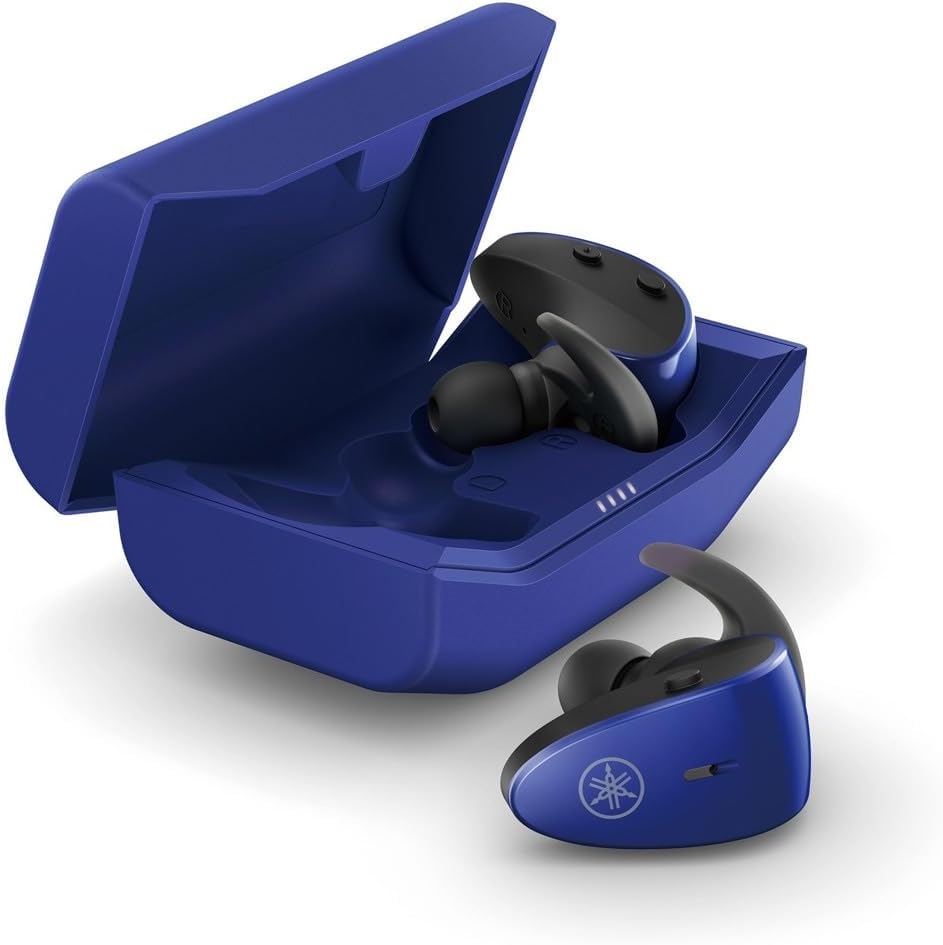
The protective charging case not only stores your earbuds but also recharges them, providing extended battery life. LED indicators on the case show the charging status.
Vodootporna karakteristika
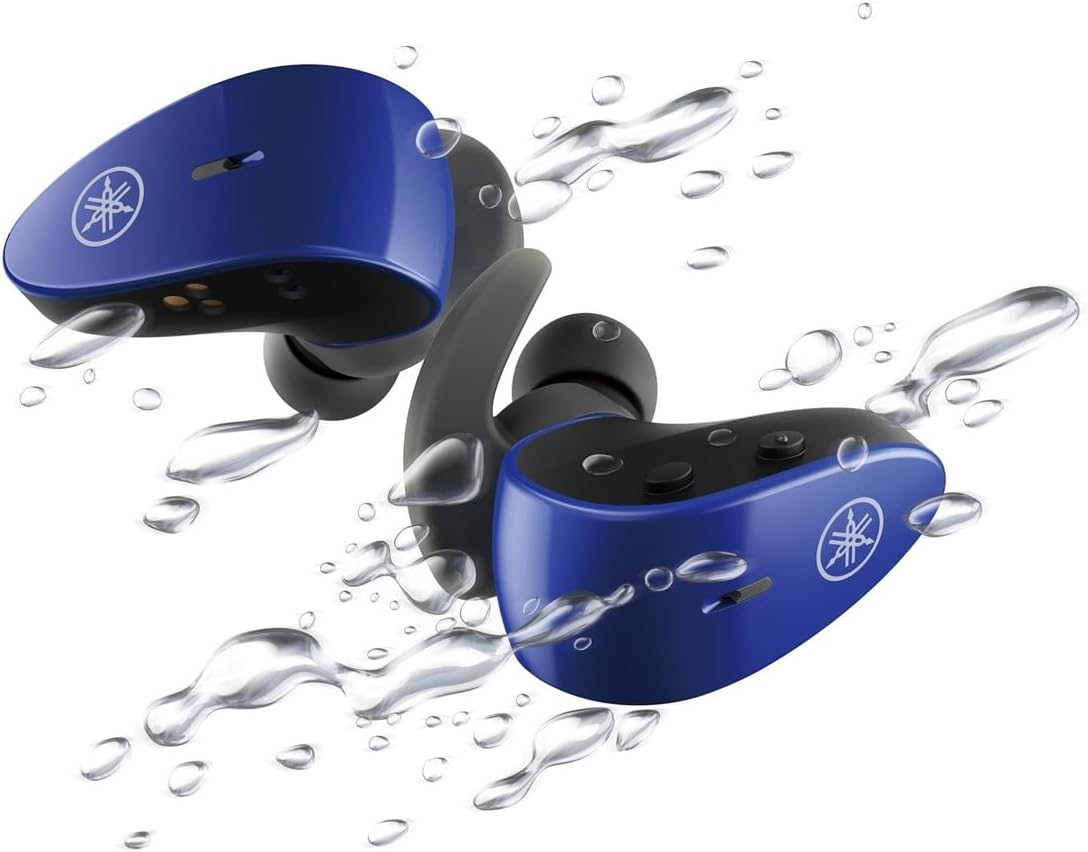
With an IPX7 waterproof rating, these earbuds are protected against immersion in water up to 1 meter for 30 minutes, making them ideal for workouts and outdoor activities.
Zvanični video proizvoda
4. Podešavanje
4.1 Punjenje slušalica i kutijice
- Stavite slušalice u kutijicu za punjenje. Provjerite jesu li pravilno postavljene; LED indikatori na slušalicama će se upaliti kako bi potvrdili punjenje.
- Connect the USB A-C charging cable to the charging case and then to a USB power source (e.g., computer, USB wall adapter).
- The charging case LEDs will indicate the charging status. A full charge provides up to 34 hours of total battery life (earbuds + case).
4.2 Selecting Eartips and Stabilizer Ear Fins
For optimal sound quality, comfort, and a secure fit, it is crucial to select the correct size of eartips and stabilizer ear fins.
- uši: Experiment with the 5 provided sizes (XS, S, M, L, XL). The correct size should create a good seal in your ear canal, blocking out external noise and providing rich bass.
- Stabilizer Ear Fins: Choose from the 4 provided sizes (XS, S, M, L). The fin should fit snugly into the concha of your ear, preventing the earbud from falling out during movement.
4.3 Bluetooth uparivanje
- Otvorite kutijicu za punjenje. Slušalice će automatski ući u način uparivanja (LED diode će treptati).
- Na vašem uređaju (pametnom telefonu, tabletu, laptopu) idite na postavke Bluetootha i omogućite Bluetooth.
- Traži available devices and select "Yamaha TW-ES5A" from the list.
- Nakon povezivanja, LED diode na slušalicama će prestati treperiti, a vaš uređaj će potvrditi vezu.
- Za naknadnu upotrebu, slušalice će se automatski povezati s posljednjim uparenim uređajem kada se izvade iz kutijice.
5. Uputstvo za upotrebu
The TW-ES5A earbuds feature touch controls for various functions.
5.1 Uključivanje/isključivanje napajanja
- Uključeno: Otvorite kućište za punjenje i slušalice će se automatski uključiti.
- Iskljuciti: Vratite slušalice u kutijicu za punjenje i zatvorite poklopac. Automatski će se isključiti.
5.2 Reprodukcija muzike
- Pusti/pauza: Jednim dodirom na bilo koju slušalicu.
- Sljedeća pjesma: Dvaput dodirnite desnu slušalicu.
- Prethodni zapis: Dvaput dodirnite lijevu slušalicu.
- Povećavanje glasnoće: Triput dodirnite desnu slušalicu.
- Smanjivanje jačine zvuka: Triput dodirnite lijevu slušalicu.
5.3 Upravljanje pozivima
- Odgovori/Završi poziv: Jednim dodirom na bilo koju slušalicu.
- odbiti poziv: Pritisnite i držite bilo koju slušalicu 2 sekunde.
5.4 Režimi kontrole buke
The TW-ES5A offers two noise control modes:
- Aktivno poništavanje buke (ANC): Smanjuje ambijentalnu buku za impresivno iskustvo slušanja.
- ambijentalni zvuk: Allows you to hear your surroundings while listening to audio, enhancing awareness.
Promjena načina rada: Press and hold the touch control on the left earbud for 2 seconds to cycle between ANC, Ambient Sound, and Off modes.
5.5 Glasovni asistent
Activate your device's voice assistant (Siri or Google Assistant) by pressing and holding the touch control on the right earbud for 2 seconds. This allows for hands-free control of your device.
6. Održavanje
6.1 Čišćenje
- Regularly clean the earbuds, eartips, and charging contacts with a soft, dry, lint-free cloth.
- Remove eartips and wash them with mild soap and water if necessary. Ensure they are completely dry before reattaching.
- Nemojte koristiti abrazivna sredstva za čišćenje ili rastvarače.
6.2 Skladištenje
- Uvijek čuvajte slušalice u kutijici za punjenje kada ih ne koristite kako biste ih zaštitili i održali napunjenima.
- Uređaj čuvajte na hladnom i suhom mjestu, dalje od ekstremnih temperatura i direktne sunčeve svjetlosti.
7. Otkrivanje problema
If you encounter issues with your TW-ES5A earbuds, try the following solutions:
| Problem | Mogući uzrok | Rješenje |
|---|---|---|
| Earbuds won't power on | Niska baterija | Stavite slušalice u kutijicu za punjenje i potpuno ih napunite. |
| Nije moguće upariti uređaj | Bluetooth off, earbuds not in pairing mode, or previously paired device interference | Ensure Bluetooth is on. Open case to enter pairing mode. Forget device on your phone and re-pair. Turn off Bluetooth on other nearby devices. |
| Nema zvuka ili je mala jačina zvuka | Volume too low, improper fit, or earbud obstruction | Increase volume on earbuds and device. Adjust eartips for a secure seal. Clean earbud mesh. |
| Kvalitet poziva je loš | Microphone obstruction or environmental noise | Ensure microphone is clear. Try moving to a quieter environment. |
| Slušalice se često isključuju | Distance from device, interference, or low battery | Keep earbuds close to your device. Avoid strong electromagnetic interference. Charge earbuds fully. |
If the issue persists, please refer to the Warranty & Support section for further assistance.
8. Specifikacije
Key technical specifications for the Yamaha TW-ES5A True Wireless Sport Earbuds:
| Feature | Detalj |
|---|---|
| Naziv modela | TW-ES5A |
| Tehnologija povezivanja | Bluetooth 5.2, Qualcomm aptX Adaptive TrueWireless Mirroring with Clear Voice |
| Nivo vodootpornosti | IPX7 (vodootporan) |
| Kontrola buke | Active Noise Cancellation, Ambient Sound |
| Trajanje baterije | Up to 34 hours total (earbuds + charging case) |
| Težina artikla | 0.28 unce (po slušalici) |
| Dimenzije proizvoda | 1.32 x 2.78 x 0.67 inča |
| Vrsta audio drajvera | Dynamic Driver |
| Podržani kodeci | AptX Adaptive, AAC |
| Kompatibilni uređaji | Android, Laptops, Mac Book, Tablets, iPhone |
| Posebne karakteristike | Android Phone Control, iOS Phone Control, Fast Charging, Microphone included, Sweatproof, Volume Control, Sports & Exercise, Lightweight, Wireless, Firm Secure Fit |
9. Jamstvo i podrška
Za detaljne informacije o garanciji, registraciji proizvoda i tehničkoj podršci, posjetite službenu Yamaha web stranicu. webweb-mjesto ili kontaktirajte njihovu korisničku službu. Sačuvajte dokaz o kupovini za bilo kakve reklamacije u vezi s garancijom.
Možete razmotriti i kupovinuasing extended protection plans for your device. Details on available protection plans can often be found at the point of purchase or on the retailer's website.