
Uvod
This manual provides essential instructions for setting up, operating, and maintaining your Epson EcoTank L121 A4 Ink Tank Printer. Please read this guide thoroughly before using the printer to ensure correct operation and to maximize its lifespan.

Slika: Front view of the Epson EcoTank L121 A4 Ink Tank Printer. This image shows the compact design and the front paper output tray.
1. Podešavanje
1.1 Raspakivanje
Carefully remove the printer from its packaging. Ensure all protective tapes and materials are removed from the exterior and interior of the printer. Keep the packaging materials for future transport if needed.
1.2 Punjenje rezervoara za mastilo
The EcoTank L121 uses refillable ink tanks. Use only genuine Epson 664 series ink bottles (6641 Black, 6642 Cyan, 6643 Magenta, 6644 Yellow) for optimal performance and to prevent damage.
- Otvorite poklopac jedinice sa rezervoarom za mastilo sa strane štampača.
- Open the cap for the corresponding color ink tank you wish to fill.
- Carefully uncap the ink bottle and insert it into the filling port. The ink will automatically start to fill the tank. Do not squeeze the bottle.
- Once the tank is full, remove the ink bottle and securely close the ink tank cap.
- Repeat for all other colors.
- Zatvorite poklopac jedinice sa rezervoarom za mastilo.
After filling, press and hold the Održavanje button (often depicted as a droplet or triangle with a lightning bolt) for 3 seconds to initiate ink charging. This process takes approximately 20 minutes. Do not turn off the printer during ink charging.
1.3 Povezivanje sa računarom
The Epson EcoTank L121 connects via USB 2.0.
- Ensure the printer is powered on and ink charging is complete.
- Spojite jedan kraj USB kabla na USB port štampača.
- Povežite drugi kraj USB kabla na slobodan USB port na računaru.
1.4 Instalacija softvera
Insert the provided software CD into your computer's CD-ROM drive. If the installer does not start automatically, browse the CD and run the setup file. Follow the on-screen instructions to install the printer drivers and utility software. If you do not have a CD drive, download the latest drivers from the official Epson support website.
2. Upravljanje štampačem
2.1 Umetanje papira
The printer supports A4 paper size.
- Open the paper support and pull it up.
- Pomaknite rubne vodilice prema širini papira.
- Load paper print-side up into the rear paper feeder. Ensure the stack is even and does not exceed the maximum load line.
- Podesite vodilice za rubove uz stranice papira.
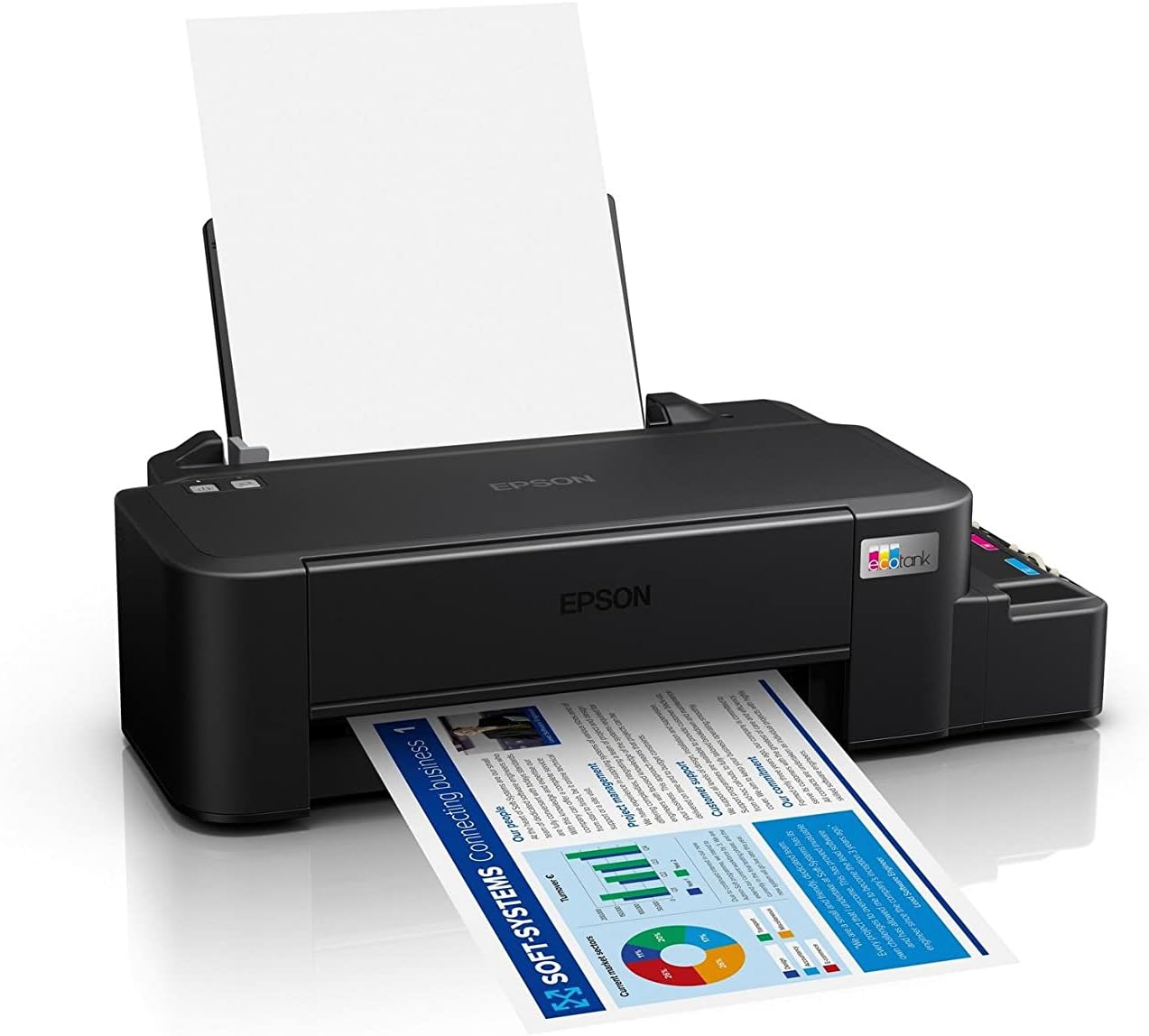
Image: The Epson EcoTank L121 printer actively printing a document. This illustrates paper being fed from the rear tray and exiting the front output tray.
2.2 Osnovno štampanje
To print a document or image from your computer:
- Otvorite dokument ili sliku koju želite ispisati.
- Odaberite Print iz menija aplikacije (npr. File > Štampaj).
- Choose your Epson EcoTank L121 printer from the list of available printers.
- Adjust print settings such as paper size, print quality, and number of copies as needed.
- Kliknite Print.
3. Održavanje
3.1 Provjera nivoa tinte
Visually inspect the ink tanks on the side of the printer. The transparent tanks allow you to monitor ink levels. Refill ink when levels approach the lower line to prevent air from entering the system, which can affect print quality.

Slika: Ugaona view of the Epson EcoTank L121 printer, highlighting the external ink tanks. This view clearly shows the four color ink reservoirs.
3.2 Čišćenje glave štampača
If print quality declines (e.g., missing lines, incorrect colors), perform a print head cleaning. This can be done through the printer utility software on your computer:
- Open the Epson printer utility on your computer.
- Idite do Održavanje or Utility tab.
- Odaberite Čišćenje glave i pratite uputstva na ekranu.
Alternatively, you can perform a head cleaning by holding down the Održavanje button on the printer for 3 seconds until the power light starts flashing. Release the button and wait for the cleaning cycle to complete.
3.3 Provjera mlaznica
After a head cleaning, or if you suspect print quality issues, perform a nozzle check to verify if all nozzles are firing correctly. This can also be done via the printer utility software or by holding the Održavanje button for a shorter duration (e.g., 1 second) to print a nozzle check pattern.
4. Otkrivanje problema
Ovaj odjeljak se bavi uobičajenim problemima na koje možete naići sa svojim Epson EcoTank L121 štampačem.
- Štampač ne reaguje:
- Ensure the printer is powered on and connected securely via USB.
- Check if the printer drivers are correctly installed on your computer.
- Ponovo pokrenite i štampač i računar.
- Loš kvalitet štampe:
- Izvršite provjeru mlaznica kako biste identificirali začepljene mlaznice.
- Run a print head cleaning cycle if nozzles are clogged.
- Provjerite nivo tinte i dopunite je ako je potrebno.
- Provjerite da li koristite originalnu Epson tintu.
- Zaglavljivanje papira:
- Isključite štampač i pažljivo uklonite zaglavljeni papir iz ulazne ladice, izlazne ladice ili unutrašnjosti štampača.
- Provjerite je li papir pravilno umetnut i nije li zgužvan iliurled.
- Ne pretrpavajte ladicu za papir.
- Ink Light Flashing:
- This usually indicates low ink. Check the ink tanks and refill any low colors.
- After refilling, press the Održavanje button to reset the ink level indicator.
Za detaljnije rješavanje problema, obratite se Epson podršci webstranicu ili kompletan elektronski priručnik.
5. Specifikacije
| Feature | Detalj |
|---|---|
| Brand | Epson |
| Naziv modela | EcoTank L121 |
| Tehnologija štampe | Inkjet |
| Tehnologija povezivanja | USB 2.0 |
| Izlaz štampača | Boja |
| Maksimalna rezolucija ispisa (u boji) | 720 x 720 dpi |
| Maksimalna brzina štampanja (crno-bijelo) | 9 ppm (ISO) |
| Maksimalna brzina ispisa (u boji) | 4.8 ppm (ISO) |
| Posebne karakteristike | Refillable Ink Tank |
| Težina artikla | 2.4 kilograma |
| Dimenzije artikla (D x Š x V) | 21.5D x 46.1W x 13H centimetara |
| Maksimalna veličina medija | A4 |
| Kompatibilno mastilo | Epson 664 series (6641/6642/6643/6644) |
| Duplex Printing | Manual |
6. Informacije o garanciji
The Epson EcoTank L121 printer comes with a warranty of 2-years or 20,000 pages, whichever comes first. Please retain your proof of purchase for warranty claims. For full terms and conditions, refer to the official Epson warranty documentation included with your product or visit the Epson support website.
7. Podrška
For further assistance, driver downloads, FAQs, and additional support resources, please visit the official Epson support webstranica:
Prilikom kontaktiranja podrške, pripremite model vašeg štampača (L121) i serijski broj.