
Uvod
This manual provides detailed instructions for the proper use and maintenance of your iCarsoft CR Max Professional Multibrand Automotive Diagnostic Scanner. Please read this manual thoroughly before operating the device to ensure correct usage and to maximize its functionality.

Figure 1: The iCarsoft CR Max diagnostic scanner, its OBDII cable, and protective carrying case.
1. Podešavanje
1.1 Raspakivanje i sadržaj paketa
Carefully unpack all items from the box. Verify that all components are present according to the packing list.

Figure 2: Package contents typically include the CR Max unit, main cable, data cable, external power adapter, quick guide, and hardcopy user's manual.
1.2 Početno uključivanje
- Connect the external power adapter to the CR Max unit and a power outlet.
- Pritisnite dugme za napajanje da uključite uređaj.
- Slijedite upute na ekranu za početno podešavanje, uključujući odabir jezika i Wi-Fi vezu.
1.3 Ažuriranja softvera
It is recommended to update the software regularly to ensure access to the latest vehicle models and diagnostic functions. The CR Max supports one-click free updates via Wi-Fi.
- Provjerite je li uređaj povezan na stabilnu Wi-Fi mrežu.
- Idite na ikonu 'Nadogradnja' u glavnom meniju.
- Slijedite upute na ekranu da biste preuzeli i instalirali dostupna ažuriranja.

Figure 3: The CR Max features a 7-inch screen, 4-core 1.3GHz CPU, and a 5000mAh battery for extended operation and smooth performance.
2. Operacija
2.1 Priključivanje na vozilo
- Pronađite OBDII priključak vozila, obično ispod instrumentne ploče na strani vozača.
- Connect the CR Max main cable to the OBDII port.
- Okrenite paljenje vozila u položaj 'ON' (motor isključen).
- The CR Max will automatically power on and attempt to establish communication with the vehicle.
2.2 Navigacija po glavnom meniju
The CR Max features a user-friendly interface. Use the touchscreen to navigate through the main menu options:
- dijagnostika: Access vehicle-specific diagnostic functions.
- Usluga: Perform various maintenance and reset functions.
- Vehicle History: Review past diagnostic reports.
- Nadogradnja: Update software and vehicle data.
- Postavke: Konfigurišite postavke uređaja.
2.3 OBDII funkcije
The CR Max supports comprehensive OBDII functions for general vehicle diagnostics:
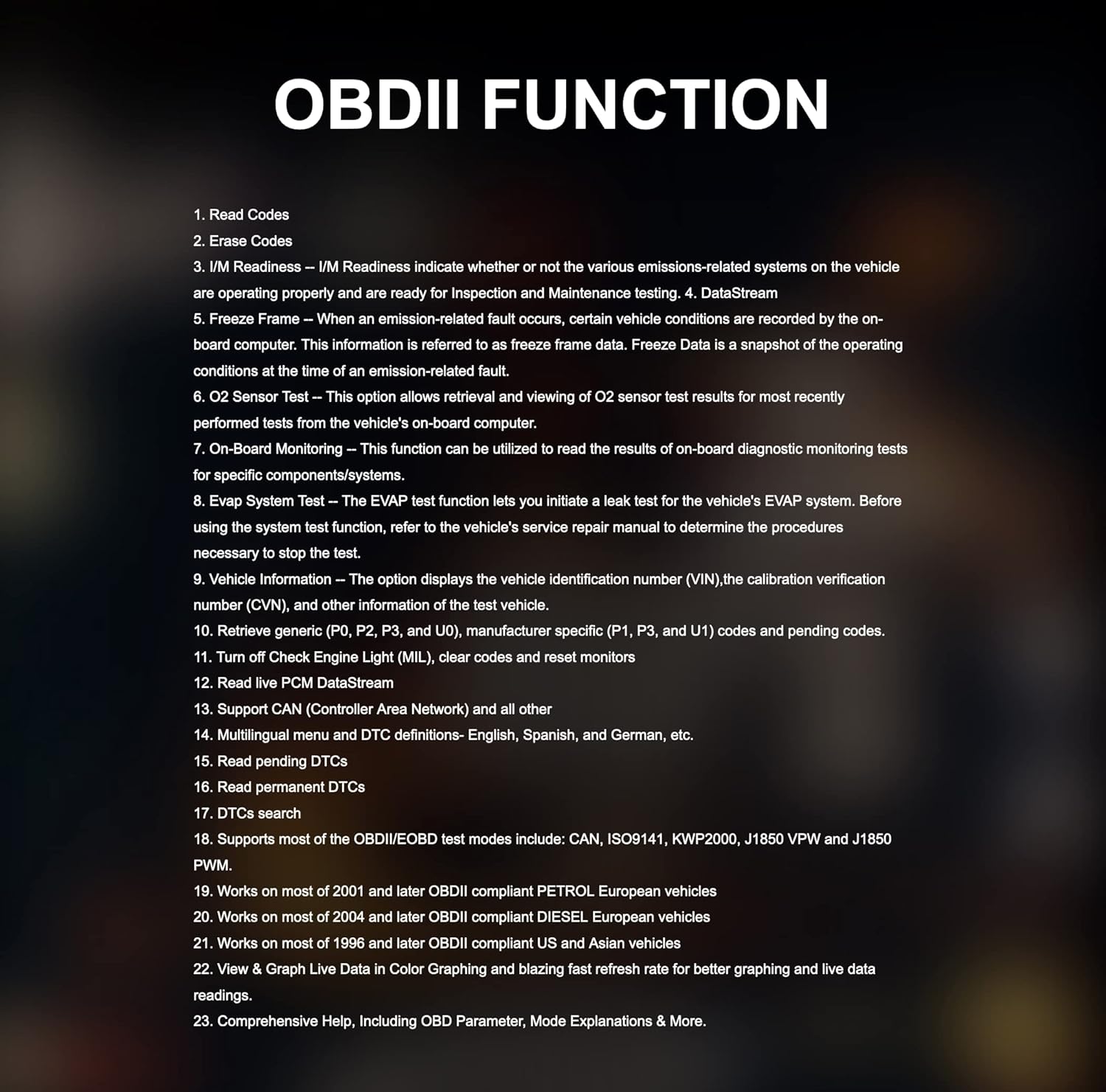
Figure 4: Key OBDII functions include reading and erasing codes, I/M readiness, DataStream, Freeze Frame, O2 Sensor Test, On-Board Monitoring, EVAP System Test, and Vehicle Information.
- Pročitajte kodove: Displays Diagnostic Trouble Codes (DTCs) from the vehicle's control modules.
- Obriši kodove: Clears DTCs from the vehicle's memory.
- I/M spremnost: Checks if various emissions-related systems are operating correctly.
- DataStream: Displays live data parameters from the vehicle.
- Zamrzni okvir: Prikazuje snimak radnih uslova kada se dogodio kvar povezan sa emisijom.
- Podaci o vozilu: Retrieves vehicle identification number (VIN) and other relevant information.
2.4 Posebne funkcije i usluge održavanja
The CR Max offers over 49 comprehensive maintenance services for various vehicle systems:

Figure 5: The CR Max provides a wide range of maintenance services including Oil Reset, EPB Reset, Transmission Reset, Injector Coding, Airbag Reset, TPMS Reset, and many more.
- Resetiranje ulja: Resetuje lampicu za servis ulja nakon zamjene ulja.
- Resetovanje EPB-a: Deactivates and reactivates the Electronic Parking Brake system for replacement.
- Resetovanje BMS-a: Registers a new battery to the Battery Management System.
- Resetovanje SAS-a: Kalibrira senzor ugla upravljanja.
- Regeneracija DPF-a: Pokreće proces regeneracije filtera dizelskih čestica.
- Kodiranje injektora: Programs new injector control parameters.
- TPMS resetiranje: Reprograms TPMS sensor IDs.
- Krvarenje iz ABS-a: Obavlja postupke odzračivanja kočnica ABS-a.
2.5 Actuation Tests / Bi-directional Control
The CR Max supports bi-directional control, allowing the tool to send commands to vehicle systems and components to perform active tests.

Slika 6: Pramples of bi-directional control tests include Injector Test, ABS Pump Motor Test, EV-AP Valve Test, Throttle Position Actuator Test, Cooling Fan Test, and Headlight Test.
2.6 Smart Auto VIN & Auto Scan
The device can automatically detect vehicle identification information (VIN) in seconds. If auto scan is not supported for a specific vehicle, manual VIN input or selection is available.

Figure 7: The Smart Auto VIN feature streamlines vehicle identification for quicker diagnostics.
2.7 Live Data Display
The CR Max can display live data in various formats, including 4-in-1 graphic displays, for detailed analysis of vehicle parameters.

Figure 8: Multiple data streams can be viewed simultaneously in a graphical format for comprehensive monitoring.
2.8 Dijagnostički izvještaj
After completing diagnostics, the CR Max can generate detailed reports that can be customized and printed, aiding in identifying the root cause of faults.

Figure 9: The diagnostic report feature allows for documentation and sharing of vehicle diagnostic results.
2.9 Pokrivenost vozila
The iCarsoft CR Max supports a wide range of car brands, covering Asian-based cars since 1996, USA-based cars since 1996, and EU-based cars since 2001.

Figure 10: The CR Max offers extensive compatibility with various vehicle manufacturers and models.
3. Održavanje
3.1 Ažuriranja softvera
Regular software updates are crucial for maintaining optimal performance and expanding vehicle coverage. Refer to Section 1.3 for detailed instructions on updating your device.
3.2 Čišćenje uređaja
Koristite meku, damp cloth to clean the screen and exterior of the CR Max. Avoid using abrasive cleaners or solvents that could damage the device.
3.3 Njega baterija
The CR Max is equipped with a 5000mAh lithium-polymer battery. To prolong battery life:
- Izbjegavajte često potpuno pražnjenje baterije.
- Uređaj čuvajte na hladnom i suhom mjestu kada se ne koristi duži period.
- Uređaj punite samo koristeći priloženi adapter za napajanje.

Figure 11: The CR Max supports battery testing and registration functions for proper vehicle maintenance.
4. Otkrivanje problema
This section addresses common issues you might encounter with your iCarsoft CR Max.
4.1 Uređaj se ne uključuje
- Ensure the device is fully charged or connected to the external power adapter.
- Verify that the power adapter is securely connected to both the device and a working power outlet.
- If connected to a vehicle, ensure the vehicle's ignition is in the 'ON' position.
4.2 Greška u komunikaciji s vozilom
- Check that the OBDII cable is securely connected to both the CR Max and the vehicle's OBDII port.
- Confirm the vehicle's ignition is 'ON' (engine off).
- Pokušajte se povezati s drugim vozilom kako biste isključili problem specifičan za vozilo.
- Ensure the software is up to date. Outdated software may not support newer vehicle models.
4.3 Specific Function Not Working
- Some functions are vehicle-specific. Verify that the function is supported for your vehicle's make, model, and year.
- Pobrinite se da je softver ažuriran na najnoviju verziju.
- Consult the iCarsoft official support for vehicle compatibility details regarding specific functions.
5. Specifikacije
Below are the technical specifications for the iCarsoft CR Max diagnostic scanner:

Figure 12: Detailed product specifications for the iCarsoft CR Max.
| Feature | Detalj |
|---|---|
| Operativni sistem | Android 8.1.0 |
| Procesor | 4-core 1.3 GHz |
| Memorija | 16GB |
| Display | 7-inch LCD Capacitive Touchscreen with 1024x600 Resolution |
| Povezivanje | Mini USB 2.0, USB2.0, Wi-Fi, Bluetooth, OBD II |
| Napajanje i baterija | 3.7V 5000mAh Lithium-Polymer Battery, Charges via 5VDC Power Supply |
| OBD DLC Voltage domet | 9-18V |
| Testirano trajanje baterije | Oko 5 sati kontinuirane upotrebe |
| Radna temperatura | 0-40°C (32-104°F) |
| Temperatura skladištenja | -20-70°C (-4-158°F) |
| Dimenzije (Š * V * D) | 40.0mm*150.0mm*35.0mm |
| Neto težina | 750g |
| Podržani protokoli | ISO9141-2, ISO14230-2, ISO15765, K/L-Line, SAE-J1850 VPW, SAE-J1850PWM, ISO11898 (Highspeed, Middlespeed, Lowspeed and Singlewire CAN, Fault-tolerant CAN), SAE J2610.GM UART UART ECHO BYTE PROTOCOL, HONDA DIAG-H PROTOCOL, TP2.0, TP1.6 |
6. Jamstvo i podrška
6.1 Informacije o garanciji
The iCarsoft CR Max includes lifetime free hardware repair. Please note that shipping costs for repair services are the responsibility of the customer.
6.2 Korisnička podrška
For technical assistance, specific vehicle compatibility inquiries, or advanced troubleshooting, please contact iCarsoft customer support. Refer to the official iCarsoft webstranicu za najnovije kontakt informacije.