
1. Uvod
This manual provides essential information for the safe and efficient operation of your iPower 8 Inch 420 CFM Inline Duct Vent Blower Booster Fan. Please read these instructions thoroughly before installation and use, and retain them for future reference.
The iPower Inline Duct Fan is designed to boost airflow in HVAC systems, exhaust stale air, or provide intake for various ventilation needs in residential and commercial settings. Its compact design allows for versatile installation.
2. Sigurnosna uputstva
UPOZORENJE: Da biste smanjili rizik od požara, strujnog udara ili ozljeda osoba, obratite pažnju na sljedeće:
- Prije instalacije ili korištenja ovog ventilatora pročitajte sva uputstva.
- Ensure the power supply matches the fan's voltage (110/120V).
- Uvijek isključite napajanje prije servisiranja ili čišćenja uređaja.
- Ne koristite ovaj ventilator s bilo kojim uređajem za kontrolu brzine u čvrstom stanju, osim ako nije posebno dizajniran za to.
- Radove na instalaciji i električnom ožičenju mora obaviti kvalifikovana(e) osoba(e) u skladu sa svim važećim kodeksima i standardima, uključujući konstrukciju otpornu na požar.
- Prilikom rezanja ili bušenja u zidove ili plafone, nemojte oštetiti električne instalacije i druge skrivene uređaje.
- Ventilatori kanala moraju uvijek biti ispušteni prema van.
- If any materials or particles get into the duct fan and cause the blade to get stuck, immediately turn off the power, clean the obstruction, and only restore power once the issue is properly resolved.
- This fan is not intended for use in potentially explosive atmospheres.
- Keep fingers and foreign objects away from the fan blades during operation.
3. Proizvod je gotovview
The iPower Inline Duct Vent Blower is designed for efficient air movement. Key components and features include:

Figure 3.1: iPower 8 Inch Inline Duct Fan, showing its cylindrical metal housing, fan blades, and grounded power cord.

Figure 3.2: Diagram illustrating the internal components of the inline duct fan, highlighting the strong motor with permanently lubricated bearings, balanced blades for reduced noise and vibration, and high-strength housing resistant to rust and corrosion.
- Jak motor: Features a permanently lubricated bearing for long-lasting performance.
- Balanced Blades: Engineered to minimize noise and vibration during operation.
- High Strength Housing: Constructed to be resistant to rust and corrosion, ensuring durability.
- Uzemljeni kabl za napajanje: An extra-long 5.5-foot grounded power cord is included for safe and convenient connection.
4. Specifikacije
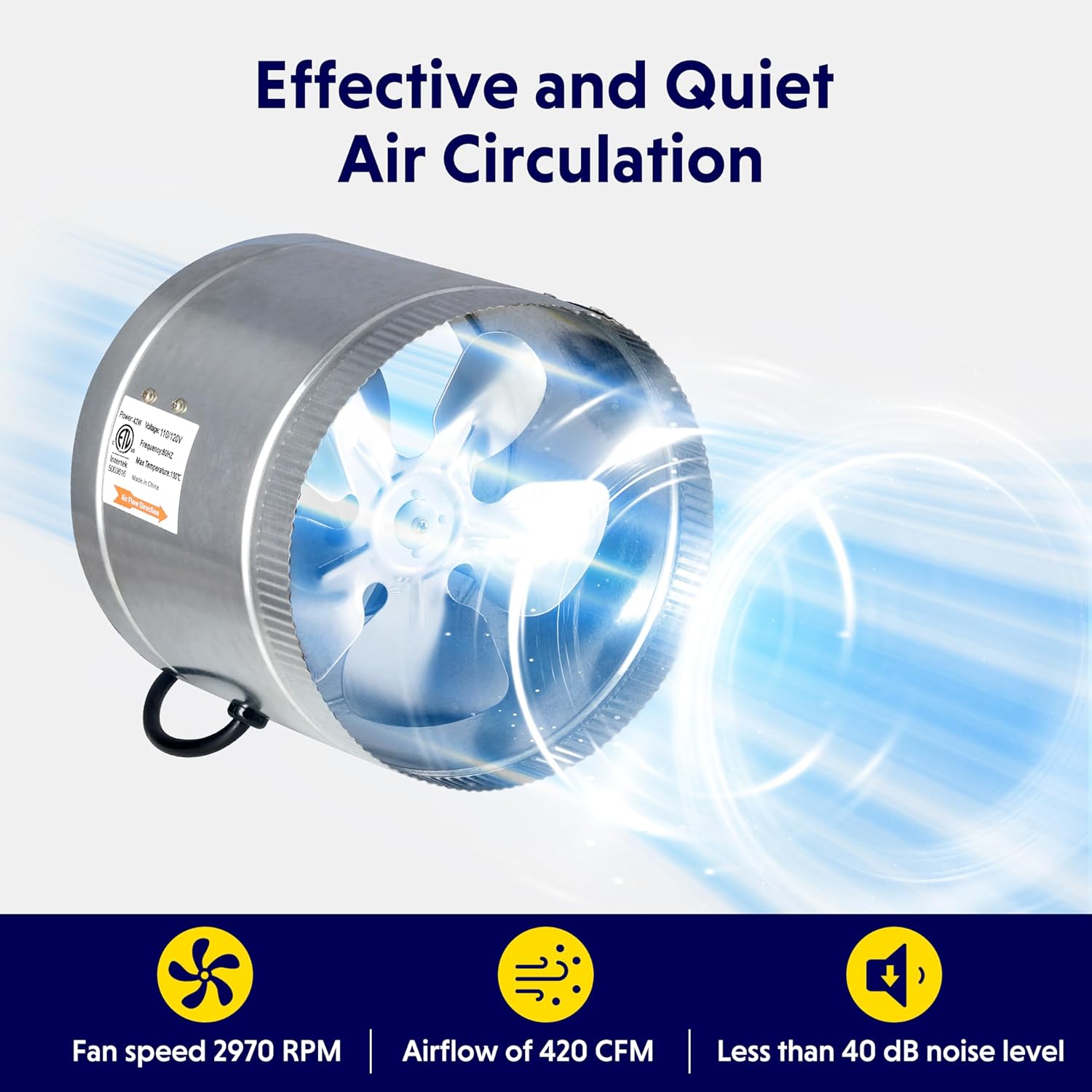
Figure 4.1: Visual representation of the fan's key specifications.
| Specifikacija | Vrijednost |
|---|---|
| Prečnik | 8 inča |
| Kapacitet protoka zraka | 420 CFM (kubnih stopa u minuti) |
| Brzina | 2970 RPM |
| Voltage | 110/120V |
| Wattage | 42W |
| Nivo buke | 50 dB (decibela) |
| Dužina kabla | 5.5 stopa |
| Max Operating Temperature (Motor) | 130°C / 266°F |
| Maksimalna temperatura okoline | 60°C / 140°F |
| Dimenzije proizvoda | 8.5"D x 9"Š x 6.5"H |
| Težina artikla | 4.07 funte |
| Broj modela | GLFANXBOOSTER8V1 |
5. Instalacija
The iPower Inline Duct Fan is designed for easy installation within existing ductwork. It can function as either an exhaust fan or an intake fan.
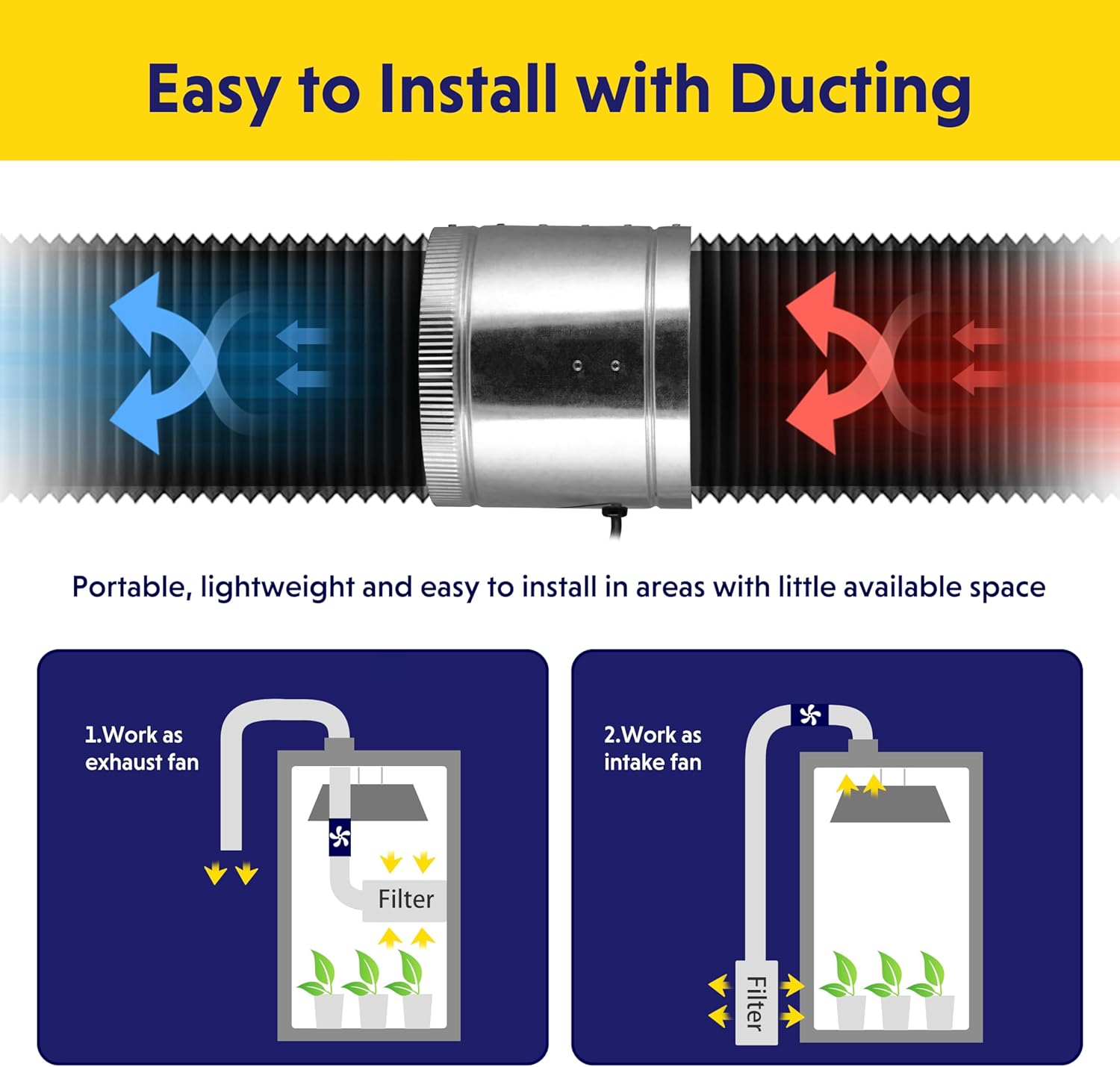
Figure 5.1: Diagram showing the fan integrated into ducting, illustrating both exhaust and intake configurations.
- Odaberite lokaciju: Select a suitable location within your duct system. The fan can be installed in-between sections of ducting or at the end. Ensure there is enough space for the fan and its connections.
- Sigurna montaža: Use appropriate mounting hardware (not included) to securely fasten the fan to a stable surface or suspend it within the duct run. Minimize vibration by ensuring a snug fit.
- Spajanje kanala: Connect the ductwork to both ends of the fan. Ensure all connections are sealed tightly to prevent air leaks. Duct clamps (not included) are recommended for secure attachment.
- Priključak za napajanje: Plug the 5.5-foot grounded power cord into a standard 110/120V electrical outlet. Ensure the outlet is properly grounded.
- Verify Airflow Direction: The fan has an indicated airflow direction (usually an arrow on the housing). Ensure the fan is oriented to move air in the desired direction (exhausting or intake).

Figure 5.2: Illustration of the fan's role in a ventilation system, showing air being drawn in and expelled.
6. Operacija
Once installed and connected to power, the iPower Inline Duct Fan operates by simply plugging it in. There are no external controls on the unit itself.
- Uključivanje/isključivanje: The fan will begin operating when plugged into a live electrical outlet and stop when unplugged.
- Kontinuirani rad: The fan is designed for continuous operation to maintain consistent airflow.
- Nivo buke: The fan operates at approximately 50 dB. While designed for low noise, some sound is inherent to its operation.

Figure 6.1: Visual representation of the fan's air circulation capabilities, highlighting its speed, airflow, and noise level.
7. Održavanje
Regular maintenance ensures optimal performance and longevity of your iPower Inline Duct Fan.
- Isključite napajanje: ALWAYS unplug the fan from the power source before performing any maintenance.
- Očistite oštrice: Periodically inspect the fan blades for dust, debris, or other obstructions. Gently clean the blades with a soft cloth or brush. Do not use harsh chemicals.
- Provjerite kanale: Ensure the connected ducting remains clear of blockages and is securely attached to the fan.
- motor: The motor features permanently lubricated bearings and does not require additional lubrication.
- Stanovanje: Obrišite vanjsko kućište s oglasomamp tkanina po potrebi.
8. Otkrivanje problema
| Problem | Mogući uzrok | Rješenje |
|---|---|---|
| Ventilator se ne uključuje. | Nema struje, neispravna utičnica, oštećen kabel. | Check power connection, test outlet with another device, inspect cord for damage. |
| Fan is unusually loud or vibrating. | Loose mounting, debris in blades, damaged blades/motor. | Ensure fan is securely mounted. Disconnect power and inspect blades for obstructions or damage. If damaged, discontinue use. |
| Smanjeni protok vazduha. | Blocked ducting, dirty fan blades. | Inspect ductwork for blockages. Disconnect power and clean fan blades. |
| Fan stops suddenly. | Power interruption, motor overheating, blade obstruction. | Check power. Disconnect power and inspect for obstructions. Allow motor to cool if overheating is suspected. |
If troubleshooting steps do not resolve the issue, please contact iPower customer support.
9. Prijave
The iPower Inline Duct Fan is versatile and can be used in various settings to improve air circulation and ventilation:
- HVAC sistemi: Boost heating and cooling airflow.
- Attics & Basements: Improve air circulation and reduce humidity.
- Workshops & Garages: Exhaust fumes and maintain air quality.
- Grow Tents: Provide essential air intake or exhaust for optimal plant growth environments.
- Bathrooms & Kitchens: Enhance exhaust of moisture and odors.

Slika 9.1: Pramples of common applications including bathrooms, kitchens, basements, and grow tents.
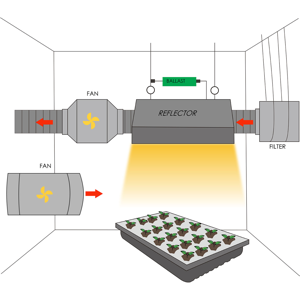
Figure 9.2: Grow Tent setup with inline fan for ventilation.
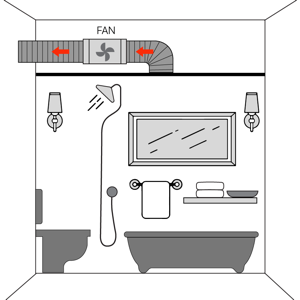
Figure 9.3: Bathroom ventilation setup using an inline fan.

Figure 9.4: Kitchen ventilation setup with an inline fan.
10. Korisnička podrška
For technical assistance, warranty information, or to report issues, please contact iPower customer support through their official webweb-mjestu ili prodavaču gdje je proizvod kupljen.
Please have your model number (GLFANXBOOSTER8V1) and purchase date available when contacting support.