
VXDAS TPMS19
VXDAS TPMS alat za ponovno učenje - korisnički priručnik
Brand: VXDAS | Model: TPMS19
Product Overview
The VXDAS TPMS19 is a specialized tool designed to help train and reset Tire Pressure Monitoring System (TPMS) sensors in compatible vehicles. It is an essential device for maintaining proper tire pressure monitoring after tire replacement, rotation, or when the TPMS indicator light is active. This super mini tool is well-built, easy to carry, and simple to operate, ensuring accurate communication with your vehicle's TPMS.

Image: The VXDAS TPMS Relearn Tool, a compact device with a green activation button and indicator lights.
Ključne karakteristike
- Ford Tire Sensor Relearn Tool: Perfectly compatible with Ford series cars, including F150, F250, Focus, Lincoln, Mercury, etc. (Note: Not suitable for heavy trucks with more than 4 tires, and does not support Toyota and Nissan vehicles).
- Essential TPMS Reset Tool: Crucial for relearning and resetting TPMS after replacing sensors, tire rotation, or when the tire pressure indicator light is on.
- OE Part Number Compatibility: Supports 8C2Z-1A203-A, 8C2Z1A203A, 8C2T-1A203-AB, TPMS19.
- Profesionalna podrška: CE and FCC approved, with a battery life of up to 5 years with normal use.
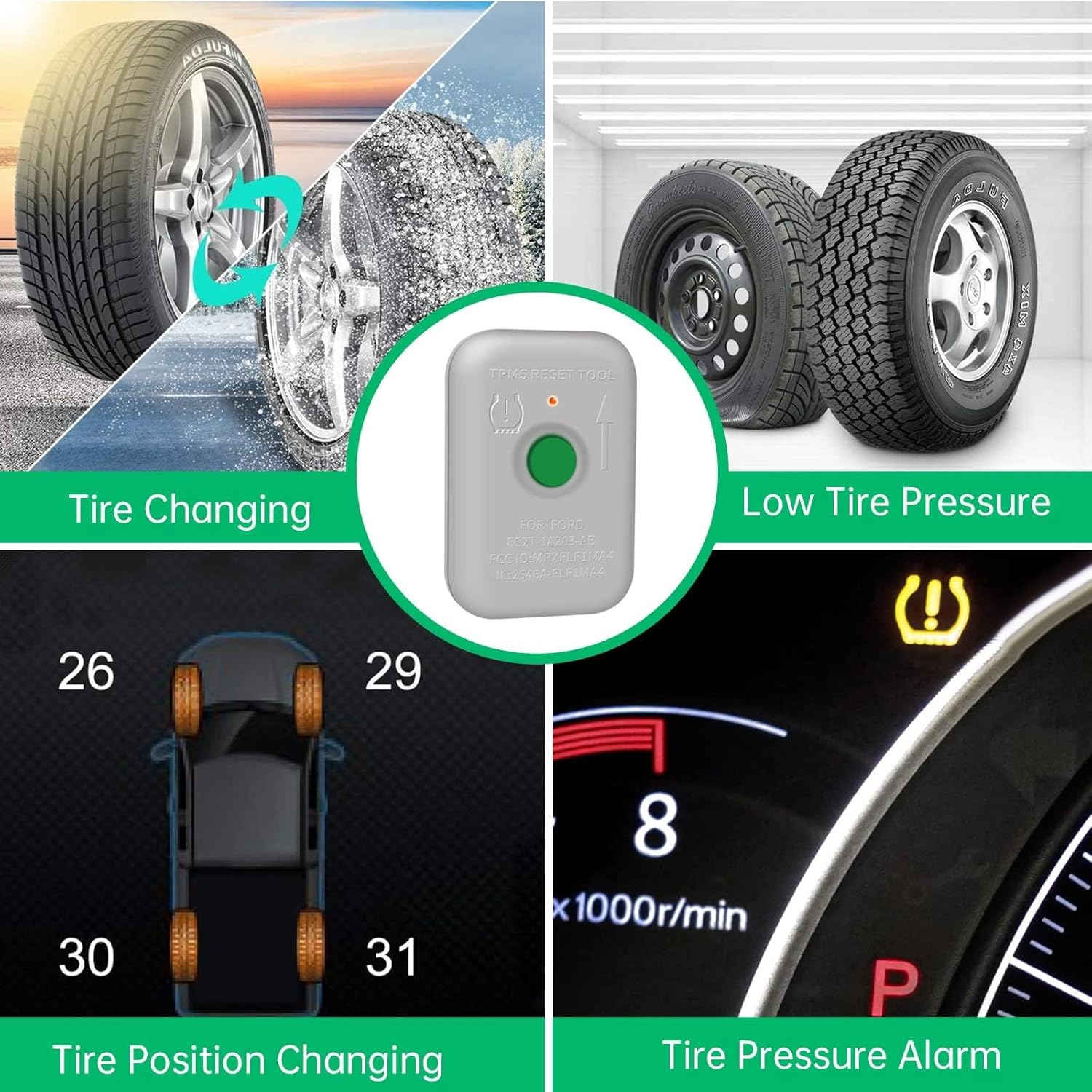
Image: Visual representation of common scenarios requiring TPMS relearn, including tire changing, low tire pressure, tire position changes, and active tire pressure alarms.
Kompatibilnost
The VXDAS TPMS19 tool is designed for a wide range of Ford, Lincoln, Mercury, and Mazda vehicles equipped with Tire Pressure Sensors (315/433 Mhz). This includes various car, SUV, pickup, and light truck models. Ensure your vehicle's sensors are original OEM sensors and are properly programmed before using this tool for resetting.

Image: A detailed list of supported Ford, Lincoln, Mercury, and Mazda vehicle models and their compatible years for the TPMS19 tool.
Uputstvo za upotrebu
Follow these steps to successfully relearn your vehicle's TPMS sensors using the VXDAS TPMS19 tool:
Step 1: Prepare the Vehicle for Relearn Mode
Set your car into TPMS relearn mode. This process varies by vehicle model. For many Ford vehicles, this involves a sequence of turning the ignition on/off and pressing the brake pedal. The car's horn will typically beep twice to confirm it has entered relearn mode. Refer to your vehicle's owner's manual for specific instructions on entering TPMS relearn mode.
Video: A comprehensive guide on how to use the TPMS19 tool, including steps to enter relearn mode and activate sensors.
Step 2: Activate Left-Front Tire Sensor
Start with the left-front tire. Hold the VXDAS TPMS19 tool next to the valve stem. Press the white button on the tool. The car's horn should bleep once, indicating successful activation of the sensor.

Image: Demonstrates the correct position to hold the TPMS relearn tool, near the tire's valve stem, for optimal signal transfer.
Step 3: Activate Remaining Tire Sensors in Sequence
Follow the specified order to reset the remaining TPMS sensors: front-right, then rear-right, and finally rear-left tires. Repeat the activation process (holding the tool near the valve stem and pressing the button) for each tire. The horn will bleep once for each successful activation.
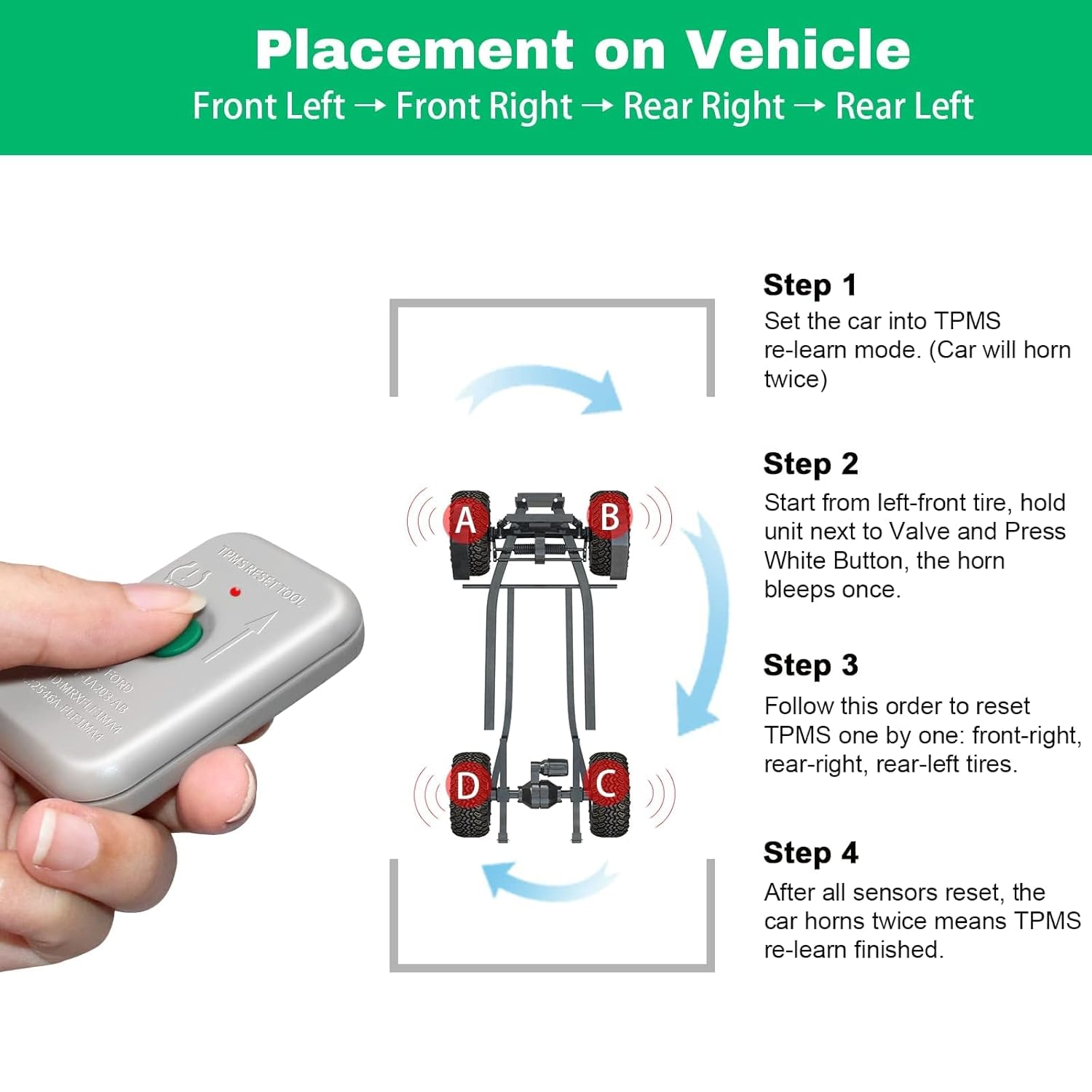
Image: Illustrates the recommended sequence for activating TPMS sensors: Front Left, Front Right, Rear Right, Rear Left.
Step 4: Complete Relearn Process
After all four sensors have been successfully reset, the car's horn will typically sound twice, signifying that the TPMS relearn process is complete.
Video: A short demonstration of the Ford TPMS relearn tool in action, showing the activation process.
Video: Another demonstration of the TPMS Reset Relearn Sensor Tool for Ford vehicles.
Video: Kratak pregledview of the VXDAS TPMS Relearn Tool's compatibility with both GM and Ford vehicles.
Održavanje
The VXDAS TPMS19 tool is designed for durability and long-term use. It is CE and FCC approved, ensuring compliance with safety and quality standards. With normal use, the internal battery is designed to last up to 5 years, providing reliable performance without frequent replacement.

Slika: Interni view of the VXDAS TPMS19 tool, highlighting its compact and durable electronic components.
Rješavanje problema
If you encounter issues during the TPMS relearn process, consider the following:
- Vehicle Relearn Mode: Ensure your vehicle is correctly in TPMS relearn mode. Many issues arise if the car has not properly entered this state. Refer to your vehicle's owner's manual for the precise steps.
- Tip senzora: Verify that the sensors are original OEM sensors and are well-programmed. This tool is for resetting, not reprogramming, sensors.
- Tool Position: Ensure the TPMS19 tool is held correctly near the tire sensor, ideally touching the rubber tire near the valve stem for better signal transfer.
- Trajanje baterije: While designed for long life, ensure the tool's battery is not depleted if it's not activating sensors.
Za detaljnije rješavanje problema, molimo pogledajte službene Vodič za rješavanje problema (PDF).
Specifikacije
| Broj modela stavke | TPMS19 |
|---|---|
| Dimenzije proizvoda | 2.56 x 1.77 x 0.59 inča |
| Težina artikla | 0.71 unci (0.02 kilograma) |
| Baterije | Potrebna je 1 litijum-metalna baterija |
| Proizvođač | VXDAS |
| Datum prve dostupnosti | 13. avgusta 2019 |
| Zemlja porijekla | Kina |
| Preciznost mjerenja | ±2 to ±3 psi |
Garancija i podrška
VXDAS is committed to providing professional support for all your TPMS needs. The TPMS19 tool is backed by the manufacturer's commitment to quality and performance.
For further assistance, product information, or to explore other VXDAS products, please visit the official VXDAS Store on Amazon.
Ask a question about this manual
Ask about setup, troubleshooting, compatibility, parts, safety, or missing instructions. Manuals+ will review the question and use this page’s manual context to help answer it.