
Uvod
The StarTech.com SDOCKU33HB is a USB 3.0 SATA Hard Drive Docking Station designed for quick and easy access to 2.5-inch or 3.5-inch SATA solid-state drives (SSDs) and hard disk drives (HDDs). It features a built-in USB Fast Charge hub and supports UASP (USB Attached SCSI Protocol) for enhanced performance with SATA 6Gbps drives. This manual provides instructions for setup, operation, and maintenance of your docking station.
Product Overview
Familiarize yourself with the components and features of your docking station.
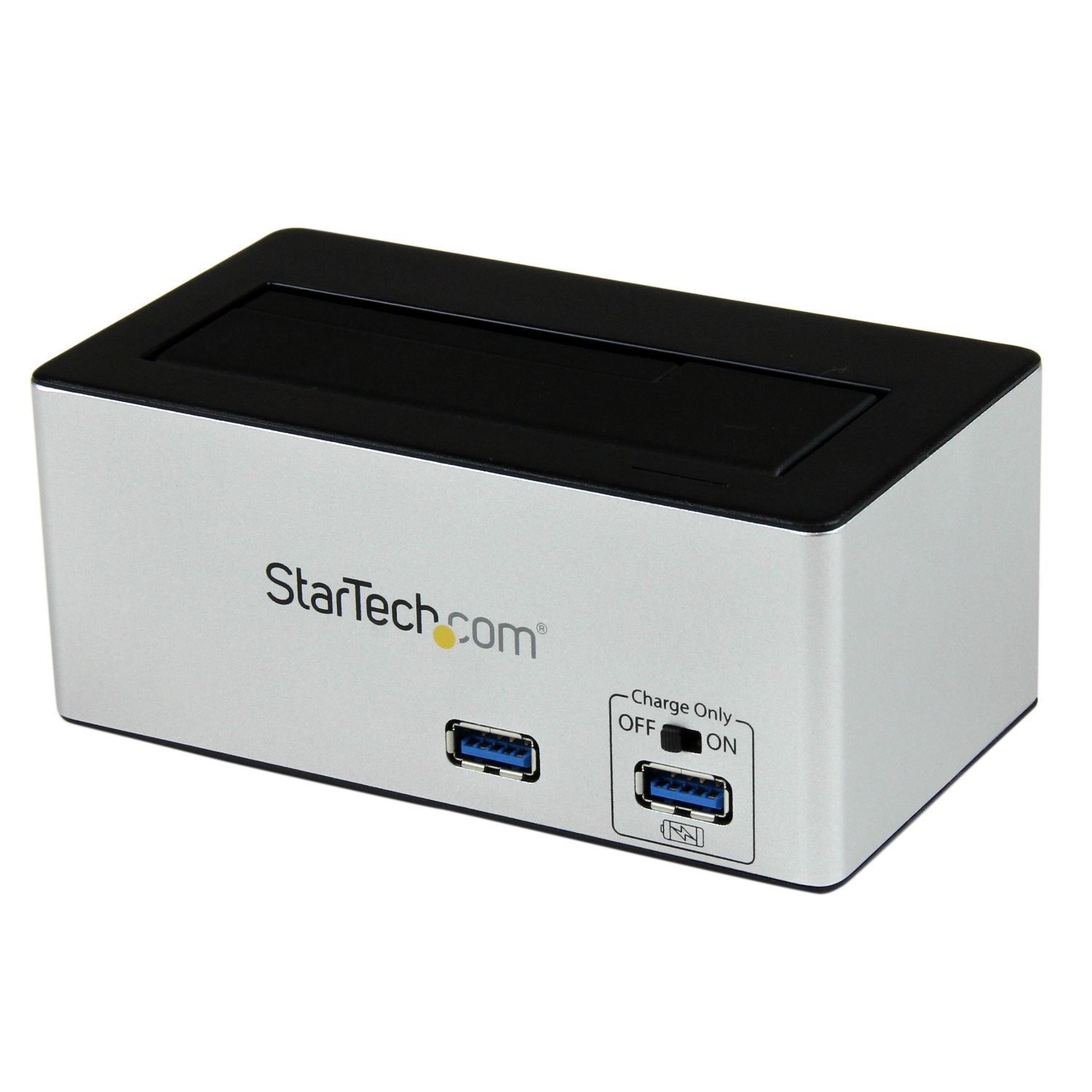
slika: The StarTech.com SDOCKU33HB docking station, showing the top-loading drive bay and front panel.
Karakteristike prednjeg panela
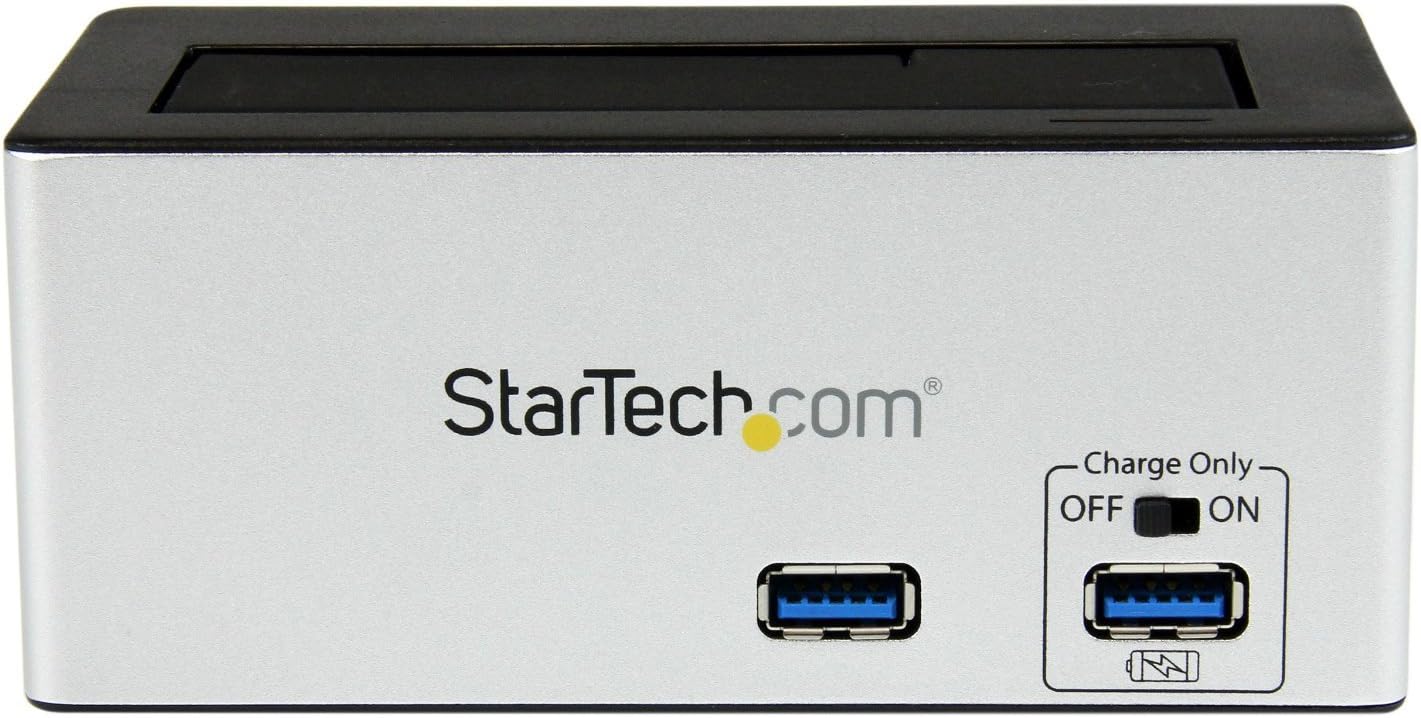
slika: Front view of the docking station, highlighting the USB 3.0 data port and the USB Fast Charge port with its ON/OFF switch.
- USB 3.0 Data Port: Povezuje se s vašim računarom radi prijenosa podataka.
- USB Fast Charge Port: Provides accelerated charging for mobile devices. Features an ON/OFF switch for activation.
Karakteristike zadnjeg panela

slika: Pozadi view of the docking station, showing the power switch, DC-IN port, USB 3.0 host connection, and the OFF/Sleep switch.
- Prekidač: Turns the docking station ON or OFF.
- DC-IN port: Povezuje se na priloženi adapter za napajanje.
- USB 3.0 Host Port: Connects the docking station to your computer's USB 3.0 port.
- OFF/Sleep Switch: Controls the sleep mode functionality of the docking station.
Sadržaj paketa
Verify that all components are present in your package.
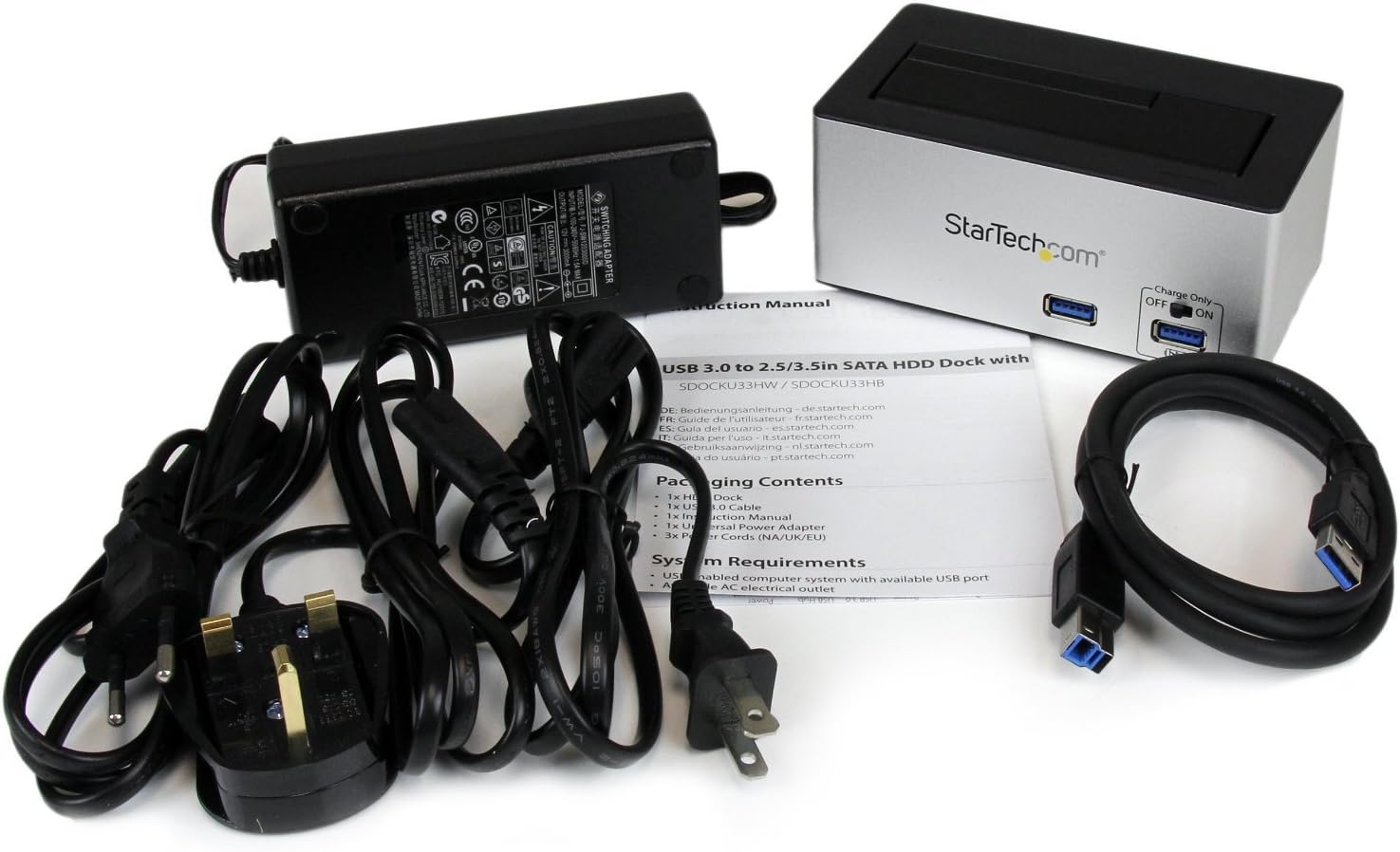
slika: The complete package contents, including the docking station, power adapter, USB 3.0 cable, and instruction manual.
- 1x USB 3.0 SATA Hard Drive Docking Station (SDOCKU33HB)
- 1x Univerzalni adapter za napajanje
- 1x USB 3.0 kabl
- 1x Uputstvo za upotrebu
Sistemski zahtjevi
Ensure your system meets the following requirements for optimal performance.
- Computer with an available USB 3.0 port (USB 2.0/1.1 backward compatible)
- 2.5-inch or 3.5-inch SATA I/II/III SSD/HDD
- Dostupna AC utičnica
- Operating System: Windows XP/Vista/7/8/10/11, macOS 10.x and later, Linux
Uputstva za postavljanje
- Priključite napajanje: Connect the universal power adapter to the DC-IN port on the rear of the docking station, then plug the adapter into an AC power outlet.
- Povežite se na računar: Connect one end of the included USB 3.0 cable to the USB 3.0 Host Port on the rear of the docking station, and the other end to an available USB 3.0 port on your computer.
- Umetni disk: Gently slide your 2.5-inch or 3.5-inch SATA SSD/HDD into the top-loading drive bay until it is securely seated. Ensure the drive's SATA connector aligns with the docking station's connector.
- Uključeno: Flip the Power Switch on the rear of the docking station to the 'ON' position. The power LED (if present) should illuminate.
- Instalacija drajvera: Vaš operativni sistem bi trebao automatski prepoznati i instalirati potrebne upravljačke programe. Ručna instalacija upravljačkih programa obično nije potrebna.
- Pristupni disk: Once detected, the drive will appear as a removable storage device in your operating system's file explorer or disk management utility. You may need to initialize and format new drives before use.
Uputstvo za upotrebu
Using the Hard Drive Dock
- Prijenos podataka: Once the drive is recognized by your computer, you can drag and drop files to and from the drive as you would with any other storage device.
- Zamjena tokom rada: The docking station supports hot-swapping. To safely remove a drive, ensure all data transfer operations are complete, then use your operating system's "Safely Remove Hardware" or "Eject" function before pulling the drive out of the bay.
- UASP podrška: For systems supporting UASP, the docking station will leverage this protocol to achieve faster data transfer speeds, especially with SATA 6Gbps drives.
Using the USB Fast Charge Port
- Activate Fast Charge: Flip the "Charge Only" switch on the front panel to the 'ON' position.
- Povežite uređaj: Connect your mobile device (e.g., smartphone, tablet) to the USB Fast Charge port using its charging cable.
- Punjenje: The port will provide enhanced power output for faster charging compared to standard USB ports.
Sleep Mode Functionality
- The "OFF/Sleep" switch on the rear panel controls the docking station's sleep mode behavior. Consult the full product manual for detailed information on sleep mode settings and compatibility.
Održavanje
- čišćenje: Za čišćenje vanjske strane priključne stanice koristite meku, suhu krpu. Nemojte koristiti tekuća sredstva za čišćenje ili rastvarače.
- Skladištenje: Kada se ne koristi, priključnu stanicu čuvajte na hladnom i suhom mjestu, dalje od direktne sunčeve svjetlosti i ekstremnih temperatura.
- Rukovanje pogonom: Always handle hard drives with care. Avoid dropping or subjecting them to physical shock.
Rješavanje problema
- Issue: Drive not detected by computer.
- Provjerite je li priključna stanica uključena i je li adapter za napajanje sigurno spojen.
- Verify the USB 3.0 cable is firmly connected to both the docking station and your computer.
- Pokušajte s drugim USB portom na svom računaru.
- Ensure the SATA drive is correctly seated in the docking bay.
- Check your computer's Disk Management (Windows) or Disk Utility (macOS) to see if the drive is recognized but uninitialized or unformatted. New drives require initialization and formatting.
- Test with a different SATA drive to rule out a drive issue.
- Problem: Male brzine prijenosa podataka.
- Provjerite da li ste povezani na USB 3.0 port na računaru. USB 2.0 portovi će rezultirati manjim brzinama.
- Verify your operating system and drivers support UASP for optimal performance with SATA 6Gbps drives.
- The performance of the drive itself can affect transfer speeds.
- Issue: Fast Charge port not working.
- Ensure the "Charge Only" switch on the front panel is in the 'ON' position.
- Provjerite je li priključna stanica uključena.
- Try a different charging cable or device to confirm the issue is not with the device or cable.
Specifikacije
| Feature | Specifikacija |
|---|---|
| Model | SDOCKU33HB |
| Interface | USB 3.0 (unazad kompatibilan sa USB 2.0/1.1) |
| Kompatibilne vrste pogona | 2.5" and 3.5" SATA I/II/III HDDs/SSDs |
| Brzina prijenosa podataka | Do 5 Gbps (USB 3.0) |
| UASP podrška | Da |
| Fast Charge Port | Da |
| Dimenzije (D x Š x V) | 3.6" x 3.6" x 6.8" (9.14 cm x 9.14 cm x 17.27 cm) |
| Težina | 1.4 lbs (0.64 kg) |
| Boja | Crna |
| Napajanje | Universal AC Adapter (Input: 100-240V AC, Output: 12V DC) |
Garancija i tehnička podrška
Ovaj StarTech.com proizvod je podržan od strane 2 godine garancije.
For the most up-to-date information on warranty, technical support, and product documentation, please visit the official StarTech.com website or the product page:
You can also find additional resources and contact information for technical assistance on the StarTech.com website.