
1. Uvod
This manual provides comprehensive instructions for the Nikon D4 16.2 MP CMOS FX Digital SLR camera. It covers essential information regarding camera setup, operation, maintenance, troubleshooting, and technical specifications to ensure optimal use of your device.
The Nikon D4 is a professional-grade digital single-lens reflex camera designed for high-speed performance and exceptional image quality, featuring a 16.2-megapixel FX-format CMOS sensor and full 1080p HD video capabilities.
2. Podešavanje
2.1 Raspakivanje i provjera sadržaja
Before using your Nikon D4 camera, ensure all supplied accessories are present. The standard package includes:
- AN-DC7 traka
- EN-EL18 Punjiva Li-ion baterija
- MH-26 punjač baterija
- UC-E15 USB kabel
- USB Cable Clip
- BF-1B Kap
- UF-2 Connector cover for stereo mini plug cable
- UF-1 Connector cover for USB cable
- Nikon View NX2 CD-ROM
- Transmitter Utility CD
- Poklopac za priključak za dodatnu opremu BS-2
Inspect all items for any signs of damage. If any items are missing or damaged, contact your retailer.
2.2 Ugradnja i punjenje baterije
The Nikon D4 uses an EN-EL18 rechargeable Li-ion battery. Ensure the battery is fully charged before first use.
- Insert the EN-EL18 battery into the MH-26 Battery Charger.
- Priključite punjač u utičnicu. Indikator punjenja će svijetliti.
- Once charging is complete, the indicator will turn off. Remove the battery from the charger.
- Otvorite poklopac pretinca za bateriju na dnu fotoaparata.
- Insert the charged battery into the camera, ensuring correct orientation, until it clicks into place.
- Čvrsto zatvorite poklopac pretinca za bateriju.

2.3 Instalacija memorijske kartice
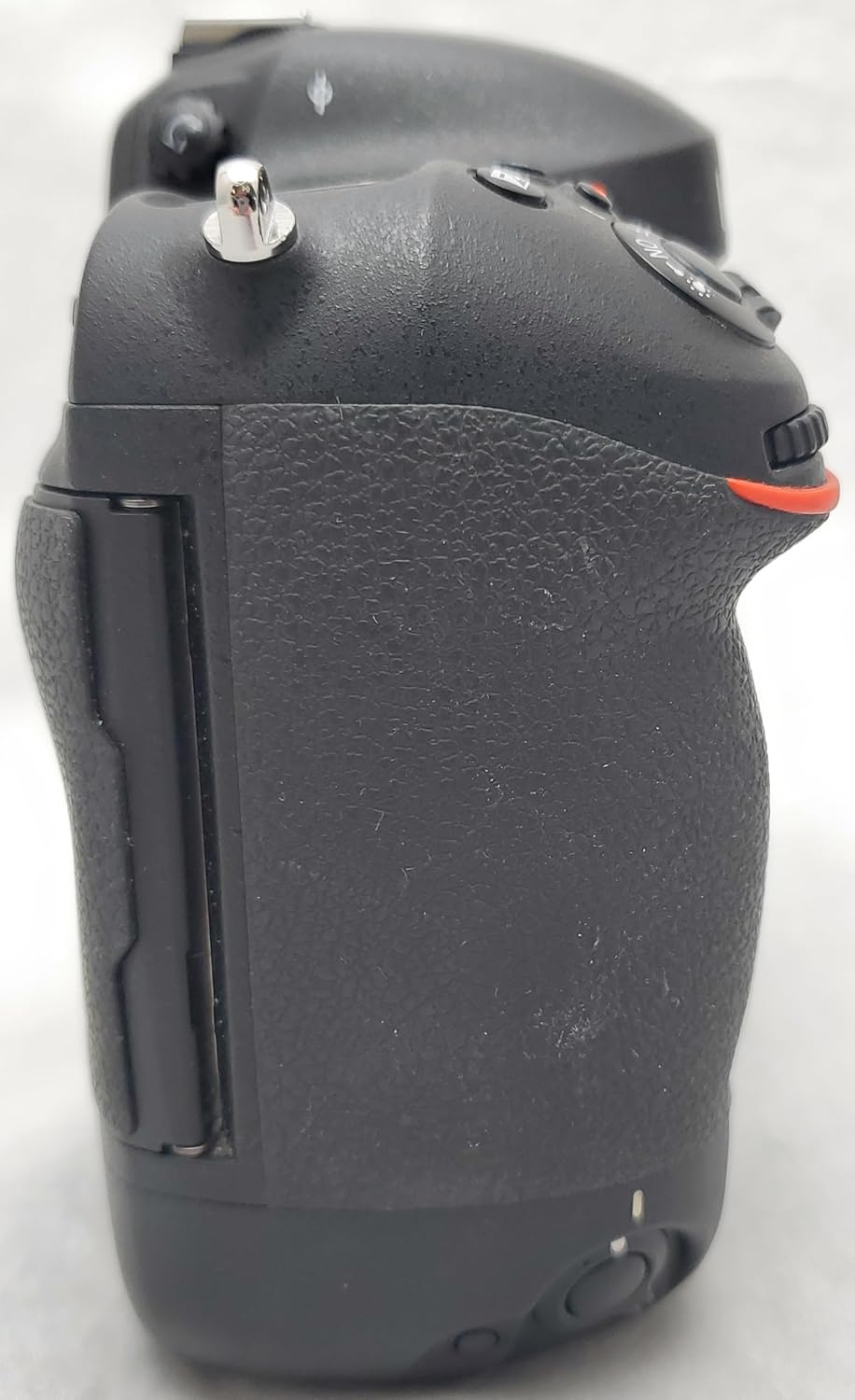
The D4 features dual memory card slots, supporting one CompactFlash (CF) card and one XQD memory card.
- Locate the memory card slot cover on the right side of the camera.
- Otvorite poklopac.
- Insert the CF card into its designated slot with the correct orientation until it clicks.
- Insert the XQD card into its designated slot with the correct orientation until it clicks.
- Čvrsto zatvorite poklopac utora za memorijsku karticu.
2.4 Pričvršćivanje objektiva
The Nikon D4 is compatible with Nikon F (FX) mount lenses.
- Skinite poklopac tijela s fotoaparata i stražnji poklopac objektiva s objektiva.
- Poravnajte oznaku za montažu na objektivu s oznakom za montažu na kućištu fotoaparata.
- Okrenite objektiv suprotno od smjera kazaljke na satu dok ne klikne na svoje mjesto.

2.5 Početno uključivanje i osnovne postavke
- Turn the camera on using the power switch.
- Pratite upute na ekranu da biste podesili jezik, datum i vrijeme.
3. Upravljanje kamerom
3.1 Osnove fotografije
The Nikon D4 offers various modes and settings for capturing still images.
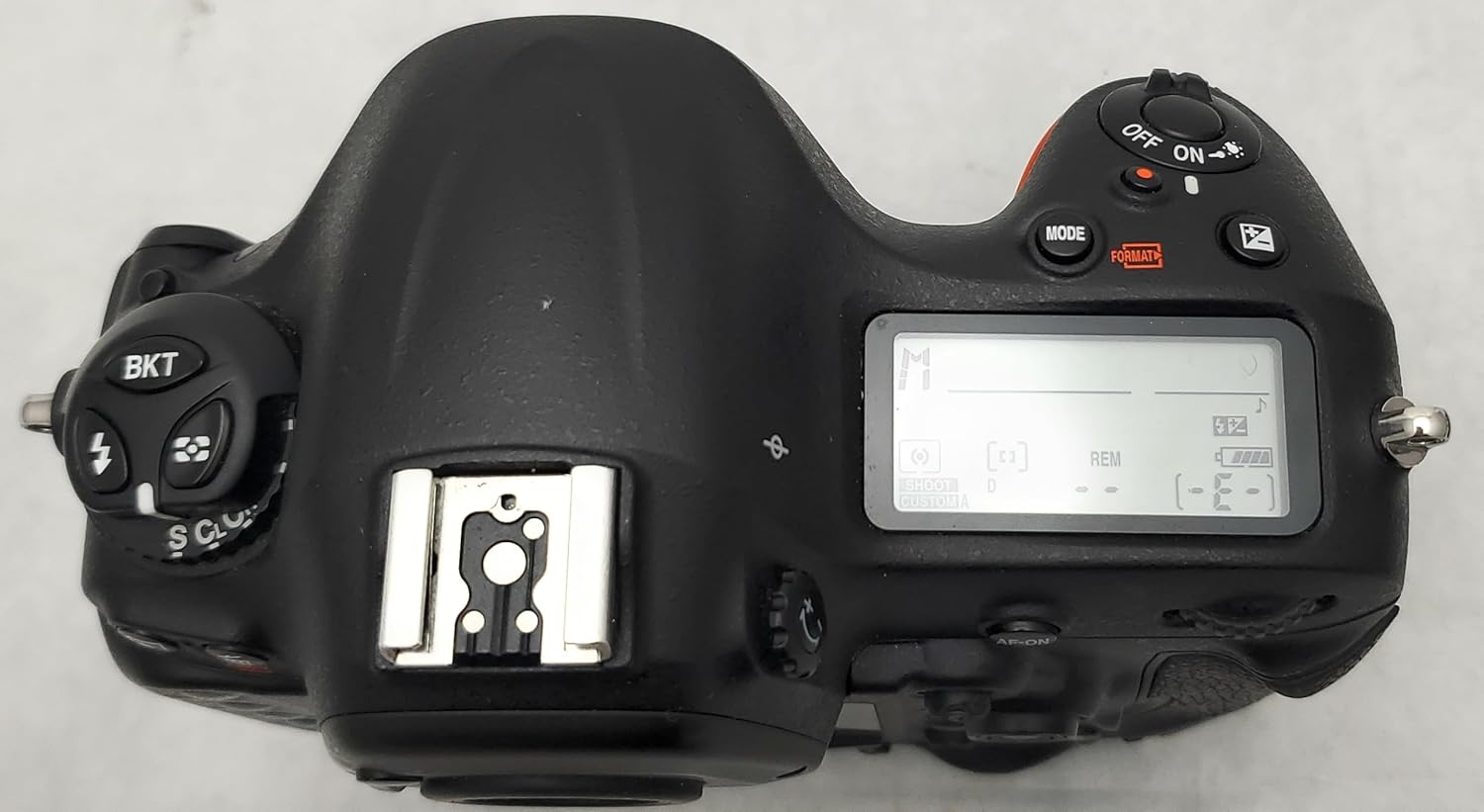
- Uključivanje/isključivanje: Use the power switch located around the shutter release button.
- Otpuštanje okidača: Press the shutter release button halfway to focus, then fully to take a picture.
- Načini ekspozicije: Select from Programmed auto (P), Shutter-priority auto (S), Aperture-priority auto (A), and Manual (M) using the mode button and command dials.
- Fokusiranje: The camera features a 51-point AF system. Use the AF-ON button or the joystick-style sub-selector to select AF points and modes.
- Mjerenje: Choose between Multi, Center-weighted, and Spot metering modes.
- ISO osetljivost: Adjust ISO from 100 to 12,800 (expandable down to 50 and up to 204,800) for varying light conditions.
- Balans bijele boje: Set white balance for accurate color reproduction. Options include Auto, preset manual, and Kelvin temperature.
- Picture Control: Access six preset options (Standard, Neutral, Vivid, Monochrome, Landscape, Portrait) and up to nine customizable settings via the dedicated Picture Control button.
- Kontinuirano snimanje: Achieve speeds of 10 or 11 frames per second in FX-format.
- Built-in HDR: Combine two exposures to create a single image with an extended dynamic range.
3.2 Video Recording (D-Movie)
The D4 supports Full HD (1080p) video recording with advanced controls.
- Starting/Stopping Video: Use the dedicated movie record button.
- Multi-Area Mode: Choose from FX, DX (1.5x crop), or 1920x1080 (2.7x crop) formats.
- Ručna kontrola ekspozicije: Adjust aperture, shutter speed, and ISO during recording.
- Audio snimak: Attach an external microphone (e.g., ME-1 Stereo Microphone) for high-fidelity audio. Monitor audio levels using on-screen indicators and the headphone jack.
- HDMI izlaz: View footage on an external monitor or record uncompressed 8-bit 4.2.2 footage directly to an external recording device via the HDMI terminal.
- Time-Lapse Shooting: Set intervals and frame rates to create time-lapse movies.

3.3 Uživo View and Menu Navigation
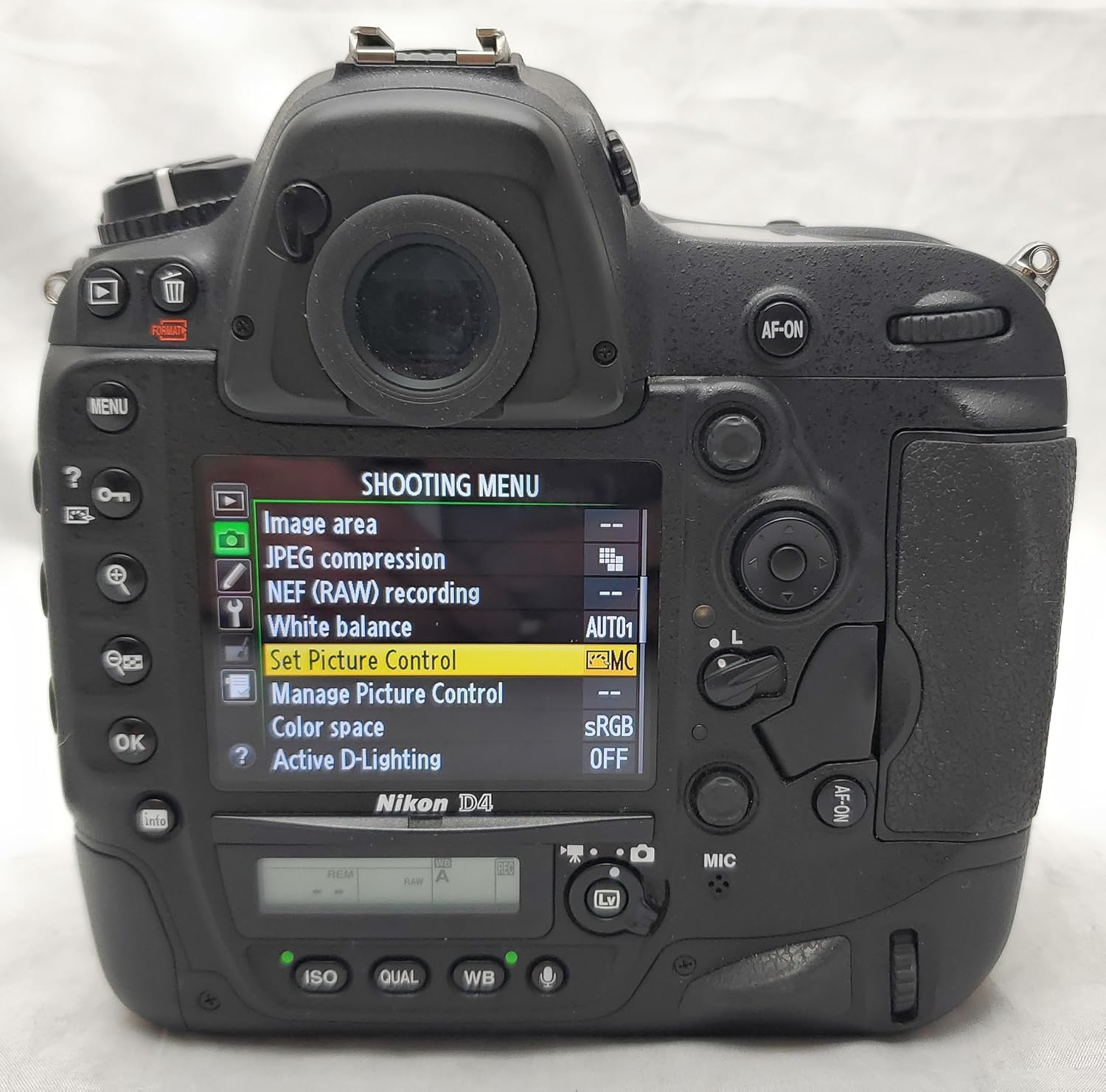
The D4 features a 3.2-inch, 921,000-dot LCD monitor for Live View shooting and menu access.
- Uživo View Načini rada: Switch between Photography Live View and Movie Live View.
- Pristup meniju: Press the MENU button to access camera settings. Navigate using the multi-selector and OK button.
- Slika Review: Koristite dugme za reprodukciju da ponovoview photos and videos. Zoom in up to 46x for focus confirmation.
3.4 Povezivanje
The D4 offers various connectivity options for data transfer and remote control.
- USB: Connect the camera to a computer using the supplied UC-E15 USB cable for image transfer.
- Optional WT-5A Wireless Transmitter: This accessory enables secure, high-speed file transmission and remote camera functionality.
- HTTP Mode: Control camera functions, including Live View and video recording, via a web browser on a smartphone or tablet.
- Image Transmission Mode: Transmit images to an FTP server or computer.
- Camera Control Pro 2: Operate the D4 remotely from a computer, including simultaneous control of multiple D4/WT-5A combinations.
4. Održavanje
Proper maintenance ensures the longevity and optimal performance of your Nikon D4 camera.
- Čišćenje kućišta fotoaparata: Use a soft, dry cloth to clean the camera body. For stubborn dirt, a slightly dampened cloth can be used, followed by a dry cloth. Avoid using organic solvents.
- Čišćenje nosača objektiva: Keep the lens mount free of dust and debris. Use a blower brush to remove loose particles. Avoid touching the electrical contacts.
- Čišćenje senzora: If dust spots appear on images, the image sensor may need cleaning. Nikon recommends professional sensor cleaning. For minor dust, a blower bulb can be used with caution.
- Održavanje baterije: Baterije čuvajte na hladnom i suhom mjestu kada ih ne koristite. Izbjegavajte potpuno pražnjenje baterija tokom dužeg perioda.
- Skladištenje: When storing the camera for extended periods, remove the battery and memory cards. Store the camera in a dry, well-ventilated area, away from direct sunlight and extreme temperatures.
- Ažuriranja firmvera: Periodically check the Nikon website for available firmware updates to ensure your camera has the latest features and performance enhancements.
5. Otkrivanje problema
This section addresses common issues you might encounter with your Nikon D4 camera.
- Kamera se ne uključuje: Ensure the battery is fully charged and correctly inserted. Check if the battery chamber cover is securely closed.
- Cannot Take Pictures: Verify that a memory card is inserted and has sufficient free space. Check the focus mode and ensure the lens is properly attached.
- Slike su mutne: Confirm that the lens is clean and properly focused. Check the shutter speed; a faster shutter speed may be needed in low light or for moving subjects. Ensure image stabilization (if available on the lens) is active if needed.
- Greška memorijske kartice: Reinsert the memory card. If the error persists, try a different card. Ensure the card is compatible with the D4 (CF or XQD).
- Flash Does Not Fire: Check flash settings. Ensure the flash is enabled and not in a suppressed mode.
- Loš kvalitet slike: Review ISO settings (high ISO can introduce noise). Check white balance and exposure settings. Ensure the lens aperture is appropriate for the desired depth of field.
If you encounter issues not covered here or require further assistance, please refer to the Nikon support website or contact Nikon customer service.
6. Specifikacije
Key technical specifications for the Nikon D4 Digital SLR Camera:
| Feature | Specifikacija |
|---|---|
| Naziv modela | Nikon D4 |
| Broj modela | 25482 |
| Rezolucija foto senzora | 16.2 MP |
| Tehnologija foto senzora | CMOS |
| Veličina foto senzora | Puni okvir (35 mm) |
| Kompatibilni nosači | Nikon F (FX) |
| Prošireni ISO raspon | 50 - 204,800 (Native: 100 - 12,800) |
| Tačke autofokusa | 51 |
| Brzina kontinuiranog snimanja | 10/11 frames per second |
| Maksimalna brzina zatvarača | 1/8000 sekundi |
| Minimalna brzina zatvarača | 30 sekundi |
| Video Rezolucija | FHD 1080p |
| Veličina ekrana | 3.2 inča |
| Rezolucija ekrana | 921,000 tačaka |
| Memorijski slotovi | 1 CompactFlash (CF), 1 XQD |
| Vrsta baterije | Lithium-Ion EN-EL18 rechargeable battery |
| Težina artikla | 2.95 funte (samo tijelo) |
| Tehnologija povezivanja | USB, HDMI, Optional Wireless (WT-5A) |
| UPC | 018208254828 |
7. Garancija i podrška
7.1 Informacije o garanciji
The Nikon D4 camera comes with a One Year Limited Warranty. Please refer to the warranty card included with your product for specific terms and conditions. Keep your proof of purchase for warranty claims.
7.2 Korisnička podrška
For technical assistance, service, or additional information, please visit the official Nikon support website or contact Nikon customer service in your region. Support resources often include FAQs, driver downloads, and service center locations.