
Въведение
This manual provides detailed instructions for the setup, operation, and maintenance of your EIGIIS KE3P Military GPS Smart Watch. Please read this manual thoroughly to ensure proper use and to maximize the features of your device.
Какво има в кутията
- 1x EIGIIS Military Smart Watch for Men
- 1x кабел за зареждане
- 1x ръководство за потребителя
Продуктът е свършилview
Familiarize yourself with the components and controls of your EIGIIS KE3P Smart Watch.

Фигура 1: Отпред view of the EIGIIS KE3P Smart Watch, showcasing its rugged design and vibrant display.

Фигура 2: Гръб view of the EIGIIS KE3P Smart Watch, highlighting the optical heart rate and blood oxygen sensors.

Фигура 3: Страна view of the EIGIIS KE3P Smart Watch, showing the physical buttons and the integrated LED flashlight.
Ключови компоненти:
- 1.45-инчов TFT дисплей: Full-touch color screen for interactive use.
- Upper Button (Home): Navigates to the home screen or activates specific functions.
- Lower Button (Back): Returns to the previous screen or activates specific functions.
- LED фенерче: Integrated on the side for illumination.
- Оптични сензори: Разположен на гърба за наблюдение на пулса и съня.
- Порт за зареждане: Magnetic charging pins on the back for power input.
- Микрофон и високоговорител: For Bluetooth calling functionality.
Настройка
Follow these steps to set up your EIGIIS KE3P Smart Watch.
1. Зареждане на устройството
Before first use, fully charge your smartwatch. Connect the magnetic charging cable to the charging port on the back of the watch and plug the USB end into a power adapter (not included).

Figure 4: The EIGIIS KE3P Smart Watch connected to its magnetic charging cable, illustrating its 530mAh battery capacity.
2. Инсталиране и сдвояване на приложение
Your smartwatch is compatible with iOS 13+ and Android 5.0+ devices. Download the companion app (e.g., 'GloryFit' or as specified in the watch manual) from your device's app store. Follow the in-app instructions to pair your watch via Bluetooth.
Video 1: Demonstrates the process of connecting the EIGIIS KE3P Smart Watch to a smartphone via the companion app, including Bluetooth pairing steps.
Video 2: An unboxing video for the EIGIIS KE3P Smart Watch, showing the contents of the package and initial device handling.
Инструкция за работа
Learn how to use the various features of your EIGIIS KE3P Smart Watch.
1. Built-in GPS Tracking
The smartwatch features built-in GPS with support for six satellite systems for faster and more accurate positioning. Use this feature to track your outdoor activities and routes.

Figure 5: The EIGIIS KE3P Smart Watch displaying a GPS-tracked route during an outdoor activity.
Video 3: A guide on correctly using the GPS function of the EIGIIS KE3P Smart Watch for outdoor tracking.
2. LED фенерче
Activate the built-in LED flashlight with bright, flash, and SOS modes for convenience in low-light conditions.

Figure 6: The EIGIIS KE3P Smart Watch with its powerful LED flashlight activated, providing illumination.
Video 4: Showcases the LED flashlight feature of the EIGIIS KE3P Smart Watch, demonstrating its utility in dark environments.
3. Bluetooth Calling & Message Notifications
With a built-in microphone and speaker, you can make and receive calls directly from your wrist. The watch also displays real-time alerts from various applications.

Figure 7: The EIGIIS KE3P Smart Watch showing an incoming Bluetooth call, illustrating its hands-free communication capability.
4. 24-Hour Health Monitoring
The smartwatch continuously monitors your heart rate, blood oxygen, and sleep patterns. Sync data to the app for a comprehensive overview of your health metrics.

Figure 8: The EIGIIS KE3P Smart Watch showing real-time heart rate data, part of its continuous health monitoring features.

Figure 9: The EIGIIS KE3P Smart Watch presenting sleep monitoring data, including sleep stagи продължителност.
5. 100+ спортни режима
Track your performance across over 100 sports modes, including steps, heart rate, and calories burned. The 3ATM water resistance rating makes it suitable for various water sports.
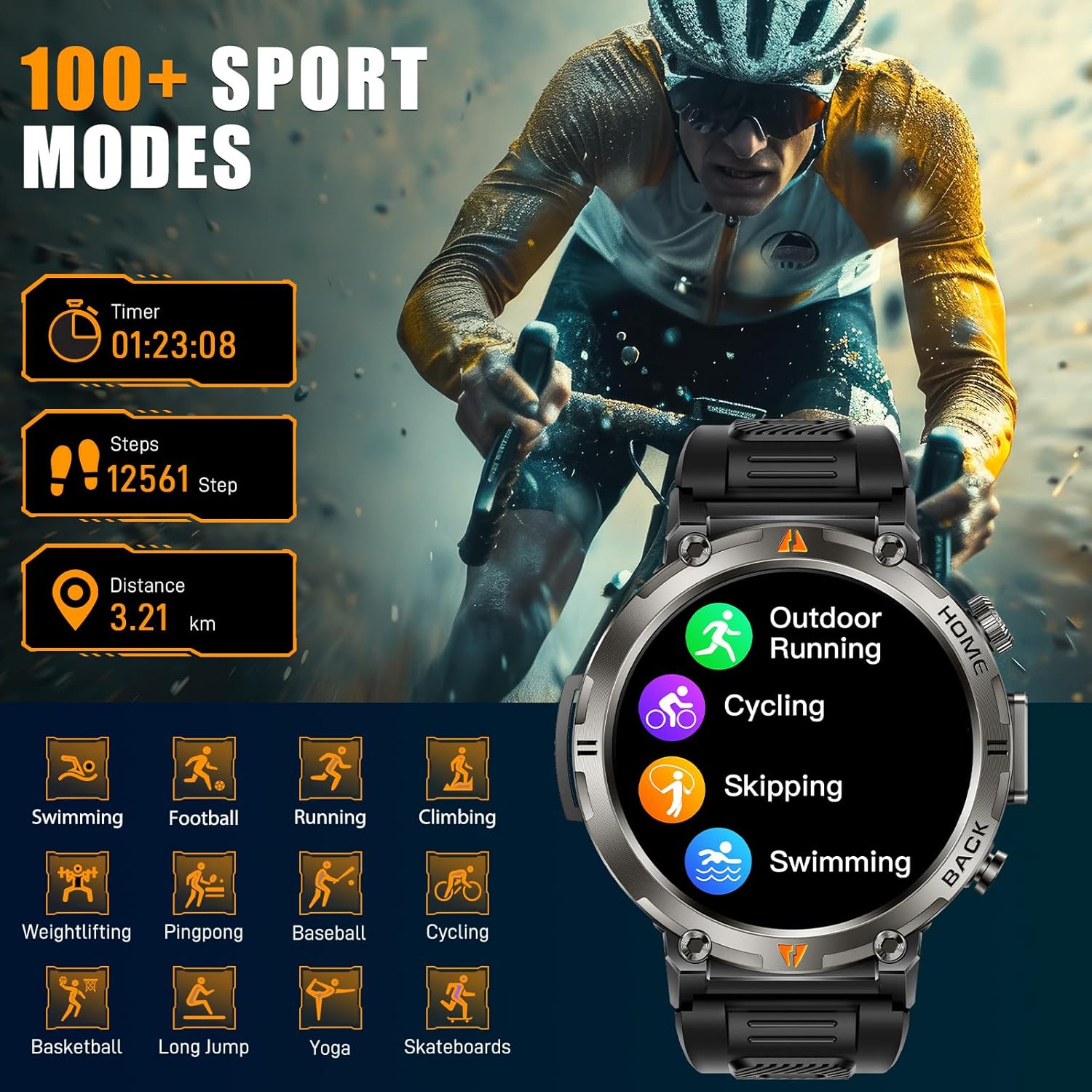
Figure 10: The EIGIIS KE3P Smart Watch interface showing a selection of its 100+ available sports tracking modes.
6. Персонализирани циферблати
Personalize your smartwatch with a variety of pre-installed watch faces or create your own using the companion app.

Figure 11: The EIGIIS KE3P Smart Watch showcasing its 1.45-inch full-touch TFT display with various customizable watch face options.
Поддръжка
To ensure the longevity and optimal performance of your EIGIIS KE3P Smart Watch, follow these maintenance guidelines:
- Почистване: Редовно избърсвайте екрана и каишката на часовника с мека, суха кърпа. За упорити замърсявания използвайте лекоamp cloth and dry thoroughly. Avoid harsh chemicals.
- Зареждане: Use only the provided charging cable. Ensure the charging contacts on both the watch and the cable are clean and dry before charging.
- Излагане на вода: While the watch is 3ATM waterproof, avoid prolonged exposure to hot water, steam, or high-velocity water. Dry the watch thoroughly after exposure to water.
- Съхранение: Съхранявайте часовника на хладно и сухо място, когато не го използвате. Избягвайте екстремни температури.
Отстраняване на неизправности
If you encounter any issues with your EIGIIS KE3P Smart Watch, refer to the following common solutions:
- Часовникът не се включва: Уверете се, че часовникът е напълно зареден. Свържете го към зарядното устройство за поне 30 минути.
- Неуспешно сдвояване с телефон: Make sure Bluetooth is enabled on your phone and the watch is within range. Restart both the watch and your phone, then try pairing again through the app.
- Неточни здравни данни: Уверете се, че часовникът е плътно прилепнал към китката ви, не е нито прекалено стегнат, нито прекалено хлабав. Почистете зоната на сензора на гърба на часовника.
- Неполучени известия: Check app permissions on your phone to ensure the companion app has access to notifications. Verify that notifications are enabled within the watch's settings and the companion app.
- Кратък живот на батерията: Reduce screen brightness, disable unnecessary features (e.g., continuous heart rate monitoring if not needed), and ensure the watch is fully charged regularly.
Ако проблемът продължава, моля, свържете се с отдела за обслужване на клиенти.
Спецификации
| Характеристика | детайл |
|---|---|
| Размери на продукта | 6.73 x 4.37 x 1.06 инча |
| Тегло на артикула | 5.6 унции |
| Номер на модела на артикул | KE3 |
| Батерии | Необходими са 1 C батерии (включени) |
| производител | EIGIIS |
| Размер на стоящ екран | 1.45 инча |
| Капацитет за съхранение на паметта | 128 MB |
| Операционна система | iPhone Android |
| Специални функции | Built-in GPS, 3 Modes Flashlight, 530 mAh Big Battery, 3ATM waterproof, Compass, 1.45'' Big Screen, 360*360 Pixels, Bluetooth Calling, Contact Person, Call Records, Voice Assistant, Workout Records, Heart Rate, Sleep Monitor, Messages, Weather, Music, Breath Training, Stopwatch, Timer, Alarm Clock, Calendar, Calculator, Find Phone, Remote Camera Control |
| Капацитет на батерията | 530 милиamp часове |
| Технология за свързване | Bluetooth |
| Стандарт за безжична комуникация | Bluetooth |
| Състав на клетката на батерията | Литиево-йонни |
| GPS | Вграден GPS |
| Форма | Кръгъл |
| Размер на екрана | 1.45 инча |
Гаранция и поддръжка
This EIGIIS KE3P Smart Watch is compatible with iOS 13+ and Android 5.0+ (not for PC or tablets). We provide 24-hour customer support to ensure your satisfaction. For any inquiries or assistance, please contact our support team.