
1. Въведение
This manual provides comprehensive instructions for the Creality Hyper PLA Filament. Designed for high-speed 3D printing, Hyper PLA offers enhanced fluidity, rapid cooling, and superior toughness compared to traditional PLA. This brown variant is suitable for a wide range of FDM 3D printers.

Image: Creality Hyper PLA Filament spool and a sample 3D print.

Изображение: Прamples of objects printed with Hyper PLA, showcasing неговата универсалност.
2. Настройка и съвместимост
2.1 Зареждане на нишките
Ensure your 3D printer is powered off or in a safe state before loading filament. Follow your printer's specific instructions for loading 1.75mm diameter filament. Typically, this involves feeding the filament into the extruder assembly until it is gripped by the gears.
2.2 Printer Compatibility
Creality Hyper PLA Filament is designed for universal compatibility with most 1.75mm FDM 3D printers on the market. This includes popular models such as:
- MK3
- Ender 3 series (Ender 3, Ender 3 V3 SE, Ender 3 V3 KE, Ender 3 V3)
- K1 series (K1, K1 Max, K1 C)
- Monoprice FlashForge
- And many other FDM 3D printers.
3. Работни параметри
For optimal printing results with Creality Hyper PLA Filament, adhere to the following recommended parameters. These settings may require minor adjustments based on your specific 3D printer model and environmental conditions.
| Параметър | Препоръчителна стойност |
|---|---|
| Температура на екструдера | 190-230°C |
| Температура на котлона | No heating - 60°C |
| Скорост на печат | 30-600 mm/s |
| Диаметър на нишката | 1.75 мм |
| Dimensional Accuracy | ±0.03 мм |

Image: Recommended printing temperatures and speeds for Hyper PLA.
3.1 Key Features for Printing
- High Fluidity: Ensures sufficient melting and extrusion, crucial for high-speed printing.
- Бързо охлаждане: Allows for quick shaping and solidification, supporting print speeds up to 600mm/s.
- Higher Toughness: Provides better structural integrity and bearing capacity for printed models, surpassing traditional PLA and ABS in some aspects.
- Точност на размерите: Consistent 1.75±0.03mm diameter ensures smooth filament flow and reliable extrusion.

Image: Illustration of 10x faster printing speed with Hyper PLA.

Image: Demonstration of high dimensional accuracy (1.75mm ±0.03mm).
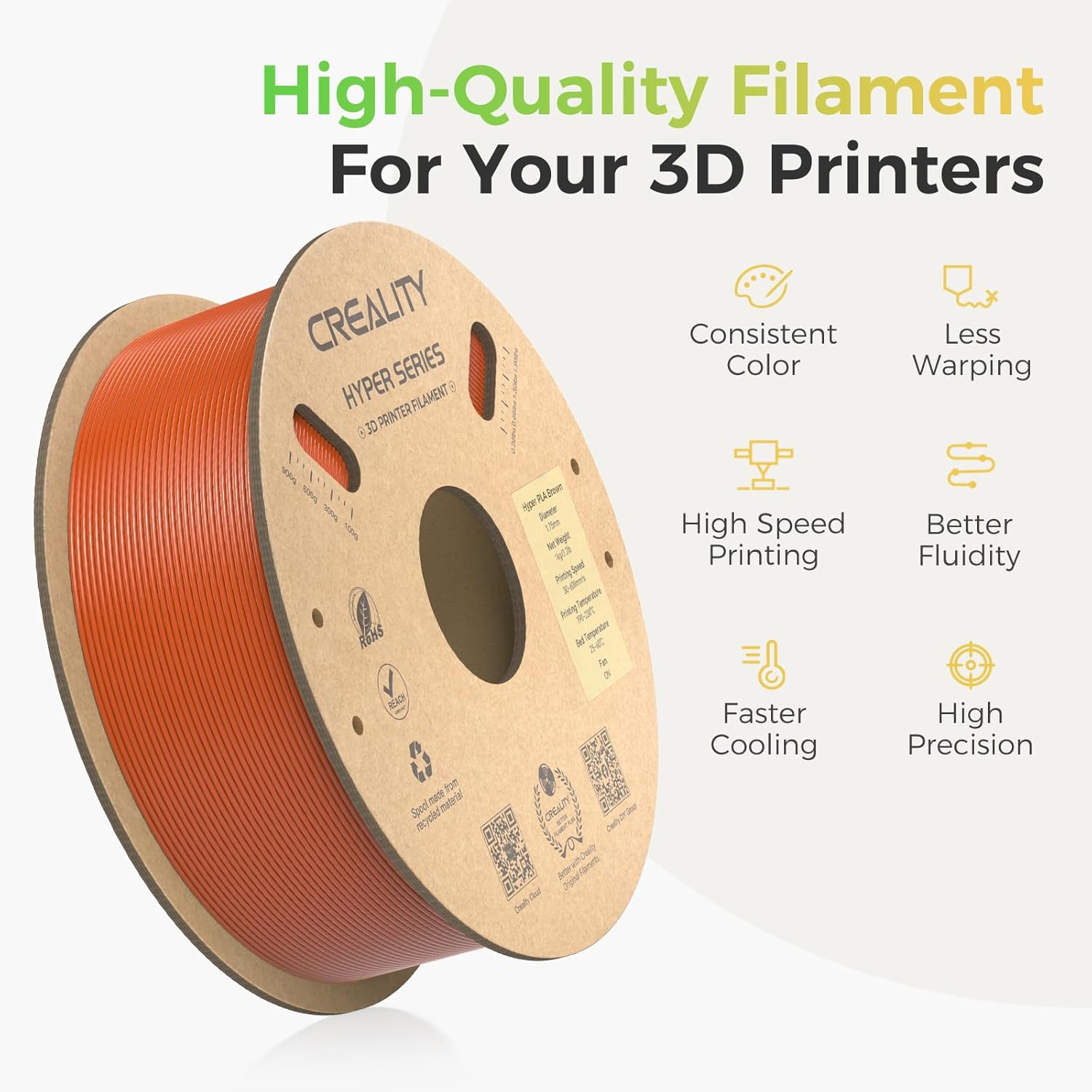
Изображение: Надview of high-quality filament features.
4. Поддръжка и съхранение
4.1 Съхранение на филаменти
To maintain filament quality and prevent moisture absorption, which can lead to printing issues, store the filament in a cool, dry place. It is recommended to use a vacuum bag with desiccant after each use.

Image: Tangle-free design with side holes for securing filament.
4.2 Tangle-Free Design
The spool features side holes. After each use, insert the end of the filament into one of these holes to prevent tangles and ensure smooth unwinding during subsequent prints.
4.3 Съображения за околната среда
Creality Hyper PLA Filament utilizes high-quality raw materials and is packaged with paper trays and environmentally friendly boxes to reduce carbon emissions. The spool itself is made from recycled material.

Image: Safety and eco-friendly features of Hyper PLA.
5. Отстраняване на често срещани проблеми
While Creality Hyper PLA is designed for reliability, occasional printing issues may arise. Here are some common problems and potential solutions:
- Слаба адхезия:
- Ensure your print bed is clean and level.
- Increase hotbed temperature slightly (within the recommended range).
- Apply an adhesive (e.g., glue stick, hairspray) to the print bed.
- Нанизване/Изтичане:
- Reduce extruder temperature in small increments.
- Increase retraction distance and speed in your slicer settings.
- Ensure filament is dry; moist filament can cause stringing.
- Запушване:
- Verify extruder temperature is within the recommended range.
- Проверете за замърсявания в дюзата или хотенда.
- Ensure filament is not tangled on the spool.
- Разделяне на слоеве:
- Increase extruder temperature slightly.
- Намалете скоростта на печат.
- Ensure the printing environment is free from drafts.
If issues persist, consider drying your filament using a dedicated filament dryer or a low-temperature oven, as moisture is a common cause of print quality degradation.
6. Спецификации на продукта
| Спецификация | детайл |
|---|---|
| Марка | Креативност |
| Модел | Hyper PLA |
| Номер на модела | PM-HP-BN |
| Тип материал | Полимлечна киселина (PLA) |
| Цвят | кафяво |
| Диаметър на нишката | 1.75 мм |
| Dimensional Accuracy | ±0.03 мм |
| Нетно тегло | 1 кг (2.2 фунта) |
| Recommended Extruder Temp. | 190-230°C |
| Recommended Hotbed Temp. | No heating - 60°C |
| Максимална скорост на печат | 600 mm/s |
| Материал на макарата | Recycled Cardboard |

Image: Spool and packaging dimensions.
7. Гаранция и поддръжка
7.1 Гаранционна информация
Specific warranty details for Creality Hyper PLA Filament should be obtained directly from the manufacturer or the authorized seller at the time of purchase. Please refer to your purchase documentation or contact Creality customer service for the most accurate and up-to-date warranty policy.
7.2 Поддръжка на клиенти
For further assistance, technical support, or inquiries regarding Creality products, please visit the official Creality webсайт или техния магазин на марката Amazon.
- Официален сайт на Creality Webсайт: https://qr.creality.com
- Creality Amazon Store: Visit Creality Store
- Creality Facebook Community: Присъединете се към общността