1. Въведение
Благодаря за покупкатаasing the Samsung Jet 90 Pet Cordless Vacuum Cleaner. This manual provides essential information for the safe and efficient operation, maintenance, and troubleshooting of your new appliance. Please read this manual thoroughly before using the vacuum cleaner and keep it for future reference.
2. Важна информация за безопасност
Винаги спазвайте основните предпазни мерки, когато използвате електрически уреди, за да намалите риска от пожар, токов удар или нараняване.
- Не използвайте прахосмукачката с повреден кабел или щепсел.
- Не използвайте прахосмукачката за засмукване на запалими или възпламеними течности, като бензин, или използвайте на места, където може да има такива.
- Не вдигайте нищо, което гори или дими, като цигари, кибрит или гореща пепел.
- Дръжте косата, широките дрехи, пръстите и всички части на тялото далеч от отвори и движещи се части.
- Използвайте само както е описано в това ръководство. Използвайте само препоръчаните от производителя приставки.
- Изключете всички контроли, преди да изключите.
- Бъдете особено внимателни, когато почиствате по стълбите.
- Не използвайте без поставен кош за прах и/или филтри.
- Store the vacuum cleaner indoors in a cool, dry area.
3. Съдържание на пакета
Проверете дали всички компоненти са налични в опаковката:
- Main Body (Motor and Dustbin Assembly)
- Телескопична тръба
- Turbo Action четка
- Pet Mini Brush
- Мини четка
- Гъвкав инструмент
- Инструмент за дълги цепнатини
- Z-Station (Charging Stand)
- Батерия
- Захранващ адаптер

This image displays the main vacuum unit, the telescopic pipe, the Turbo Action Brush, the Pet Mini Brush, the Mini Brush, the Flexible Tool, and the Long Crevice Tool, along with the Z-Station charging stand.

This image highlights the vacuum's dimensions (1136 mm height, 250 mm width, 215 mm depth) and labels the included accessories: Turbo Action Brush, Pet Mini Brush, Mini Brush, Flexible Tool, and Extendable Crevice Tool. It also shows the self-standing accessory holder.
4. Сглобяване
Следвайте тези стъпки, за да сглобите вашата прахосмукачка:
- Attach the Telescopic Pipe: Insert the telescopic pipe into the main body until it clicks securely into place.
- Прикрепете почистващата глава: Connect the desired cleaning head (e.g., Turbo Action Brush) to the bottom of the telescopic pipe until it clicks.
- Инсталирайте батерията: Slide the battery pack into the slot at the back of the main body until it locks.
- Set up the Z-Station: Place the Z-Station on a flat, stable surface. Connect the power adapter to the Z-Station and plug it into a wall outlet.
5. Зареждане на батерията
Before first use, fully charge the battery. The battery can be charged while attached to the vacuum cleaner on the Z-Station, or separately by placing it directly on the Z-Station's secondary charging port.
- Place the vacuum cleaner onto the Z-Station. The charging indicator on the display will illuminate.
- Пълното зареждане отнема приблизително 3.5 часа.
- The battery provides up to 60 minutes of runtime in minimum power mode without a motorized brush. Actual runtime may vary based on power mode and accessory usage.

This image shows the detachable battery pack, emphasizing its long-lasting capability of up to 60 minutes of runtime. The battery can be easily removed for charging or replacement.
6. Операция
6.1 Включване/изключване и режими на засмукване
Press the Power button to turn the vacuum cleaner on or off. Use the '+' and '-' buttons on the digital display to adjust the suction power.
- МИНИМАЛЕН режим: За леко почистване и максимално време на работа.
- MID Mode: Стандартно почистване за ежедневни замърсявания.
- Режим MAX: For powerful cleaning of stubborn dirt and debris.
- WET Mode: (If applicable with specific accessories) For wet cleaning tasks.
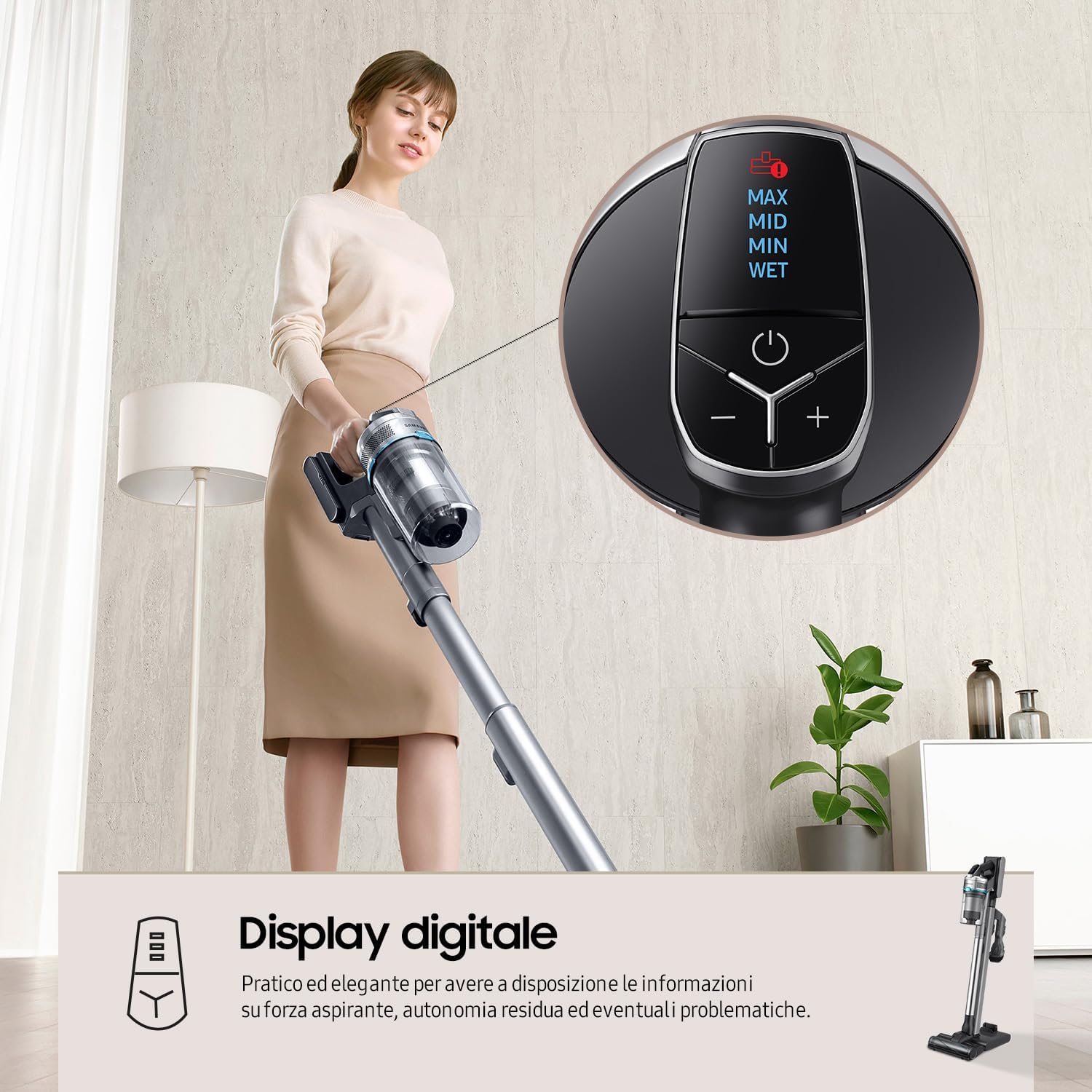
This image shows the top-mounted digital display, which provides real-time information on suction power (MAX, MID, MIN, WET), remaining battery life, and alerts for potential issues. The power button and '+' / '-' buttons for mode selection are clearly visible.
6.2 Всмукателна мощност
The Samsung Jet 90 Pet features a Digital Inverter Motor, providing up to 200W of suction power for thorough cleaning on various floor types.
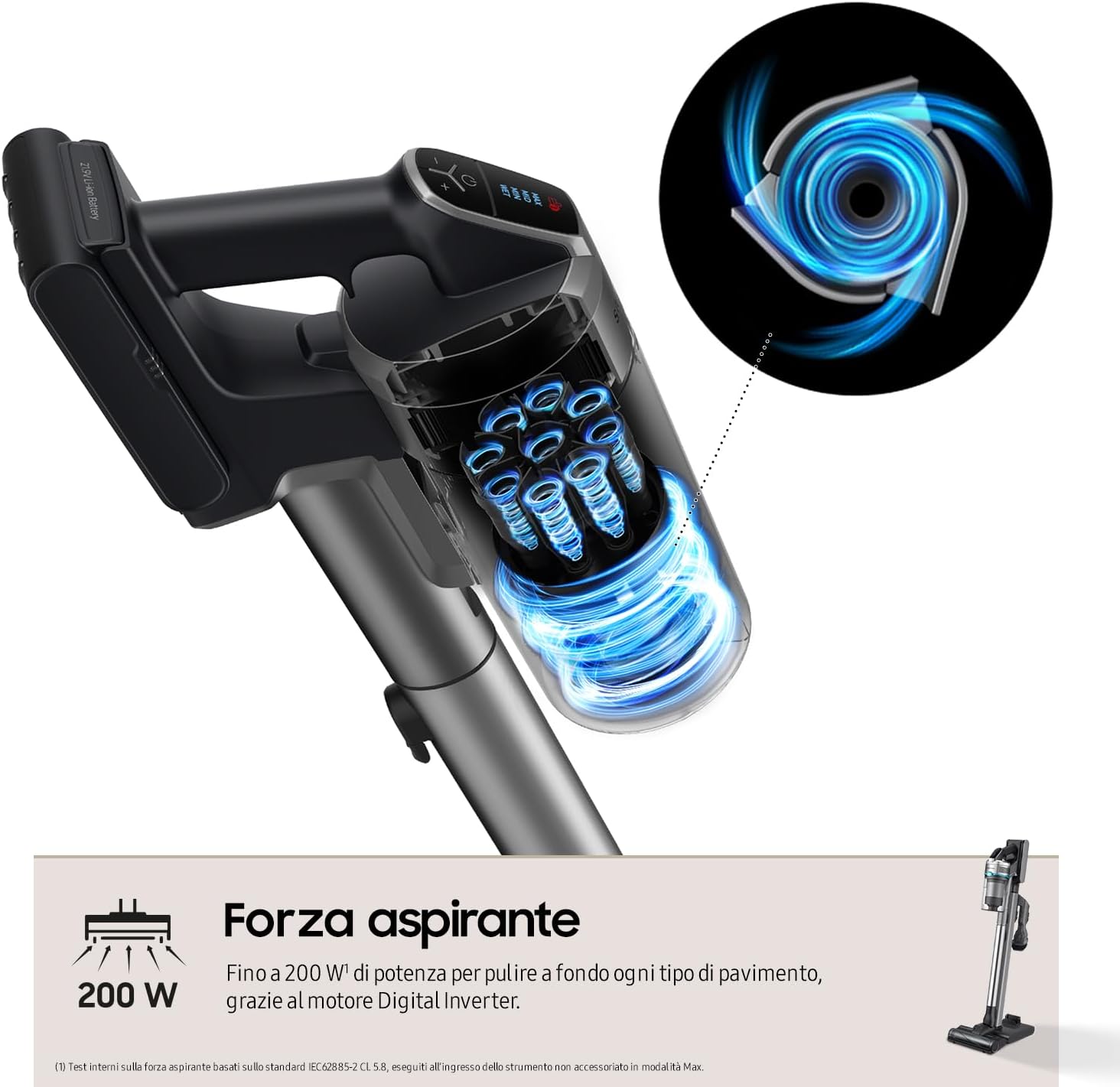
This diagram visually represents the strong airflow and suction power (up to 200W) generated by the vacuum's Digital Inverter Motor, designed for deep cleaning across all floor types.
6.3 Using the Turbo Action Brush
The Turbo Action Brush is designed for effective cleaning on various surfaces, including parquet, marble, hard floors, and carpets. Its motorized bristles penetrate deep to remove dirt, hair, and fine dust.

This image demonstrates the versatility of the Turbo Action Brush on different floor types, including parquet, marble, hard surfaces, and carpets. It highlights the brush's ability to maintain even pressure for effective removal of dirt, hair, and dust.
7. Поддръжка
Редовната поддръжка осигурява оптимална производителност и удължава живота на вашата прахосмукачка.
7.1 Изпразване на контейнера за прах
Empty the dustbin after each use or when the MAX fill line is reached. To empty, detach the dustbin from the main body and open the lid to dispose of collected debris.
7.2 Почистване на филтриращата система
The Samsung Jet 90 Pet features a 5-level filtration system that captures up to 99.999% of dust and allergens. Regular cleaning of the filters is crucial.
- Циклонна система: Detach and clean the cyclone system regularly.
- Миещи се филтри: The grid filter, micro filter, and ultra-fine filter are washable. Rinse them under running water and ensure they are completely dry before reassembling.
- HEPA филтър: The HEPA filter should be cleaned periodically. Refer to the manual for specific cleaning instructions for the HEPA filter.

This diagram illustrates the five stages of the filtration system: 1. Cyclone, 2. Grid Filter, 3. Jet Cyclone, 4. Micro Filter, and 5. Ultra-fine Filter. This system is designed to trap up to 99.999% of dust and allergens, releasinчист въздух.
7.3 Почистване на четките
Remove any tangled hair or debris from the Turbo Action Brush and other accessory brushes. Some brushes may have a removable roller for easier cleaning.
8. Отстраняване на проблеми
Ако срещнете проблеми с прахосмукачката си, вижте таблицата по-долу за често срещани проблеми и решения.
| проблем | Възможна причина | Решение |
|---|---|---|
| Вакуумът не се включва. | Батерията не е заредена или не е поставена правилно. | Заредете батерията напълно. Уверете се, че батерията е поставена правилно. |
| Ниска мощност на засмукване. | Dustbin is full. Filters are clogged. Obstruction in the pipe or brush. | Empty the dustbin. Clean all filters. Check for and remove any blockages. |
| Brush not rotating. | Hair or debris tangled in the brush. Brush attachment not properly connected. | Clean the brush roller. Reattach the brush head securely. |
| Кратко време за изпълнение. | Батерията не е напълно заредена. Прекомерно използване на режим MAX. Влошаване на батерията. | Ensure battery is fully charged. Use lower power modes when possible. Consider replacing the battery if it's old. |
Ако проблемът продължава след изпробване на тези решения, моля, свържете се с отдела за обслужване на клиенти на Samsung.
9. Спецификации
| Характеристика | детайл |
|---|---|
| Номер на модела | VS20R9042T2/ET |
| Марка | Samsung |
| Размери (Ш x В x Д) | 25 x 113.6 x 21.5 см (44.7 x 8.5 x 9.8 инча) |
| Тегло | 2.8 kg (6.17 lbs) - Product weight, 5 kg (11 lbs) - Item weight (likely packaged) |
| Всмукателна мощност | До 200 W |
| Тип двигател | Дигитален инверторен двигател |
| Тип батерия | Литиево-йонна (сменяема) |
| Време за изпълнение | Up to 60 minutes (Min mode, non-motorized brush) |
| Система за филтриране | 5-level, including HEPA filter (captures 99.999% of dust) |
| Капацитет на кофата за боклук | Not explicitly stated, but implied by "bagless" |
| Време за зареждане | Прибл. 3.5 часа |
| Специални функции | Jet Cyclone System, Turbo Action Brush, Z-Station (Self-standing charging base), Digital Display |
10. Гаранция и поддръжка
За информация относно гаранцията, моля, вижте гаранционната карта, приложена към вашия продукт, или посетете официалния уебсайт на Samsung. website for your region. For technical support, spare parts, or service inquiries, please contact Samsung customer service.
You can find contact details and further support resources on the official Samsung webсайт: www.samsung.com/support