
1. Въведение
This manual provides essential information for the installation, operation, maintenance, and troubleshooting of the Lysee DA0LZ5MB8D0 REV:D Laptop Motherboard. This motherboard is designed as a replacement component for Lenovo IdeaPad U330 and U330P laptop models. Please read these instructions carefully before proceeding with any installation or maintenance to ensure proper function and safety.
2. Информация за безопасност
Working with computer components requires caution. Observe the following safety guidelines:
- Защита от електростатичен разряд (ESD): Always use an anti-static wrist strap or frequently touch a grounded metal object before handling the motherboard to prevent ESD damage.
- Изключване на захранването: Ensure the laptop is completely powered off and disconnected from the AC adapter and battery before opening the chassis or handling internal components.
- Работа с компоненти: Handle the motherboard by its edges. Avoid touching integrated circuits, connectors, or other sensitive components directly.
- Използване на инструмента: Use appropriate tools for laptop disassembly and assembly. Avoid excessive force.
- Вентилация: Ensure adequate ventilation when working to prevent overheating of components.
3. Продуктът свършиview
The Lysee DA0LZ5MB8D0 REV:D is a replacement motherboard for specific Lenovo IdeaPad U330 and U330P laptop models. It features an integrated Intel I3-4030U processor and supports DDR3L memory.
Ключови характеристики:
- Производител на чипсет: Intel
- Тип графична карта: Интегриран
- Съвместимост на сериите: Lenovo IdeaPad U330, U330P
- Тип памет: DDR3L
- Процесор: Intel Core i3-4030U (SR1EN)
- PCB Part Number: DA0LZ5MB8D0 REV:D

Фигура 3.1: Като цяло view of the Lysee DA0LZ5MB8D0 REV:D Laptop Motherboard. This image displays the full layout of the motherboard, including various ports, connectors, and integrated components.
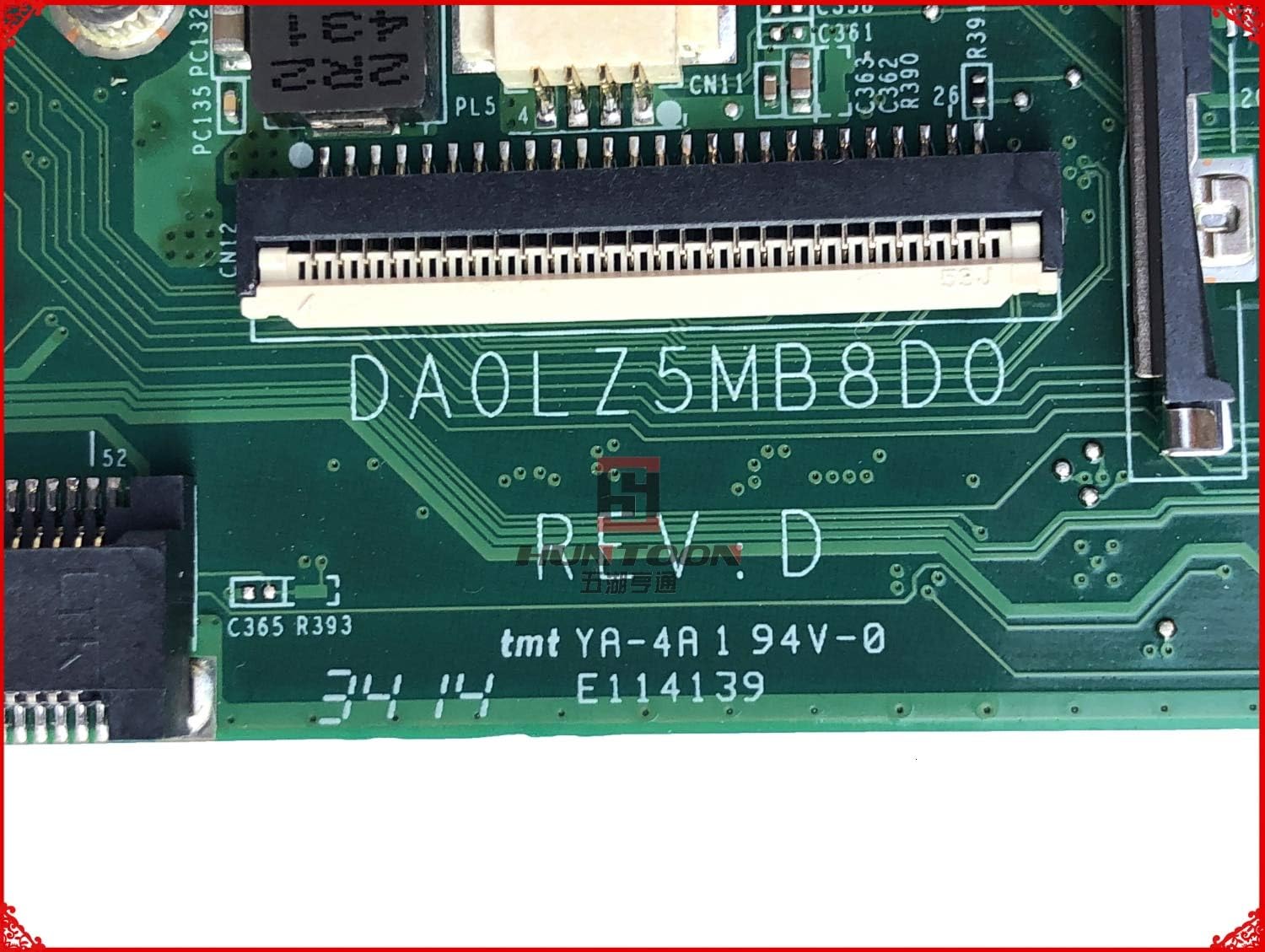
Фигура 3.2: Близък план view of the DA0LZ5MB8D0 REV:D part number marking on the motherboard. This marking is crucial for verifying compatibility with your laptop model.

Фигура 3.3: Подробно view of the integrated Intel Core i3-4030U processor (SR1EN) and surrounding chipset area on the motherboard.
4. Настройка и инсталация
Replacing a laptop motherboard is an advanced procedure. If you are not comfortable performing this task, it is recommended to seek assistance from a qualified technician. Ensure you have all necessary tools, including small screwdrivers, plastic spudgers, and an anti-static wrist strap.
- Приготвяне: Power off the laptop, disconnect the AC adapter, and remove the battery.
- Разглобяване: Carefully open the laptop chassis. This typically involves removing screws from the bottom cover, keyboard, and palm rest. Refer to your specific Lenovo IdeaPad U330/U330P service manual for detailed disassembly instructions.
- Премахване на компоненти: Disconnect all cables (display, keyboard, touchpad, speakers, Wi-Fi, etc.) and remove all components (RAM, SSD/HDD, Wi-Fi card, CPU fan/heatsink) connected to the old motherboard.
- Old Motherboard Removal: Unscrew and carefully lift out the old motherboard from the laptop chassis.
- New Motherboard Installation: Gently place the Lysee DA0LZ5MB8D0 REV:D motherboard into the chassis, ensuring it aligns correctly with all screw posts and ports. Secure it with the appropriate screws.
- Component Reinstallation: Reconnect all cables and reinstall all components (RAM, SSD/HDD, Wi-Fi card, CPU fan/heatsink) onto the new motherboard. Ensure all connections are secure.
- Повторно сглобяване: Reassemble the laptop chassis, ensuring all screws are tightened appropriately and no cables are pinched.
- Първоначално включване: Reconnect the battery and AC adapter. Power on the laptop to verify functionality. Access the BIOS/UEFI settings to confirm component recognition and adjust any necessary settings.
5. Работещи
Once installed, the motherboard functions as the central hub of your laptop. Its operation is largely transparent to the user, managed by the operating system and BIOS/UEFI firmware.
- Стартиране на системата: The motherboard initiates the boot process, loading the BIOS/UEFI firmware, which then hands control to the operating system.
- Достъп до BIOS/UEFI: To access the BIOS/UEFI settings (e.g., to change boot order, check hardware status), typically press a specific key (e.g., F2, Del, F10) repeatedly during startup. Refer to your laptop's documentation for the exact key.
- Инсталиране на драйвери: After replacing the motherboard, it may be necessary to reinstall or update certain drivers for optimal performance, especially chipset and integrated graphics drivers.
6. Поддръжка
Proper maintenance helps extend the lifespan of your motherboard and laptop.
- Отстраняване на прах: Periodically clean the laptop's interior, especially the heatsink and fan, using compressed air. Ensure the laptop is powered off and unplugged before cleaning.
- Топлинно управление: Ensure the laptop's cooling system is functioning correctly. Avoid blocking air vents. Overheating can degrade component performance and lifespan.
- Софтуерни актуализации: Keep your operating system and drivers updated to ensure compatibility and optimal performance with the motherboard's components.
7. Отстраняване на проблеми
Ако срещнете проблеми след инсталирането на дънната платка, помислете за следните стъпки за отстраняване на неизправности:
- Няма захранване/няма зареждане:
- Verify all power connections (AC adapter, battery, internal power cables) are secure.
- Уверете се, че процесорът и RAM паметта са правилно поставени.
- Try booting with only essential components (CPU, one RAM stick) to isolate the issue.
- Проблеми с дисплея:
- Check the display cable connection to the motherboard.
- Ensure the display panel itself is functional.
- Периферното устройство не е открито:
- Verify the component (e.g., Wi-Fi card, SSD/HDD) is correctly installed and its cable is securely connected.
- Проверете за актуализирани драйвери.
- Нестабилност/Сривове на системата:
- Ensure the CPU heatsink and fan are properly installed and thermal paste is applied correctly.
- Стартирайте инструменти за диагностика на паметта, за да проверите целостта на RAM паметта.
- Check for BIOS/UEFI updates (if available and recommended by Lenovo).
If troubleshooting steps do not resolve the issue, contact Lysee customer support or a qualified technician.
8. Спецификации
| Характеристика | детайл |
|---|---|
| Марка | Lysee |
| Номер на модела | DA0LZ5MB8D0 REV:D |
| Съвместими устройства | Lenovo IdeaPad U330, U330P Laptops |
| Производител на чипсет | Intel |
| Процесор | Intel Core i3-4030U (SR1EN) |
| Тип графична карта | Интегриран |
| Тип памет | DDR3L |
| Налични слотове за памет | 2 |
| Поддържан стандарт на системната шина | SATA 3 |
| Състояние на артикула | Нов |
9. Гаранция и поддръжка
This Lysee motherboard comes with a 45 дни гаранция от датата на покупка. Тази гаранция покрива производствени дефекти. Тя не покрива щети, причинени от неправилен монтаж, неправилна употреба, злополуки или неоторизирани модификации.
For technical support or warranty claims, please contact your retailer or Lysee customer service with your purchase details and the motherboard's model number.