
XINDADA HW S11
XINDADA HW S11 Smartwatch User Manual
Model: HW S11
1. Уводзіны
The XINDADA HW S11 Smartwatch is a versatile device designed for communication, navigation, and activity tracking. Featuring a 2.02-inch HD display, Android 8.1 operating system, and a powerful quad-core processor, it supports independent calls, video calls, GPS positioning, and a wide range of applications.

Выява 1.1: Канецview of the HW S11 Smartwatch highlighting key features such as 4G video calls, GPS, music control, and access to popular apps.
2. Што ў скрынцы
Калі ласка, праверце змесціва пакета пасля распакавання:
- XINDADA HW S11 Smartwatch
- Charging Cable (Magnetic Wireless)
- Кіраўніцтва карыстальніка
3. Пачатковая налада
3.1 Зарадка разумнага гадзінніка
Before first use, fully charge your smartwatch. Connect the magnetic wireless charging cable to the charging points on the back of the watch and to a compatible USB power source. The watch has a 700 mAh battery.
3.2 Усталёўка SIM -карты
The HW S11 Smartwatch supports an independent SIM card for cellular connectivity. Locate the separate SIM card slot on the side of the watch. Carefully insert a Nano-SIM card into the slot, ensuring correct orientation.

Image 3.1: Detail of the smartwatch showing the 180° swivel camera and the dedicated SIM card slot for independent cellular connectivity.
3.3 Уключэнне/выключэнне сілкавання
- Каб уключыць: Націсніце і ўтрымлівайце кнопку харчавання (звычайна збоку), пакуль не ўключыцца экран.
- Каб выключыць: Націсніце і ўтрымлівайце кнопку харчавання, затым выберыце на экране «Выключыць харчаванне».
3.4 Пачатковая канфігурацыя
Upon first power-on, follow the on-screen prompts to select your language, set the time and date, and connect to a Wi-Fi network if desired.
4. Інструкцыя па эксплуатацыі
4.1 Навігацыя па інтэрфейсе
The smartwatch features a 2.02-inch HD touchscreen. Swipe left, right, up, or down to access different menus, notifications, and quick settings. Tap to select items and press the side button to return to the home screen or go back.
4.2 Здзяйсненне і прыём выклікаў
With a SIM card installed, you can make and receive calls directly from your smartwatch. Access the 'Phone' application, dial a number, or select a contact to initiate a call. Incoming calls will display on the screen, allowing you to answer or reject.
4.3 Відэазванкі
The HW S11 supports HD video calls. Utilize the built-in 180° swivel telescopic camera for video communication. Ensure you have a stable internet connection (Wi-Fi or cellular data) and a compatible video calling application installed.
4.4 GPS-пазіцыянаванне
The smartwatch integrates GPS, Beidou, and LBS Wi-Fi for precise real-time positioning. This feature allows for tracking your location, recording historical trajectories, and indoor positioning in large public spaces like malls or airports.
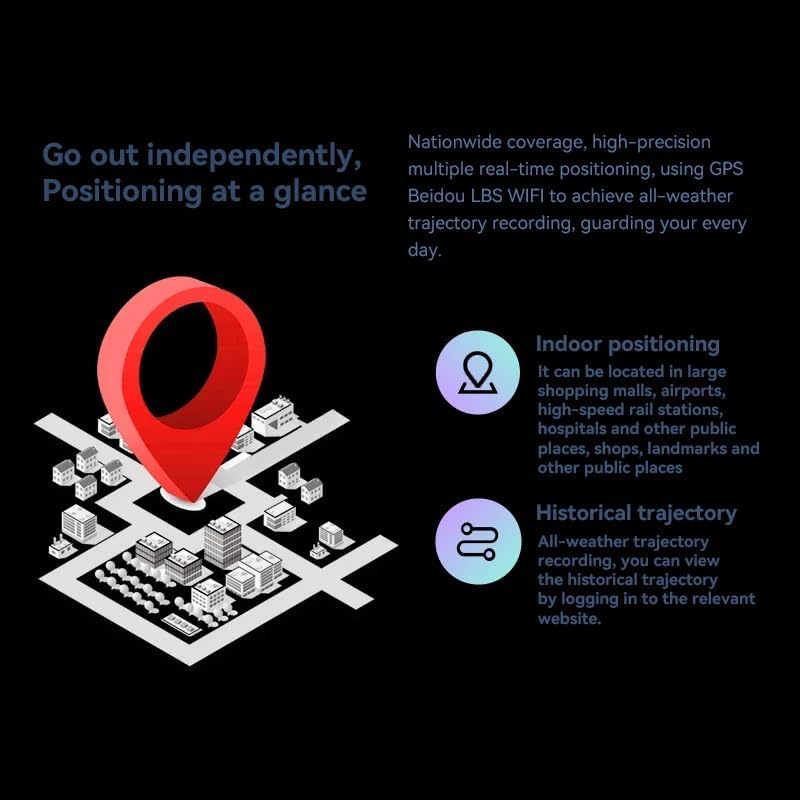
Image 4.1: Visual representation of the smartwatch's GPS and multi-location tracking features, including indoor and historical trajectory capabilities.
4.5 Application Usage
Running on Android 8.1 with 2GB RAM and 16GB internal storage, the smartwatch allows you to download and use various applications from its integrated app store. Popular apps like WeChat, TikTok, YouTube, and games are supported.

Image 4.2: The smartwatch interface showcasing a selection of popular applications available for download and use.
4.6 Кіраванне музыкай
Control music playback on your connected smartphone or directly from the smartwatch if music files are stored on its internal memory. Access the music player app to play, pause, skip tracks, and adjust volume.
5. Тэхнічнае абслугоўванне
- Уборка: Wipe the watch screen and body with a soft, dry, lint-free cloth. Avoid using harsh chemicals or abrasive materials.
- Воданепранікальнасць: While the device may have some resistance, avoid submerging it in water or exposing it to high-pressure water streams.
- захоўванне: Калі разумны гадзіннік не выкарыстоўваецца, захоўвайце яго ў прахалодным сухім месцы.
- Сыход за батарэяй: To prolong battery life, avoid extreme temperatures and do not allow the battery to fully discharge for extended periods.
6. Выпраўленне непаладак
6.1 Watch Does Not Power On
- Пераканайцеся, што гадзіннік цалкам зараджаны. Падключыце яго да зараднай прылады як мінімум на 30 хвілін.
- Паспрабуйце націснуць і ўтрымліваць кнопку харчавання на працягу 10-15 секунд, каб прымусова перазагрузіць кампутар.
6.2 Слабы сігнал GPS
- Пераканайцеся, што вы знаходзіцеся на адкрытай прасторы з чыстым view неба.
- Avoid areas with tall buildings or dense foliage that can obstruct the signal.
6.3 Праграмы не спампоўваюцца/не працуюць
- Check your Wi-Fi or cellular data connection.
- Ensure there is sufficient storage space on the device (16GB internal memory).
- Перазапусціце смарт-гадзіннік.
6.4 Сэнсарны экран не рэагуе
- Ачысціце экран, каб выдаліць бруд або вільгаць.
- Перазагрузіце прыладу. Калі праблема не знікне, звярніцеся ў службу падтрымкі кліентаў.
7. Тэхнічныя характарыстыкі

Малюнак 7.1: Унутраная частка view highlighting the Android 8.1 operating system and the quad-core ASR8601 processor, ensuring smooth operation.
| Асаблівасць | Дэталь |
|---|---|
| мадэль | HW S11 |
| Марка | СІНДАДА |
| Аперацыйная сістэма | Android 8.1 |
| Працэсар | Quad-core (ASR8601) |
| АЗП | 2 ГБ |
| Унутраная памяць | 16 ГБ |
| Памер дысплея | 2.02 цалі |
| Тып дысплея | ВК |
| дазвол | 320 х 390 пікселяў |
| Ёмістасць батарэі | 700 мАг |
| Сувязь | Bluetooth, Wi-Fi, 4G (SIM card support) |
| GPS | Integrated GPS, Beidou, LBS |
| Камера | 180° Swivel Telescopic Camera |
| Памеры | 5 х 5 х 5 см |
| Вага | 100 г |
8. Гарантыя і падтрымка
Каб атрымаць інфармацыю аб гарантыі і тэхнічнай падтрымцы, звярніцеся да дакументацыі, якая пастаўляецца з пакупкай, або звярніцеся да прадаўца. Захоўвайце пацвярджэнне пакупкі для любых гарантыйных прэтэнзій.
Ask a question about this manual
Ask about setup, troubleshooting, compatibility, parts, safety, or missing instructions. Manuals+ will review the question and use this page’s manual context to help answer it.