
1. Уводзіны
Thank you for choosing the XINDADA VP29 Smart Watch. This device combines advanced communication, navigation, and health monitoring features in a sleek, wearable design. Please read this manual carefully to ensure proper setup and optimal use of your new smartwatch.
2. Асноўныя магчымасці
- 4G/5G LTE SIM Card Support: Stay connected with independent calling capabilities.
- 2.29-inch AMOLED HD Large Screen: Enjoy vibrant visuals with 490*580 high-resolution display.
- 180-degree Telescopic Rotating Camera: Capture photos and videos from various angles.
- GPS & WiFi Connectivity: Accurate navigation and internet access.
- Аперацыйная сістэма Android 9.0: Access a wide range of applications.
- Параметры памяці: Available in 3GB+32GB or 4GB+64GB configurations.
- Маніторынг здароўя: Includes heart rate sensor and step counting.
- Воданепранікальны ўзровень: IP67 для абароны ад пылу і апускання ў ваду.
- Дадатковыя магчымасці: Compass, barometer, accelerometer, gyroscope, Bluetooth 4.1.
3. Настройка
3.1 Усталёўка SIM -карты
The XINDADA VP29 Smart Watch supports 4G/5G LTE SIM cards for independent communication. Follow these steps to install your SIM card:
- Знайдзіце слот для SIM-карты на бакавой частцы гадзінніка.
- Carefully open the SIM card tray using the provided tool or by gently prying it open.
- Insert your Nano-SIM card into the tray, ensuring the gold contacts face upwards and the card is correctly oriented.
- Акуратна ўстаўце латок назад у слот, пакуль ён не зафіксуецца пачуўшы пстрычку.
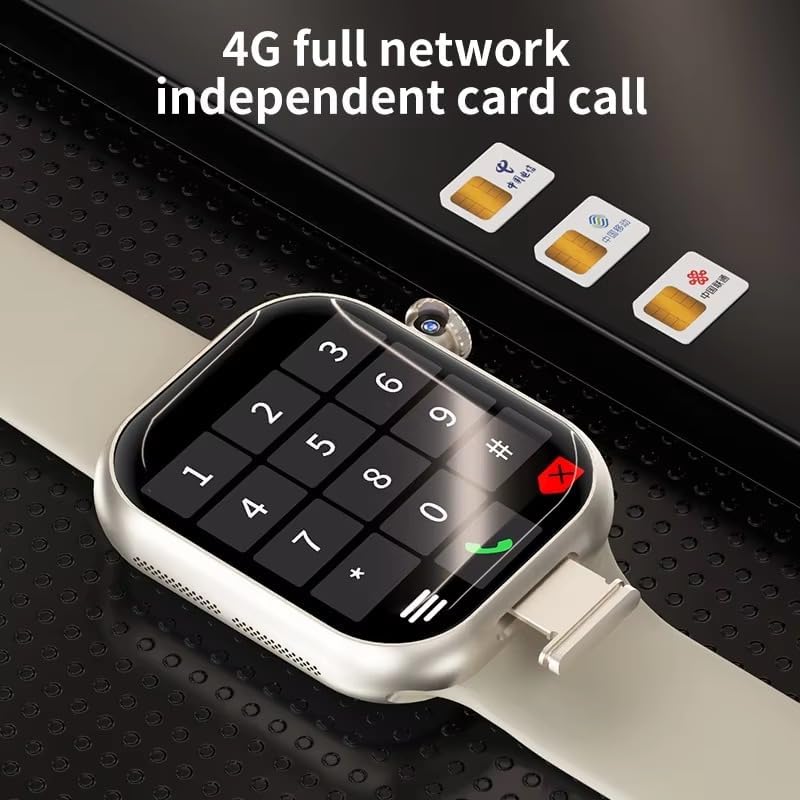
Image: The XINDADA VP29 Smart Watch displaying a dial pad, with three SIM cards shown in the background, illustrating the watch's 4G full network independent card call capability.
Video: A general guide demonstrating SIM card installation, app pairing, and basic settings for a smartwatch. While the watch model shown may differ, the process for SIM card insertion and initial setup is similar.
3.2 Спалучэнне прыкладанняў
To unlock the full potential of your VP29 Smart Watch, pair it with your smartphone using the dedicated companion app. The app allows for advanced settings, data synchronization, and remote control features.
- Scan the QR code displayed on your watch or in the manual to download the recommended app.
- Install the app on your smartphone and create an account if prompted.
- Open the app and follow the on-screen instructions to add your device. This typically involves scanning a QR code on the watch or selecting it from a list of nearby devices.
- Пацвердзіце запыт на спалучэнне як на смартфоне, так і на разумным гадзінніку.
3.3 Налады мовы
You can change the language of your smartwatch through the settings menu:
- Navigate to the 'Settings' menu on your smartwatch.
- Look for 'Language' or 'Bahasa' (if applicable) and select it.
- Выберыце жаданую мову з даступных варыянтаў.
3.4 Налада цыферблата гадзінніка
Personalize your smartwatch by changing the watch face:
- On your smartwatch, long-press the current watch face to enter customization mode.
- Swipe left or right to browse through pre-installed watch faces.
- Alternatively, use the companion app on your smartphone to access a wider selection of watch faces or create custom ones using your own photos.
- Select your desired watch face to apply it.
Video: A general demonstration of how to change the watch face on a smartwatch, including selecting from pre-installed options and customizing with personal images via a companion app.
4. Інструкцыя па эксплуатацыі
4.1 Асноўная навігацыя
The VP29 Smart Watch features a multi-touch AMOLED display. Swipe up, down, left, or right to navigate through menus, notifications, and apps. Tap to select an item or open an application.
4.2 Здзяйсненне і прыём выклікаў
With an installed SIM card, your VP29 Smart Watch can make and receive calls independently:
- Здзяйсненне званкоў: Open the 'Phone' app, dial the number, and tap the call icon. You can also access your contacts.
- Прыём званкоў: Калі паступае званок, націсніце зялёны значок адказу на экране.
4.3 Using GPS
The integrated GPS allows for accurate location tracking and navigation:
- Access the 'Maps' or 'Navigation' app on your watch.
- Enter your destination or select a point of interest.
- Follow the on-screen directions for turn-by-turn navigation.

Image: The XINDADA VP29 Smart Watch showing a map with a navigation route, indicating its multiple positioning capabilities.
Функцыянальнасць камеры 4.4
The unique 180-degree telescopic rotating camera allows for versatile photo and video capture:
- Адкрыйце праграму «Камера».
- Rotate the camera module to your desired angle.
- Націсніце на экран, каб зрабіць фота ці пачаць/спыніць відэазапіс.
- View your media in the 'Gallery' app.
4.5 Маніторынг здароўя
Monitor your health with the built-in sensors:
- Частата сардэчных скарачэнняў: Open the 'Heart Rate' app to measure your current heart rate.
- Падлік крокаў: Гадзіннік аўтаматычна адсочвае вашы крокі на працягу дня. View your daily activity in the 'Step' app or the companion app.
4.6 Выкарыстанне прыкладання
As an Android-powered device, the VP29 Smart Watch supports various applications:
- Access pre-installed apps like Clock, SMS, Browser, Calendar, E-Mail, Music, Alarm, etc.
- Download additional apps from the 'Application Market' to expand functionality.
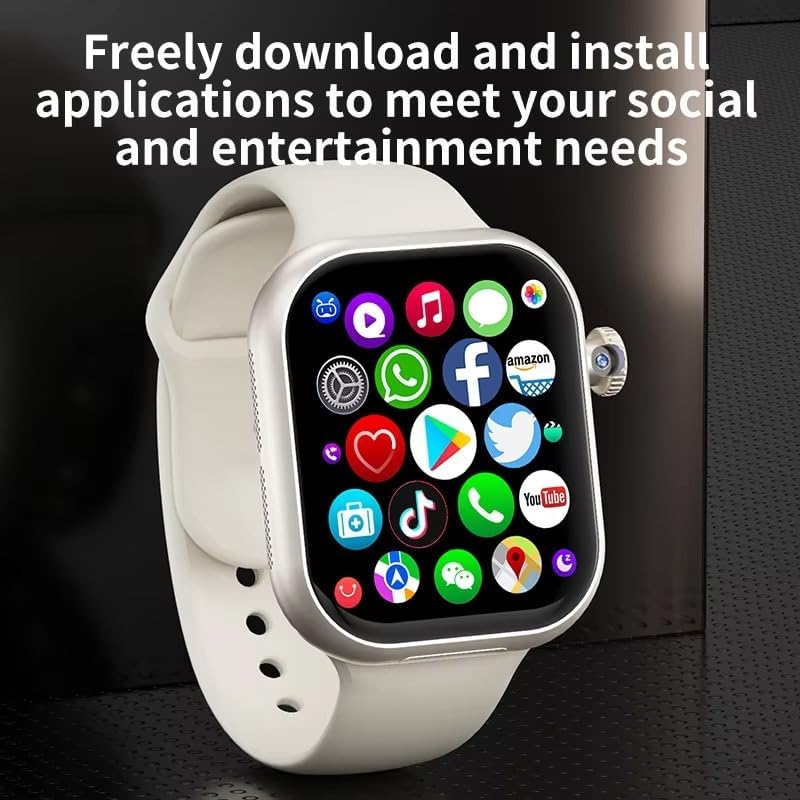
Image: The XINDADA VP29 Smart Watch displaying a grid of application icons, including social media, shopping, and utility apps, highlighting its ability to download and install applications.
Відэа: Генерал скончыўview of a 4G LTE smartwatch, showcasing various features such as calling, health tracking, and app usage. This video provides a visual representation of common smartwatch functionalities.
5. Тэхнічнае абслугоўванне
- Уборка: Рэгулярна працірайце гадзіннік і раменьчык мяккай сурвэткайamp тканіна. Пазбягайце рэзкіх хімікатаў.
- Зарадка: Use only the provided charging cable and a compatible power adapter. Ensure charging contacts are clean and dry.
- Воданепранікальнасць: The watch is IP67 waterproof. Avoid prolonged submersion or exposure to high-pressure water jets. Ensure the SIM card slot cover is securely closed.
- Абнаўленні праграмнага забеспячэння: Keep your watch's software updated for optimal performance and new features. Check for updates via the companion app or the watch's settings.
6. Выпраўленне непаладак
- Гадзіннік не ўключаецца: Пераканайцеся, што гадзіннік цалкам зараджаны. Падключыце яго да зараднай прылады як мінімум на 30 хвілін.
- Немагчыма рабіць/прымаць званкі: Check if the SIM card is correctly installed and activated. Verify network signal strength.
- GPS не працуе: Ensure GPS is enabled in settings. Use GPS in an open area with a clear view неба.
- Праблемы з падключэннем Bluetooth: Ensure Bluetooth is enabled on both the watch and your smartphone. Try unpairing and re-pairing the devices.
- Экран не рэагуе: Restart the watch. If the issue persists, perform a factory reset (note: this will erase all data).
7. Тэхнічныя характарыстыкі
| Асаблівасць | Спецыфікацыя |
|---|---|
| Марка | СІНДАДА |
| мадэль | ВП29 |
| Дысплей | 2.29 inch AMOLED HD (490*580 resolution) |
| Аперацыйная сістэма | Android 9.0 |
| Сувязь | 4G/5G LTE (B1,B3,B5,B7,B8,B20,B38,B39,B40,B41), GPS, WiFi, Bluetooth 4.1 |
| Памяць (RAM+ROM) | 3GB+32GB or 4GB+64GB |
| Камера | 180-degree Telescopic Rotating Camera |
| акумулятар | 1380 мАг |
| Датчыкі | Accelerometer, Gyroscope, Step Counting, Heart Rate Sensor, Barometer, Compass |
| Воданепранікальнасць | IP67 |
| Аўдыё фарматы | MP3/AAC/AAC+/WMA/DRA/AMR-NB |
| Фарматы малюнкаў | JPG, JPEG, BMP |
8. Гарантыя і падтрымка
For warranty information and customer support, please refer to the documentation included with your product or contact the retailer where you purchased the XINDADA VP29 Smart Watch. Keep your proof of purchase for warranty claims.


