
1. Прадукт скончыўсяview
The AUKEY Spark Mini 20000 PB-Y57-GY is a compact, high-capacity portable charger designed to provide reliable power on the go. With a 20000mAh battery, it offers ample power for multiple charges of various electronic devices, including smartphones and wearable tech. It features both USB-C and USB-A output ports, supporting fast charging standards like Power Delivery (PD3.0) and Quick Charge (QC3.0) for efficient power delivery.
This power bank is equipped with a low current mode, ideal for safely charging smaller devices such as wireless earphones that require a lower power input. An integrated LED indicator provides real-time battery status at a glance. Its compact design makes it convenient for travel, business trips, or simply for use at home or in the office, helping to keep your charging setup tidy.
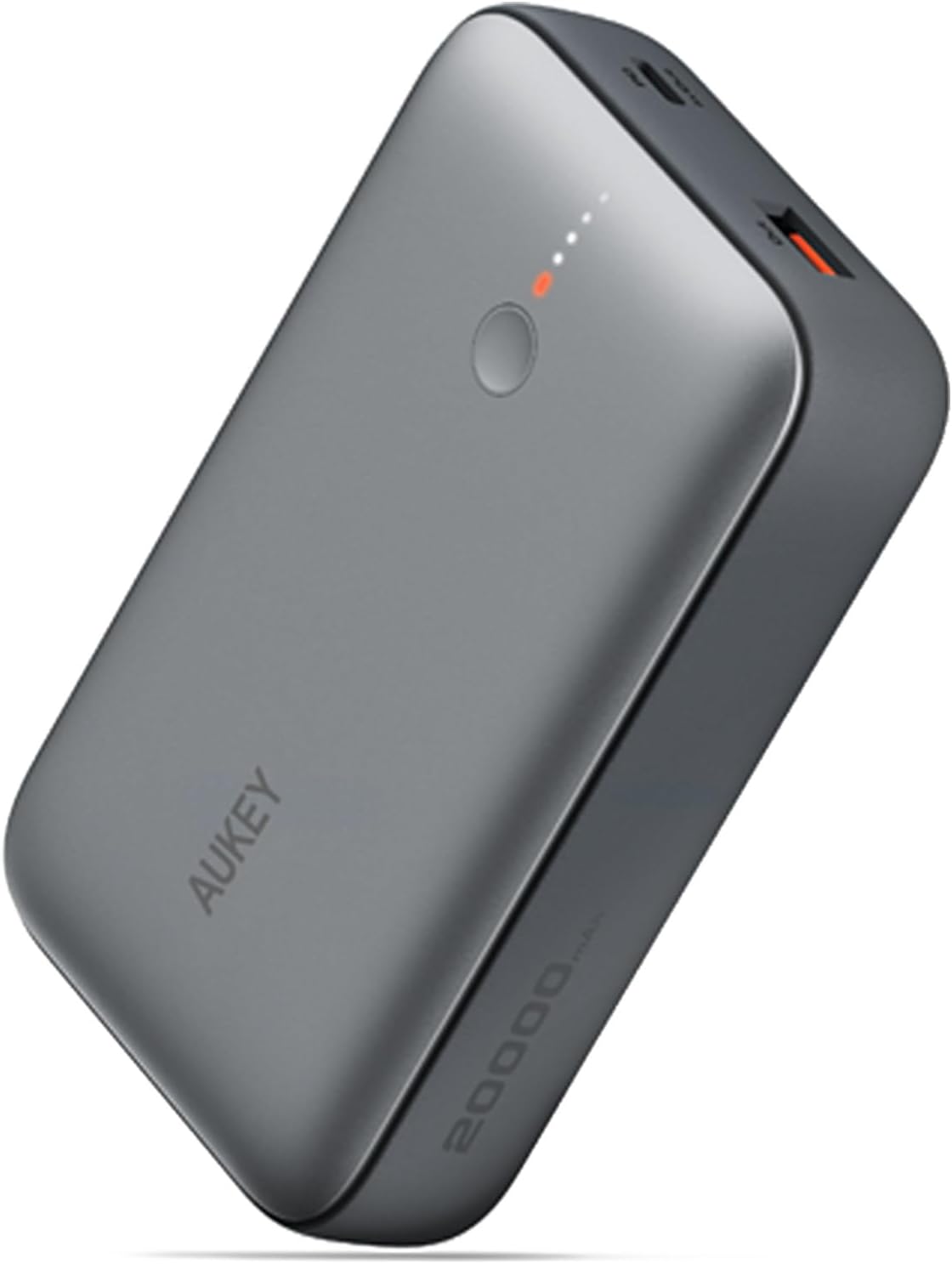
Малюнак 1.1: The AUKEY Spark Mini 20000 PB-Y57-GY portable charger, showcasinг яго кампактны і элегантны дызайн.
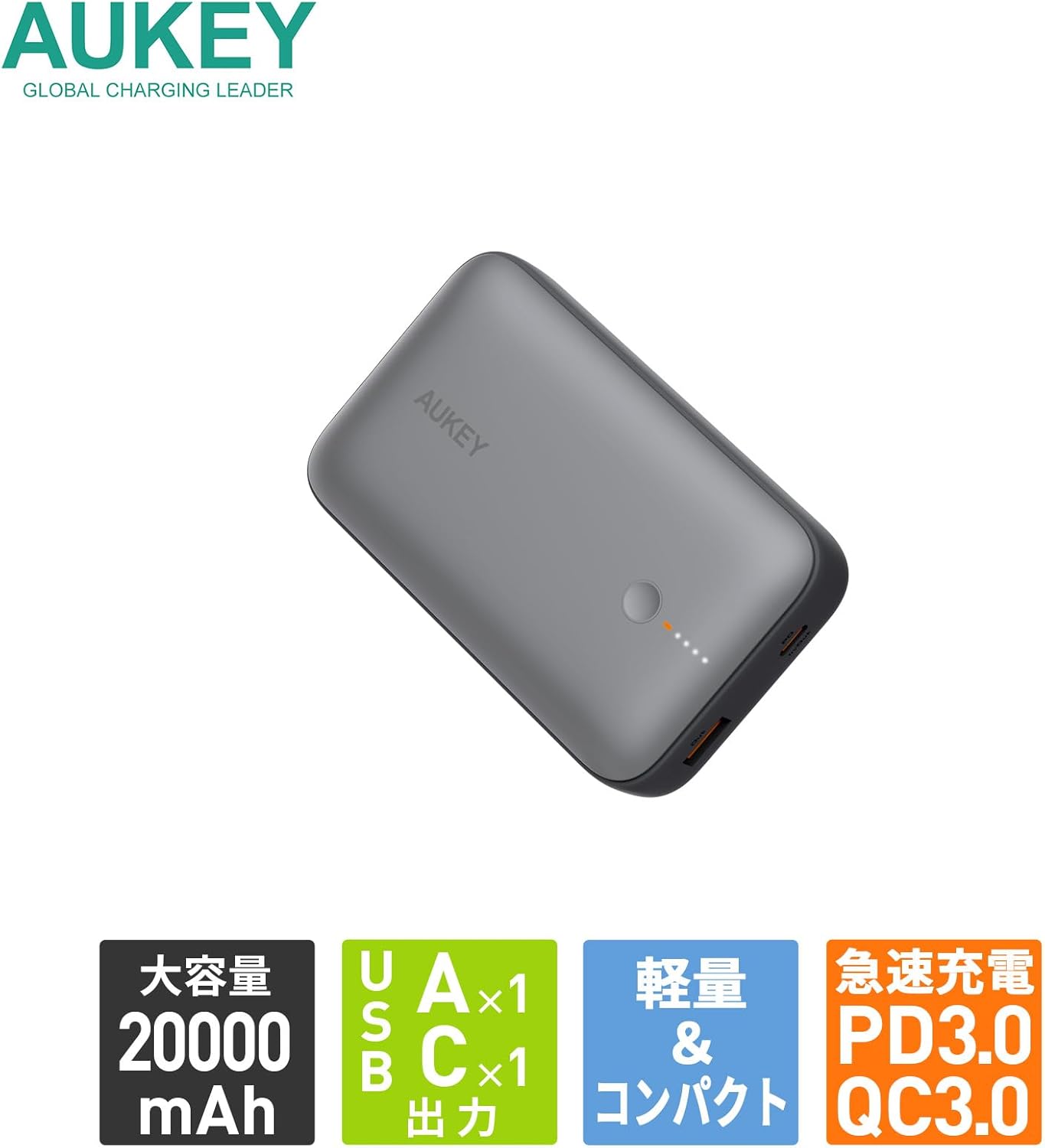
Малюнак 1.2: Скончанаview of key features: 20000mAh large capacity, one USB-A and one USB-C output, lightweight and compact design, and support for PD3.0 and QC3.0 fast charging.
2. Усталёўка і першае выкарыстанне
2.1. Змесціва ўпакоўкі
Before using your AUKEY Spark Mini 20000, please ensure all items are present in the package:
- AUKEY Spark Mini 20000 Portable Charger (Model: PB-Y57-GY)
- USB-C to C Cable (for charging the power bank)
- Кіраўніцтва карыстальніка (гэты дакумент)
2.2. Пачатковая зарадка паўэрбанка
For optimal performance, it is recommended to fully charge the power bank before its first use.
- Connect the provided USB-C to C cable to the USB-C port on the power bank.
- Падключыце другі канец кабеля USB-C да сумяшчальнай зараднай прылады USB-C (не ўваходзіць у камплект).
- Святлодыёдныя індыкатары на знешнім акумулятары будуць загарацца, каб паказаць працэс зарадкі. Усе святлодыёды будуць гарэць пастаянна, калі прылада цалкам зараджана.

Малюнак 2.1: The USB-C port functions for both input (charging the power bank) and output (charging devices). The image illustrates charging the power bank itself using a USB-C wall adapter.
3. Аперацыя
3.1. Зарадныя прылады
The Spark Mini 20000 features both USB-C and USB-A output ports for versatile charging.
- Выхад USB-C: Supports PD3.0 with a maximum output of 20W. Use a USB-C to USB-C cable or USB-C to Lightning cable (not included) for compatible devices.
- Выхад USB-A: Supports QC3.0 with a maximum output of 18W. Use a standard USB-A charging cable (not included) for compatible devices.
- Падключыце зарадны кабель прылады да адпаведнага порта (USB-C або USB-A) на знешнім акумулятары.
- Падключыце іншы канец кабеля да прылады.
- Паўэрбанк аўтаматычна пачне зараджаць вашу прыладу. Святлодыёдныя індыкатары будуць паказваць пакінуты ўзровень зараду батарэі.

Малюнак 3.1: Падрабязны view of the power bank's ports, including the USB-C port (18W input/20W output), USB-A port (18W output), power button, and LED indicator lights.

Малюнак 3.2: The power bank can charge two devices simultaneously using both the USB-A and USB-C output ports.
3.2. Low Current Mode
The low current mode is designed for charging small devices that require lower power input, such as wireless earbuds, smartwatches, or fitness trackers. This mode ensures safe and optimal charging for these sensitive devices.
- Press and hold the power button for approximately 2 seconds until the first LED indicator changes color (e.g., from white to green, or a distinct pattern). This indicates that low current mode is activated.
- Connect your low-power device to either the USB-C or USB-A port.
- The power bank will charge your device at a reduced current.
- To exit low current mode, press the power button once. The LED indicator will return to its normal state.
3.3. Скразная зарадка
The Spark Mini 20000 supports pass-through charging, allowing you to charge the power bank itself while simultaneously charging a connected device.
- Connect the power bank to a wall charger using the USB-C input port.
- Connect your device to either the USB-C or USB-A output port on the power bank.
- Both the power bank and your device will charge simultaneously.
4. Тэхнічнае абслугоўванне
4.1. Уборка
- Wipe the surface of the power bank with a soft, dry cloth.
- Не выкарыстоўвайце абразіўныя ачышчальнікі, растваральнікі або агрэсіўныя хімікаты.
- Трымайце парты чыстымі ад пылу і смецця.
4.2. Захоўванне
- Захоўвайце знешні акумулятар у прахалодным, сухім месцы, удалечыні ад прамых сонечных прамянёў і экстрэмальных тэмператур.
- For long-term storage, charge the power bank to approximately 50-70% every 3 months to maintain battery health.
4.3. Агульны догляд
- Пазбягайце падзення і моцных удараў павербанка.
- Не разбірайце, не мадыфікуйце і не спрабуйце адрамантаваць прыладу самастойна.
- Берагчы ад вады і высокай вільготнасці.
5. Выпраўленне непаладак
| праблема | Магчымая прычына | Рашэнне |
|---|---|---|
| Паўэрбанк не зараджаецца. | Праблема з кабелем або адаптарам; знешні акумулятар цалкам зараджаны; няспраўны порт. | Try a different USB-C cable and wall adapter. Ensure the adapter meets the power bank's input requirements. Check if the power bank is already fully charged (all LEDs solid). |
| Прылада не зараджаецца ад паўэрбанка. | Power bank battery empty; cable issue; device incompatibility; low current mode not activated for small devices. | Charge the power bank. Try a different charging cable for your device. Ensure your device is compatible with the power bank's output. For small devices, activate low current mode. |
| Павольная зарадка. | Cable quality; device not supporting fast charging; multiple devices charging simultaneously. | Use a high-quality cable. Ensure your device supports PD or QC fast charging. Charging multiple devices simultaneously may reduce individual charging speeds. |
| Святлодыёдныя індыкатары не працуюць. | Паўэрбанк выключаны; унутраная праблема. | Press the power button to check battery status. If the issue persists, contact customer support. |
6. Тэхнічныя характарыстыкі
| Асаблівасць | Дэталь |
|---|---|
| Нумар мадэлі | PB-Y57-GY |
| Ёмістасць батарэі | 20000 мАг |
| Тып батарэі | Літый-іённы |
| Выхад USB-C | PD3.0, Max 20W |
| Выхад USB-A | QC3.0, Max 18W |
| Уваход USB-C | Макс. 18 Вт |
| Памеры (Д х Ш х У) | 11.22 х 7.04 х 2.63 см |
| Вага | 315 г |
| Колер | Шэры |
| Асаблівасці | Digital Display, Low Current Mode, Pass-Through Charging |
| Кабель у камплекце | USB-C to C Cable (for power bank charging) |

Малюнак 6.1: The power bank is approved for carry-on luggage on domestic and international flights (77Wh), providing peace of mind for long journeys.

Малюнак 6.2: The compact design makes the power bank easy to carry in small bags, convenient for travel or business trips.
7. Гарантыя і падтрымка
7.1. Інфармацыя аб гарантыі
The AUKEY Spark Mini 20000 PB-Y57-GY comes with a Гарантыя 2 год з даты пакупкі. Гэтая гарантыя распаўсюджваецца на вытворчыя дэфекты і праблемы, якія ўзніклі ў выніку нармальнага выкарыстання. Калі ласка, захавайце пацвярджэнне пакупкі для прэтэнзій па гарантыі.
The warranty does not cover damage caused by misuse, accidents, unauthorized modifications, or natural disasters. For detailed warranty terms and conditions, please refer to the official AUKEY webсайт або звярніцеся ў службу падтрымкі кліентаў.
7.2. Падтрымка кліентаў
If you encounter any issues or have questions regarding your AUKEY Spark Mini 20000, please contact AUKEY customer support. You can typically find contact information on the official AUKEY webна сайце або праз прадаўца, у якога вы набылі тавар.
When contacting support, please be prepared to provide your product model number (PB-Y57-GY) and a detailed description of the issue.