
Уводзіны
The zelotes T30 Wired Vertical Mouse is designed to enhance comfort and reduce wrist strain during prolonged computer use. Its ergonomic vertical design promotes a natural hand and wrist posture. This manual provides essential information for setting up, operating, maintaining, and troubleshooting your new mouse.

Малюнак 1: Пярэдні левы бок view of the zelotes T30 Wired Vertical Mouse.

Figure 2: Various side views illustrating the vertical design of the mouse.
Настройка
The zelotes T30 Vertical Mouse is designed for simple plug-and-play operation, requiring no driver installation.
Падлучэнне мышы
- Locate an available USB port on your computer (Laptop, PC, Mac).
- Insert the USB connector of the zelotes T30 mouse into the USB port.
- The mouse will be automatically recognized by your operating system (Win11, Win10, Win8, Win7, Mac OS, Linux) and ready for use.
Attaching the Detachable Palm Rest
The mouse comes with a detachable palm rest for enhanced comfort. To attach it:
- Align the palm rest with the designated slots on the bottom of the mouse.
- Gently slide the palm rest into place until it clicks securely.
- Ensure the palm rest is firmly attached before use.

Figure 3: Illustration of the detachable palm rest and its attachment points.
Інструкцыя па эксплуатацыі
Эрганамічны дызайн і счапленне
The vertical design of the T30 mouse positions your hand in a natural handshake posture, reducing pronation of the forearm and wrist. This design aims to alleviate discomfort associated with traditional mouse use.

Figure 4: Proper hand placement on the ergonomic vertical mouse.

Малюнак 5: падрабязна view of the humanized grip design, ensuring comfortable finger placement.
Рэгуляванне адчувальнасці DPI
The mouse features 4 adjustable DPI settings: 1200, 1600, 2400, and 3200 DPI. To change the sensitivity:
- Locate the DPI button on the mouse. This button is typically positioned near the scroll wheel or thumb area.
- Press the DPI button to cycle through the available sensitivity settings. Each press will switch to the next DPI level.
- The LED illumination on the mouse may change color or pattern to indicate the current DPI setting.
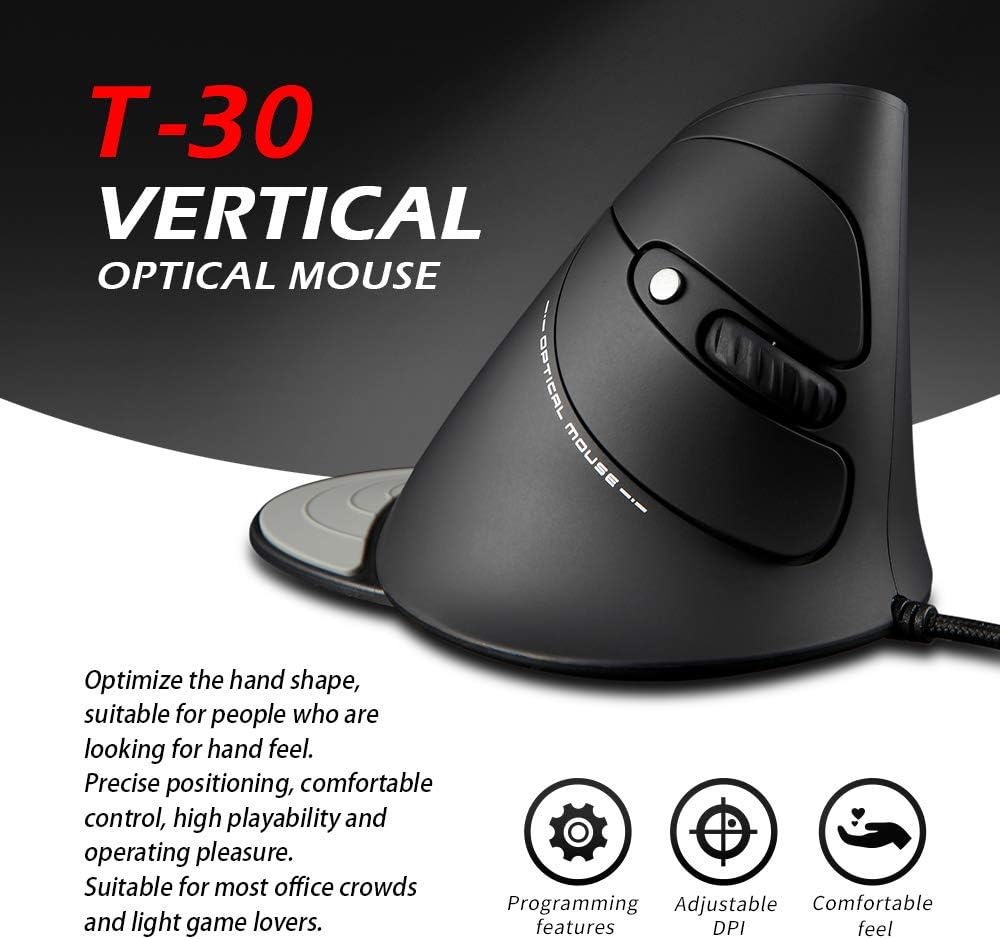
Figure 6: The T30 mouse with an emphasis on its adjustable DPI feature.
Функцыі кнопак
The zelotes T30 mouse is equipped with 6 buttons for various functions:
- Левая кнопка мышы: Стандартная функцыя асноўнага кліку.
- Правая кнопка мышы: Стандартная функцыя другаснага кліку.
- Кола пракруткі: Для вертыкальнай пракруткі. Таксама можна націснуць для выканання функцыі сярэдняй кнопкі мышы.
- Кнопка DPI: Рэгулюе адчувальнасць мышы (DPI).
- Кнопка "Наперад": Перамяшчаецца наперад web браўзэры або file даследчыкі.
- Кнопка "Назад": Пераходзіць назад у web браўзэры або file даследчыкі.
Video 1: Demonstration of the zelotes T30 Ergonomic Vertical Mouse features and usage.
Тэхнічнае абслугоўванне
To ensure the longevity and optimal performance of your zelotes T30 mouse, follow these maintenance guidelines:
- Уборка: Выкарыстоўвайце мяккую сухую тканіну для працірання паверхні мышы. Для выдалення ўстойлівага бруду злёгкуamp cloth can be used, but ensure no liquid enters the mouse. Avoid harsh chemicals or abrasive cleaners.
- захоўванне: Калі мыш не выкарыстоўваецца, захоўвайце яе ў чыстым, сухім месцы, удалечыні ад экстрэмальных тэмператур і прамых сонечных прамянёў.
- Сыход за кабелем: Пазбягайце празмернага згінання або скручвання USB-кабеля, бо гэта можа пашкодзіць унутраныя правады.
Ліквідацыю непаладак
If you encounter issues with your zelotes T30 mouse, refer to the following common problems and solutions:
| праблема | Магчымая прычына | Рашэнне |
|---|---|---|
| Мышка не рэагуе | Loose USB connection, faulty USB port, operating system issue. |
|
| Рух курсора няўстойлівы або скачковы | Брудны аптычны датчык, непрыдатная паверхня кілімка для мышы. |
|
| Рэгуляванне DPI не працуе | Button malfunction, temporary software glitch. |
|
Тэхнічныя характарыстыкі
| Асаблівасць | Дэталь |
|---|---|
| Марка | zelotes |
| Нумар мадэлі | Т-30 |
| Памеры прадукту | 4.33 х 3.15 х 3.27 цалі |
| Вага прадмета | 4.2 унцыі |
| Тэхналогія падлучэння | Правадной USB |
| Тэхналогія выяўлення руху | Аптычны |
| Налады DPI | 1200 / 1600 / 2400 / 3200 DPI |
| Колькасць кнопак | 6 |
| Асаблівасць | Ergonomic Design, Detachable Wrist Rest, LED Illumination |
| Сумяшчальнасць | Win11, Win10, Win8, Win7, Mac OS, Linux |

Figure 7: Detailed dimensions of the zelotes T30 Vertical Mouse.
Гарантыя і падтрымка
For warranty information and technical support, please refer to the official zelotes webсайт або звярніцеся непасрэдна ў службу падтрымкі кліентаў. Захоўвайце чэк аб куплі для прэтэнзій па гарантыі.
вытворца: zelotes