
Уводзіны
This manual provides detailed instructions for the operation and maintenance of your Cuifati Portable Cassette Player with Auto Reverse. Please read this manual thoroughly before using the device to ensure proper functionality and to maximize your listening experience.
Змест пакета
Праверце, ці ўсе пералічаныя ніжэй прадметы ўваходзяць у вашу ўпакоўку:
- 1 x Cuifati Portable Cassette Player
- 1 х навушнікі
- 1 х USB-кабель харчавання
- 1 х Кіраўніцтва карыстальніка
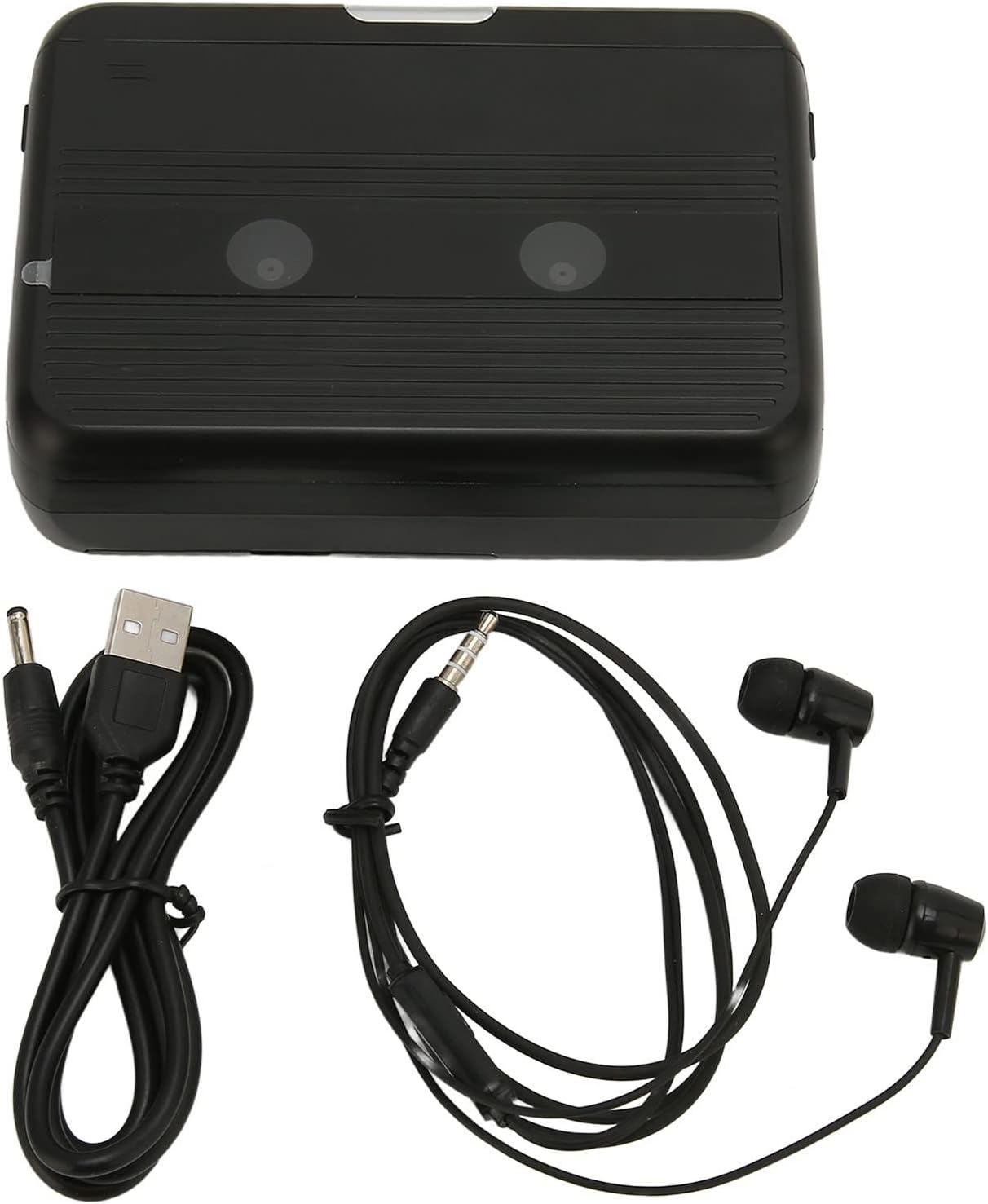
The Cuifati Portable Cassette Player shown alongside its included USB power cord and wired headphones.
Прадукт скончаныview
Азнаёмцеся з рознымі часткамі і элементамі кіравання вашага касетнага прайгравальніка.
Фронт View (Адкрыты)
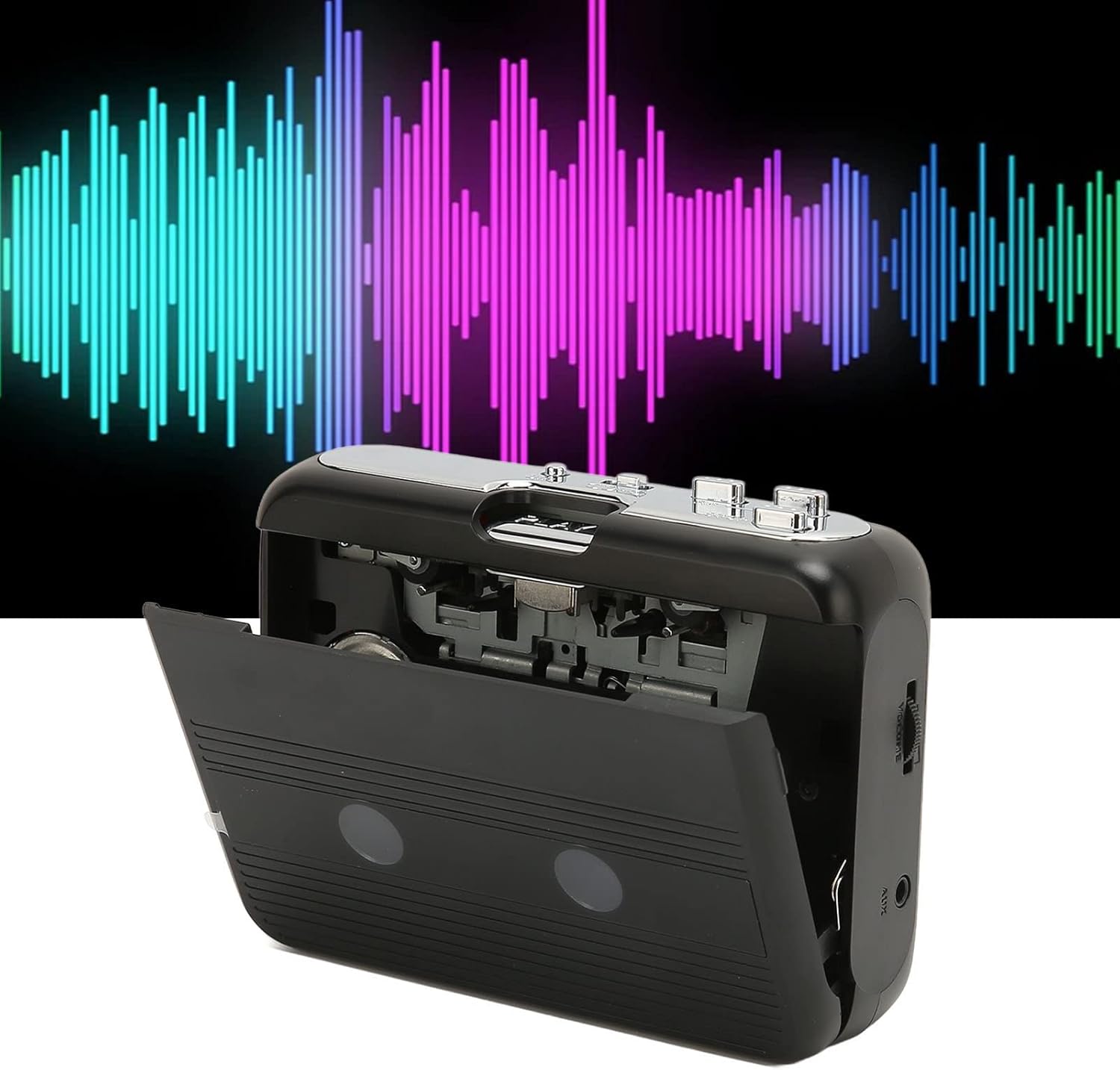
Фронт view of the Cuifati Portable Cassette Player with the cassette compartment door open, revealing the tape mechanism.
Фронт View (закрыта)
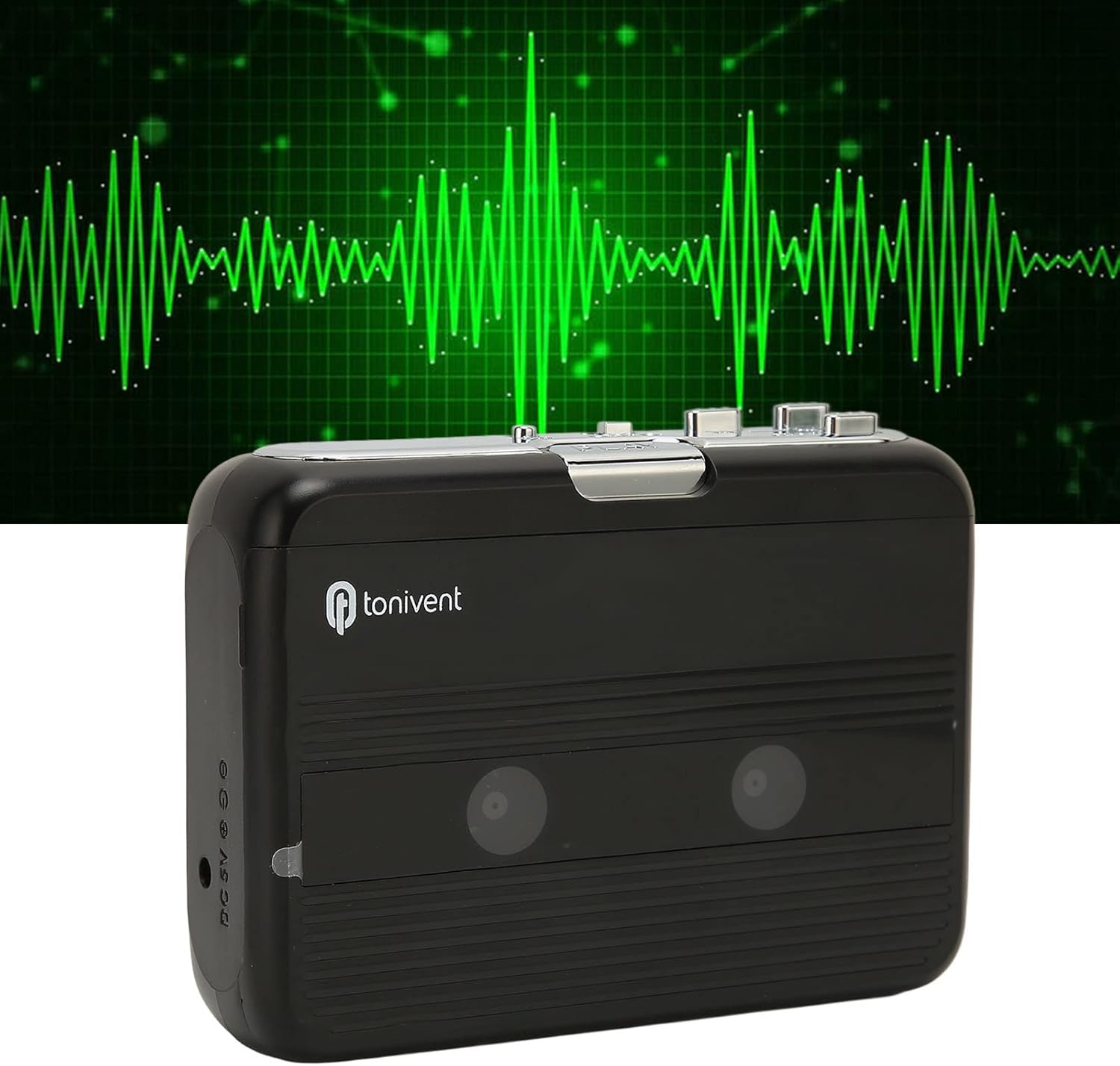
Фронт view of the Cuifati Portable Cassette Player with the cassette compartment door closed.
Cassette Mechanism

Буйны план view of the cassette player's internal mechanism, showing the tape heads and rollers.
Збоку View (Controls and Ports)

Збоку view of the cassette player, highlighting the volume control wheel and the AUX output port.
Key Controls:
- Кнопка прайгравання: Initiates cassette playback.
- Кнопка "Стоп": Halts playback.
- Кнопка хуткага перамоткі наперад (FF): Хутка перамотвае стужку.
- Кнопка перамоткі назад (REW): Хутка перамотвае стужку назад.
- Auto Reverse Button: Changes tape direction during playback.
- Кола рэгулявання гучнасці: Рэгулюе ўзровень гукавога выхаду.
- FM/Tape Switch: Selects between FM radio and cassette playback mode.
- Headphone/AUX Output Jack: Падключае навушнікі або знешнія аўдыёпрылады.
- Уваход пастаяннага току 5 В: Для USB харчавання.
Настройка
Электразабеспячэнне
The cassette player can be powered by two (2) AA batteries or via a USB power supply.
- Ўстаноўка батарэі:
- Open the battery compartment cover located on the back of the device.
- Устаўце дзве батарэйкі тыпу АА, сачыце за правільнай палярнасцю (+/-), як паказана ўнутры адсека.
- Надзейна зачыніце крышку батарэйнага адсека.
- USB Power Connection:
- Connect the small end of the included USB power cord to the DC 5V input port on the cassette player.
- Connect the standard USB end to a USB power adapter (not included) or a computer's USB port.
Устаўка касеты
- Gently open the cassette compartment door.
- Insert a cassette tape with the exposed tape facing upwards and the side you wish to play facing the front.
- Close the cassette compartment door until it clicks securely.
Інструкцыя па эксплуатацыі
Прайграванне касет
- Пераканайцеся, што касета ўстаўлена правільна.
- Set the FM/Tape switch to the "Tape" position.
- Націсніце гуляць кнопку, каб пачаць прайграванне.
- Адрэгулюйце Кола рэгулявання гучнасці да патрэбнага ўзроўню праслухоўвання.
- Каб спыніць прайграванне, націсніце Стоп кнопка.
- Для перамоткі наперад націсніце кнопку FF кнопку. Каб пераматаць назад, націсніце REW кнопка. Прэса Стоп to disengage.
Функцыя аўтаматычнага рэверсу
The player features an auto-reverse function, allowing the tape to play in both directions without needing to manually flip the cassette.
- Падчас прайгравання націсніце Аўтаматычны рэверс button to switch the tape direction. The player will automatically reverse and continue playing the other side of the tape.
Выкарыстанне FM-радыё
- Set the FM/Tape switch to the "FM" position.
- Use the tuning dial (if present, otherwise the FF/REW buttons might serve as tuning) to scan for FM radio stations.
- Адрэгулюйце Кола рэгулявання гучнасці да патрэбнага ўзроўню праслухоўвання.
Using the Built-in Speaker
The device includes a built-in speaker for direct audio output. No special action is required; audio will play through the speaker unless headphones are connected.
Connecting Headphones or External Audio Devices
For private listening or connecting to external speakers, use the 3.5mm headphone/AUX output jack.
- Plug the included headphones or your own 3.5mm audio cable into the Headphone/AUX Output Jack.
- When headphones are connected, audio will automatically switch from the built-in speaker to the headphones.

A person listening to music with headphones, illustrating the headphone usage.
Тэхнічнае абслугоўванне
Proper care ensures the longevity and optimal performance of your cassette player.
- Уборка: Для чысткі вонкавых паверхняў прылады выкарыстоўвайце мяккую сухую тканіну. Не выкарыстоўвайце вадкія ачышчальнікі або абразіўныя матэрыялы.
- Галоўкі стужкі: Periodically clean the tape heads with a specialized cassette head cleaner to maintain sound quality.
- захоўванне: When not in use for extended periods, remove the batteries to prevent leakage. Store the device in a cool, dry place away from direct sunlight and extreme temperatures.
- Пазбягайце пылу: Keep the cassette compartment closed when not in use to prevent dust accumulation.
Ліквідацыю непаладак
If you encounter issues with your cassette player, refer to the following common problems and solutions:
| праблема | Магчымая прычына | Рашэнне |
|---|---|---|
| Няма ўлады | Dead batteries; USB cable not connected; faulty power source. | Replace batteries; ensure USB cable is securely connected to a working power source. |
| No sound from speaker/headphones | Volume too low; headphones not fully plugged in; FM/Tape switch in wrong position; dirty tape heads. | Increase volume; ensure headphones are fully inserted; set switch to correct mode (Tape/FM); clean tape heads. |
| Poor sound quality (cassette) | Dirty tape heads; worn-out tape; incorrect tape insertion. | Clean tape heads; try a different tape; re-insert tape correctly. |
| Статычны шум/дрэнны прыём FM-радыё | Слабы сігнал; перашкоды. | Relocate the player to an area with better reception; try adjusting the player's orientation. |
| Tape not playing/moving | Tape jammed; mechanism issue; tape not inserted correctly. | Check for tape jams; ensure tape is inserted correctly; if issue persists, contact support. |
Тэхнічныя характарыстыкі
| Асаблівасць | Дэталь |
|---|---|
| Марка | Куіфаці |
| Нумар мадэлі | Cuifatibi73wk0z4p |
| ASIN | B0CDD42V9J |
| Электразабеспячэнне | 2 x AA Batteries or USB DC 5V |
| Функцыі | Cassette Playback, Auto Reverse, FM Radio, Built-in Speaker, Headphone Output |
| Аўдыёвыхад | 3.5mm Headphone/AUX Jack |
| Вага прадмета | 10.3 унцыі |
Важная інфармацыя па бяспецы
- Не падвяргайце прыладу ўздзеянню вады, вільгаці або экстрэмальных тэмператур.
- Не кідайце прыладу і не падвяргайце яе моцным ударам.
- Не спрабуйце разбіраць або рамантаваць прыладу самастойна. Звяртайцеся да кваліфікаванага персаналу па любыя паслугі па абслугоўванні.
- Утылізуйце батарэйкі адказна ў адпаведнасці з мясцовымі правіламі.
- Працяглае праслухоўванне на высокім узроўні гучнасці можа пашкодзіць слых. Адрэгулюйце гучнасць да бяспечнага ўзроўню.
Гарантыя і падтрымка
For warranty information or technical support, please refer to the documentation provided at the time of purchase or contact your retailer. Keep your purchase receipt as proof of purchase.