1. Уводзіны
Thank you for choosing the Delton Ergonomic Vertical Rechargeable Wireless Mouse S12. This manual provides detailed instructions for setting up, operating, and maintaining your new mouse. Designed for comfort and efficiency, this vertical mouse promotes a more natural hand and wrist posture, reducing strain during extended computer use.
Please read this manual thoroughly before use to ensure optimal performance and longevity of your device.
2. Змесціва ўпакоўкі
Праверце, ці ёсць усе прадметы ў вашай упакоўцы:
- Delton Ergonomic Vertical Wireless Mouse
- USB Dongle (2.4GHz receiver)
- USB-кабель для зарадкі
- Кіраўніцтва карыстальніка (гэты дакумент)
3. Прадукт скончыўсяview
The Delton S12 mouse features an ergonomic vertical design, six programmable buttons, and adjustable DPI settings for precise control. It connects wirelessly via a 2.4GHz USB dongle and is powered by a rechargeable battery.

Image: The Delton S12 Ergonomic Vertical Wireless Mouse, shown with its accompanying USB dongle.
3.1 Эрганамічны дызайн
The vertical orientation of the mouse is designed to align your hand and wrist in a natural handshake position, which can help reduce muscle strain and discomfort often associated with traditional mice.

Image: A hand comfortably gripping the Delton vertical mouse, demonstrating the natural, ergonomic wrist position it promotes.
3.2 Бесправадное падключэнне
The mouse connects wirelessly to your device via a 2.4GHz USB dongle, offering a stable connection up to 30 feet (10 meters). This provides flexibility and reduces cable clutter.

Image: The Delton vertical mouse wirelessly connected to a laptop, with the USB dongle inserted into the laptop's port.
3.3 Акумулятар
Equipped with a built-in rechargeable Lithium-Ion battery, the mouse offers up to 30 days of daily use and 12 months of standby time on a single charge. It can also be used while charging.

Image: The Delton vertical mouse being charged via a USB cable, illustrating its rechargeable feature.
3.4 Six Buttons Functionality
The mouse features six responsive buttons for enhanced productivity:
- Пстрыкніце левай кнопкай мышы
- Пстрыкніце правай кнопкай мышы
- Scroll Wheel (with click function)
- Кнопка перамыкача DPI
- Кнопка "Наперад".
- Кнопка "Назад".

Image: A detailed diagram highlighting the location and function of the six buttons on the Delton vertical mouse.
3.5 Customizable DPI Levels
Adjust the mouse sensitivity with three DPI settings: 800, 1200, and 2400. An indicator light changes color to show the current DPI level.
- Сіні: 800 DPI
- Чырвоны: 1200 DPI
- Зялёны: 2400 DPI
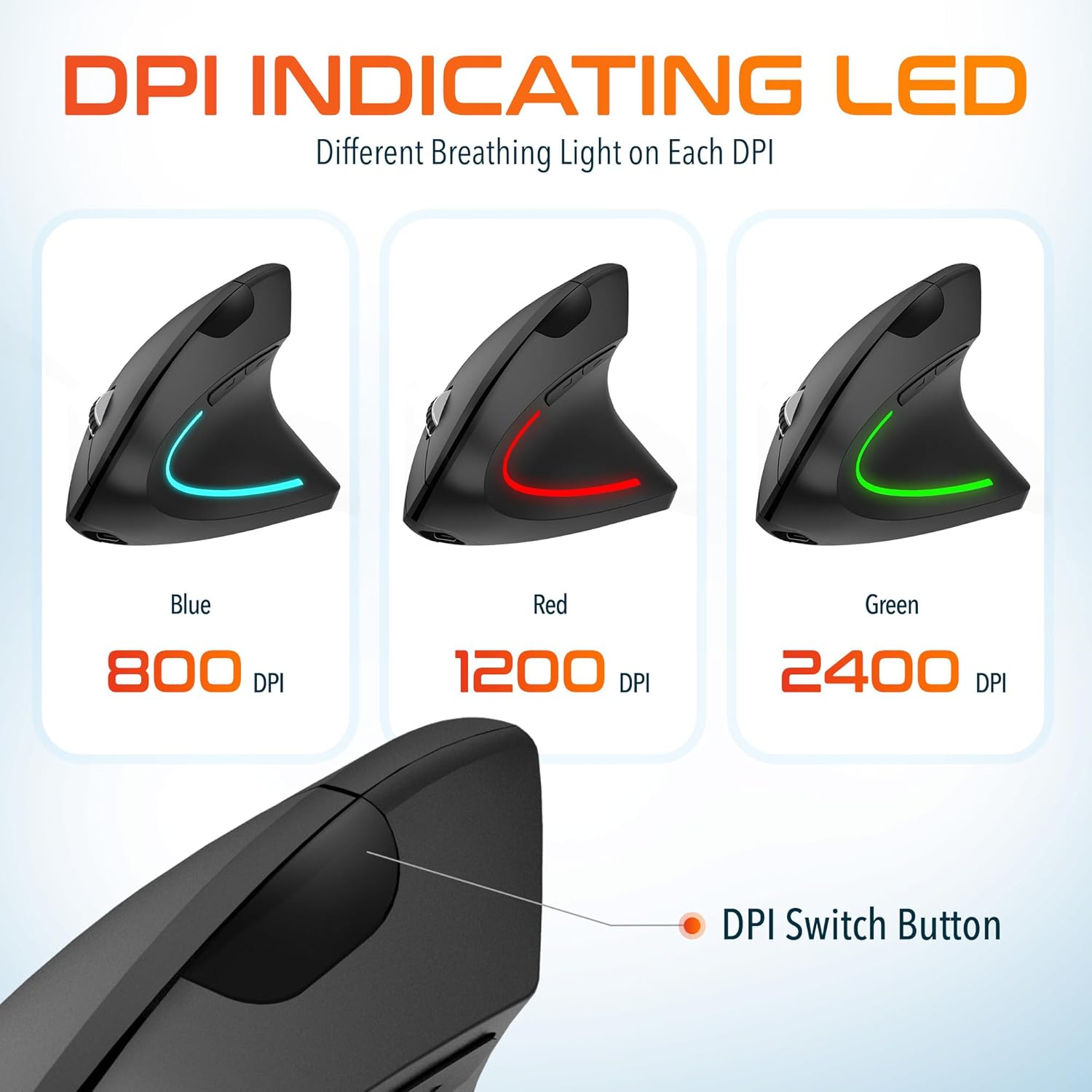
Image: The Delton vertical mouse displaying its LED indicator in blue (800 DPI), red (1200 DPI), and green (2400 DPI) to show current sensitivity settings.
4. Інструкцыі па ўсталёўцы
4.1 Зарадка мышы
- Connect the provided USB charging cable to the charging port on the front of the mouse.
- Plug the other end of the USB cable into a USB power source (e.g., computer USB port, wall adapter, power bank).
- The LED indicator will illuminate during charging and turn off when fully charged. A full charge typically takes approximately 1 hour.
4.2 Connecting the USB Dongle
- Знайдзіце USB-адаптар, які звычайна захоўваецца ў адсеку на ніжняй частцы мышы.
- Insert the USB dongle into an available USB port on your computer (PC, Laptop, Mac, Chromebook).
- The system will automatically detect and install the necessary drivers. This process may take a few moments.
4.3 Уключэнне/выключэнне
Locate the power switch on the underside of the mouse. Slide the switch to the 'ON' position to power on the mouse. Slide it to 'OFF' when not in use to conserve battery life.
5. Інструкцыя па эксплуатацыі
5.1 Рэгуляванне DPI
To change the mouse sensitivity (DPI), press the DPI switch button located on the top of the mouse, behind the scroll wheel. Each press cycles through the available DPI settings (800, 1200, 2400), indicated by the changing color of the LED light.
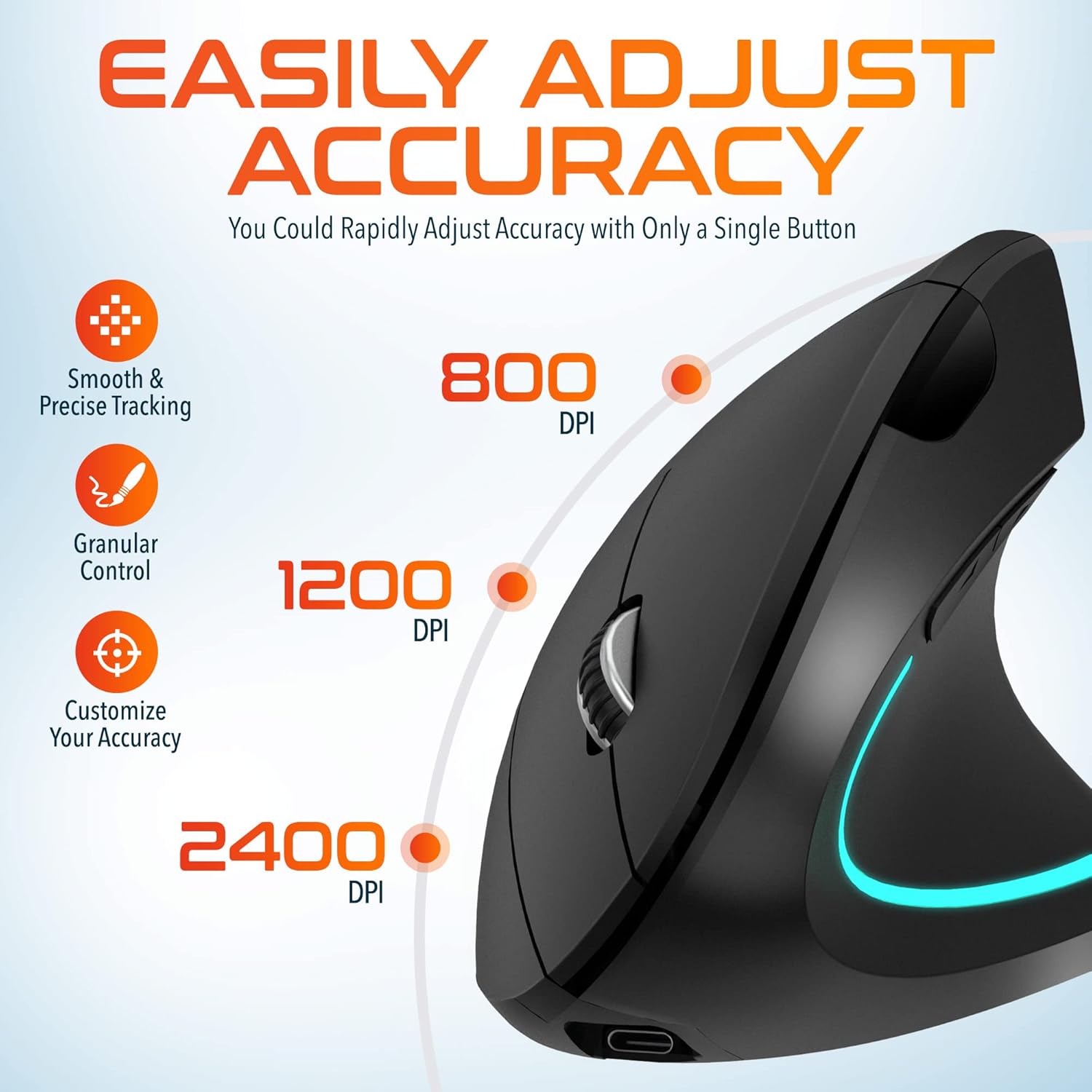
Image: A visual representation of the three adjustable DPI settings (800, 1200, 2400) and their corresponding cursor precision levels.
5.2 Функцыі кнопак
- Пстрычка левай кнопкай мышы: Стандартная функцыя асноўнага кліку.
- Пстрыкніце правай кнопкай мышы: Стандартная функцыя другаснага кліку.
- Кола пракруткі: Пракручвайце дакументы ўверх або ўніз і web pages. Pressing the scroll wheel acts as a middle click.
- Кнопка "Наперад": Перамяшчаецца наперад web браўзэры або file даследчыкі.
- Кнопка "Назад": Пераходзіць назад у web браўзэры або file даследчыкі.

Выява: буйны план view of the mouse's scroll wheel and the conveniently placed forward and backward shortcut keys.
6. Тэхнічнае абслугоўванне
- Уборка: Для чысткі мышы выкарыстоўвайце мяккую сухую тканіну. Для ўстойлівага бруду злёгкуampпрамыйце тканіну вадой. Пазбягайце выкарыстання агрэсіўных хімічных рэчываў або абразіўных матэрыялаў.
- захоўванне: When not in use for extended periods, store the mouse in a cool, dry place. Ensure the power switch is in the 'OFF' position to preserve battery life.
- Сыход за батарэяй: Пазбягайце частай поўнай разрадкі акумулятара. Рэгулярна зараджайце мыш, каб падтрымліваць яго ў працоўным стане.
7. Выпраўленне непаладак
| праблема | Магчымая прычына | Рашэнне |
|---|---|---|
| Мышка не рэагуе | Low battery; USB dongle not connected; Mouse not powered on; Driver issue | Charge the mouse; Ensure dongle is securely plugged in; Turn on the mouse; Try a different USB port; Restart computer |
| Перарывістае злучэнне | Interference; Dongle too far from mouse; Low battery | Move mouse closer to dongle; Remove obstacles; Charge the mouse; Avoid using near other 2.4GHz devices |
| DPI не змяняецца | DPI button not pressed correctly; Mouse unresponsive | Press the DPI button firmly; Check battery and connection |
| Mouse cursor erratic | Dirty optical sensor; Uneven surface | Clean the optical sensor with a soft cloth; Use on a clean, flat mouse pad or surface |
8. Тэхнічныя характарыстыкі
| Асаблівасць | Дэталь |
|---|---|
| Нумар мадэлі | S12 |
| Сувязь | Бесправадная сувязь 2.4 ГГц (USB-адаптар) |
| Ўзроўні DPI | 800/1200/2400 |
| Гузікі | 6 (Left, Right, Scroll Wheel, DPI, Forward, Backward) |
| Тып батарэі | Акумулятарная літый-іённая батарэя (у камплекце) |
| Далёкасць бесправадной сувязі | Да 30 футаў (10 метра) |
| Памеры прадукту | 5 х 2.6 х 3.25 цалі |
| Вага прадмета | 4.9 унцыі |
| Сумяшчальнасць | PC, Laptop, Mac, Chromebook (Windows, macOS, iOS) |
9. Гарантыя і падтрымка
Delton products are designed for reliability and performance. For warranty information or technical support, please refer to the contact details provided with your purchase or visit the official Delton webсайт. Захоўвайце чэк аб куплі як пацвярджэнне пакупкі для гарантыйных прэтэнзій.


