
1. Уводзіны
This manual provides detailed instructions for the installation, operation, and maintenance of your FLITI 110V Motion Sensor Outdoor Flood Light. Please read this manual thoroughly before installation and use to ensure proper function and safety. This hardwired security light offers 2500 lumens of brightness, an 8-meter sensing distance, and convenient remote control functionality with multiple lighting modes.
2. Асаблівасці прадукту
- Super Bright Hardwired Design: 15-watt LED equivalent to 150-watt traditional halogen bulbs, providing 2500 lumens of high brightness. Requires connection to a power cord; not solar or battery-powered.
- Функцыянальнасць дыстанцыйнага кіравання: Easily change lighting modes without needing to access the physical unit.
- Five Night Lighting Modes:
- Motion-activated: High brightness (2500LM) when motion is detected, then turns off.
- Motion-activated with low brightness standby: Low brightness (300LM) standby, switches to high brightness (2500LM) upon motion detection, then returns to low brightness.
- Always On (Micro Brightness): Maintains a constant micro brightness (300LM).
- Always On (Medium Brightness): Maintains a constant medium brightness (700LM).
- Always On (High Brightness): Maintains a constant high brightness (1000LM).
- Durable for Cold Climates: Designed with low-temperature resistant material, suitable for temperatures from -40°C to 0°C, making it ideal for Canadian winters.
- Гнуткая канструкцыя павароту: Adjustable light heads and sensor for optimal coverage.
- Воданепранікальнасць IP65: Resistant to rain, snow, and dust for reliable outdoor use.
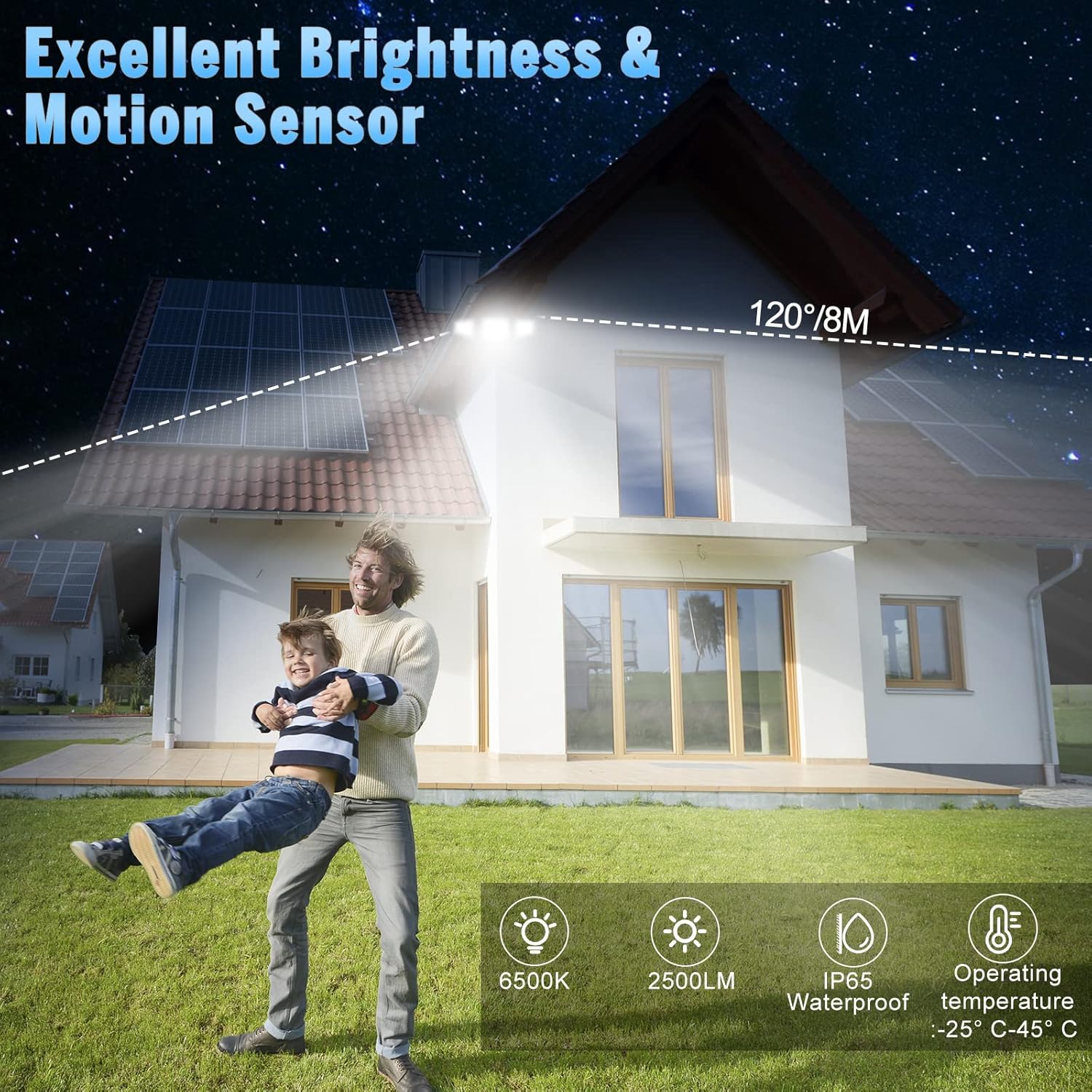
Image: The flood light illuminates a wide area with a 120-degree beam and 8-meter sensing distance. It features 6500K color temperature, 2500LM brightness, IP65 waterproof rating, and operates between -25°C and 45°C.

Image: The flood light features a flexible rotation design, allowing the light heads to adjust 360 degrees horizontally and 90 degrees vertically, and the sensor to adjust 360 degrees horizontally.
3. Інфармацыя па бяспецы
- Always turn off power at the circuit breaker before installation or servicing.
- Пракансультуйцеся з кваліфікаваным электрыкам, калі вы не ўпэўнены ў працэсе ўстаноўкі.
- Не спрабуйце мадыфікаваць прадукт. Любыя мадыфікацыі могуць ануляваць гарантыю і стварыць пагрозу бяспецы.
- Пераканайцеся, што ўсе злучэнні надзейныя і належным чынам ізаляваны.
- Не глядзіце непасрэдна ў святлодыёдны пражэктар, калі ён падсветлены, бо гэта можа пашкодзіць вочы.
- Трымайце прадукт далей ад лёгкаўзгаральных матэрыялаў.
4. Ўстаноўка
This flood light is designed for wall mounting and requires hardwired electrical connection. Professional installation is recommended.
4.1 Інструкцыі па падключэнні
- Выключыце харчаванне на галоўным выключальніку.
- Remove your existing light fixture, if applicable.
- Connect the live wire (black) from the flood light to the live wire from your electrical box using a wire nut.
- Connect the neutral wire (white) from the flood light to the neutral wire from your electrical box using a wire nut.
- Connect the ground wire (green/yellow) from the flood light to the ground wire from your electrical box.
- Пераканайцеся, што ўсе злучэнні шчыльныя і надзейныя.

Image: Wiring diagram showing connections for live, neutral, and ground wires. Ensure proper insulation and secure connections.
4.2 Мантаж свяцільні
- After wiring, align the mounting plate of the flood light with the junction box.
- Secure the fixture to the wall using the provided screws. Ensure it is firmly attached.
- Adjust the light heads and motion sensor to your desired angles.
- Apply silicone sealant around the top and sides of the mounting plate to prevent water ingress, leaving the bottom open for drainage.
- Аднавіце сілкаванне на выключальніку.

Image: Step-by-step illustration of mounting the flood light to a wall, showing wiring connections and securing the fixture.
5. Інструкцыя па эксплуатацыі
The FLITI Motion Sensor Outdoor Flood Light can be controlled using the included remote control.
5.1 Функцыі дыстанцыйнага кіравання

Image: The remote control features ON/OFF buttons and numbered buttons (1-5) corresponding to different lighting modes.
- ВКЛ/ВЫКЛ: Уключае або выключае святло.
- Mode 1 (Motion Sensor - High Brightness): Light remains off until motion is detected, then illuminates at 2500LM for a set duration (e.g., 20 seconds) before turning off.
- Mode 2 (Low Brightness Standby + Motion Sensor - High Brightness): Light stays at a low brightness (300LM) until motion is detected, then switches to 2500LM. After motion ceases, it returns to low brightness.
- Mode 3 (Always On - Micro Brightness): Light stays on continuously at 300LM.
- Mode 4 (Always On - Medium Brightness): Light stays on continuously at 700LM.
- Mode 5 (Always On - High Brightness): Light stays on continuously at 1000LM.

Выява: Visual examples of the five lighting modes, illustrating how the light behaves with and without motion detection at different brightness levels.
5.2 Sensor Adjustment
The motion sensor can be adjusted for sensitivity and duration. Refer to the sensor unit for specific dial settings (e.g., DISTANCE, TIME).
Video: Demonstration of Mode 1 (off to high light for 20 seconds) and Mode 2 (dim to high light for 20 seconds) in action, showing how the light responds to motion.
Video: Explanation of motion sensor settings, including adjustments for sensing distance (L, M, H) and light duration (1 min, 3 min, 10 min), and a test mode.
6. Тэхнічнае абслугоўванне
- Уборка: Перыядычна чысціце свяцільнік мяккай губкайamp тканіна. Не выкарыстоўвайце абразіўныя ачышчальнікі або растваральнікі.
- агляд: Regularly inspect the wiring and housing for any signs of damage or wear.
- святлодыёды: Святлодыёдная крыніца святла ўбудаваная і не падлягае замене карыстальнікам.
7. Выпраўленне непаладак
| праблема | Магчымая прычына | Рашэнне |
|---|---|---|
| Святло не ўключаецца. | No power; faulty wiring; sensor malfunction. | Check circuit breaker. Verify wiring connections. Test sensor sensitivity. |
| Датчык руху не выяўляе. | Sensor obstructed; incorrect sensitivity setting; ambient light interference. | Clear obstructions. Adjust sensor sensitivity (DISTANCE dial). Ensure sensor is not facing direct light sources. |
| Light stays on continuously (in motion modes). | Continuous motion detected; incorrect mode selected; sensor malfunction. | Ensure no constant motion in sensor range. Verify correct mode (Mode 1 or 2). Adjust sensor settings. |
| Не працуе пульт дыстанцыйнага кіравання. | Battery depleted; remote out of range; obstruction. | Replace remote battery. Ensure remote is within effective range and pointed towards the light. Remove obstructions. |
8. Тэхнічныя характарыстыкі
| Асаблівасць | Спецыфікацыя |
|---|---|
| Нумар мадэлі | святло-12.5 |
| Крыніца харчавання | Electric (Hardwired) |
| тtage | 120 вольт |
| Ватtage | 15 ват |
| Яркасць | 2500 люмен (макс.) |
| Каляровая тэмпература | 6500 кельвінаў |
| Метад кантролю | Пульт дыстанцыйнага кіравання |
| Выкарыстанне ў памяшканні/на вуліцы | На адкрытым паветры |
| Узровень воданепранікальнасці | Воданепранікальны IP65 |
| Матэрыял | Plastic, Glass (Shade) |
| Памеры прадукту | 25Д х 25Ш х 25В міліметраў |
| Вага прадмета | 0.96 кілаграма |
| Тып мацавання | Wall Mount, Semi Flush Mount |
9. Гарантыя і падтрымка
FLITI offers a Гарантыя 1 год for this product from the date of purchase. We also provide a 30-day money-back guarantee. If you encounter any issues or have questions regarding your FLITI Motion Sensor Outdoor Flood Light, please contact our customer support for assistance. Our goal is to provide professional and reliable LED lamps and excellent after-sales experience.