
1. Уводзіны
This manual provides essential information for the proper setup, operation, and maintenance of your Sony SLV-FT5 VHS Video Cassette Recorder (VCR). Please read these instructions thoroughly before using the unit to ensure optimal performance and safety.
2. Інфармацыя па бяспецы
Заўсёды выконвайце асноўныя меры бяспекі пры выкарыстанні гэтага вырабу, каб знізіць рызыку пажару, паражэння электрычным токам і траўмаў.
- Не падвяргайце прыладу ўздзеянню дажджу або вільгаці.
- Не адчыняйце шафу. Звяртайцеся да абслугоўвання толькі кваліфікаваным персаналам.
- Забяспечце належную вентыляцыю; не блакуйце вентыляцыйныя адтуліны.
- Выкарыстоўвайце толькі крыніцу сілкавання, прадугледжаную для гэтай прылады.
- Трымайце прыладу далей ад крыніц цяпла і прамых сонечных прамянёў.
3. Настройка
3.1 Распакаванне
Carefully remove the VCR and all accessories from the packaging. Verify that all components are present: the SLV-FT5 VCR unit, remote control, and necessary connection cables (e.g., RCA audio/video cables).
3.2 Падключэнне да тэлевізара
To connect the VCR to your television, use the provided RCA audio/video cables. Match the colored plugs to the corresponding colored jacks on both the VCR and your TV (Yellow for Video, White for Left Audio, Red for Right Audio).

Малюнак 1: Rear panel of the Sony SLV-FT5 VCR. This image displays the various input and output ports, including RCA jacks for audio and video, and the power input. The product label with model number SLV-FT5 and power specifications (100V 18W 50/60Hz) is also visible.
3.3 Падключэнне харчавання
Plug the VCR's power cord into a standard electrical outlet (AC 100V, 50/60Hz). Ensure the power outlet is easily accessible.
3.4 Налада дыстанцыйнага кіравання
Open the battery compartment on the back of the remote control and insert two AA batteries, observing the correct polarity (+/-). Close the compartment securely.

Малюнак 2: The Sony RMT-V219 remote control, designed for the SLV-FT5 VCR. This image also shows the included RCA audio/video cables, which are typically used for connecting the VCR to a television.
4. Кіраванне відэамагнітафонам
4.1 Уключэнне/выключэнне
Націсніце УЛАДА button on the VCR's front panel or the remote control to turn the unit on or off.
4.2 Loading and Unloading a VHS Tape
- Загрузка: Insert a VHS cassette into the tape slot on the front of the VCR with the tape window facing forward. The VCR will automatically pull the tape in.
- Выгрузка: Націсніце ВЫКЛЮЧЫЦЬ button on the VCR or remote control. The tape will be ejected.
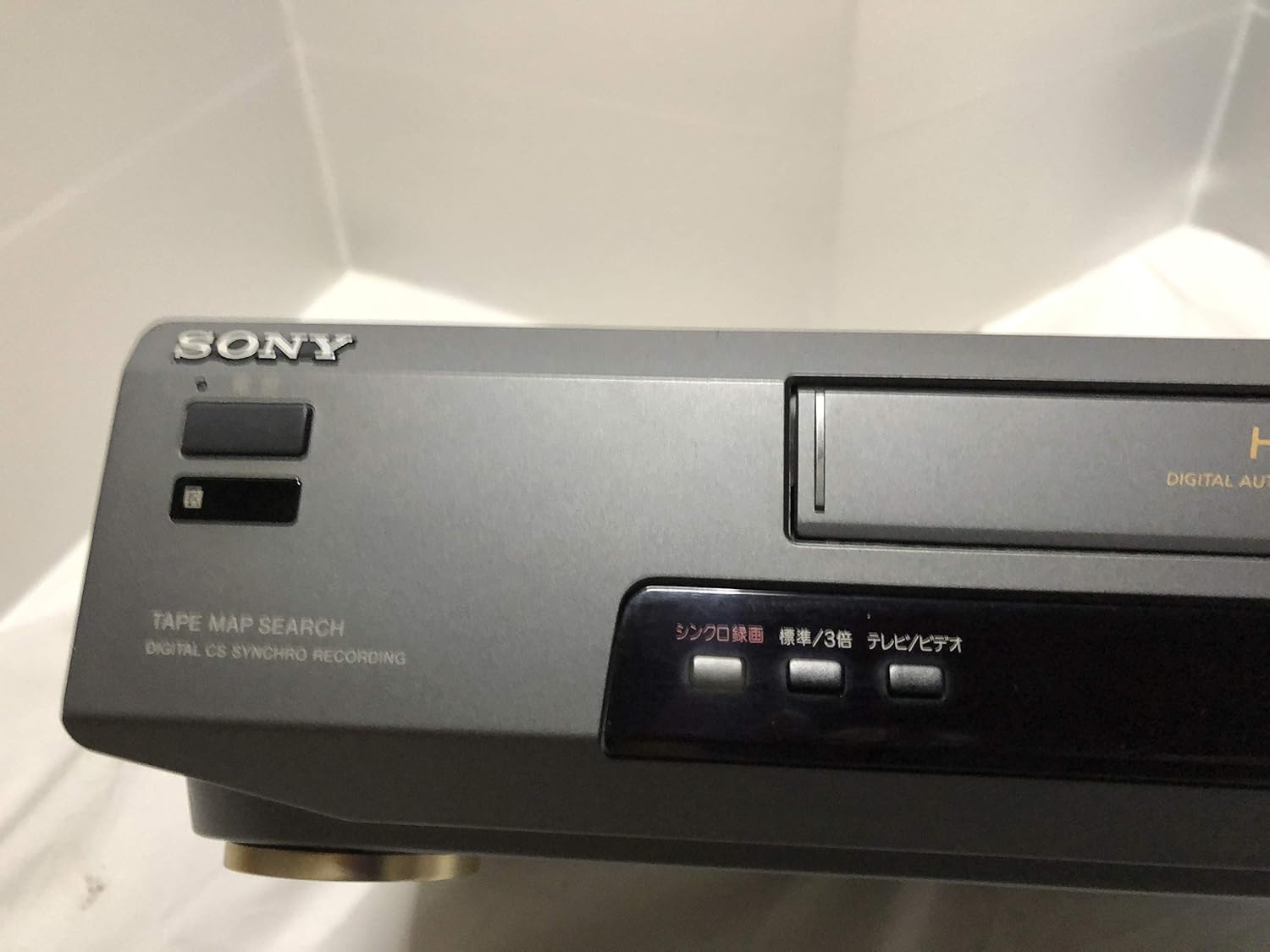
Малюнак 3: Front left section of the Sony SLV-FT5 VCR. This view highlights the tape loading slot and the 'TAPE MAP SEARCH' feature, which assists in navigating recorded content on a tape.
4.3 Прайграванне
After loading a tape, press the ГУЛЬНЯ button (►) on the VCR or remote control to begin playback. Use the Паўза (∥), СТОП (■), НАЗАД (◀◀), and ХУТКАЯ ПЕРАМАДКА (►►) buttons to control playback.

Малюнак 4: Front right section of the Sony SLV-FT5 VCR. This image displays the main playback controls (Play, Stop, Rewind, Fast Forward, Pause) and additional buttons for 'Quick Timer' and 'Tracking' adjustments.
4.4 Запіс
To record, ensure a blank or recordable tape is inserted. Select the desired input source (e.g., TV channel). Press the ЗАПІС (●) button on the VCR or remote control. Press СТОП (■) to end recording.
4.5 Tracking Adjustment
If the picture quality during playback is poor (e.g., horizontal lines or noise), use the САЧЭННЕ buttons on the front panel or remote control to fine-tune the tape's alignment with the VCR's heads.
5. Тэхнічнае абслугоўванне
5.1 Чыстка прылады
Wipe the exterior of the VCR with a soft, dry cloth. For stubborn stains, use a cloth lightly dampпрамыйце мяккім мыйным растворам, затым вытрыце насуха. Не выкарыстоўвайце абразіўныя ачышчальнікі або растваральнікі.
5.2 Ачыстка галоўкі
Over time, VCR heads can accumulate dirt, leading to poor picture and sound quality. Use a commercially available dry-type VHS head cleaning cassette according to its instructions. Avoid wet-type cleaners as they can damage the heads.
5.3 Захоўванне
When not in use for extended periods, disconnect the VCR from the power outlet. Store the unit in a cool, dry place, away from dust and direct sunlight.
6. Выпраўленне непаладак
If you encounter issues with your VCR, refer to the following common problems and solutions before seeking professional service.
| праблема | Магчымая прычына | Рашэнне |
|---|---|---|
| Няма ўлады | Шнур харчавання адключаны; праблема з разеткай | Праверце падключэнне шнура харчавання; паспрабуйце іншую разетку. |
| Няма малюнка/гуку | Incorrect TV input; loose A/V cables | Select correct TV input (e.g., Video 1, AV); ensure A/V cables are securely connected. |
| Poor picture quality (snowy, lines) | Dirty VCR heads; tracking issue; old/damaged tape | Clean VCR heads; adjust tracking; try a different tape. |
| Стужка не выкідваецца | Power issue; mechanical malfunction | Ensure power is on; try pressing EJECT multiple times. If issue persists, seek service. |
| Пульт дыстанцыйнага кіравання не працуе | Разраджаныя батарэйкі; заблакаваны датчык | Replace batteries; ensure no obstacles between remote and VCR sensor. |
7. Тэхнічныя характарыстыкі
| Асаблівасць | Спецыфікацыя |
|---|---|
| Марка | Sony |
| Нумар мадэлі | SLV-FT5 |
| Тып носьбіта | VHS |
| дазвол | 720 х 480 пікселяў |
| Вага прадукту | 4160 грамаў |
| Рэжым выхаду гуку | Стэрэа |
| Падтрымліваюцца аўдыяфарматы | Monaural, Stereo |
| Кадзіроўка відэа | Аналаг |
| Сумяшчальныя прылады | Тэлебачанне |
| Сумяшчальнасць уваходнага відэа | NTSC |
| Патрабаванні да магутнасці | 100V, 18W, 50/60Hz |
8. Гарантыя і падтрымка
For warranty information and customer support, please refer to the documentation included with your purchase or visit the official Sony webсайт. Захоўвайце пацвярджэнне пакупкі для прэтэнзій па гарантыі.