
1. Giriş
Welcome to the LIGE DM1-E Smartwatch user manual. This guide provides detailed instructions on how to set up, operate, maintain, and troubleshoot your new smartwatch. Please read this manual thoroughly to ensure optimal performance and longevity of your device.
Qutuda nə var
- 1 x LIGE DM1-E Smartwatch
- 1 x Magnetic Buckle Strap
- 1 x Silikon Kəmər
- 1 x şarj kabeli
- 1 x İstifadəçi Təlimatı
2. Quraşdırma
2.1 Cihazın doldurulması
Before initial use, fully charge your smartwatch. Connect the magnetic charging cable to the charging contacts on the back of the watch and plug the USB end into a power adapter (not included) or a computer's USB port. The watch will display a charging indicator. A full charge typically takes approximately 2.5 hours.

Image: The LIGE DM1-E Smartwatch connected to its magnetic charging cable, displaying battery life indicators. The watch features a 530mAh battery, offering up to 30 days standby, 5-7 days working time, and 20 days in power-saving mode, with a 2.5-hour charging time. It also highlights the powerful LED flashlight function.
2.2 Yandırma/Söndürmə
- Yandırmaq üçün: Press and hold the power button (usually on the side) until the LIGE logo appears on the screen.
- Söndürmək üçün: Press and hold the power button, then select 'Power Off' from the options displayed on the screen.
2.3 Smartfonunuzla Cütləşmə
To unlock all features, pair your smartwatch with the companion app on your smartphone.
- Download the official LIGE smartwatch app from your phone's app store (compatible with Android 5.0+ and iOS 11+).
- Smartfonunuzda Bluetooth-un aktiv olduğundan əmin olun.
- Proqramı açın və hesab yaratmaq və ya daxil olmaq üçün ekrandakı təlimatları izləyin.
- In the app, search for your device (DM1-E) and initiate the pairing process.
- Confirm the pairing request on both your phone and smartwatch.
2.4 Strap Installation and Adjustment
The LIGE DM1-E comes with interchangeable straps. To attach or remove a strap, locate the quick-release pins on the underside of the strap. Slide the pin to detach or attach the strap to the watch body. Adjust the strap to a comfortable fit on your wrist, ensuring it is snug enough for accurate sensor readings but not too tight.
Şəkil: Yaxından view of the LIGE DM1-E Smartwatch strap, highlighting its outer leather material for durability, improved inner silicone for comfort and sweat resistance, and a strong magnetic metal buckle for secure and adjustable fit.
3. Əməliyyat Təlimatları
3.1 Ekran Naviqasiyası
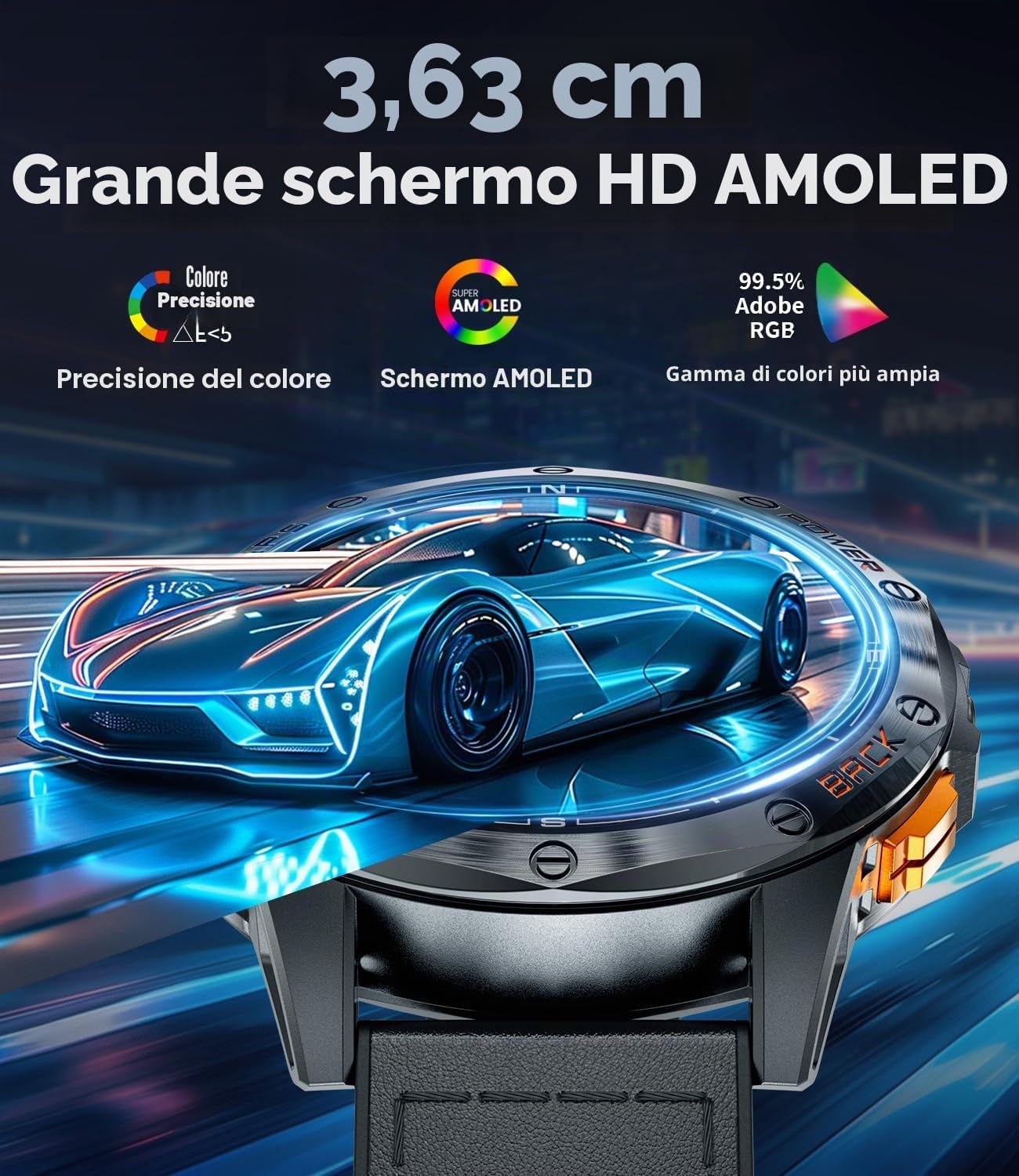
The LIGE DM1-E features a 1.43-inch AMOLED touchscreen display for intuitive interaction. Swipe left, right, up, or down to navigate through menus and features. Press the side buttons for quick access to specific functions or to return to the home screen.

Image: The LIGE DM1-E Smartwatch in a tactical outdoor environment, showcasing its bright display and the integrated LED flashlight function.
3.2 Bluetooth Calling and Notifications
Once paired with your smartphone, the DM1-E allows you to make and receive Bluetooth calls directly from your wrist. You will also receive real-time notifications for calls, text messages, and social media alerts.
- Zənglərin edilməsi: Access the 'Dialer' or 'Contacts' menu on your watch to initiate a call.
- Zənglərin qəbulu: Daxil olan zənglərə cavab vermək üçün saat ekranındakı yaşıl işarəyə toxunun.
- Bildirişlər: Swipe down from the top of the watch face to view son bildirişlər.

Image: A user interacting with the LIGE DM1-E Smartwatch for Bluetooth calls, showing the watch's microphone, call log, contacts, and dialing features, alongside various social media notification icons.
3.3 GPS and Navigation Features
The DM1-E features integrated GPS, a compass, altimeter, and barometer, making it suitable for outdoor activities.
- GPS İzləmə: The integrated GPS precisely tracks your movement trajectory during outdoor activities. You can view your route on the watch and the companion app.
- Kompas: Access the compass feature to determine your direction.
- Altimeter & Barometer: Monitor altitude and atmospheric pressure for environmental awareness during hikes or climbs.

Image: The LIGE DM1-E Smartwatch showing integrated GPS functionality, with a map displaying a tracked route on both the watch and a connected smartphone.

Image: The LIGE DM1-E Smartwatch displaying its compass interface, showing direction, altitude, and atmospheric pressure readings.
3.4 İdman rejimləri
The smartwatch supports over 100 professional sport modes. To select a sport mode:
- Swipe to the 'Sport' menu or press the dedicated sport mode button (if available).
- Select your desired activity (e.g., running, cycling, hiking).
- The watch will begin tracking metrics such as calories burned, distance, steps, and workout duration.

Image: The LIGE DM1-E Smartwatch interface displaying various functions including a wrist compass, camera control, music controls, and weather forecast.
3.5 LED Fənər
The integrated LED flashlight can be activated with a single touch. This feature is useful for camping, night cycling, or in low-light conditions.
3.6 Səs köməkçisi
The built-in voice assistant allows for quick command execution and efficient daily planning. Activate it through the watch interface and speak your commands.
4. Baxım
4.1 Təmizləmə
Regularly clean your smartwatch and strap to prevent skin irritation and maintain functionality.
- Ekranı və saat korpusunu yumşaq bir parça ilə silin, damp, tüysüz parça.
- For silicone straps, you can use mild soap and water. For leather straps, use a specialized leather cleaner and avoid excessive moisture.
- Doldurmadan əvvəl şarj kontaktlarının təmiz və quru olduğundan əmin olun.
4.2 Suya davamlılıq
The LIGE DM1-E Smartwatch is rated IP68 and is water-resistant up to 50 meters. This means it can withstand splashes, rain, and shallow-water activities like swimming. However, it is not recommended for hot showers, saunas, or deep diving, as steam and high pressure can compromise the seals.

Image: The LIGE DM1-E Smartwatch worn by a diver underwater, illustrating its water resistance and ability to track metrics like distance, calories, and steps during aquatic activities. The watch supports over 100 sport modes.
4.3 Batareya Baxımı
- Batareyanın ömrünü azalda biləcək həddindən artıq temperaturdan çəkinin.
- Saatı uzun müddət tam boş vəziyyətdə qoymayın.
- Yalnız təchiz edilmiş doldurma kabelindən istifadə edin.
4.4 Proqram Yeniləmələri
Periodically check the companion app for available software updates. Updates often include performance improvements, new features, and bug fixes. Ensure your watch is sufficiently charged before starting an update.
5. Giderme
5.1 Ümumi məsələlər
- Saat işə salınmır: Ensure the watch is fully charged. If it still doesn't turn on, try a hard reset (see 5.2).
- Telefonla qoşalana bilmir: Ensure Bluetooth is enabled on your phone and the watch. Make sure the app is open and searching for devices. Try restarting both the watch and phone.
- Qeyri-dəqiq sensor oxunuşları: Ensure the watch is worn snugly on your wrist. Clean the sensor area on the back of the watch.
- Bildirişlər görünmür: Check app permissions on your phone to ensure the smartwatch app has access to notifications. Verify that notifications are enabled in the smartwatch app settings.
5.2 Cihazın Sıfırlanması
If your smartwatch is experiencing persistent issues, you may need to perform a factory reset. This will erase all data on the watch and restore it to its original settings.
- Navigate to 'Settings' on your smartwatch.
- Look for 'System', 'Reset', or 'Factory Reset' options.
- Confirm the reset. The watch will restart automatically.
6. Spesifikasiyalar
| Xüsusiyyət | Detal |
|---|---|
| Model Adı | DM1-E |
| Ekran | 1.43-inch AMOLED, 360x360 Resolution, 1500 NIT Max Brightness |
| Batareya Tutumu | 530 mAh Litium Polimer |
| Batareya Ömrü (Tipik İstifadə) | 12 günə qədər |
| Batareya Ömrü (Gözləmə rejimi) | 30 günə qədər |
| Doldurma vaxtı | təqribən. 2.5 saat |
| Yaddaş Tutumu | 256 MB |
| Bağlantı | Bluetooth |
| Uyğunluq | Android 5.0+ və iOS 11+ |
| Sensorlar | Integrated GPS, Compass, Altimeter, Barometer, Pedometer, Heart Rate Monitor |
| Suya davamlılıq | IP68, 50 Meters |
| Dava materialı | Paslanmayan Polad |
| Kəmər materialı | Leather (interchangeable with silicone/magnetic) |
| Çəki | 180 qram |
| Xüsusi Xüsusiyyətlər | LED Flashlight, Bluetooth Calls, Voice Assistant, 100+ Sport Modes, Customizable Watch Faces, SOS Function |
7. Zəmanət və Dəstək
7.1 Zəmanət Məlumatı
The LIGE DM1-E Smartwatch comes with a 2 illik məhdud zəmanət satın alındığı tarixdən etibarən istehsal qüsurlarını əhatə edir. Bundan əlavə, 6-month return service is available. Please retain your proof of purchase for warranty claims.
7.2 Müştəri dəstəyi
For any questions, technical assistance, or warranty claims, please contact our professional customer service team. We offer 24 saat onlayn xidmət sizə kömək etmək.

Image: The LIGE brand logo accompanied by icons and text detailing customer support services: 24-hour online service, 6-month return service, and a 2-year warranty.


