
Məhsul Bitdiview
The Punkston TH61 is a 60% ultra-compact mechanical gaming keyboard designed for performance and customization. It features RGB backlighting, hot-swappable optical switches, and programmable macro functionality through dedicated software.

Image: The Punkston TH61 mechanical gaming keyboard, showcasing its compact 60% layout and vibrant RGB backlighting.
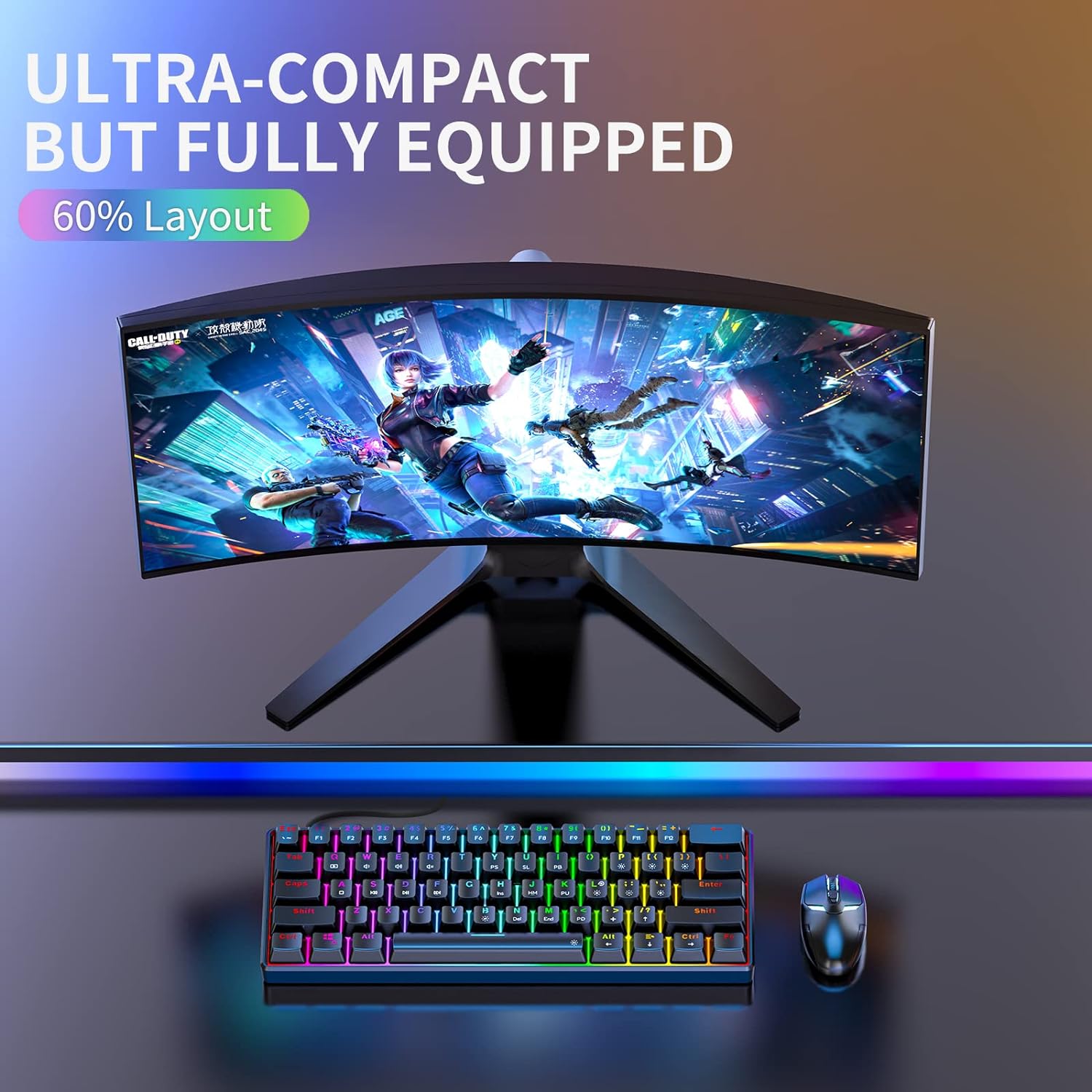
Image: The ultra-compact Punkston TH61 keyboard positioned in a gaming setup, highlighting its small footprint while being fully equipped for gaming.
Quraşdırma
Paketin məzmunu
- Punkston TH61 Mechanical Gaming Keyboard
- USB-C-dən USB-A kabelinə
- Düymə qapağı çəkicisi
- Çəkici
- Sample Optical Switches (Blue, Black, Yellow, Red)
- İstifadəçi təlimatı (PDF onlayn mövcuddur)
Klaviaturanızı birləşdirir
The TH61 keyboard connects to your PC via a wired USB connection. Use the provided USB-C to USB-A cable to connect the keyboard to an available USB port on your computer.
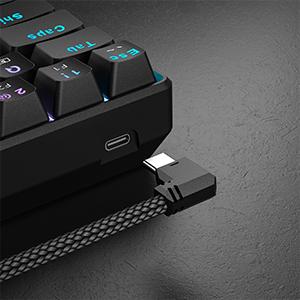
Image: The USB-C port located on the side of the keyboard for wired connection.
The keyboard is compatible with PC systems. Please note that the custom software for macros and lighting customization is currently only supported on Windows operating systems, not Mac OS.
Initial Power On and RGB Display
Upon connecting, the keyboard's RGB backlight will illuminate, cycling through various preset effects. You can begin using the keyboard immediately for typing and gaming.
Video: An official product video demonstrating the features of the TH61 keyboard, including its RGB lighting, optical switches, and software capabilities.
Əməliyyat Təlimatları
RGB Arxa İşıq Fərdiləşdirməsi
The TH61 features a customizable RGB backlight with 5 custom modes and 13 unique preset effects. You can adjust brightness, color, and backlight cycling speed directly from the keyboard using function key combinations.

Image: Visual representation of the keyboard's RGB backlight features, including turn on/off, brightness/speed adjustments, and various lighting effects.
For advanced customization, including per-key color editing and additional lighting effects, download the dedicated Punkston software (Windows only).

Image: Screenshot of the Punkston software interface showing options for RGB lighting customization.
Programmable Macros and Key Remapping
The custom software allows for recording macros and remapping keys to perform complex commands, enhancing your gaming and productivity experience.
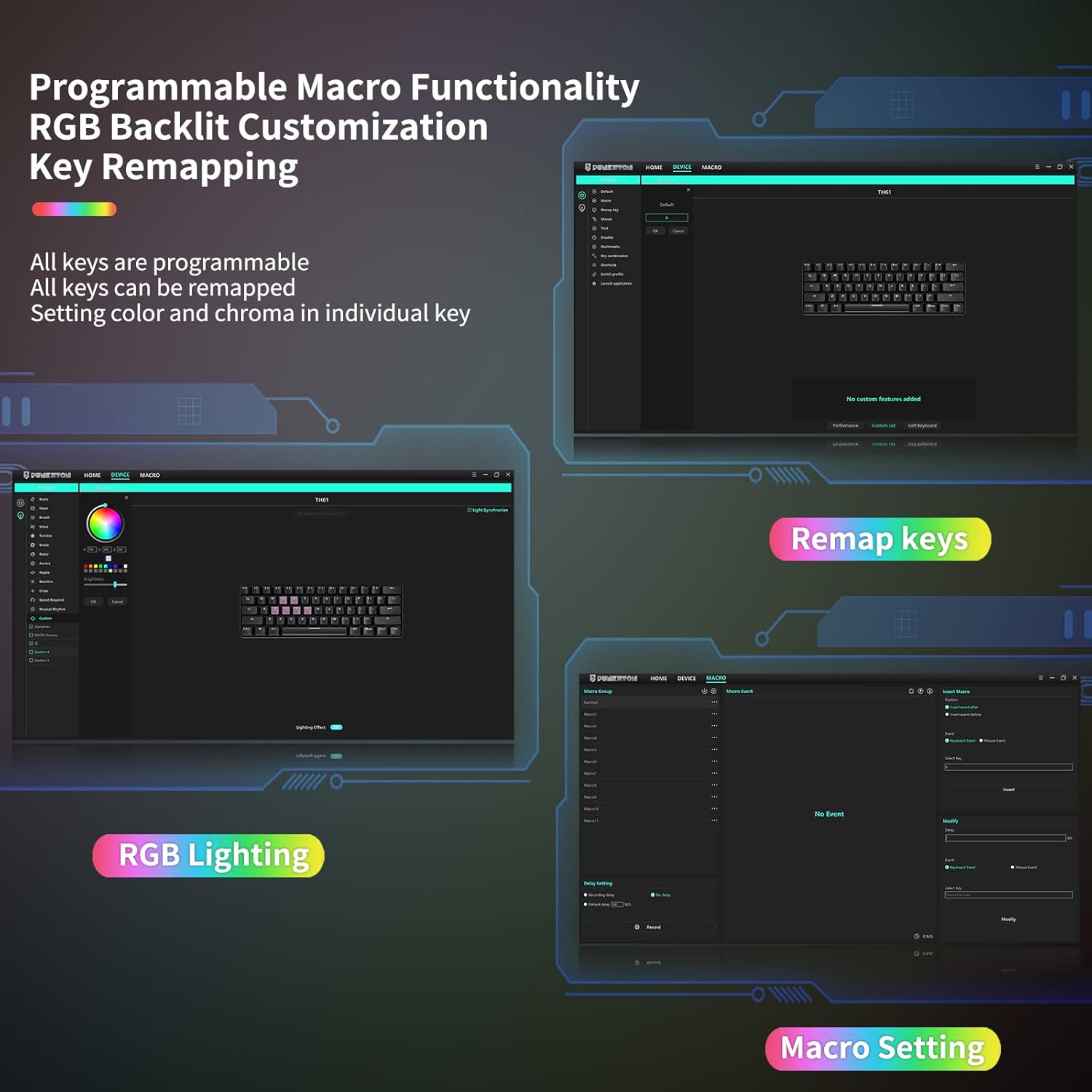
Şəkil: Bitdiview of the software's capabilities for programmable macros, key remapping, and RGB lighting settings.

Image: Screenshot of the Punkston software interface showing options for remapping keys.

Image: Screenshot of the Punkston software interface showing options for macro settings.
Funksiya düymələrinin birləşmələri
The keyboard's compact design utilizes function key combinations for various controls. Refer to the included manual or the quick reference markings on the keycaps for media controls, lighting adjustments, and other functions.
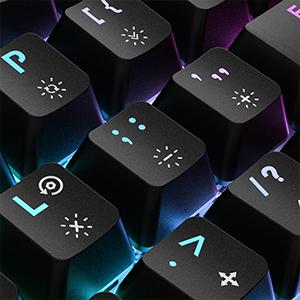
Şəkil: Yaxından view of the keycaps, showing the secondary functions printed on them for quick reference.
Baxım
Cleaning and Spill Resistance
The TH61 keyboard features an IPX4 waterproof rating, meaning it is resistant to splashes. In case of spilled drinks, the design includes drainage holes to quickly drain water, making it easy to clean. Always disconnect the keyboard before cleaning.

Image: The keyboard being splashed with water, illustrating its IPX4 splash-proof design.
Hot-Swappable Optical Switches
The keyboard is equipped with hot-swappable optical switches, allowing you to easily change switches without soldering. This enables customization of typing feel and sound.

Image: A close-up showing the hot-swappable optical switches being removed from the keyboard, indicating ease of customization.
Use the provided switch puller tool to carefully remove and replace switches. Ensure you only use optical switches for replacement, as traditional 3-pin or 5-pin mechanical switches are not compatible with this keyboard's optical PCB.
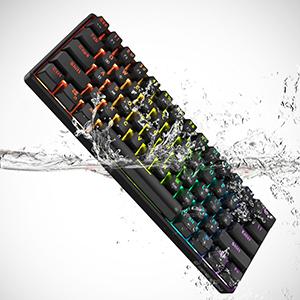
Image: The specialized tool used for safely removing and installing optical switches.
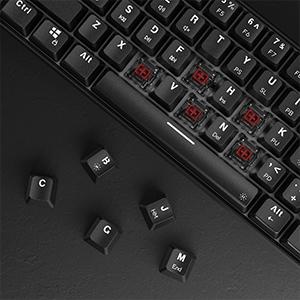
Image: Demonstration of how to remove keycaps from the keyboard, a necessary step before accessing switches.
Problemlərin aradan qaldırılması
Ümumi məsələlər və həllər
- Klaviatura cavab vermir: Ensure the USB cable is securely connected to both the keyboard and your computer. Try a different USB port or a different cable if available.
- RGB işıqlandırma işləmir: Check the function key combinations for turning the backlight on/off or adjusting brightness. Ensure the software is installed and running correctly if you are using custom profiles.
- Proqram klaviaturanı aşkar etmir: Verify that the keyboard is properly connected. Reinstall the software if necessary. Remember, the software is Windows-only.
- Qeydiyyatdan keçməyən açarlar: If individual keys are not working, they might need to be reseated or replaced. Use the switch puller to carefully remove the keycap and then the switch, then reinsert or replace it.
- Yanlış açar çıxışı: If keys are producing unexpected characters, ensure no macros are accidentally enabled. You can reset the keyboard to factory settings via the software or a specific function key combination (refer to the manual).
Spesifikasiyalar
| Xüsusiyyət | Detal |
|---|---|
| Məhsul Ölçüləri | 11.5 x 4 x 1.6 düym |
| Maddə Çəkisi | 1.7 funt sterlinq |
| İstehsalçı | Punkston |
| Element Model nömrəsi | TH61 |
| Bağlantı texnologiyası | USB kabelli |
| Uyğun Cihazlar | PC |
| Klaviatura Təsviri | 60% Mechanical Gaming Keyboard |
| Tövsiyə olunan istifadələr | Oyun |
| Xüsusi Xüsusiyyət | IPX4 suya davamlı |
| Rəng | Black (RGB Backlight) |
| Açarların sayı | 61 |
| Klaviatura arxa işıqlandırması | RGB |
| Keçid Tipi | Optical (Red Switch variant mentioned in title) |
Optical Switch Types
The TH61 keyboard is available with different optical switch types, each offering a unique feel:
- Qırmızı keçid: Linear, ideal for midway games and office use.
- Mavi Keçid: Clicky, preferred by typists and programmers.
- Brown Switch: Linear, suitable for office and gaming.
- Black Switch: Linear/Softer Tactile, for office and gaming.
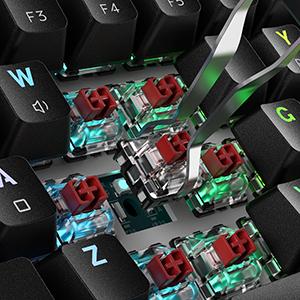
Image: A visual guide to the different optical switch types available for the keyboard, detailing their characteristics.

Image: An illustration highlighting the hyper-fast response of optical switches, which are faster than traditional mechanical switches.
Zəmanət və Dəstək
For detailed warranty information and further support, please refer to the official Punkston brand store or the comprehensive Instructions for Use (IFU) PDF document.
- Rəsmi İstifadəçi Təlimatı (PDF): PDF yükləyin
- Punkston Brand Store: Mağazaya baş çəkin