
Punkston TH61
Punkston TH61 60% Mechanical Gaming Keyboard User Manual
Model: TH61 | Brand: Punkston
Giriş
This manual provides comprehensive instructions for setting up, operating, and maintaining your Punkston TH61 60% Mechanical Gaming Keyboard. Please read this guide thoroughly to ensure optimal performance and longevity of your device.
Qutuda nə var
- Punkston TH61 Mechanical Keyboard
- Type-C Kabel
- Düymə qapağı çəkicisi
- Çəkici
- İstifadəçi təlimatı

The Punkston TH61 keyboard, a compact 60% layout mechanical gaming keyboard featuring vibrant RGB backlighting.
Quraşdırma
Klaviaturanın qoşulması
The Punkston TH61 is a wired keyboard. To connect it to your computer:
- Klaviaturanın arxasındakı USB Type-C portunu tapın.
- Connect the provided Type-C cable to the keyboard's port.
- Kabelin USB-A ucunu kompüterinizdə mövcud olan USB portuna qoşun.
- Klaviatura əməliyyat sisteminiz tərəfindən avtomatik olaraq tanınacaq.
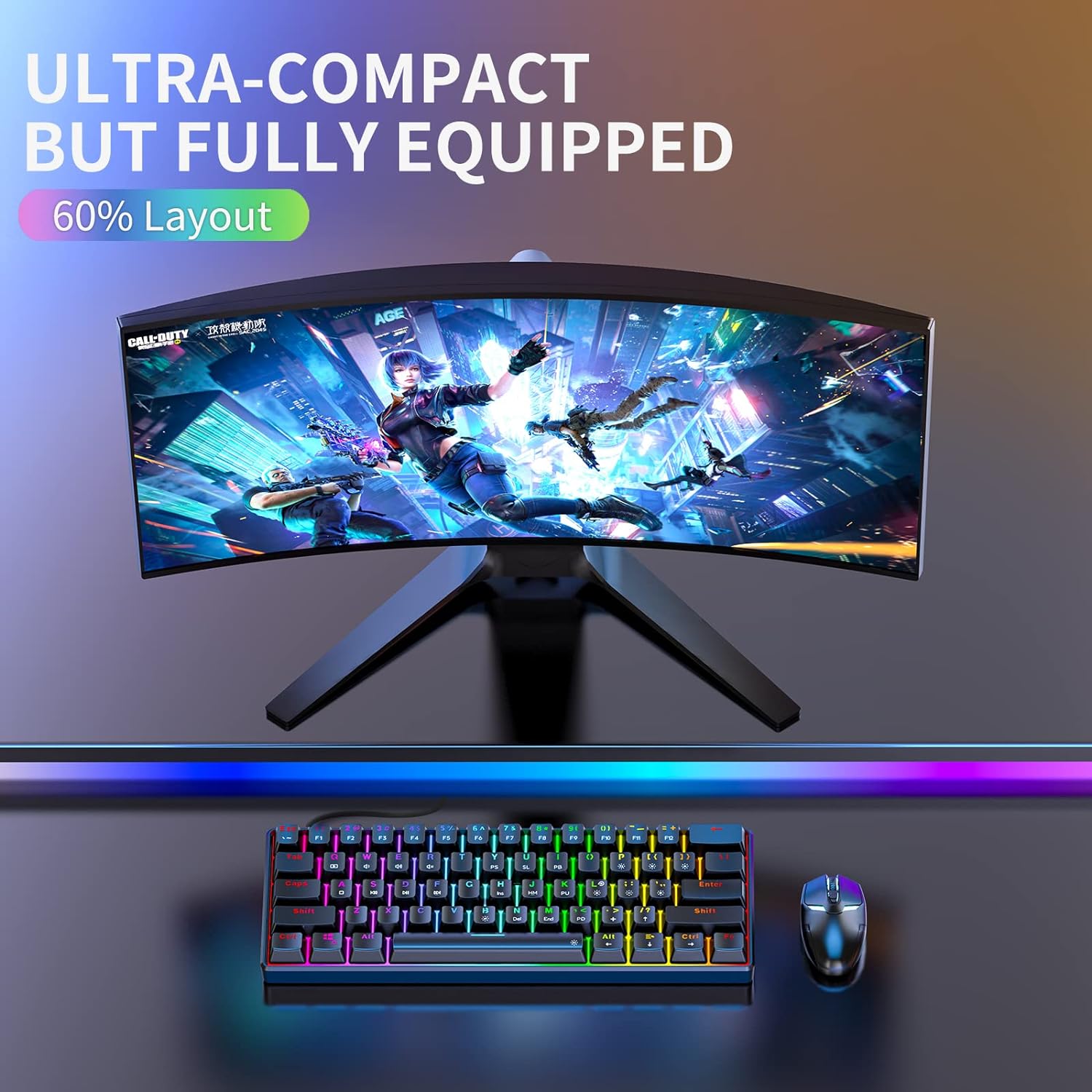
The TH61 keyboard's ultra-compact 60% layout, designed to save desk space while retaining essential gaming functionality.
An official product video demonstrating the connection and initial setup of the TH61 keyboard, highlighting its RGB lighting.
Əməliyyat Təlimatları
Function Keys and Shortcuts
The TH61 keyboard features a 60% layout, which means some functions are accessed via key combinations using the 'Fn' key. Refer to the manual for a complete list of shortcuts.
Common shortcuts include:
- Fn + F1-F12: Multimedia controls (e.g., volume, play/pause, track skip).
- Fn + W/A/S/D: Arrow key functionality (if enabled).
- Fn + Boşluq düyməsi: Change RGB lighting effects.
- Fn + M: Səssiz/Səssiz.

The keyboard's vibrant RGB backlighting, illustrating the visual customization options and the secondary functions printed on the keycaps.
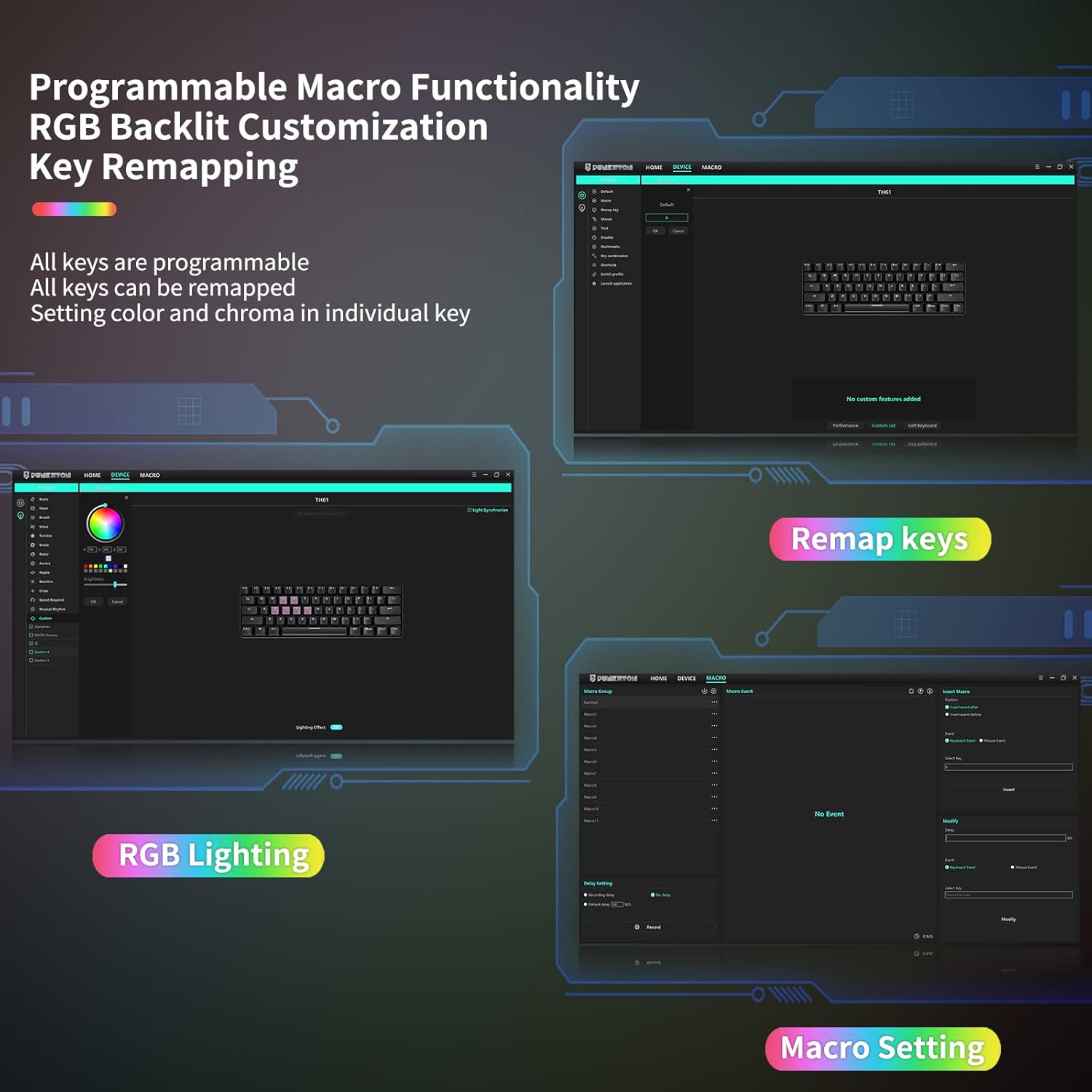
The dedicated software allows for advanced customization of RGB lighting, remapping of individual keys, and creation of complex macros for enhanced productivity and gaming.
Əsas Xüsusiyyətlər
Customizable RGB Backlight
The TH61 offers 5 custom modes and 13 unique preset backlight effects. You can adjust brightness, color, and backlight cycling speed for individual keys.
Hot-Swappable Optical Switches
Equipped with quality optical blue switches, the keyboard registers key presses at the speed of light, providing a springy feel and crisp clicky sound. These switches are hot-swappable, allowing for easy replacement without soldering. Note: Only optical switches are compatible.

Detail of the hot-swappable optical switches, allowing users to easily change switch types without soldering for a customized typing experience.
Solid Build Quality & IPX4 Waterproofing
The keyboard features IPX4 waterproofing for its optical switches and circuit board, providing protection against spilled liquids. Its design includes drainage holes for quick water expulsion, making it easy to clean.

The TH61's IPX4 waterproof design, protecting the keyboard from accidental spills and making it easy to maintain.
Programmable Macros
Utilize the custom software to record macros and remap keys, enabling complex commands and personalized workflows. The software is compatible with Windows operating systems only.
Optical Switch Types
The Punkston TH61 uses optical switches, which differ from traditional mechanical switches. They use a light beam for actuation, offering faster response times and enhanced durability.
| Keçid Tipi | Xüsusiyyətlər |
|---|---|
| Qırmızı keçid | Linear, For Midway Games/Office |
| Mavi keçid | Clicky, For Typist and Programmers |
| Brown Switch | Linear, For Office/Gaming |
| Qara keçid | Linear/Softer Tactile, For Office/Gaming |

A visual guide to the various optical switch options available for the TH61 keyboard, detailing their tactile and auditory feedback.
Baxım
To ensure the longevity of your Punkston TH61 keyboard, follow these maintenance tips:
- Təmizləmə: Use a soft, dry cloth to wipe down the keyboard. For deeper cleaning, remove keycaps using the provided keycap puller and clean the switches and plate.
- Tökülmədən Mühafizə: While the keyboard is IPX4 waterproof, it is recommended to avoid direct exposure to large amounts of liquid. In case of spills, unplug the keyboard immediately and allow it to dry completely before reconnecting.
- Anahtarın dəyişdirilməsi: Use the switch puller to carefully remove and replace optical switches. Ensure proper alignment when inserting new switches.
Problemlərin aradan qaldırılması
Klaviatura Cavab Vermir
- USB kabelin həm klaviaturaya, həm də kompüterə etibarlı şəkildə qoşulduğundan əmin olun.
- Klaviaturanı kompüterinizdəki başqa USB portuna qoşmağa cəhd edin.
- Kompüterinizi yenidən başladın.
RGB Lights Not Working/Customizing
- Klaviaturanın düzgün qoşulduğundan əmin olun.
- Use the Fn + Spacebar combination to cycle through lighting modes.
- Download and install the latest custom software from the Punkston website to access full customization options. (Note: Software supports Windows only).
Açarlar Qeydiyyatdan Keçmir
- Carefully remove the keycap and switch using the provided tools.
- Inspect the optical switch for any visible damage or debris.
- Reinsert the switch firmly or replace it with a new optical switch if damaged.
Spesifikasiyalar
| Xüsusiyyət | Detal |
|---|---|
| Məhsul Ölçüləri | 11.5 x 4 x 1.6 düym |
| Maddə Çəkisi | 1.7 funt sterlinq |
| İstehsalçı | Punkston |
| ASIN | B08YN8XVMP |
| Elementin model nömrəsi | TH61 |
| Uyğun Cihazlar | PC |
| Bağlantı texnologiyası | USB |
| Klaviatura Təsviri | Oyun Mexanik Klaviaturası |
| Məhsul üçün Tövsiyə Edilən İstifadələr | Oyun |
| Xüsusi Xüsusiyyət | Suya davamlı |
| Rəng | Qara |
| Açarların sayı | 61 |
| Klaviatura arxa işıqlandırma rəng dəstəyi | RGB |
| Stil | Klassik |
Zəmanət və Dəstək
For detailed warranty information and customer support, please refer to the official Punkston website or the full Instructions for Use (IFU) PDF document.
You can download the full manual here: İstifadə Təlimatları (IFU) (PDF)
Ask a question about this manual
Ask about setup, troubleshooting, compatibility, parts, safety, or missing instructions. Manuals+ will review the question and use this page’s manual context to help answer it.