
1. Introduction
This manual provides essential information for the safe assembly, operation, and maintenance of your WERHY Y2/Y2PRO Electric Folding Bike. Please read this manual thoroughly before your first ride to ensure proper usage and to maximize the lifespan of your electric bike. Retain this manual for future reference.
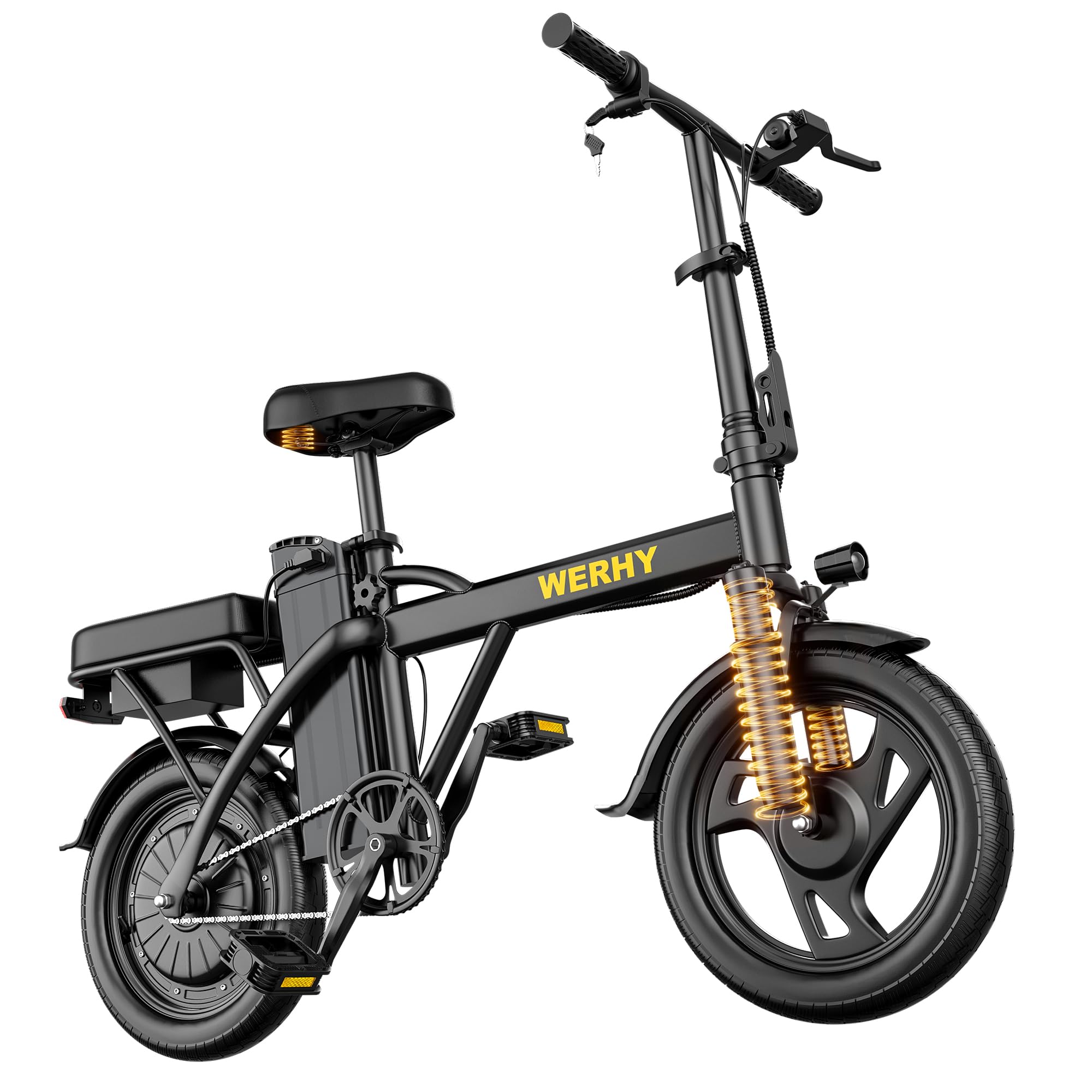
Image 1: WERHY Y2/Y2PRO Electric Folding Bike. This image displays the overall design of the electric bike.
2. Safety Guidelines
Your safety is paramount. Adhere to the following guidelines to prevent injury or damage.
2.1 General Safety
- Always wear a helmet that meets safety standards.
- Familiarize yourself with local traffic laws and regulations regarding electric bikes.
- Perform a pre-ride inspection before each use, checking brakes, tires, and battery level.
- Avoid riding in adverse weather conditions such as heavy rain, snow, or strong winds.
- Do not exceed the maximum weight recommendation of 265 pounds.
2.2 Battery Safety
- Use only the charger provided by WERHY.
- Do not expose the battery to extreme temperatures or direct sunlight for extended periods.
- Avoid puncturing or damaging the battery pack.
- If the battery shows signs of damage or overheating, discontinue use immediately and contact support.
2.3 Braking Safety
- Test brakes before each ride to ensure they are functioning correctly.
- Apply both front and rear brakes simultaneously for effective stopping.
- Be aware that braking distance may increase on wet or loose surfaces.
3. Package Contents
Verify that all items are present in the package:
- Electric Bike
- Charger
- Tool Kit
- User Manual (this document)

Image 2: WERHY Electric Bike components. This image illustrates the main parts of the electric bike, including the motor and tires.
4. Assembly and Setup
Follow these steps to assemble and prepare your electric bike for its first ride.
4.1 Unpacking and Initial Inspection
Carefully remove all components from the packaging. Inspect for any visible damage during transit. If any parts are missing or damaged, contact customer support.
4.2 Handlebar and Seat Adjustment
- Adjust the handlebar height to a comfortable position using the quick-release lever. Ensure it is securely fastened before riding.
- Adjust the seat post height so your feet can comfortably touch the ground when stopped. Secure the quick-release lever.
4.3 Pedal Installation
Identify the left (L) and right (R) pedals. Thread the pedals into the crank arms by hand, then tighten securely with a wrench from the tool kit. Note that the left pedal has a reverse thread.
4.4 Initial Battery Charge
Before your first ride, fully charge the 48V detachable battery. Connect the charger to the bike's charging port or directly to the removed battery, then plug it into a power outlet. The charging indicator will show when charging is complete (typically 4-5 hours).

Image 3: WERHY Electric Bike 48V Detachable Battery. This image highlights the features of the battery, including its detachability, lock, and waterproof design.
4.5 Folding and Unfolding
The WERHY electric bike features a folding design for easy storage and transport.
- To Fold: Ensure the bike is powered off. Open the frame and handlebar quick-release levers. Fold the handlebars down, then fold the main frame. Secure all latches.
- To Unfold: Reverse the folding process. Ensure all quick-release levers and latches are securely closed before riding.

Image 4: WERHY Electric Bike folding mechanism. This image demonstrates the bike's compact folded state and how it can be carried.
4.6 Installation Guide Video
Video 1: Y2 & Y2PRO Installation Guide and Feature Demonstration. This video provides a visual guide for assembling the electric bike and demonstrates its key features.
5. Operation
Understand how to operate your WERHY electric bike safely and efficiently.
5.1 Powering On/Off
Insert the key into the ignition and turn it to the 'ON' position to power on the bike. Turn the key to 'OFF' to power down.
5.2 LED Display Functions
The integrated LED display shows important information such as battery level and current riding mode.

Image 5: WERHY Electric Bike LED Display and Riding Modes. This image illustrates the handlebar controls, including the LED display showing battery life and the three riding modes.
5.3 Riding Modes
Your electric bike offers three riding modes:
- Electric Mode: Provides full motor assistance without pedaling. Use the rotary throttle to control speed.
- Pedal Assist Mode: The motor provides assistance as you pedal, making riding easier. The level of assistance can often be adjusted.
- Normal Bike Mode: The motor is off, and the bike operates like a traditional bicycle, requiring full pedal power.
5.4 Braking System
The bike is equipped with rear disc brakes and an electronic brake for reliable stopping power. Always use both brakes for optimal control.
5.5 Lights
The bike includes a front LED headlight and a rear taillight for improved visibility, especially during night rides. Operate them using the controls on the handlebar.

Image 6: WERHY Electric Bike safety features. This image highlights the LED headlight, dual suspension, shock-absorbing seat, disc brake, electronic brake, and taillight.
6. Maintenance
Regular maintenance ensures the longevity and safe operation of your electric bike.
6.1 Battery Care
- Charge the battery regularly, even if not in use, to maintain its health.
- Store the battery in a cool, dry place, away from direct sunlight and extreme temperatures.
- Avoid completely draining the battery before recharging.
6.2 Tire Maintenance
- Check tire pressure before each ride. Maintain the recommended PSI for optimal performance and safety.
- Inspect tires for wear, cuts, or punctures regularly.
6.3 Brake Maintenance
- Regularly inspect brake pads for wear and replace them when necessary.
- Ensure brake levers are responsive and provide adequate stopping power. Adjust cable tension if needed.
6.4 General Cleaning and Storage
- Clean the bike with a damp cloth. Avoid using high-pressure water jets directly on electrical components.
- Lubricate the chain periodically to ensure smooth operation.
- Store the bike in a dry, secure location when not in use.
7. Troubleshooting
Refer to this section for solutions to common issues.
| Problem | Possible Cause | Solution |
|---|---|---|
| Bike does not power on | Battery not charged; Battery not properly seated; Key not in 'ON' position | Charge battery; Ensure battery is securely installed; Turn key to 'ON' |
| Motor not assisting | Low battery; Not in electric or pedal assist mode; Loose connection | Charge battery; Select appropriate riding mode; Check motor connections |
| Brakes feel weak | Worn brake pads; Loose brake cable; Air in hydraulic system (if applicable) | Inspect and replace brake pads; Adjust brake cable tension; Consult a professional for hydraulic systems |
| Unusual noises during ride | Loose components; Dry chain; Tire rubbing | Check all bolts and fasteners; Lubricate chain; Inspect tire clearance |
If you encounter issues not listed here or require further assistance, please contact WERHY customer support.
8. Specifications
Key technical specifications for the WERHY Y2/Y2PRO Electric Folding Bike.
| Feature | Detail |
|---|---|
| Bike Type | Electric Folding Bike |
| Motor Power | 500W |
| Max Speed | 20 MPH |
| Wheel Size | 14 inches |
| Battery | 48V (Detachable) |
| Max Range (Pedal Assist) | Y2: 20 Miles, Y2PRO: 30 Miles |
| Frame Material | Carbon Steel |
| Suspension Type | Front Dual Suspension |
| Brake Style | Rear Disc Brakes + Electronic Brake |
| Max Load Capacity | 265 pounds |
| Recommended Height | 4.8-6.0 ft |

Image 7: WERHY Electric Bike dimensions and specifications. This image provides visual details on the bike's size, seat height, tire specifications, max load capacity, and recommended rider height.
9. Warranty and Customer Support
WERHY is committed to providing quality products and support.
9.1 Warranty Information
The WERHY Electric Bike comes with a one-year warranty for the E-bike and its various parts, and a 6-month warranty for the battery and motor. This warranty covers manufacturing defects under normal use.
9.2 Customer Support
For any questions, concerns, or warranty claims, please contact WERHY Direct customer service. Refer to your purchase documentation for specific contact details or visit the official WERHY website.
