
1. Introduction
Thank you for choosing the TECHERO 63x24" Electric Standing Desk. This manual provides essential information for the safe assembly, operation, and maintenance of your new desk. Please read these instructions carefully before use and retain them for future reference.
2. Safety Information
- Ensure all components are securely fastened before use.
- Do not overload the desk beyond its maximum weight capacity of 176 lbs (desktop) and 4.4 lbs (drawer).
- Keep children and pets away from the desk during height adjustment.
- Avoid placing liquids directly on the desk surface, especially near electrical components.
- Disconnect power before cleaning or performing any maintenance.
- Use only the provided power cord and adapter.
3. Setup and Assembly
The estimated installation time for this desk is approximately 40 minutes. Follow the included assembly guide for detailed step-by-step instructions. Ensure all parts are present before beginning assembly.
3.1 Product Dimensions and Load Capacities
Refer to the diagram below for overall product dimensions and maximum load capacities for the desktop, drawer, and shelf.

Image: Product dimensions and load capacities.
3.2 Storage and Pegboard Installation
The desk features two open storage compartments and a reversible pegboard system on each side. The pegboards can be configured to your preference for organizing accessories. Hooks are provided for the pegboard system.

Image: Side storage and pegboard system.

Image: Heavy-duty hooks and solid frame.
3.3 Assembly Video
This video demonstrates the assembly and features of the TECHERO Standing Desk with its pegboards.
Video: TECHERO Standing Desk with 2 Pegboards (Seller: TECHERO STORE)
4. Operating Instructions
4.1 Electric Height Adjustment
The desk features a dual-motor lifting system for smooth height adjustments between 28.3 inches and 47.2 inches. Use the up and down arrows on the control panel to adjust the desk height. The operation is designed to be quiet.
- Up/Down Arrows: Press and hold to raise or lower the desk.
- Memory Presets (M1, M2, M3): To save a preferred height, adjust the desk to the desired level, then press the 'M' button followed by M1, M2, or M3. To recall a saved height, simply press the corresponding memory button.

Image: Height adjustment range.

Image: Whisper-quiet operation noise levels.
4.2 Integrated Power Outlet
The desk includes a built-in power hub for convenient charging and power access. It features 3 AC outlets (125V/12A), 1 USB port (5V/2.4A), and 1 Type-C charging port (5V/2.4A). A Type-C 5V/3A port is also available on the control panel.

Image: Embedded power socket details.
4.3 LED Light Control
The desk features customizable LED lighting. Use the intelligent LED controller to switch between 7 static colors and 23 dynamic colors. The lighting can also be controlled via a dedicated app.
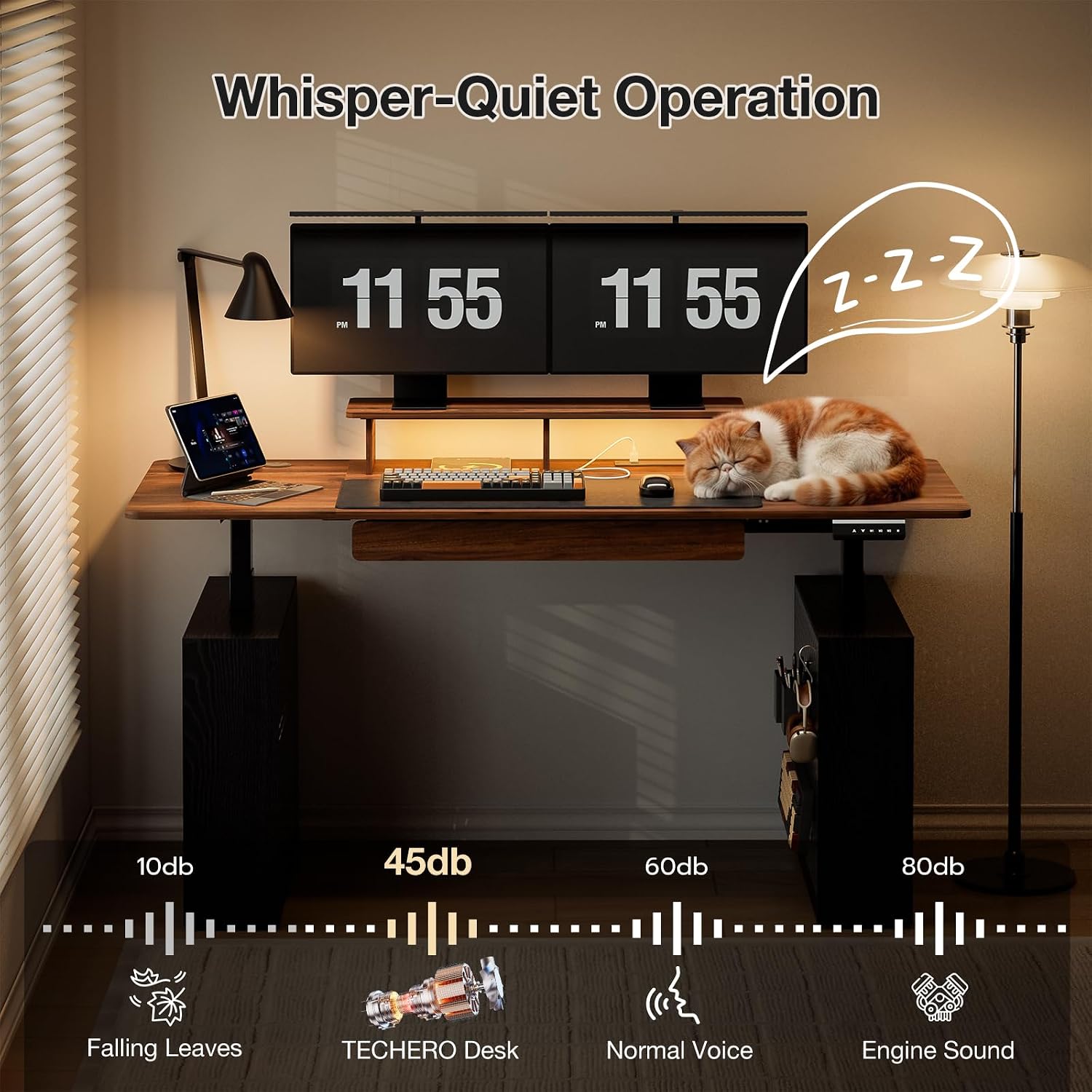
Image: Intelligent LED controller and features.
4.4 Drawer Usage
The desk includes a wood drawer for storing small items. Ensure the drawer is not overloaded; its maximum load capacity is 4.4 lbs.

Image: Wood drawer storage.
5. Maintenance
- Cleaning: Wipe the desk surfaces with a damp cloth. Avoid abrasive cleaners or harsh chemicals that may damage the finish.
- Cable Management: Regularly check and organize cables to prevent tangles and damage.
- Inspection: Periodically inspect all screws and connections to ensure they remain tight.
6. Troubleshooting
If you encounter issues with your TECHERO Electric Standing Desk, refer to the following common solutions:
- Desk Not Moving: Check if the power cord is securely plugged into both the desk and the wall outlet. Ensure no obstructions are blocking the desk's movement.
- LED Lights Not Working: Verify that the power connection for the LED lights is secure. Check the app or controller settings.
- Power Outlets Not Functioning: Confirm the desk is powered on. Test with a different device to rule out device-specific issues.
- Unusual Noise: If the desk makes unusual noises during adjustment, ensure no cables or objects are caught in the lifting mechanism.
For persistent issues not resolved by these steps, please contact customer support.
7. Specifications
| Feature | Specification |
|---|---|
| Brand | TECHERO |
| Model Number | CW-102-1 |
| Desk Design | Computer Desk, Standing Desk |
| Product Dimensions (D x W x H) | 24"D x 55"W x 28.3"H (Note: 63" width is also mentioned in title, please refer to assembly guide for exact desktop size) |
| Minimum Height | 28.3 inches |
| Maximum Height | 47.2 inches |
| Item Weight | 98 pounds |
| Maximum Weight Recommendation (Desktop) | 176 pounds |
| Maximum Weight Recommendation (Drawer) | 4.4 pounds |
| Top Material Type | Engineered Wood |
| Base Material | Stainless Steel |
| Lifting Mechanism | Electric (Dual Motor) |
| Power Hub | 3 AC Outlets (125V/12A), 1 USB Port (5V/2.4A), 1 Type-C Port (5V/2.4A) |
| Additional Features | Adjustable Height, Built-In USB Outlet, Electric, Ergonomic, LED Lighting, Drawer, Pegboard |
| Product Care Instructions | Wipe with Damp Cloth |

Image: 176 lbs load capacity demonstration.
8. Warranty and Support
For warranty information or technical support, please refer to the documentation included with your purchase or contact TECHERO customer service through the retailer where the product was purchased. Please have your model number (CW-102-1) and purchase date available when contacting support.