
1. Important Safety Instructions
Please read all instructions carefully before using this treadmill. Keep this manual for future reference.
- Always consult with a physician before starting any exercise program.
- Place the treadmill on a flat, stable surface with adequate clearance around it.
- Keep children and pets away from the treadmill during operation.
- Use the safety key at all times. Attach the clip to your clothing before starting.
- Do not operate the treadmill if it has a damaged cord or plug, or if it is not working properly.
- Wear appropriate athletic footwear and clothing.
- Maximum user weight capacity: 500 lbs (227 kg).
2. Product Overview
The ECHANFIT CTM5518 is a heavy-duty treadmill designed for home use, featuring a powerful 4.5 HP brushless motor, 20 levels of automatic incline, and a spacious 20-inch wide running deck. It includes advanced shock absorption for joint protection and smart connectivity options.
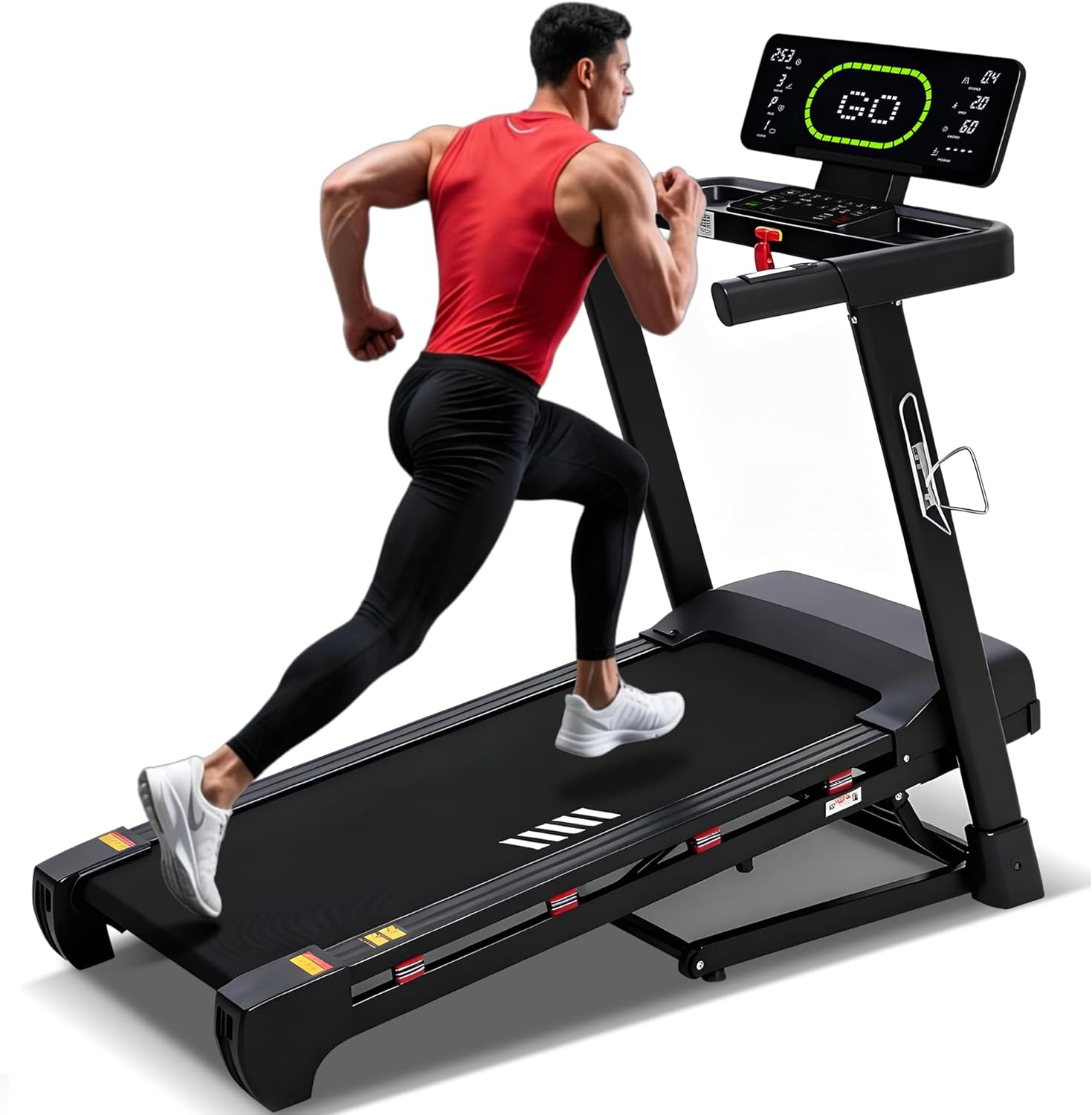
Image: The ECHANFIT CTM5518 Heavy Duty Treadmill in a home setting.
3. Setup and Assembly
The ECHANFIT CTM5518 treadmill comes 95% pre-assembled. Final assembly typically involves attaching the console and uprights. Due to its heavy-duty construction and weight (approximately 128 pounds), it is recommended to have assistance when moving and setting up the unit.
3.1 Unpacking
- Carefully remove all packaging materials.
- Inspect all components for any damage. Contact customer support if any parts are missing or damaged.
- Ensure all included components are present: User Manual, Lubricant, Power Cord, Safety Key, Tool Kit.
3.2 Assembly Steps
Refer to the following video for a visual guide on treadmill installation:
Video: Detailed instructions on how to install your ECHANFIT Treadmill. This video demonstrates the assembly process, including attaching the console and securing components.
General steps include:
- Lift the uprights and secure them to the base.
- Attach the console to the uprights using the provided hardware from the tool kit.
- Connect any necessary cables between the console and the base.
- Ensure all screws are tightened securely before use.
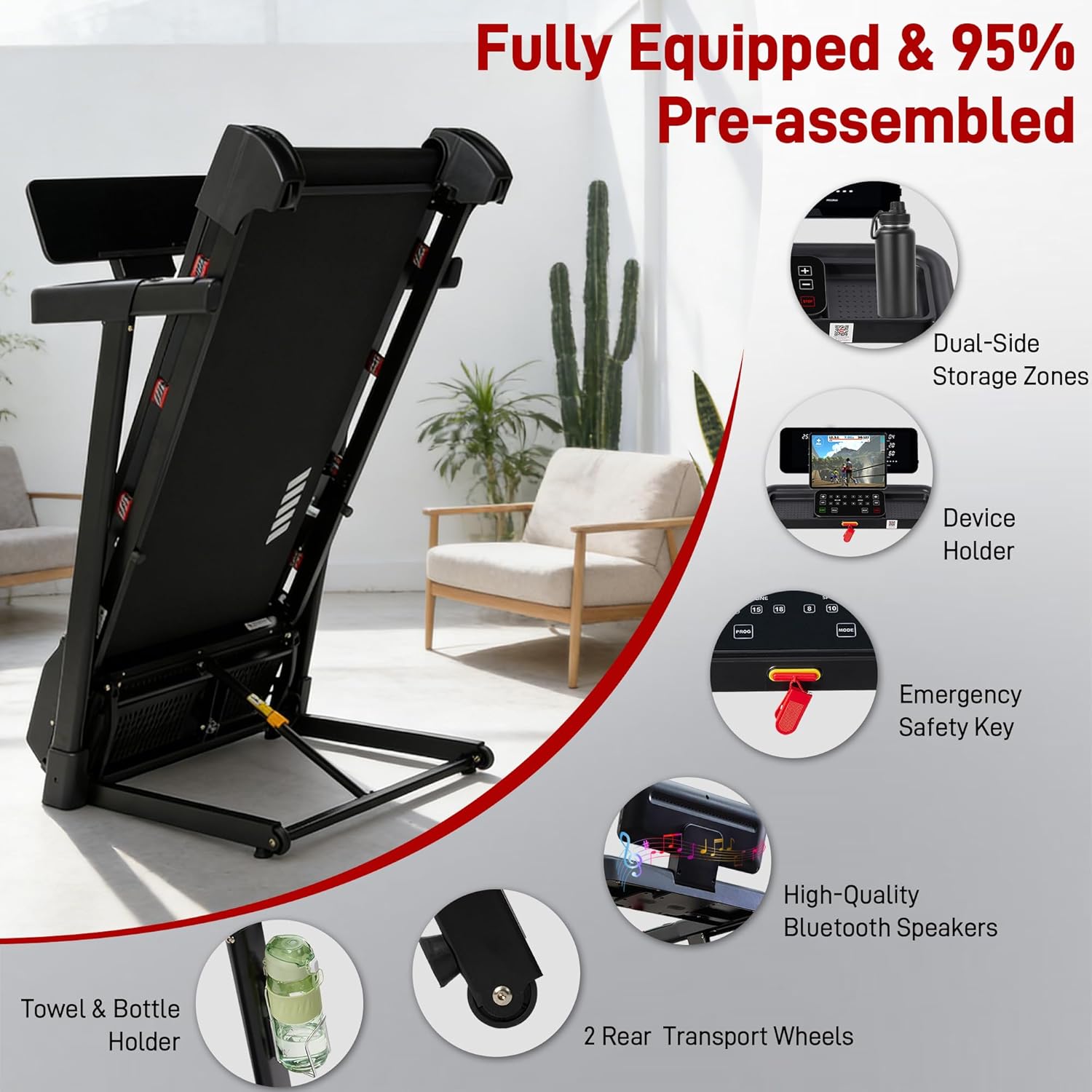
Image: The treadmill shown in a partially assembled state, highlighting its pre-assembled nature and key components like the device holder and transport wheels.
4. Operating Instructions
4.1 Control Panel and Display
The treadmill features an advanced LED display that shows key workout metrics:
- Time: Duration of your workout.
- Speed: Current running speed (0.6-12 MPH).
- Distance: Total distance covered.
- Incline: Current incline level (0-20 levels).
- Calories: Estimated calories burned.
- Pulse: Heart rate monitoring.
- Rounds: Exclusive tracking for completed 400m laps.
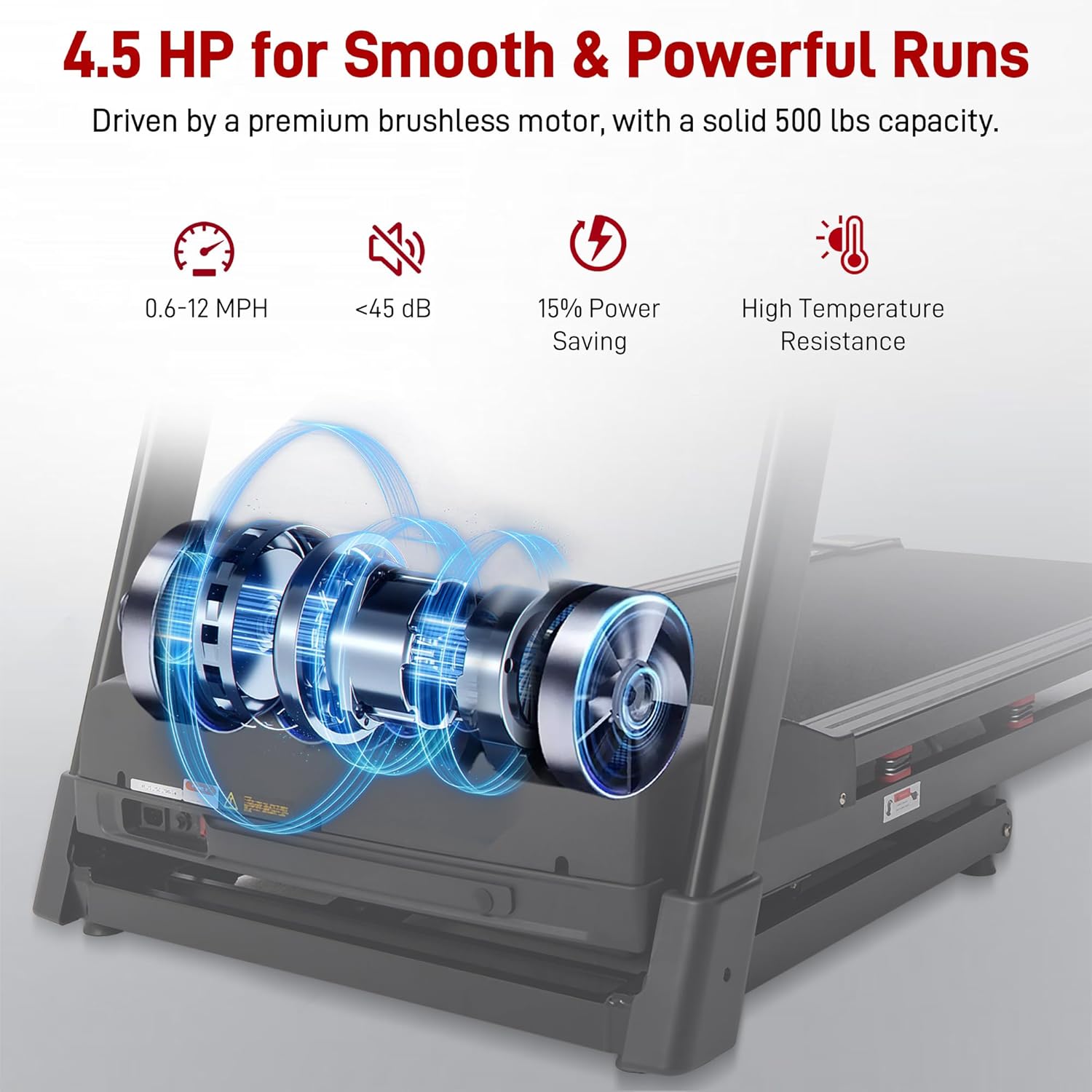
Image: Close-up of the advanced LED training display, showing various metrics and the control buttons for speed and incline adjustments.
4.2 Starting a Workout
- Ensure the safety key is properly placed on the console and clipped to your clothing.
- Press the START button to begin. The belt will start moving at a low speed.
- Adjust speed using the '+' and '-' buttons or quick-select speed buttons (e.g., 3, 6, 9, 12 MPH).
- Adjust incline using the '+' and '-' buttons or quick-select incline buttons (e.g., 2, 4, 6, 8, 10, 12, 15, 18, 20 levels).
- To stop, press the STOP button or pull the safety key.
4.3 Preset Programs
The treadmill includes 36 preset programs. Press the PROG button to cycle through the available programs. Each program offers varied speed and incline profiles to diversify your workouts.
4.4 Bluetooth Connectivity and Fitness Apps
Connect your device via Bluetooth to stream music through the built-in speakers. The treadmill also supports connectivity with various fitness apps for tracking progress and accessing virtual routes.

Image: The treadmill console displaying app integration and Bluetooth speaker functionality, with a phone placed in the device holder.
For a demonstration of the treadmill's features including auto incline and capacity, refer to this video:
Video: Overview of the ECHANFIT Heavy Duty Treadmill, highlighting its 20% auto incline capability and 500LB weight capacity.
5. Maintenance
Regular maintenance ensures the longevity and optimal performance of your treadmill.
5.1 Lubrication
The running belt requires periodic lubrication to reduce friction and wear. Use the included lubricant and follow these steps:
- Turn off and unplug the treadmill.
- Loosen the rear roller bolts to slightly lift the belt.
- Apply a thin layer of lubricant evenly under the center of the running belt.
- Tighten the roller bolts and run the treadmill at a low speed for a few minutes to distribute the lubricant.
- Lubricate every 3-6 months depending on usage.
5.2 Cleaning
- Wipe down the console and other surfaces with a damp cloth after each use.
- Periodically vacuum under the treadmill to prevent dust buildup.
5.3 Belt Adjustment
If the running belt becomes off-center or slips, it may need adjustment. Refer to the specific instructions in the full user manual for detailed steps on how to adjust belt tension and alignment using the provided tool kit.
6. Troubleshooting
If you encounter any issues with your ECHANFIT CTM5518 treadmill, refer to the following common troubleshooting tips:
- Treadmill not starting: Ensure the power cord is securely plugged in and the safety key is correctly placed. Check the circuit breaker.
- Belt slipping: The running belt may need tensioning. Refer to the belt adjustment section in the full manual.
- Unusual noises: Check for loose parts or foreign objects under the belt. Lubricate the belt if necessary.
- Display not working: Ensure all console cables are securely connected.
For more complex issues, please contact ECHANFIT customer support.
7. Specifications
| Feature | Specification |
|---|---|
| Brand | ECHANFIT |
| Model Number | CTM5518 |
| Product Dimensions (D x W x H) | 62"D x 30"W x 53"H |
| Folded Size | 39"D x 30"W x 53"H |
| Item Weight | 128 pounds |
| Material | Alloy Steel |
| Motor Horsepower | 4.5 HP (Brushless) |
| Speed Range | 0.6 - 12 MPH |
| Auto Incline Levels | 20 Levels |
| Running Deck Dimensions | 50"L x 20"W |
| Maximum Weight Recommendation | 500 pounds |
| Display Type | LED |
| Number of Programs | 36 Preset Programs |
| Connectivity | Bluetooth (Speakers & App) |
| Special Features | Auto Incline, Built-In Speaker, Foldable, Heavy Duty, Shock Absorbent, Rounds Tracking |
8. Warranty and Support
8.1 Warranty Information
The ECHANFIT CTM5518 Treadmill comes with a 1 Year Manufacturer Warranty. This warranty covers defects in materials and workmanship under normal use. Please retain your proof of purchase for warranty claims.
8.2 Customer Support
For any questions, technical assistance, or warranty claims, please contact ECHANFIT customer support. You can typically find contact information on the ECHANFIT official website or through your purchase platform.
ECHANFIT is committed to providing excellent customer service and support for your product.
