
1. Introduction
This manual provides detailed instructions for the assembly, operation, and maintenance of your Rfiver Swivel Floor TV Stand with Power Outlet. This stand is designed to accommodate 32-65 inch flat or curved screen LCD/LED/OLED TVs, supporting a maximum weight of 88 lbs (40 kgs). It features a height-adjustable mount, a 70-degree swivel function, a stable wooden base, and an integrated power outlet for convenience.
Please read this manual thoroughly before assembly and use to ensure safe and correct operation.
2. Safety Information
- Weight Capacity: Do not exceed the maximum weight capacity of 88 lbs (40 kgs). Overloading can result in serious injury or damage to equipment.
- TV Size and VESA Compatibility: Ensure your TV's size (32-65 inches) and VESA mounting patterns (100x100mm to 400x400mm) are compatible with this stand. Refer to your TV's manual for VESA specifications.
- Stable Placement: Always place the TV stand on a flat, stable, and level surface. The wooden base is designed for stability, but proper placement is crucial.
- Electrical Safety: The built-in power outlet features 4 AC outlets (125V/12A). Do not overload the power strip. Use the one-button switch to cut power when not in use, especially around children. Ensure the 6.5-foot power cord is not pinched or damaged.
- Assembly: Follow all assembly instructions carefully. Do not use power tools for assembly unless specifically instructed, as overtightening screws can cause damage.
- Children and Pets: Keep children and pets away from the assembly area. Small parts can be a choking hazard. Ensure the TV is securely mounted to prevent tipping.
3. Package Contents
Please verify that all components are present and undamaged before beginning assembly. If any parts are missing or damaged, contact customer support.
- TV Stand Base (Wooden)
- TV Mounting Column
- TV Mounting Brackets
- Integrated Power Outlet with 6.5ft Cord
- Casters (Wheels)
- Assembly Hardware (Screws, Washers, Spacers, Allen Key, Wrench)
- Cable Management Ties
- Assembly Instruction Manual
4. Setup and Assembly
Assembly is designed to be simple and quick, typically taking about 15 minutes. No drilling is required. Refer to the included detailed assembly instruction manual for step-by-step diagrams and specific hardware usage.
4.1. Base Assembly
- Attach the casters to the bottom of the wooden base using the provided screws. Ensure they are securely fastened.
- Assemble the main support column to the wooden base. The design includes reinforced base supports for enhanced stability.
4.2. TV Mount Assembly
- Attach the TV mounting brackets to the back of your television using the appropriate VESA screws, washers, and spacers. Ensure the brackets are level and securely tightened.
- Carefully lift the TV and hook the mounting brackets onto the main support column.
- Secure the TV to the column using the safety lock mechanism. This prevents accidental dislodgement.
4.3. Cable Management
Utilize the integrated cable management system to keep wires organized and out of sight. Route TV and device cables along the support column and secure them with the provided cable ties.

Image: Key features for stability and organization, including the safety lock, thickened support tube, and cable management system.
5. Operating Instructions
5.1. Swivel Function
The TV stand allows for a 70-degree swivel range (35 degrees left or 35 degrees right). Gently push the TV screen to adjust its orientation for optimal viewing angles and to minimize glare.

Image: The TV stand offers a flexible swivel of ±35 degrees for various viewing angles.
5.2. Height Adjustment
The TV mount offers 6 levels of height adjustment, allowing you to position your TV for eye-level comfort. The adjustable height range is approximately 49.5 inches (minimum) to 55.8 inches (maximum) from the floor to the center of the TV.
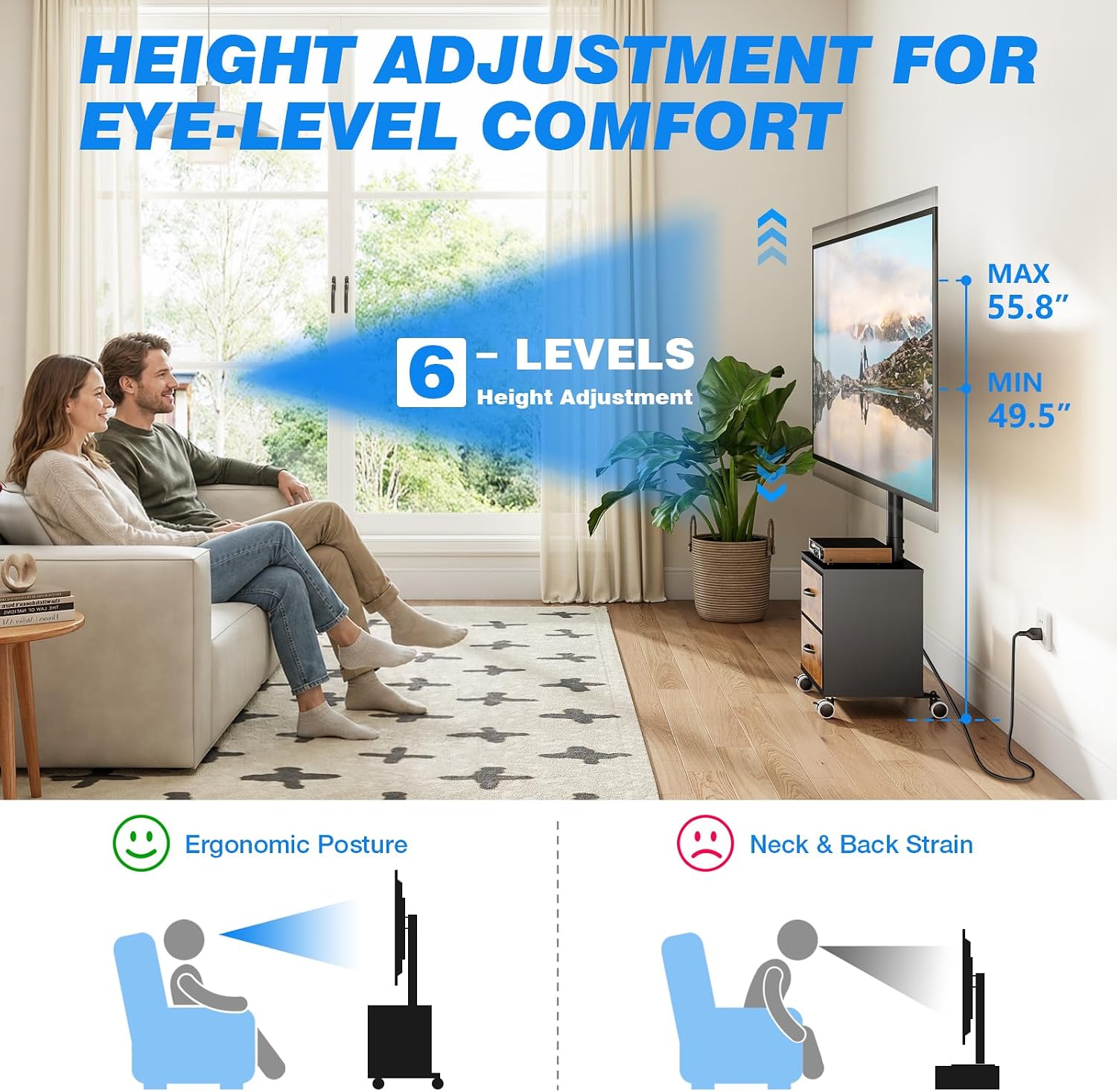
Image: The TV stand provides 6 levels of height adjustment for ergonomic viewing comfort, ranging from 49.5" to 55.8" max height.
5.3. Integrated Power Outlet
The stand includes a built-in power strip with 4 AC outlets (125V/12A) and a 6.5-foot heavy-duty extension cord. Connect your TV and other electronic devices directly to the stand. A one-button switch allows you to easily turn off power to all connected devices when not in use, enhancing safety and energy efficiency.

Image: The integrated power strip features 4 AC outlets, a 6.5ft power cord, and a convenient one-click switch for power control.
5.4. Mobility
The stand is equipped with 360-degree swivel casters, allowing you to easily roll the TV to different locations within your home or office. Lock the casters to secure the stand in place.

Image: The TV stand can be easily moved to any location thanks to its 360-degree swivel casters.
5.5. Storage Drawers
The stand includes two integrated drawers, providing convenient storage for remote controls, power cords, game discs, and other small accessories. These drawers help keep your entertainment area tidy and dust-free.

Image: The TV stand features two drawers for anti-dust storage of remote controls, power cords, game discs, and other accessories.
6. Maintenance
- Cleaning: Wipe the stand with a soft, dry cloth. For stubborn marks, use a slightly damp cloth and mild detergent, then dry thoroughly. Avoid harsh chemicals or abrasive cleaners.
- Check Connections: Periodically check all screws and connections to ensure they remain tight and secure. Retighten if necessary.
- Caster Care: Keep the casters free of debris to ensure smooth movement.
7. Troubleshooting
- TV Not Level: Ensure all mounting brackets are installed correctly and tightened evenly. Check the stand's base for level placement.
- Difficulty Swiveling: Ensure no cables are obstructing the swivel mechanism. Check that the stand is not overloaded.
- Power Outlet Not Working: Verify the power cord is securely plugged into a wall outlet. Check the one-button switch on the power strip to ensure it is in the 'on' position. Test the wall outlet with another device.
- Stand Wobbles: Ensure all assembly screws are fully tightened. Verify the stand is on a flat, stable surface. Do not exceed the maximum weight capacity.
8. Specifications
| Model Number | TW7002D-A01-X |
| Brand | Rfiver |
| Compatible TV Sizes | 32 - 65 inches |
| Maximum Weight Capacity | 88 lbs (40 kgs) |
| VESA Compatibility | 100x100mm to 400x400mm |
| Height Adjustment Range | Approx. 49.5 - 55.8 inches (6 levels) |
| Swivel Angle | ±35 degrees (70 degrees total) |
| Power Outlet | 4 AC Outlets (125V/12A) |
| Power Cord Length | 6.5 feet |
| Material | Alloy Steel (mount), Wood (base) |
| Product Dimensions (L x W x H) | 43.18 x 29.97 x 18.42 cm (base dimensions) |
| Item Weight | 9.53 kg |

Image: Overview of TV compatibility, maximum load capacity, and supported VESA patterns.
9. Customer Support
For any questions regarding your Rfiver Swivel Floor TV Stand, including assembly assistance or operational inquiries, please contact our customer support team. We aim to respond to all inquiries within 12-24 hours.
While specific warranty details are not provided in this document, please retain your proof of purchase for any potential claims.

