
Important Safety Information
Please read this manual thoroughly before assembly and operation to ensure safe and correct use of your FLEXISPOT E6Q standing desk. Retain this manual for future reference.
- Keep children and pets away from the desk during operation.
- Ensure all cables are properly managed to prevent entanglement or damage.
- Do not overload the desk. Refer to the specifications for maximum load capacity.
- Avoid placing liquids directly on the control panel or near electrical components.
- Only use the provided power adapter and components.
- Ensure sufficient clearance around the desk when adjusting height to prevent obstructions.
Package Contents
The FLEXISPOT E6Q standing desk is shipped in three separate boxes. Components may arrive at different times. Verify all parts are present before beginning assembly.
- Desktop (Walnut Rubber Wood, 55"x28")
- Desk Frame Components (2 boxes for 4-leg frame, black)
- Control Panel with USB Charging Port
- Power Adapter and Cables
- Assembly Hardware (screws, tools)

Illustration showing the FLEXISPOT E6Q desk components packaged in three separate boxes (one for desktop, two for frame parts) for shipping.
Setup and Assembly
Assembly of the FLEXISPOT E6Q desk requires careful attention to detail. It is recommended to have two people for certain steps, especially when handling the desktop.
Pre-Assembly Notes:
- Unpack all components and verify against the parts list.
- Clear a spacious area for assembly.
- Installation Required: Drill pilot holes in the desktop based on the desk frame before installation. This ensures proper alignment and secure attachment.
Assembly Steps (General Overview):
- Assemble the 4-leg frame components according to the detailed instructions provided in the separate assembly guide.
- Attach the crossbars and side brackets to form the complete frame structure.
- Carefully place the desktop upside down on a soft, protected surface.
- Position the assembled frame onto the desktop, aligning the pre-drilled holes (or marking and drilling new pilot holes as needed).
- Secure the frame to the desktop using the provided screws.
- Mount the control panel to the underside of the desktop in a convenient location.
- Connect all motor cables and the control panel cable to the control box.
- Connect the power adapter to the control box and then to a power outlet.
- Flip the desk upright with assistance.
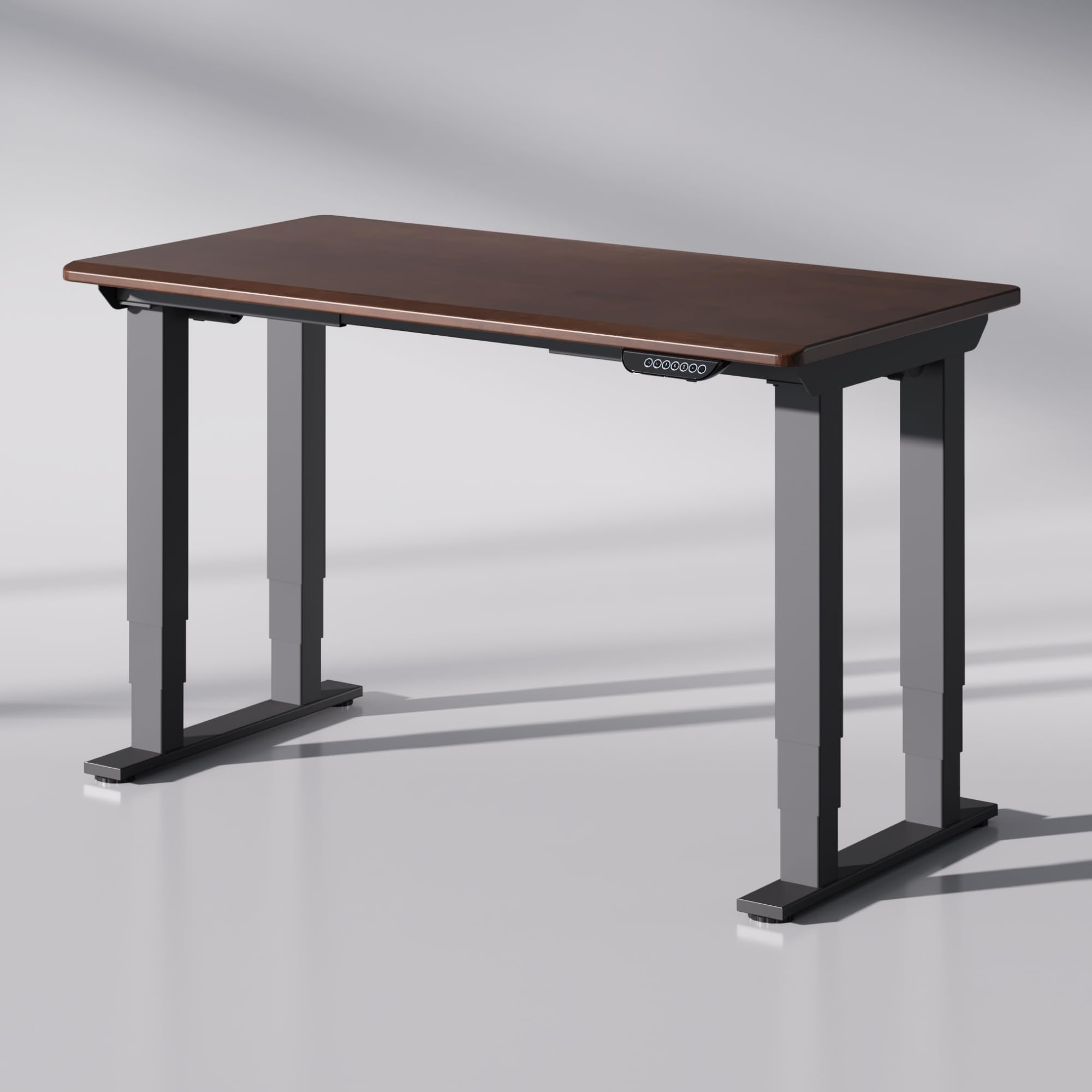
The assembled FLEXISPOT E6Q Premium 4-Leg Standing Desk, featuring a walnut rubber wood desktop and black frame.
Operating Instructions
The FLEXISPOT E6Q desk features a powerful dual-motor system and a smart control panel for effortless height adjustment.
Initial Power-On and Reset:
After connecting to power, the desk may require an initial reset. Press and hold the 'Down' button until the desk reaches its lowest position, then release. The desk is now ready for use.
Height Adjustment:
- Up/Down Buttons: Press the Up (▲) or Down (▼) arrow buttons to manually adjust the desk height. Release the button to stop at the desired height. The desk adjusts smoothly between 25.98 inches and 51.57 inches.
Memory Presets:
The control panel allows you to save up to three preferred height settings.
- Adjust the desk to your desired height using the Up/Down buttons.
- Press the M button. The display will show 'S-'.
- Within 3 seconds, press one of the number buttons (1, 2, or 3) to save the current height to that preset. The display will show 'S-1', 'S-2', or 'S-3' to confirm.
- To recall a saved height, simply press the corresponding number button (1, 2, or 3). The desk will automatically move to the saved position.
Additional Features:
- USB Charging Port: A built-in USB port is available on the control panel for convenient charging of small electronic devices.
- Sedentary Reminder: The control panel may include a sedentary reminder function to encourage healthier work habits. Refer to the detailed control panel manual for activation and settings.

Close-up view of the smart control panel, showing the height adjustment buttons and memory presets.
Maintenance
Regular maintenance helps prolong the life and performance of your standing desk.
- Cleaning the Desktop: Use a soft, damp cloth to wipe the rubber wood walnut desktop. Avoid harsh chemicals or abrasive cleaners that could damage the finish.
- Cleaning the Frame: Wipe the alloy steel frame with a soft, dry cloth. For stubborn marks, a slightly damp cloth can be used, followed by immediate drying.
- Cable Management: Periodically check and reorganize cables to prevent pinching or damage during height adjustments.
- Fastener Check: Every few months, inspect all screws and bolts to ensure they are tight. Retighten if necessary.
Troubleshooting
If you encounter issues with your FLEXISPOT E6Q desk, refer to the following common solutions. If the problem persists, contact customer support.
Common Issues:
- Desk Not Moving:
- Check if the power cable is securely plugged into both the desk and the wall outlet.
- Ensure all motor cables are properly connected to the control box.
- Perform a reset: Press and hold the 'Down' button until the desk reaches its lowest point and then slightly rises, indicating a successful reset.
- Uneven Height Adjustment:
- Ensure the desk is not overloaded or unevenly weighted.
- Perform a reset as described above.
- Error Codes on Display:
- If an error code appears, try unplugging the desk for 10 minutes and then plugging it back in.
- If the error persists, consult the detailed control panel manual or contact customer support.
Specifications
Detailed technical specifications for the FLEXISPOT E6Q Premium 4-Leg Standing Desk.
| Feature | Detail |
|---|---|
| Brand | FLEXISPOT |
| Model Number | E6QB+TB-R5528WN-RB |
| Model Name | ET215Q |
| Desktop Material | Rubber Wood Walnut |
| Frame Material | Alloy Steel |
| Desktop Dimensions | 55"D x 28"W |
| Product Dimensions (Overall) | 28"D x 26"W x 55"H (at max height) |
| Height Adjustment Range | 25.98" to 51.57" |
| Static Load Capacity | 540 lbs |
| Lifting Capacity | 440 lbs |
| Motors | Dual Motor System |
| Leg Design | 3-Stage Legs, 4-Leg Frame |
| Item Weight | 126.8 pounds |
| Special Features | 4-leg standing desk, Built-in USB Port, Memory Presets |

Diagram illustrating the key dimensions of the FLEXISPOT E6Q desk.

Comparison of FLEXISPOT E6Q Premium 4-Leg Desk features with standard standing desks.
Warranty Information
FLEXISPOT provides the following warranty coverage for the E6Q Premium 4-Leg Standing Desk:
- Frame & Motor: 5-Year Limited Warranty
- Electronics: 2-Year Limited Warranty
This warranty covers defects in materials and workmanship under normal use. For detailed terms and conditions, or to make a warranty claim, please refer to the official FLEXISPOT website or contact customer support.
Customer Support
For further assistance, technical support, or inquiries regarding your FLEXISPOT E6Q standing desk, please contact FLEXISPOT customer service through their official channels.
- Visit the official FLEXISPOT website for FAQs and support resources.
- Refer to the contact information provided in your product packaging.
- You can also visit the FLEXISPOT Store on Amazon for product information and support.


