
1. Introduction
The SEESII S20 PRO Electric Suction Cup Lifter is designed for efficient and safe handling of large, smooth, non-porous materials such as glass, tiles, granite, and metal. This manual provides essential information for the proper setup, operation, maintenance, and troubleshooting of your device. Please read this manual thoroughly before use to ensure safe and effective operation.
2. Safety Information
Adhering to safety guidelines is crucial for preventing injury and damage to the device or materials. Always prioritize safety during operation.
- Always inspect the suction cup and the target surface for damage or debris before each use.
- Ensure the surface is clean, dry, and non-porous for optimal and secure suction.
- Do not exceed the maximum load capacity of 600 lbs (272 kg). Overloading can lead to failure and injury.
- Avoid using the suction cup on curved, wet, dirty, rough, or porous surfaces, as this will compromise suction integrity.
- Keep hands, loose clothing, and hair clear of moving parts during operation.
- Charge batteries in a well-ventilated area, away from flammable materials.
- Store the device in its provided carry case when not in use to protect the suction pad from damage and dust.
3. Package Contents
Verify that all items listed below are included in your package:
- 2 x 8-Inch Electric Suction Lifters
- 1 x Carry Case
- 4 x 2400mAh Batteries
- 2 x USB-C Cables
- 1 x User Manual

Figure 3.1: Package contents of the SEESII S20 PRO Electric Suction Cup Lifter.
4. Product Features and Overview
The SEESII S20 PRO Electric Suction Cup Lifter incorporates advanced features for enhanced performance and safety.
- Automatic Suction: Features one-touch automatic suction for a fast, strong, and consistent grip, reducing manual effort.
- High Load Capacity: Safely lifts up to 600 lbs (272 kg) on suitable smooth, non-porous surfaces.
- Digital Pressure Display: An integrated digital display shows the current vacuum level. The device automatically activates the pump if pressure drops below 55±5 to maintain a secure hold.
- Replaceable Batteries: Comes with four 2400mAh batteries, allowing for extended operation and quick swaps to minimize downtime.
- Versatile Application: Ideal for handling large glass panels, ceramic tiles, granite slabs, metal sheets, marble, plastic, and finished MDF.
- Lightweight and Portable: Designed for easy handling and transport, complete with a convenient storage case.

Figure 4.1: Product diagram with key components and dimensions.

Figure 4.2: Comparison of manual versus electric suction lifters.

Figure 4.3: Suitable and unsuitable surfaces for use.
5. Setup
Before using your SEESII S20 PRO, follow these steps to prepare the device:
- Charge Batteries: Insert the 2400mAh batteries into the charging port using the provided USB-C cables. The digital display on the battery will show the current charge level. Ensure batteries are fully charged before initial use.
- Install Battery: Once charged, slide a battery into the designated slot on the suction cup lifter until it clicks securely into place.
- Inspect Suction Pad: Before each use, visually inspect the rubber suction pad for any signs of damage, cracks, or debris. A clean and intact pad is essential for reliable suction.
Video 5.1: Demonstrates charging the SEESII Electric Suction Cup batteries via USB-C.
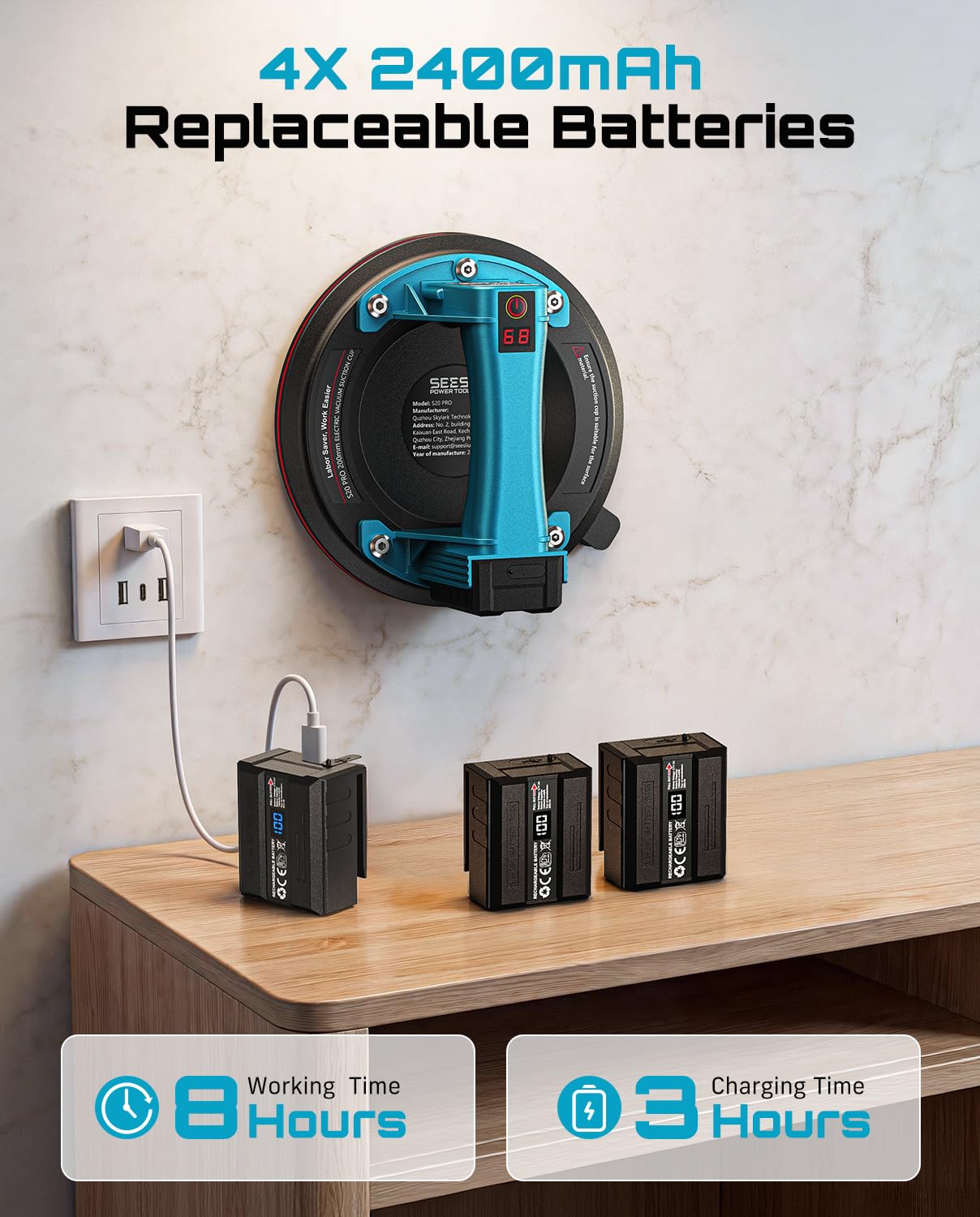
Figure 5.1: Battery charging and usage overview.
6. Operation
Follow these steps for safe and effective operation of your electric suction cup lifter:
- Prepare Surface: Ensure the target surface (e.g., glass, tile, metal) is completely clean, dry, and non-porous. Any dust, moisture, or texture can prevent proper suction.
- Position Suction Cup: Place the suction cup firmly onto the prepared surface.
- Activate Suction: Press and hold the power button for approximately 0.5 seconds. The device will begin to create a vacuum, and the digital display will show the increasing vacuum level.
- Monitor Pressure: Observe the digital display. The device will automatically stop pumping when the optimal vacuum level (e.g., 68) is reached. If the vacuum level drops below 55±5 during use, the internal pump will automatically reactivate to maintain a secure hold.
- Lift/Move Material: Once stable suction is achieved and the digital display shows a consistent high value, carefully lift or move the material. Always maintain a firm grip on the handle.
- Release Suction: To release the suction cup from the surface, double-click the power button. This action will relieve the internal pressure, allowing you to safely remove the lifter.

Figure 6.1: Step-by-step procedure for using the suction cup lifter.
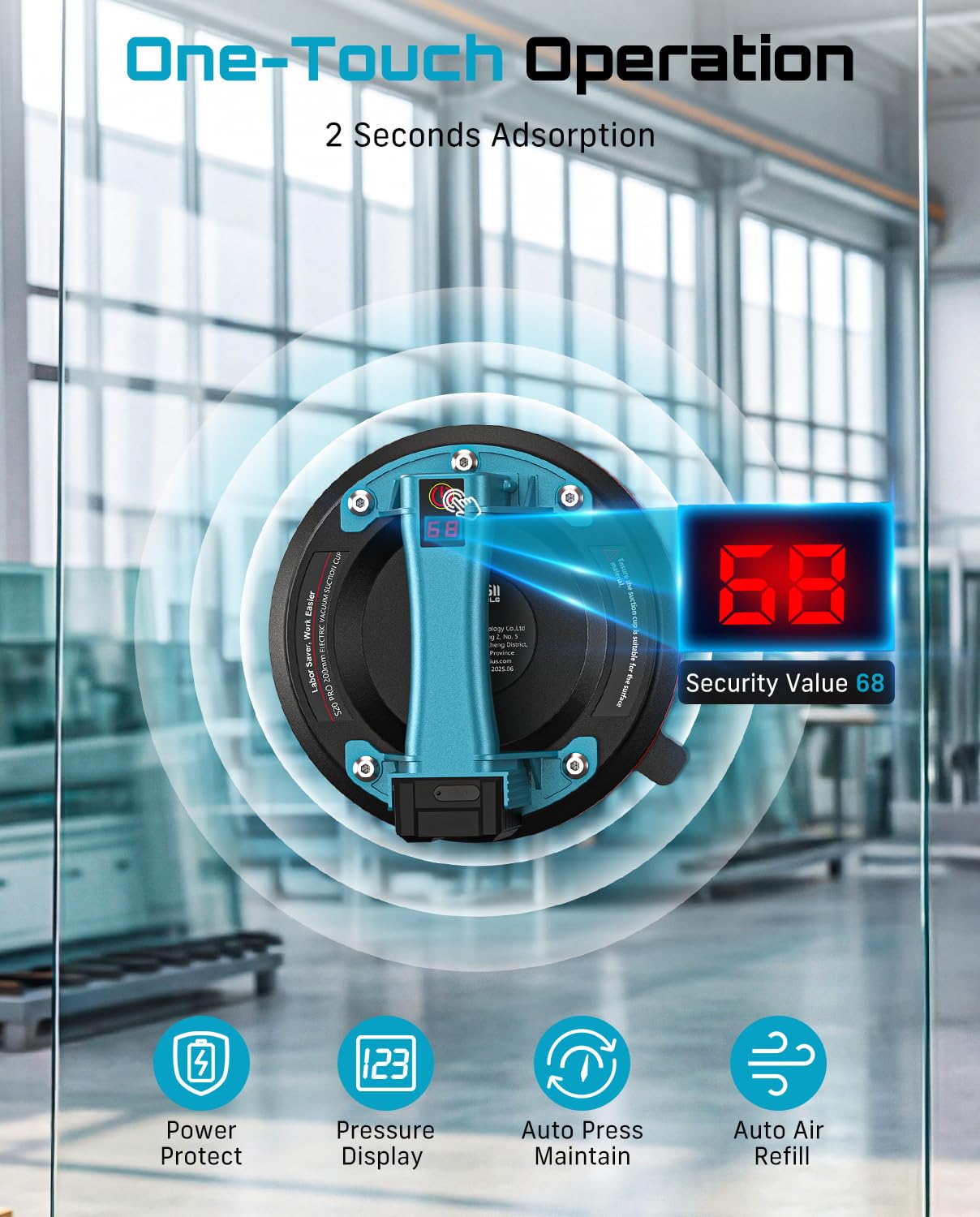
Figure 6.2: One-touch operation and digital pressure display.

Figure 6.3: Demonstrating the 600 LBS load capacity for heavy materials.

Figure 6.4: Versatile applications for movers, contractors, and DIYers.
7. Maintenance
Proper maintenance ensures the longevity and optimal performance of your SEESII S20 PRO.
7.1 Automatic Cleaning Function
The device features an automatic cleaning function to help maintain the suction pad and internal components.
- Remove the filter from the suction cup and pour a small amount of clean water onto a flat, non-porous surface.
- Place the suction cup over the water, ensuring the water inlet is submerged.
- Start the vacuum cleaner and direct the water inlet onto the water surface.
- Triple-click the power button to activate the automatic cleaning mode.
- Allow the cleaning cycle to run until the water expelled from the vacuum is no longer cloudy. This indicates the cleaning process is complete.
Video 7.1: Demonstration of the automatic cleaning function.

Figure 7.1: Steps for using the automatic cleaning function.
7.2 Storage
Always store the suction cups in the provided carry case. This protects the delicate rubber pads from punctures, cuts, and dust, which can degrade their performance and lifespan.
8. Troubleshooting
If you encounter issues with your SEESII S20 PRO, refer to the following common problems and solutions:
- No Suction or Weak Suction:
- Ensure the target surface is perfectly clean, dry, and non-porous.
- Check that the battery is fully charged and properly inserted.
- Inspect the rubber suction pad for any damage, cracks, or debris that might break the seal.
- Confirm the surface is not curved, wet, dirty, rough, or porous, as these conditions prevent proper vacuum formation.
- Device Not Turning On:
- Verify the battery has sufficient charge.
- Ensure the battery is correctly installed in its slot.
- Automatic Pump Activates Frequently:
- This is normal behavior. The digital pressure sensor is designed to automatically activate the brushless motor if the vacuum level drops to 55±5. This ensures continuous, safe lifting by maintaining optimal suction.
- If it activates excessively, re-check the surface for cleanliness and integrity, or inspect the suction pad for damage.
9. Specifications
| Feature | Specification |
|---|---|
| Model Number | S20 PRO |
| Product Dimensions | 8 x 8 x 3.54 inches |
| Item Weight | 5.28 pounds |
| Max Load Capacity | 600 LBS (272 kg) |
| Battery Capacity | 2400mAh (x4 included) |
| Manufacturer | Seesii |
10. Warranty and Support
For warranty information, technical assistance, or to inquire about replacement parts, please refer to the documentation included with your original purchase or visit the official Seesii website. Keep your purchase receipt as proof of purchase for any warranty claims.