
1. Introduction
Thank you for choosing the FreAire HAP611WF Air Purifier. This manual provides important information regarding the safe operation, installation, maintenance, and troubleshooting of your new air purifier. Please read this manual thoroughly before use and retain it for future reference.
The FreAire HAP611WF is designed to provide clean and fresh air for large rooms up to 3,850 sq ft, featuring a 5-stage filtration system, smart app control, and dedicated modes for various needs.
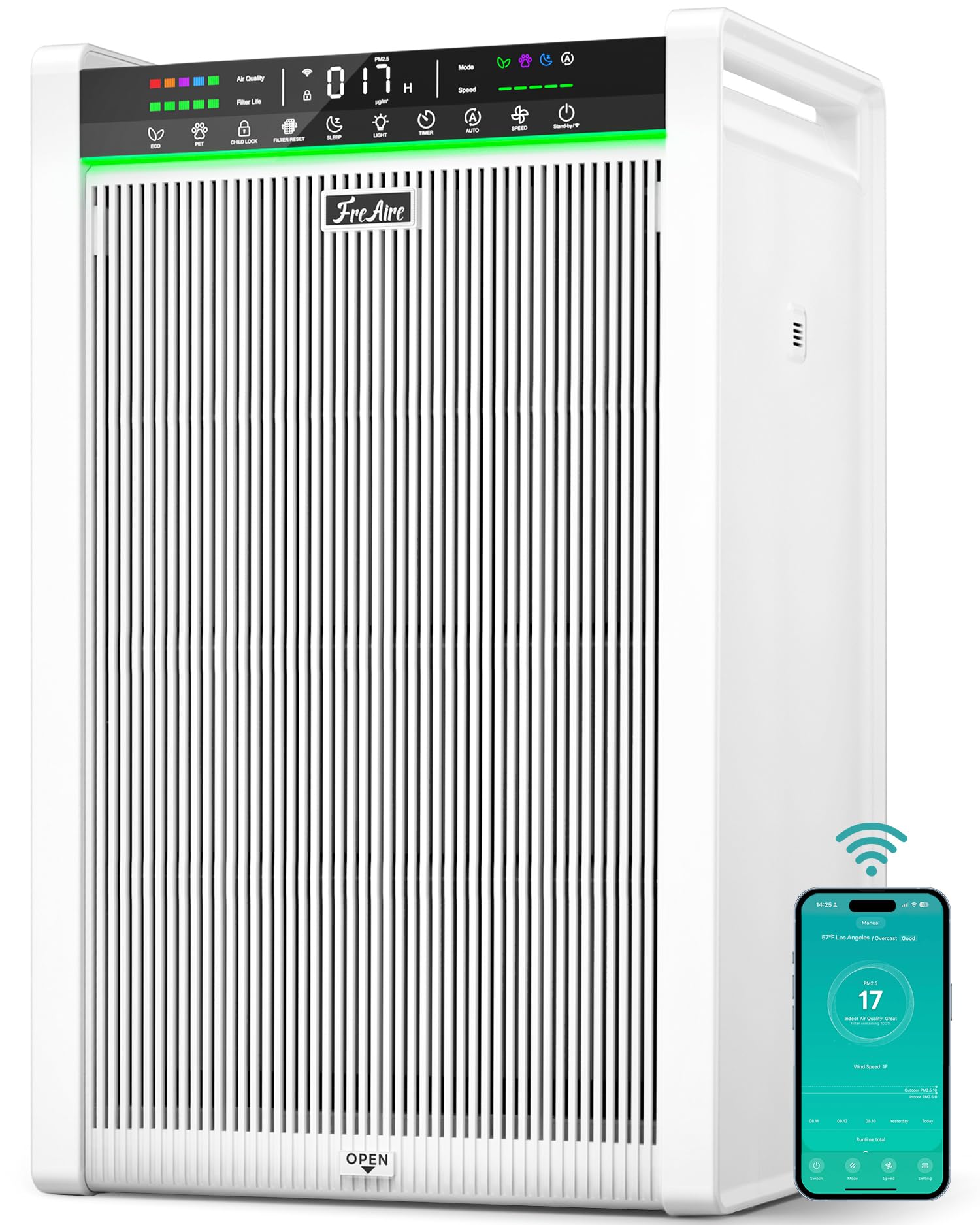
Figure 1.1: FreAire HAP611WF Air Purifier
2. Safety Information
To reduce the risk of fire, electric shock, or injury, please observe the following safety precautions:
- Always unplug the air purifier before moving, cleaning, or performing any maintenance.
- Do not operate the unit with a damaged cord or plug. If the cord or plug is damaged, contact customer support.
- Keep the power cord away from heated surfaces.
- Do not use the air purifier in wet or damp environments, such as bathrooms.
- Do not insert fingers or foreign objects into any openings of the air purifier.
- Ensure the air inlet and outlet are not blocked.
- This appliance is not intended for use by persons (including children) with reduced physical, sensory or mental capabilities, or lack of experience and knowledge, unless they have been given supervision or instruction concerning use of the appliance by a person responsible for their safety.
- Children should be supervised to ensure that they do not play with the appliance.
3. Product Overview
The FreAire HAP611WF Air Purifier features a comprehensive design for optimal air purification.
3.1. Components
- Main Unit
- 5-Stage Filtration System (Pre-installed)
- Power Cord
- User Manual
3.2. 5-Stage Filtration System
The HAP611WF utilizes a multi-layer filtration system to capture various airborne particles and odors:
- Washable Pre-Filter: Captures large particles like dust, lint, and pet hair.
- Primary Filtration Layer: Further filters larger airborne contaminants.
- Core Filtration Layer: Targets smaller particles.
- Fine Filtration Layer: Captures microscopic particles.
- Activated Carbon Layer: Absorbs odors, smoke, and harmful gases.

Figure 3.1: Detailed view of the 5-Stage Filtration System
4. Setup
Follow these steps to set up your FreAire HAP611WF Air Purifier:
4.1. Unpacking and Placement
- Carefully remove the air purifier from its packaging.
- Place the unit on a firm, level surface. Ensure there is at least 6 inches (15 cm) of space around all sides for proper airflow.
- Avoid placing the unit near heat sources, direct sunlight, or in areas with excessive moisture.

Figure 4.1: Optimal placement of the air purifier in a large room
4.2. Filter Installation
The filters are typically pre-installed but may be wrapped in plastic for shipping. Remove all plastic packaging before first use.
- Open the front cover of the air purifier. The cover is magnetic for easy access.
- Remove the main filter assembly.
- Remove any plastic packaging from the filters.
- Reinsert the filter assembly into the unit, ensuring it is seated correctly.
- Close the front cover securely.

Figure 4.2: Easy Setup and Filter Change Steps
4.3. Power Connection
Plug the power cord into a standard electrical outlet. The unit is now ready for operation.
Video 4.1: HAP611WF Installation & Usage Introduction. This video demonstrates the initial setup and basic usage of the air purifier.
5. Operating Instructions
Your FreAire HAP611WF Air Purifier offers intuitive controls and smart features for optimal air quality management.
5.1. Control Panel Overview
The large touch panel provides easy access to all functions and displays real-time information.

Figure 5.1: Easy Everyday Control Panel
5.2. Basic Operation
- Power On/Off: Press the power button on the control panel to turn the unit on or off.
- Fan Speed: Adjust the fan speed (levels 1-5) to your preference using the fan speed button.
- Timer: Set an operating timer for 1 to 24 hours.
- Light: Turn the display lights on or off.
5.3. Smart Modes
The air purifier features several smart modes to optimize performance:
- Auto Mode: Automatically adjusts fan speed based on real-time air quality readings (PM2.5).
- Sleep Mode: Operates at the lowest fan speed (20 dB) with display lights off for quiet nighttime operation.
- Pet Mode: Designed to effectively manage pet hair, dander, and odors by running at Speed 5 for 15 minutes, then Speed 3 for 60 minutes.
- Eco Mode: Optimizes energy usage for continuous operation while maintaining air quality.

Figure 5.2: Pet Mode in operation

Figure 5.3: Eco Mode for all-day air cleaning
5.4. Air Quality Display
The large display shows real-time PM2.5 readings and a 5-color indicator for air quality:
- Green: Excellent (0-35 µg/m³)
- Blue: Good (36-75 µg/m³)
- Purple: Moderate (76-115 µg/m³)
- Orange: Poor (116-150 µg/m³)
- Red: Very Poor (150+ µg/m³)
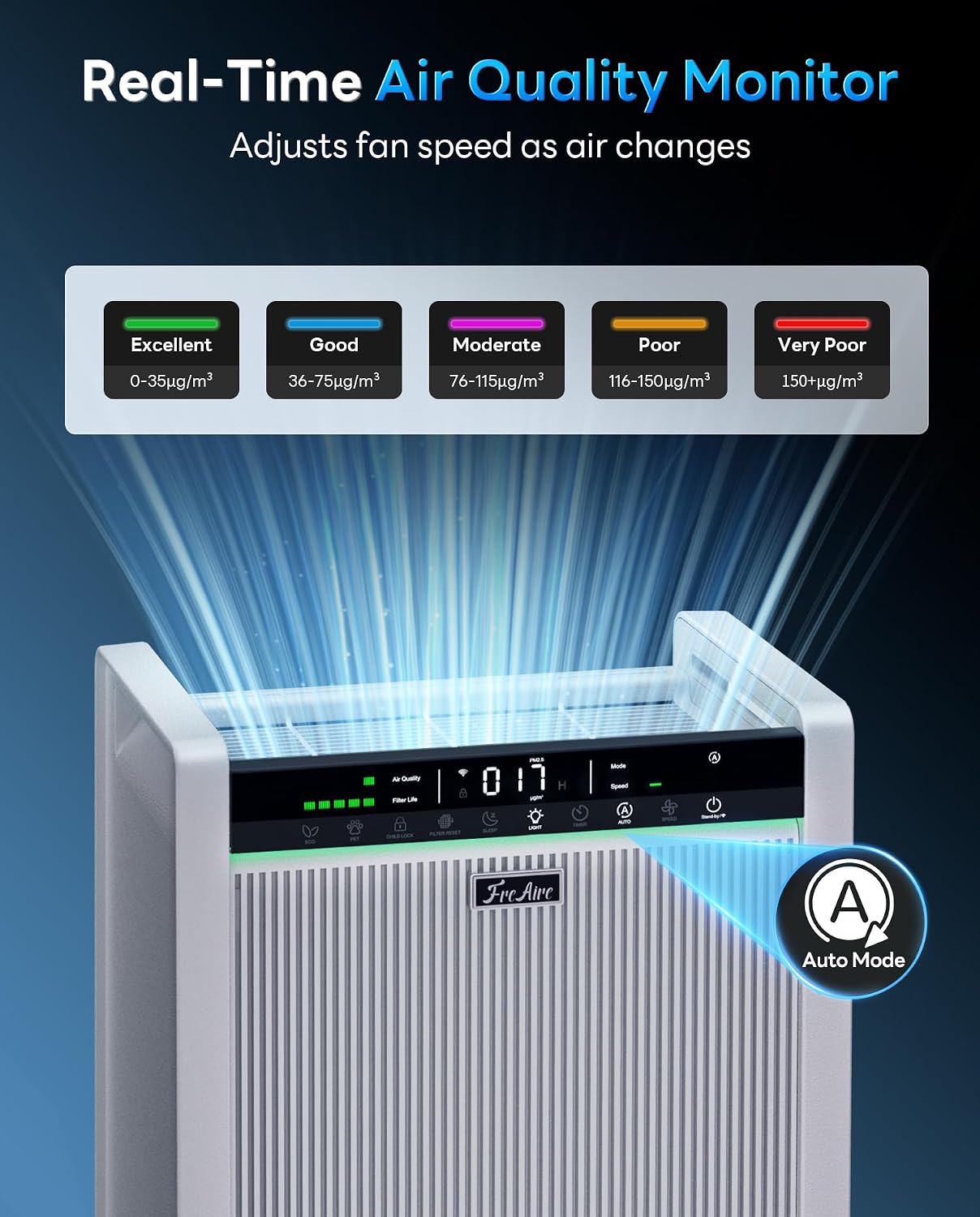
Figure 5.4: Real-Time Air Quality Monitor
5.5. Smart App Control
Control your air purifier remotely using the dedicated mobile app. The app allows you to:
- Turn the unit on/off.
- Adjust fan speed.
- Select operating modes.
- Set timers and schedules.
- Monitor real-time air quality.
Download the app from the App Store or Google Play Store.

Figure 5.5: Control at Your Fingertips with the Smart App
5.6. Child Lock
Activate the child lock feature to prevent accidental changes to settings. This is indicated by a lock icon on the display.

Figure 5.6: Child & Pet Lock for Safer Use
Video 5.1: HAP611WF Smoke Test. This video demonstrates the air purifier's effectiveness in clearing smoke from an enclosed space.
6. Maintenance
Regular maintenance ensures optimal performance and extends the lifespan of your air purifier.
6.1. Cleaning the Washable Pre-Filter
The washable pre-filter should be cleaned regularly to remove accumulated dust and pet hair.
- Unplug the air purifier.
- Open the front cover and remove the pre-filter.
- Rinse the pre-filter under running water until clean.
- Allow the pre-filter to air dry completely before reinserting it into the unit.
- Close the front cover.

Figure 6.1: Easy-Clean Washable Pre-Filter
6.2. Replacing the Main Filter
The main filter has a limited lifespan and needs to be replaced every 3-6 months, depending on usage and air quality. The unit will display a filter life indicator and alert you when a change is needed.
- Unplug the air purifier.
- Open the front cover and remove the old main filter.
- Insert a new genuine FreAire replacement filter (Search B0GTVCSST3 on Amazon).
- Close the front cover.
- Plug in the air purifier and press and hold the 'Filter Reset' button on the control panel until the indicator resets.

Figure 6.2: Smart Filter Change Reminder and Reset
Important: Use only genuine FreAire filters to ensure proper fit, airflow, and to maintain warranty coverage.
6.3. General Cleaning
- Wipe the exterior of the air purifier with a soft, dry cloth.
- Do not use abrasive cleaners or solvents.
7. Troubleshooting
If you encounter issues with your air purifier, refer to the following table for common problems and solutions.
| Problem | Possible Cause | Solution |
|---|---|---|
| Unit does not turn on | No power supply; Power cord not properly connected; Unit is damaged. | Check power outlet; Ensure power cord is securely plugged in; Contact customer support. |
| Weak airflow | Filters are dirty or clogged; Air inlet/outlet blocked. | Clean or replace filters; Ensure no obstructions around the unit. |
| Unusual noise | Foreign object inside; Filter not installed correctly; Unit not on a level surface. | Unplug and check for foreign objects; Reinstall filters; Place unit on a flat, stable surface. |
| Air quality reading remains high | Sensor is dirty; High pollution in the environment. | Clean the air quality sensor (refer to specific instructions if available); Allow more time for purification. |
| App control not working | Wi-Fi connection issue; App not updated; Incorrect pairing. | Check Wi-Fi router and connection; Update app to latest version; Re-pair the device following app instructions. |
If the problem persists after trying these solutions, please contact FreAire customer support.
8. Specifications
| Feature | Specification |
|---|---|
| Model Number | HAP611WF |
| Product Dimensions (D x W x H) | 15.51" x 8.82" x 22.2" |
| Item Weight | 14.4 pounds |
| Power Source | AC |
| Control Method | Touch, Smart App Control |
| Filter Type | Washable Pre-filter + HEPA (5-Stage) |
| Floor Area Coverage | Up to 3850 square feet |
| CADR | 450 CFM |
| Noise Level | As low as 20 dB (Sleep Mode) |
| Special Features | Dedicated Pet Mode, Large Real-Time PM2.5 Display, Smart Wi-Fi App Control, Washable Pre-Filter, Magnetic Front Cover, Hidden Handle, Power-off Memory, Child Lock |
| Certifications | ETL, FCC, EPA, CARB, CA65, DOE |
9. Warranty and Support
The FreAire HAP611WF Air Purifier comes with a 1-year-plus warranty and lifetime technical support. For any order-related questions or technical assistance, please contact FreAire customer service. Responses are typically provided within 2 business days.
For more information or to purchase genuine replacement filters, visit the official FreAire store on Amazon or search for the filter model B0GTVCSST3.
