
Mengshen MS-Z90
Mengshen MS-Z90 Wireless Vibration Alarm with Remote Control
User Manual
Introduction
The Mengshen MS-Z90 Wireless Vibration Alarm is designed to provide security for your home, garage, doors, windows, and other valuables. This system features adjustable sensitivity, multiple volume settings, and a doorbell function, all controllable via a wireless remote. It offers a straightforward and effective solution for monitoring unauthorized movement.
The alarm is suitable for various applications, including securing doors, windows, garage doors, sheds, motorcycles, bicycles, scooters, cars, cabinets, and other items you wish to monitor.
The versatile design of the Mengshen vibration alarm makes it suitable for a wide range of security applications, from securing doors and windows to protecting vehicles and valuable items.
What's in the Box
Please check the package contents to ensure all items are present:
- 2 x Mengshen MS-Z90 Wireless Vibration Alarm Units
- 1 x Wireless Remote Control
- 1 x User Manual
Setup
1. Battery Installation
For Alarm Units: Each alarm unit requires 2 AAA alkaline batteries (not included). Open the battery compartment cover on the back of the alarm unit and insert the batteries, observing the correct polarity (+/-). Close the cover securely.
For Remote Control: The remote control requires 1 x 12V/27A alkaline battery (included). Open the battery compartment cover on the back of the remote and insert the battery, observing the correct polarity. Close the cover securely.
2. Mounting the Alarm Unit
The alarm unit can be easily installed using the provided double-sided adhesive. Ensure the surface is clean and dry before application. Remove the protective film from one side of the adhesive and attach it to the back of the alarm unit. Then, remove the protective film from the other side and firmly press the alarm unit onto the desired surface (e.g., door, window frame, wall).

The alarm unit is designed for easy installation using double-sided adhesive, requiring no complex wiring or tools.
Operating Instructions
1. Arming and Disarming
- To Arm: Press the Lock button on the remote control. The alarm unit will emit a confirmation sound, indicating it is armed.
- To Disarm: Press the Unlock button on the remote control. The alarm unit will emit a confirmation sound, indicating it is disarmed.
2. Sensitivity Adjustment
The alarm features 7 adjustable sensitivity levels. This allows you to customize the alarm's responsiveness to vibrations, preventing false triggers from minor disturbances like wind or passing traffic, while ensuring detection of significant movements.
- To adjust sensitivity, press the Lightning Bolt button on the remote control. Each press cycles through the sensitivity levels.
- A higher sensitivity level means the alarm will trigger with less vibration.
- A lower sensitivity level requires more significant vibration to trigger the alarm.

The remote control allows you to select from 7 adjustable sensitivity levels to suit different environments and prevent false alarms.
3. Volume Control
The alarm offers 4 distinct volume settings, ranging from 76 dB to a maximum of 110 dB. This allows you to set an appropriate alert intensity for various environments, from quiet bedrooms to large outdoor areas.
- To adjust the volume, press the Speaker button on the remote control. Each press cycles through the available volume levels.

The alarm offers four distinct volume settings, ranging from 76 dB to a high 110 dB, allowing you to customize the alert intensity for various scenarios.
4. Doorbell Function
In addition to its security function, the alarm can also serve as a doorbell with three selectable chimes. This is useful for front or back entrances to announce visitors.
- To switch between doorbell chimes, press the Bell button on the remote control.

Beyond security, the alarm can function as a doorbell with three selectable chimes, useful for front or back entrances to announce visitors.
5. Multi-Device Control
One remote control can manage multiple Mengshen MS-Z90 alarm units. This simplifies the management of your entire security setup without requiring separate controllers for each alarm.
6. Low Battery Warning
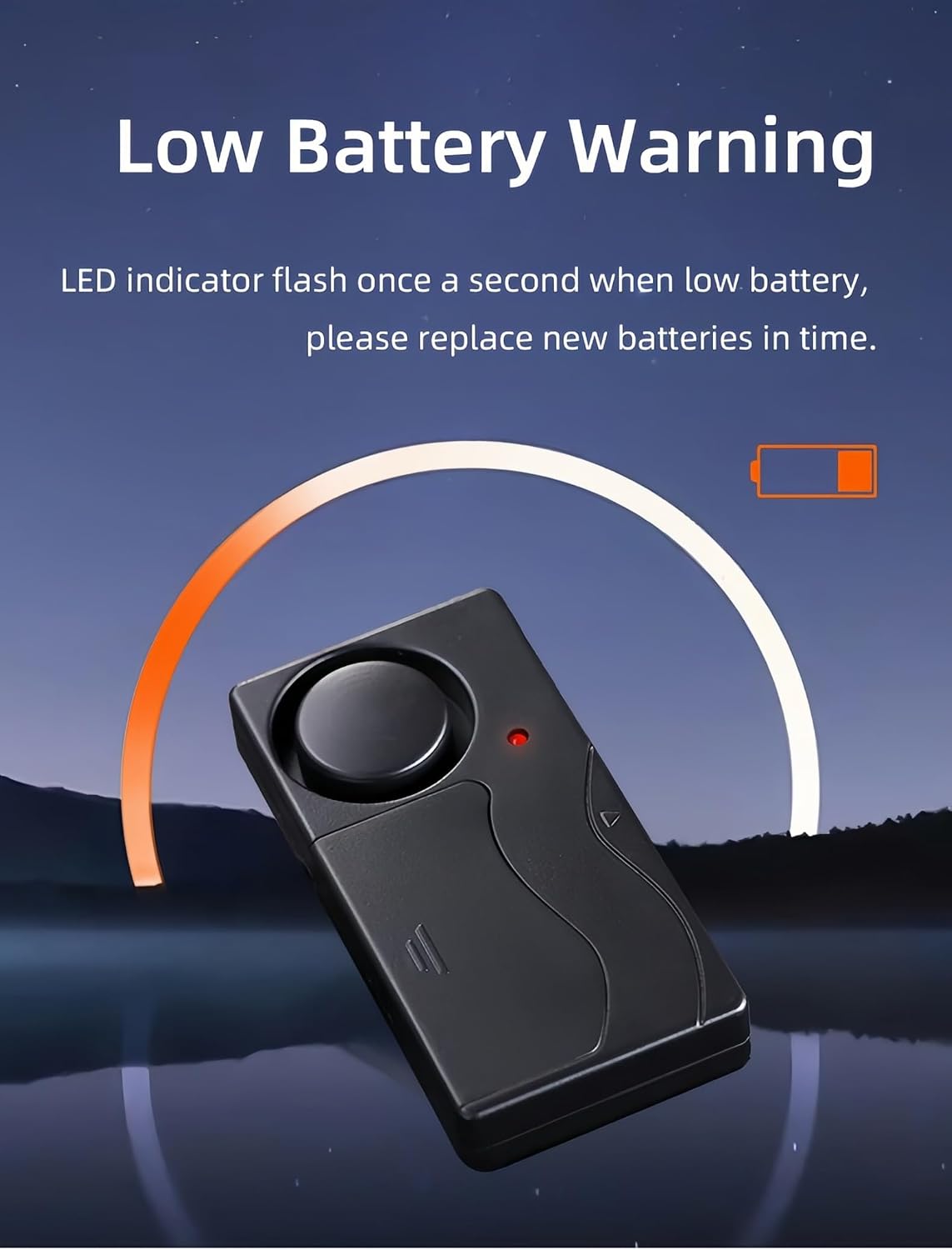
The alarm unit is equipped with a low battery reminder function. When the battery level is low, the LED indicator on the alarm unit will flash once per second to alert you that the batteries need to be replaced.

The alarm unit features a low battery reminder. The LED indicator will flash once per second when the battery level is low, prompting timely replacement.
Maintenance
1. Battery Replacement
When the low battery warning activates (LED flashes), replace the batteries promptly to ensure continuous protection. Refer to the "Battery Installation" section for details on battery types and replacement procedures.
2. Cleaning
Wipe the alarm unit and remote control with a soft, dry cloth. Do not use abrasive cleaners or solvents, as these may damage the device's surface or internal components.
Troubleshooting
- Alarm not triggering:
- Ensure the alarm is armed (check remote control status).
- Check battery levels in both the alarm unit and remote control. Replace if low.
- Adjust sensitivity to a higher level if the vibration is too subtle.
- Remote control not responding:
- Check the remote control battery and replace if necessary.
- Ensure you are within the effective signal range of the alarm unit.
- False alarms:
- Adjust sensitivity to a lower level to prevent triggers from minor disturbances.
- Ensure the alarm unit is mounted on a stable surface that is not prone to accidental vibrations.
Specifications
| Model Number | MS-Z90 |
| Alarm Unit Dimensions | 85 x 43 x 17 mm (3.3 x 1.7 x 0.7 inches) |
| Remote Control Dimensions | 61 x 33 x 13 mm (2.4 x 1.3 x 0.5 inches) |
| Frequency | 433 MHz |
| Alarm Volume | Up to 110 dB |
| Power (Alarm Unit) | 2 x AAA Alkaline Batteries (not included) |
| Power (Remote Control) | 1 x 12V/27A Alkaline Battery (included) |
| Weight (per alarm unit) | 70 Grams |

Detailed dimensions of the alarm unit and the remote control for reference.
Warranty and Support
For warranty information or technical support, please refer to the product packaging or contact Mengshen customer service through the retailer where the product was purchased. Keep your purchase receipt as proof of purchase.
Related documentsMS-Z90


Ask a question about this manual
Ask about setup, troubleshooting, compatibility, parts, safety, or missing instructions. Manuals+ will review the question and use this page’s manual context to help answer it.