
1. Introduction
This manual provides essential information for the safe and efficient use of your INALSA Aero Steam Pro 15L Air Fryer Oven. Please read all instructions carefully before operating the appliance and retain this manual for future reference.
The INALSA Aero Steam Pro is a versatile 10-in-1 multifunction appliance combining air frying and steaming capabilities. It features a 15-liter capacity, 1700W power, and various preset functions for diverse cooking needs.
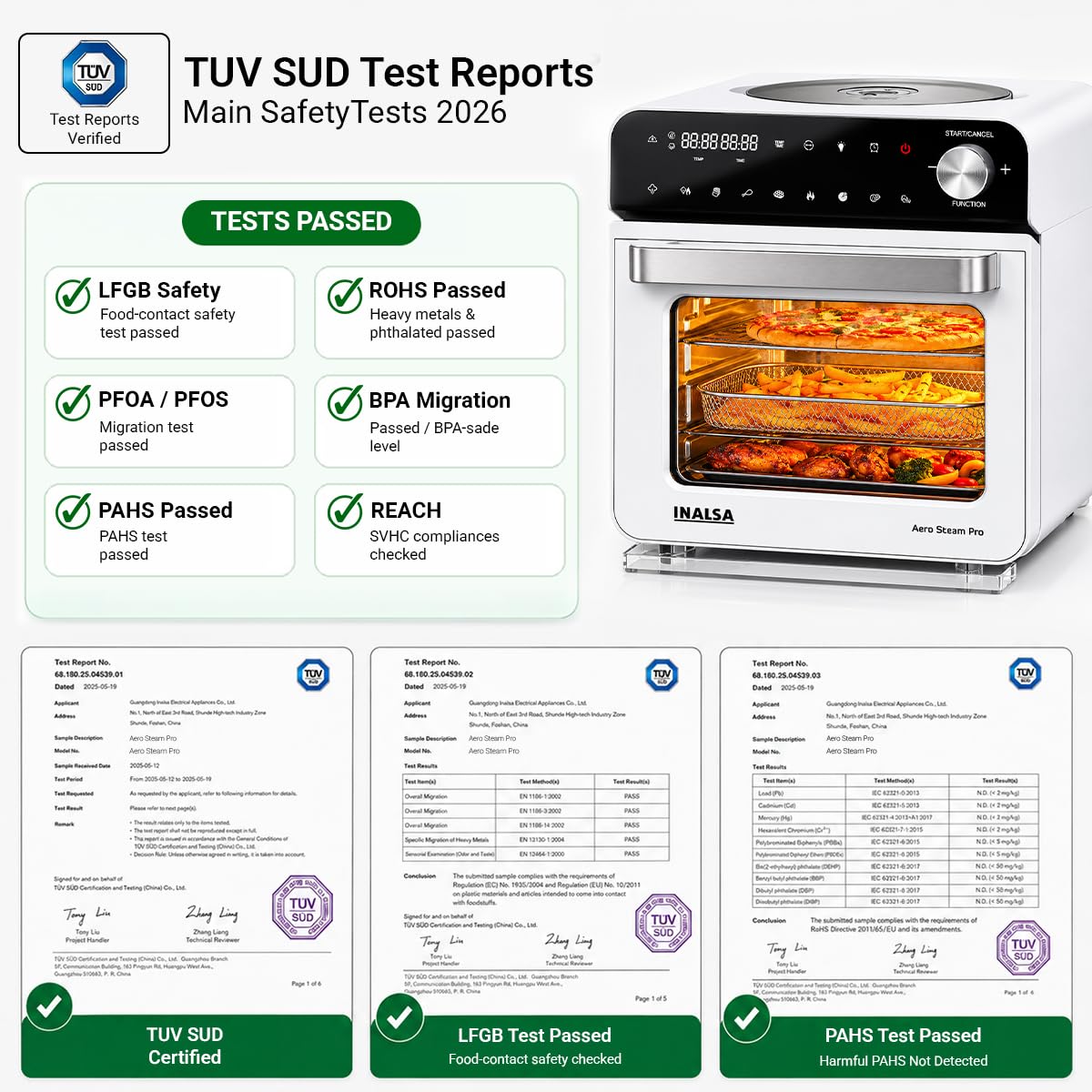
Figure 1: Front view of the INALSA Aero Steam Pro Air Fryer Oven, showcasing its sleek design and large viewing window.
2. Important Safety Instructions
Always follow basic safety precautions when using electrical appliances to reduce the risk of fire, electric shock, and injury.
- Read all instructions before use.
- Do not touch hot surfaces. Use handles or knobs.
- To protect against electric shock, do not immerse cord, plugs, or the main unit in water or other liquid.
- Close supervision is necessary when any appliance is used by or near children.
- Unplug from outlet when not in use and before cleaning. Allow to cool before putting on or taking off parts.
- Do not operate any appliance with a damaged cord or plug, or after the appliance malfunctions or has been damaged in any manner.
- The use of accessory attachments not recommended by the appliance manufacturer may cause injuries.
- Do not use outdoors.
- Do not let cord hang over edge of table or counter, or touch hot surfaces.
- Do not place on or near a hot gas or electric burner, or in a heated oven.
- Extreme caution must be used when moving an appliance containing hot oil or other hot liquids.
- Always attach plug to appliance first, then plug cord into the wall outlet. To disconnect, turn any control to "off", then remove plug from wall outlet.
- Do not use appliance for other than intended use.
- Ensure proper ventilation around the appliance during operation.

Figure 2: TUV SUD Test Reports confirming compliance with safety standards for food contact, heavy metals, PFOA/PFOS, BPA migration, PAHS, and REACH.
3. Product Components and Accessories
Your INALSA Aero Steam Pro comes with the following components and accessories:
- 1 N Main Unit (Air Fryer Oven)
- 1 N Crisper Basket
- 1 N Bake/Crumb Tray
- 1 N Rotation Drum Basket
- 1 N Grill Tray
- 1 N Rotisserie Fork Set
- 1 N Rotisserie Handle
- 1 N Hand Glove
- 4 N SS Skewers
- 1 N Grill/Bake Tray Handle
- 1 N Water Tank
- 1 N Water Collector
- 1 N Recipe Book
- 1 N Instruction Manual Cum Warranty card
4. Initial Setup
- Unpacking: Carefully remove all packaging materials and accessories. Ensure all components listed above are present.
- Cleaning: Wipe the exterior of the main unit with a damp cloth. Wash all removable accessories (crisper basket, trays, etc.) with warm, soapy water. Rinse thoroughly and dry completely.
- Placement: Place the appliance on a stable, heat-resistant, and level surface. Ensure there is adequate space (at least 10-15 cm) around the unit for proper ventilation. Do not place it near flammable materials.
- Power Connection: Plug the power cord into a grounded electrical outlet. The appliance operates on 240 Volts.
- Water Tank (for Steam functions): For steam-related cooking, fill the 1.35L water tank with distilled or filtered water. Ensure the tank is properly seated.

Figure 3: Key features including 1700W powerful heating element, 15L large capacity, 1.35L water tank for efficient steam cooking, and food-grade SS 304 accessories.
5. Operating Instructions
The INALSA Aero Steam Pro features a touch control panel and a function knob for easy operation.
5.1 Control Panel Overview

Figure 4: The touch display and function knob for precise control over temperature, time, and cooking modes.
The control panel includes a touch display for temperature and time settings, various smart preset icons, and a central knob for function selection and adjustment.
5.2 Basic Operation
- Power On: Plug in the appliance. The display will illuminate.
- Select Function: Rotate the FUNCTION knob to cycle through available cooking modes (Air Fry, Steam, Convection Bake, Dehydrate, Ferment, Sanitize, Tender Cook, etc.) or select a smart preset.
- Adjust Settings: Once a function or preset is selected, use the touch controls to adjust temperature (up to 200°C) and time (up to 24 hours, depending on mode).
- Start Cooking: Press the START/CANCEL button to begin the cooking process.
- Pause/Cancel: Press START/CANCEL again to pause or hold to cancel the current operation.
5.3 Smart Presets
The appliance features 10 smart presets for common dishes, allowing for one-touch cooking. Simply select the desired preset, and the oven will automatically set the optimal time and temperature. Adjustments can still be made manually if needed.
5.4 Steam Function
To use the steam function, ensure the water tank is filled. The steam function is ideal for cooking vegetables, fish, momos, idli, and other dishes requiring moist heat. It helps retain natural moisture and nutrients.

Figure 5: Examples of dishes that can be prepared using the steam function, perfect for healthy and moist cooking.
5.5 Air Fry Function
The air fry function uses circulating hot air to cook food with little to no oil, resulting in crispy textures. This mode is suitable for fries, chicken, roasted vegetables, and more.
5.6 Tender Cook Mode (Steam + Air Fry Combination)
The Tender Cook Mode combines steam and air fry technologies. This mode adds moisture during the air frying process, ensuring food remains juicy on the inside while achieving a crispy exterior. It is particularly beneficial for meats and dishes where moisture retention is desired.

Figure 6: The Tender Cook Mode ensures food is crispy outside and juicy inside by combining air frying with moisture.
5.7 Other Functions
- Dehydrate: For drying fruits, vegetables, and making jerky.
- Ferment: For preparing yogurt or proofing dough.
- Sanitize: For sterilizing baby bottles or other heat-resistant items using steam.
6. Cleaning and Maintenance
Regular cleaning ensures optimal performance and extends the lifespan of your appliance.
- Before Cleaning: Always unplug the appliance from the power outlet and allow it to cool completely before cleaning.
- Exterior: Wipe the exterior with a soft, damp cloth. Do not use abrasive cleaners or scouring pads.
- Interior: For general cleaning, wipe the interior with a damp cloth and mild detergent. For stubborn stains, a non-abrasive sponge can be used.
- Accessories: All removable accessories (crisper basket, trays, rotisserie parts) can be washed with warm, soapy water. They are generally dishwasher-safe, but hand washing is recommended for longevity.
- Water Tank: Empty any remaining water from the tank after each use. Clean the tank periodically to prevent mineral buildup.
- Self-Clean Function: The appliance features a self-clean function that uses steam to loosen food residues inside the oven cavity, making manual cleaning easier. Refer to the recipe book for detailed instructions on using this feature.
- Sanitize Function: Use the sanitize function with steam for hygienic cleaning of the interior or small items.

Figure 7: The self-cleaning function uses steam for a spotless interior, and the sanitize function helps reduce bacteria.
7. Troubleshooting Guide
If you encounter any issues with your INALSA Aero Steam Pro, please refer to the following table before contacting customer support.
| Problem | Possible Cause | Solution |
|---|---|---|
| Appliance does not turn on. | Not plugged in; power outlet malfunction; damaged cord. | Ensure plug is securely in a working outlet. Check circuit breaker. Inspect cord for damage. |
| Food is not cooking evenly. | Overcrowding; incorrect temperature/time; food not spread out. | Do not overcrowd the basket/tray. Ensure food is in a single layer. Adjust temperature/time as per recipe. Shake or flip food halfway through. |
| Steam function not working. | Water tank empty or not properly seated. | Fill the water tank with distilled or filtered water. Ensure the tank is correctly inserted and sealed. |
| White residue in water tank/interior. | Mineral buildup from hard water. | Use distilled or filtered water. Clean the water tank and interior regularly with a descaling solution or vinegar solution. |
| Smoke coming from the appliance. | Excess oil/grease; food residue; foreign object. | Unplug immediately. Allow to cool. Clean the interior and accessories thoroughly. Ensure no excess oil is dripping. |
8. Product Specifications
| Feature | Specification |
|---|---|
| Model Name | Aero Steam Pro |
| Brand | Inalsa |
| Capacity | 15 Liters |
| Wattage | 1700 Watts |
| Voltage | 240 Volts |
| Controller Type | Touch |
| Product Dimensions (D x W x H) | 36.2D x 38W x 40H Centimeters |
| Item Weight | 9000 Grams |
| Special Features | Large Viewing Window & Interior Light, Stainless Steel Cooking Accessories, Steam + Air Fry Technology, Tender Cook Mode, Self Clean Function, Sanitize |
| Included Components | Main Unit, Crisper Basket, Bake/Crumb Tray, Rotation Drum Basket, Grill Tray, Rotisserie Fork Set, Rotisserie Handle, Hand Glove, SS Skewers, Grill/Bake Tray Handle, Water Tank, Water Collector, Recipe Book, Instruction Manual Cum Warranty card |
9. Warranty and Customer Support
9.1 Warranty Information
The INALSA Aero Steam Pro Air Fryer Oven comes with a 2-year warranty from the date of purchase. This warranty covers manufacturing defects under normal household use. Please retain your purchase receipt as proof of purchase for warranty claims.
For detailed terms and conditions of the warranty, please refer to the 'Instruction Manual Cum Warranty card' included with your product.
9.2 Customer Support
If you have any questions, require technical assistance, or need to claim warranty service, please contact INALSA customer support.
- Contact Number: 8130556355
- Manufacturer: Tuareg Marketing Pvt. Ltd. Khasra No- 1189, Bhalswa, New Delhi-110033, India.
Our support team is available to provide guidance, feature walkthroughs, and assist with any product-related queries.

Figure 8: Contact information for customer support and product assistance.