
LUBEJR JN-501
LUBEJR Electric Nail Clipper JN-501 User Manual
Model: JN-501
1. Introduction
Thank you for choosing the LUBEJR Electric Nail Clipper JN-501. This device is designed to provide a safe, efficient, and convenient solution for nail trimming and polishing for all ages, from infants to seniors. Please read this manual thoroughly before using the product to ensure proper operation and maintenance.
2. Safety Information
To prevent injury or damage to the device, please observe the following safety precautions:
- Keep the device out of reach of young children when not in use.
- Do not disassemble or attempt to repair the device yourself. Contact customer support for assistance.
- Avoid contact with water or other liquids. This device is not waterproof.
- Do not use the device on damaged, infected, or irritated skin or nails.
- Ensure the charging port is dry before connecting the charging cable.
- Use only the provided or recommended charging cable.
- If the device shows signs of damage or malfunction, discontinue use immediately.

Image: Safety Features. This image illustrates the safety features of the LUBEJR Electric Nail Clipper, showing a mother holding a baby with text highlighting "Finger Anti-touch" protection and "Two Speed Adjustment" for different age groups. The grinding head stops if pressure increases to prevent injury.
3. Product Overview
The LUBEJR Electric Nail Clipper JN-501 integrates trimming and polishing functions. Familiarize yourself with its components:
- Trimming Head: Internal blade for safe nail shortening.
- Polishing Head: For smoothing nail edges and surfaces.
- LED Light: Illuminates the nail area for precise trimming.
- Speed Adjustment Buttons: To select desired trimming speed.
- Digital Display: Shows current speed setting.
- Nail Debris Storage Compartment: Collects nail clippings for easy disposal.
- Type-C Charging Port: For recharging the device.

Image: Device Features. This image highlights the 2-in-1 functionality of the LUBEJR Electric Nail Clipper, showing how to switch between nail clipping and nail polishing. It also illustrates the 360-degree operation and the integrated storage for nail debris.
4. Setup
4.1 Charging the Device
- Before first use, fully charge the device.
- Locate the Type-C charging port on the device.
- Connect a Type-C charging cable (not included) to the device and the other end to a USB power source (e.g., power bank, laptop, USB charger).
- The charging indicator light will illuminate during charging. A full charge typically takes 1-2 hours.
- Once fully charged, disconnect the charging cable. A full charge provides power for approximately 3 months of daily use.

Image: Charging. This image shows the LUBEJR Electric Nail Clipper connected to a USB-C charging cable, illustrating its cordless and rechargeable nature. It highlights the 400mAh battery, 1-2 hour charging time, and 4-5 hours of long-lasting use.
5. Operating Instructions
5.1 Powering On/Off and Speed Adjustment
- Press the power button to turn on the device. The LED display will show the current speed setting.
- Press the speed adjustment button to cycle through the available speed settings (e.g., 1 for low speed, 2 for high speed).
- Low Speed (1): Recommended for young babies and sensitive nails.
- High Speed (2): Suitable for adults, hard nails, or elderly individuals with thicker nails.
- To turn off the device, press and hold the power button.
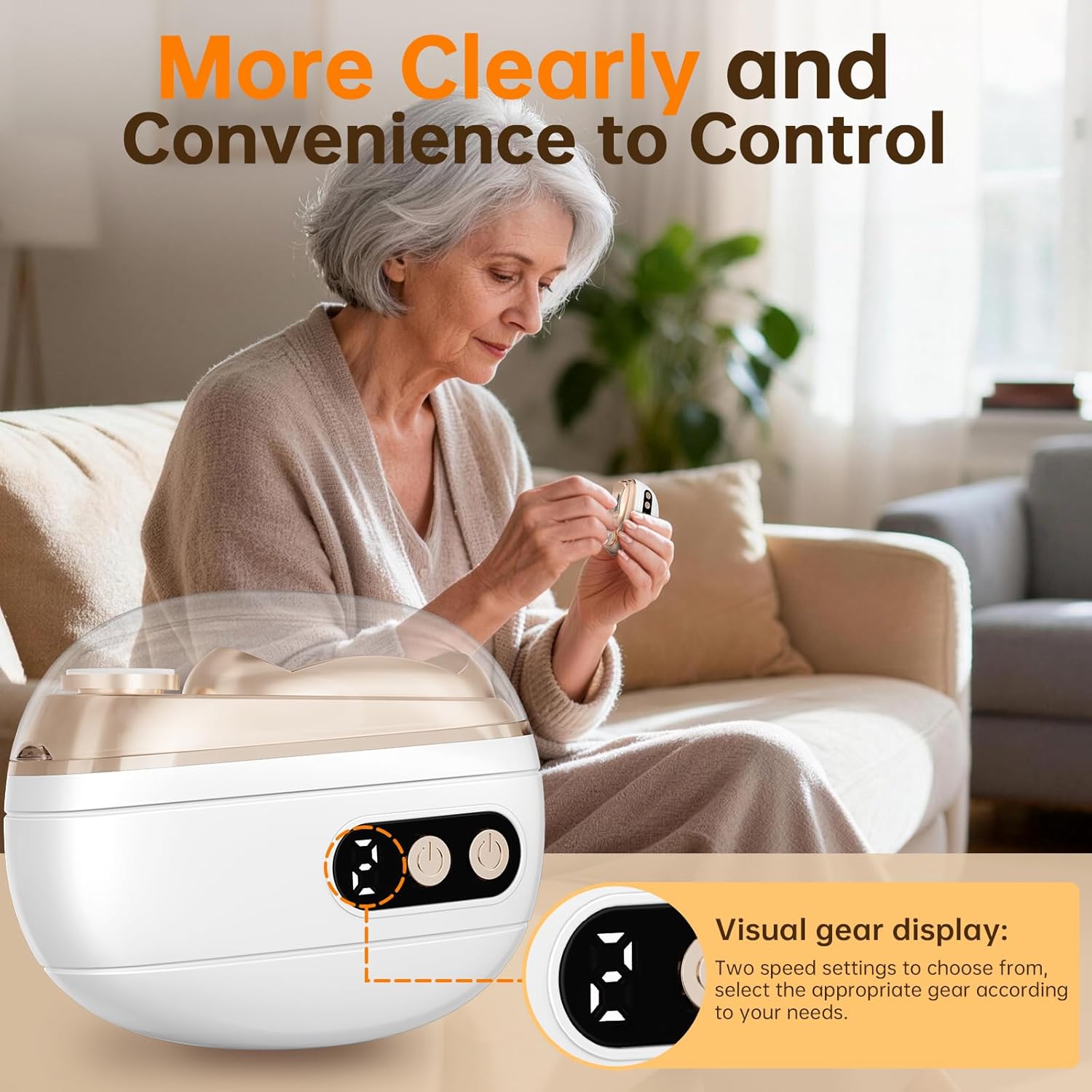
Image: Speed Control. This image shows an elderly person using the LUBEJR Electric Nail Clipper, highlighting the visual gear display on the device. It indicates that there are two speed settings to choose from, allowing users to select the appropriate gear for their needs.
5.2 Trimming Nails
- Select the appropriate speed setting.
- Gently place your fingernail or toenail into the trimming slot. The built-in LED light will illuminate the nail for better visibility.
- Move the device slowly along the nail edge to trim it to the desired length and shape. Avoid applying excessive pressure.
- The device is designed with hidden blades to prevent direct skin contact, ensuring safety.
5.3 Polishing Nails
- After trimming, you can use the polishing head to smooth the nail edges and surface.
- Gently press the nail against the polishing surface and move it in small circular motions.
- Continue until the nails are smooth and shiny.
5.4 Using the LED Light
The integrated LED light automatically activates when the device is turned on, providing clear visibility of the nail area. This is particularly useful in dim lighting or when trimming nails for sleeping babies.

Image: LED Light in Use. This image shows the LUBEJR Electric Nail Clipper being used to trim a sleeping baby's nails, demonstrating the effectiveness of its built-in LED light in low-light conditions. It also highlights the device's low noise level, ensuring it won't disturb the baby.
5.5 Official Product Video
Video: Electric Nail Clipper Demonstration. This official seller video provides a comprehensive demonstration of the LUBEJR Electric Nail Clipper, showcasing its features, ease of use, and effectiveness in trimming and polishing nails for various users.
6. Maintenance
6.1 Cleaning the Device
- After each use, ensure the device is turned off.
- Locate the nail debris storage compartment. Gently slide or open it to empty the collected nail clippings.
- Use a small brush (not included) or a dry cloth to clean any remaining debris from the trimming and polishing heads.
- Wipe the exterior of the device with a soft, dry cloth. Do not use water or harsh cleaning agents.
- Ensure the device is completely dry before storing.

Image: Debris Storage. This image illustrates the nail debris storage compartment of the LUBEJR Electric Nail Clipper, showing how it collects nail chips to keep the area clean and hygienic. The compartment is designed for easy disposal of clippings.
6.2 Storage
Store the device in a cool, dry place, away from direct sunlight and moisture. Keep it in its original packaging or a protective pouch to prevent damage.
6.3 Battery Care
- To prolong battery life, avoid fully discharging the battery frequently.
- If the device will not be used for an extended period, charge it partially (around 50%) before storing.
- Recharge the device every few months even if not in use to maintain battery health.
7. Troubleshooting
| Problem | Possible Cause | Solution |
|---|---|---|
| Device does not turn on. | Battery is low or depleted. | Charge the device fully. |
| Device stops during use. | Battery is low; excessive pressure applied (safety feature). | Recharge the device. Reduce pressure during use. |
| Nails are not trimmed effectively. | Incorrect speed setting; improper nail placement. | Select a higher speed. Ensure nail is properly inserted into the trimming slot. |
| Device makes unusual noise. | Debris stuck in the trimming head; internal malfunction. | Clean the trimming head. If noise persists, contact customer support. |
8. Specifications
- Model: JN-501
- Brand: LUBEJR
- Battery Type: Rechargeable (1 AAAA battery included)
- Battery Capacity: 400mAh (implied from image, not explicit in specs)
- Charging Port: Type-C
- Charging Time: 1-2 hours
- Usage Time: Up to 3 months on a single charge (daily use)
- Material: Alloy Steel (Blade Material)
- Dimensions: 4.76 x 3.98 x 1.65 inches
- Weight: 6.38 ounces
- Target Audience: Adults, Baby Kids, Elderly, women men
9. Warranty and Support
LUBEJR products are manufactured with high-quality standards. For warranty information, technical support, or any inquiries regarding your Electric Nail Clipper JN-501, please refer to the warranty card included with your purchase or visit the official LUBEJR website. Please have your model number (JN-501) and purchase details ready when contacting support.
Official Brand Store: LUBEJR Store on Amazon
Ask a question about this manual
Ask about setup, troubleshooting, compatibility, parts, safety, or missing instructions. Manuals+ will review the question and use this page’s manual context to help answer it.