
1. Important Safety Information
Please read all instructions carefully before operating this appliance. Retain this manual for future reference.
- Ensure the ice maker is placed on a stable, level surface away from direct sunlight and heat sources.
- Do not immerse the appliance, power cord, or plug in water or other liquids.
- Unplug the ice maker from the power outlet before cleaning or when not in use.
- Do not operate any appliance with a damaged cord or plug, or after the appliance malfunctions or has been damaged in any manner.
- Use only potable water in the ice maker.
- Keep children away from the ice maker during operation.
- This appliance is for household use only.
2. Product Overview
The COSTWAY Countertop Ice Cube Maker is designed for convenient and efficient ice production. It features dual water filling methods, adjustable ice thickness, and a self-cleaning function.
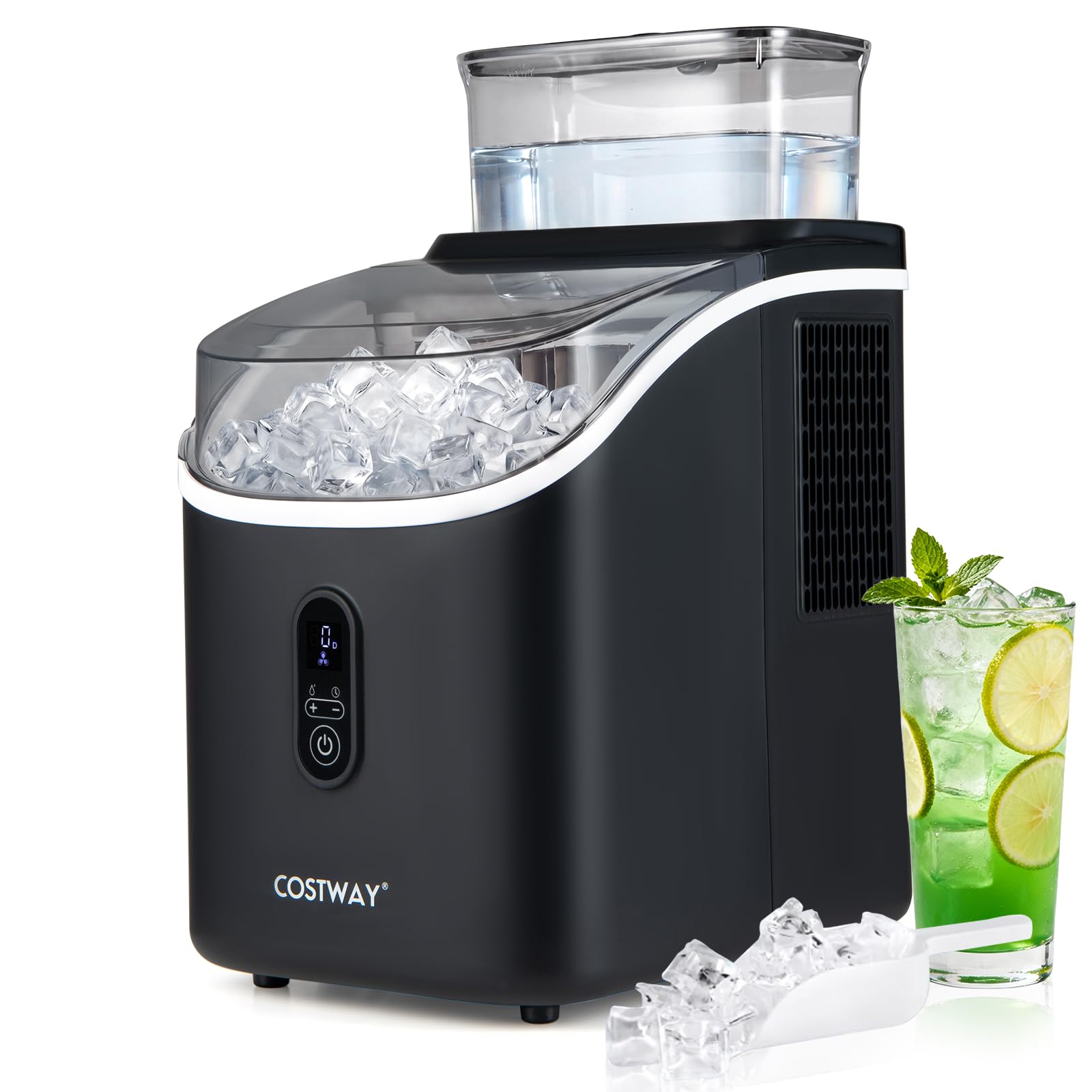
Image: The COSTWAY Countertop Ice Cube Maker in a kitchen environment, demonstrating its use for chilling beverages.
Key Features:
- Rapid Ice Production: Produces 16 clear square ice cubes in approximately 13 minutes, with a daily capacity of up to 34 lbs.
- Customizable Ice Thickness: Offers 13 adjustable thickness levels for ice cubes, from thin for fast chilling to thick for slow melting.
- Dual Water Fill Options: Supports refilling via a 1.5L external tank or manual pouring into the internal tank.
- Smart Reservation System: A 24-hour timer function allows scheduling ice production.
- Effortless Self-Cleaning: Built-in 20-minute deep clean function ensures hygiene.
- Quiet Operation: Operates at a noise level of ≤42dB.
What's in the Box:

Image: Components included with the ice maker, illustrating the ice cube maker unit, ice basket, and ice scoop, along with product dimensions.
- 1 x Countertop Ice Maker
- 1 x Ice Basket
- 1 x Ice Scoop
- 1 x Instruction Manual (this document)
3. Setup
- Unpacking: Carefully remove all packaging materials. Inspect the ice maker for any damage.
- Placement: Place the ice maker on a flat, stable, and heat-resistant surface. Ensure there is adequate ventilation around the unit (at least 5 inches of space on all sides).
- Initial Cleaning: Before first use, clean the internal components. Refer to the 'Maintenance' section for detailed cleaning instructions.
- Power Connection: Plug the power cord into a grounded electrical outlet.
- Water Filling: The ice maker offers two ways to add water. It is recommended to use the external water tank for convenience.

Image: Illustration of the two water filling methods: using the external 1.5L removable tank or the internal tank.
- External Water Tank: Fill the 1.5L external water tank with potable water and place it securely on top of the ice maker.
- Internal Water Tank: Alternatively, open the lid and manually pour potable water into the internal reservoir up to the MAX fill line.
4. Operation
- Power On: Press the power button (①) to turn on the ice maker. The machine will begin the ice-making cycle.
- Adjust Ice Thickness: The ice maker allows for 13 customized levels of ice thickness.

Image: Visual guide to adjustable ice thickness settings, showing thin, medium, and thick ice options and their corresponding ice-making times.
- Use the '+' and '-' buttons to select your desired ice thickness.
- Thinner ice melts faster and is suitable for quick chilling.
- Thicker ice melts slower, ideal for preserving drinks like whiskey.
- 24-Hour Reservation Function: This feature allows you to schedule ice production.

Image: Explanation of the 24-hour reservation function, detailing how to set the timer for automatic ice production.
- Press and hold the '-' button for more than 5 seconds to enter the timer settings.
- Adjust the desired start time using the '+' and '-' buttons.
- The machine will automatically start at the set time.
- Indicators: The control panel features indicators for operational status.

Image: Close-up of the ice maker's control panel, highlighting the 'Add Water Reminder' and 'Ice Full Indicator' lights.
- Add Water Reminder: An indicator light will illuminate when the water level is low, prompting you to refill.
- Ice Full Indicator: An indicator light will illuminate when the ice basket is full, and the machine will pause ice production.

Image: The ice maker producing ice, highlighting its efficiency with details on production rate and basket capacity.
5. Maintenance
Self-Cleaning Function:
The ice maker includes an automatic self-cleaning mode to maintain hygiene.

Image: Instructions for activating the self-cleaning function and the location of the bottom drain hole.
- Ensure the ice maker is empty of ice and water.
- Fill the water tank with potable water.
- Long press the '+' button for 5 seconds to activate the self-cleaning mode.
- The machine will perform a 20-minute deep cleaning cycle.
- After the cycle, drain the water through the bottom drain hole.
Draining Water:
To drain water from the unit, locate the drain plug at the bottom of the ice maker. Place a container beneath it, remove the plug, and allow all water to drain. Replace the plug securely after draining.
Regular Cleaning:
- Wipe the exterior with a soft, damp cloth.
- Clean the ice basket and scoop with mild detergent and rinse thoroughly.
- For internal cleaning beyond the self-cleaning function, use a solution of water and vinegar, run a cycle, then drain and rinse with clean water.
6. Troubleshooting
If you encounter issues with your ice maker, refer to the following common problems and solutions:
- No Ice Production: Check if the power cord is securely plugged in. Ensure there is sufficient water in the tank. Verify that the ice basket is not full.
- Ice Cubes are Small or Cloudy: This may indicate low water temperature or a need for cleaning. Ensure the water is cold when added. Perform a self-cleaning cycle.
- "Add Water" Indicator On: Refill the water tank.
- "Ice Full" Indicator On: Remove ice from the basket.
- Unusual Noise: Ensure the unit is on a level surface. Check for any obstructions in the ice-making mechanism.
For issues not covered here, please contact customer support.
7. Specifications
| Specification | Detail |
|---|---|
| Model Number | 10747US-BK-CYSE |
| Overall Dimensions (W x D x H) | 8.5" x 12" x 16" (22 x 30 x 41 cm) |
| Net Weight | 15.5 lbs (7 kg) |
| Voltage | 115V |
| Frequency | 60Hz |
| Current | 2.2A |
| Daily Ice Production | 34 lbs (15 kg) |
| Ice Storage Capacity | 1.7 lbs (0.8 kg) |
| External Water Tank Capacity | 0.4 Gal (1.5L) |
| Operating Cycle | 6-13 Mins (for 16 cubes) |
| Ice Type | Cube |
| Sound Level | ≤42dB |
| Operating Temperature | 50℉-109℉ (10℃-43℃) |
8. Warranty and Support
This product comes with a standard manufacturer's warranty. For detailed warranty information, please refer to the warranty card included with your purchase or visit the official COSTWAY website.
If you require technical assistance, have questions about operation, or need to report a defect, please contact COSTWAY customer support. Have your model number (10747US-BK-CYSE) and purchase date ready when contacting support.
Contact Information: Please refer to the contact details provided on the COSTWAY official website or your purchase documentation.


