
1. Introduction
This manual provides essential information for the safe and effective use of the QJWYO TC4S-14R Temperature Controller. Please read this manual thoroughly before installation and operation, and retain it for future reference. The TC4S-14R is designed for precise temperature regulation in various industrial and scientific applications.
2. Safety Information
Warning: Failure to follow these safety instructions may result in electric shock, fire, or personal injury.
- Always disconnect power before installing, wiring, or performing maintenance on the device.
- Installation and wiring should only be performed by qualified personnel.
- Ensure the power supply voltage matches the specifications of the controller.
- Do not operate the device in environments with excessive moisture, dust, corrosive gases, or high vibration.
- Do not disassemble or modify the controller. Refer all servicing to authorized personnel.
- Verify all connections are secure and correct before applying power.
3. Product Overview
The QJWYO TC4S-14R is a robust thermostat controller designed for accurate temperature management. It features a clear display and intuitive controls for setting and monitoring temperature parameters.
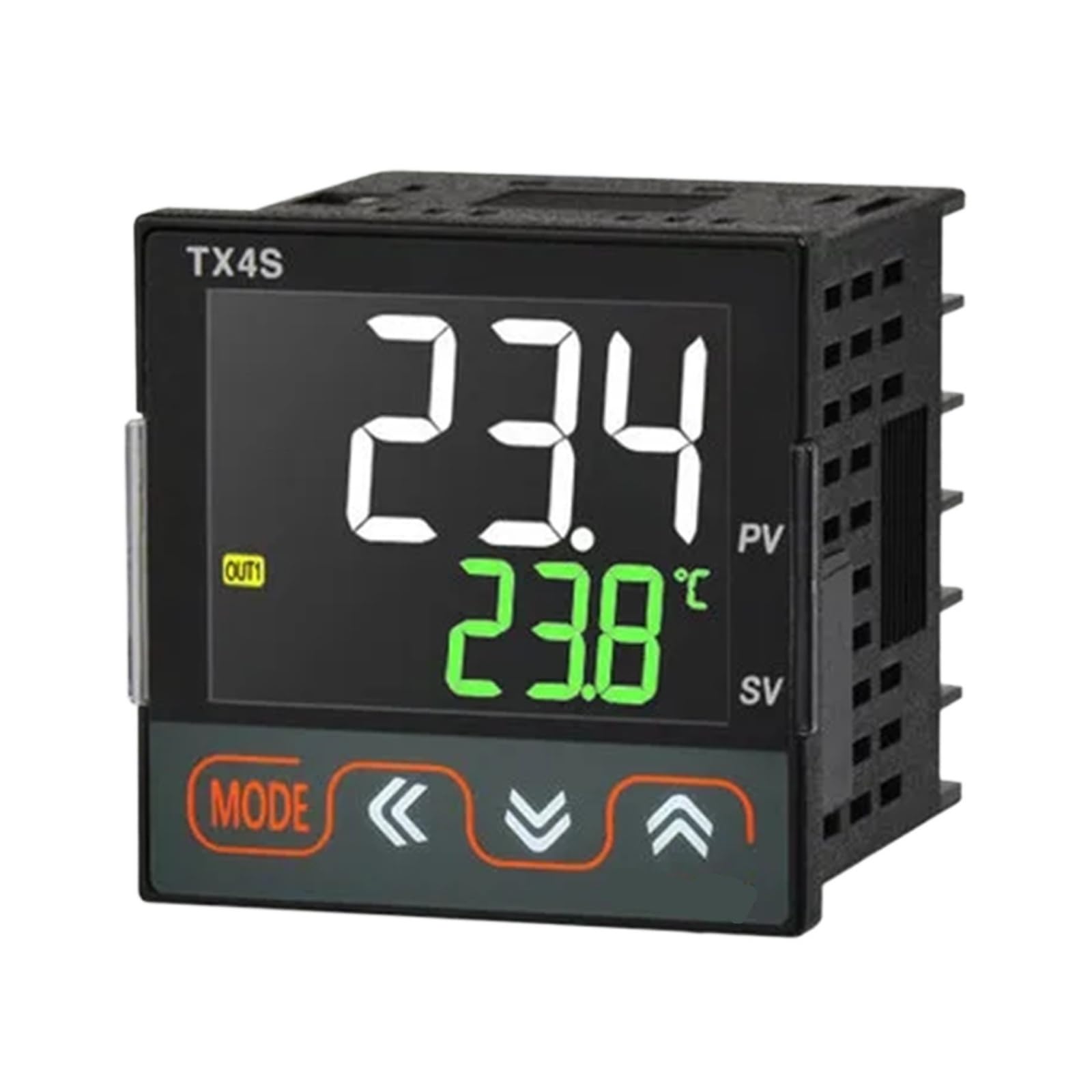
Image showing the front panel of the QJWYO TC4S-14R Temperature Controller, featuring the display and control buttons.
Key Features:
- Precise temperature control
- Digital display for easy monitoring
- Durable Acrylonitrile Butadiene Styrene material
- DIN Rail Mount for easy installation
- UL Specification Met
4. Setup
4.1 Mounting
The TC4S-14R is designed for DIN Rail mounting. Securely attach the controller to a standard DIN rail in a suitable enclosure, ensuring adequate ventilation and clearance for wiring.
4.2 Wiring
Connect the power supply, temperature sensor, and output load according to the wiring diagram provided with the product packaging. Pay close attention to polarity and voltage requirements. Use appropriate gauge wiring for all connections.
Note: Incorrect wiring can damage the device and pose safety risks. If unsure, consult a qualified electrician.
5. Operating Instructions
5.1 Power On/Off
Once properly wired, apply power to the controller. The display should illuminate, indicating the current temperature or a default setting.
5.2 Setting Temperature
Refer to the specific button functions on your device for setting the desired temperature. Typically, there are 'SET' or 'MODE' buttons to enter programming mode, and 'UP'/'DOWN' arrows to adjust values. Confirm your settings to save them.
5.3 Monitoring
The main display will show the current measured temperature. The controller will automatically activate or deactivate the output based on your set temperature and control parameters (e.g., heating or cooling mode).
6. Maintenance
The QJWYO TC4S-14R requires minimal maintenance. Follow these guidelines to ensure optimal performance and longevity:
- Cleaning: Periodically clean the exterior of the controller with a soft, dry cloth. Do not use abrasive cleaners or solvents.
- Inspection: Regularly inspect wiring connections for looseness or damage. Ensure the ventilation openings are clear of obstructions.
- Environment: Maintain the operating environment within the specified temperature and humidity ranges.
7. Troubleshooting
If you encounter issues with your TC4S-14R, refer to the following common problems and solutions:
| Problem | Possible Cause | Solution |
|---|---|---|
| Device not powering on | No power supply; Incorrect wiring; Blown fuse | Check power source; Verify wiring connections; Replace fuse if applicable |
| Incorrect temperature reading | Faulty sensor; Sensor not connected properly; Sensor placed incorrectly | Check sensor connection; Replace sensor if damaged; Relocate sensor to an appropriate measuring point |
| Output not activating/deactivating | Incorrect setpoint; Wiring error; Faulty output relay | Verify setpoint and control parameters; Check output wiring; Contact support if relay is suspected faulty |
If the problem persists after attempting these solutions, please contact customer support.
8. Specifications
| Specification | Detail |
|---|---|
| Model | TC4S-14R |
| Brand | QJWYO |
| Material | Acrylonitrile Butadiene Styrene |
| Mounting Type | DIN Rail Mount |
| Specification Met | UL |
| ASIN | B0H1M85P52 |
| Manufacturer | QJWYO |
| Number of Items | 1 |
9. Warranty and Support
For warranty information, please refer to the documentation included with your purchase or contact the seller, peichao shop, or the manufacturer, QJWYO, directly. For technical support or service inquiries, please reach out to the point of purchase or the manufacturer's official support channels.