
1. Safety Information
Before operating your AZHAR GT12 Electric Scooter, please read and understand all safety instructions. Failure to follow these instructions may result in serious injury or damage to the scooter.
- Always wear a helmet and appropriate protective gear (knee pads, elbow pads, gloves) when riding.
- Familiarize yourself with local laws and regulations regarding electric scooter use.
- Perform a pre-ride inspection: check tire pressure, brake function, and battery level.
- Do not ride in wet conditions, heavy rain, or on slippery surfaces.
- Maintain a safe speed and keep a safe distance from pedestrians and other vehicles.
- The maximum weight limit for this scooter is 300 pounds (136 kg). Do not exceed this limit.
- Avoid riding under the influence of alcohol or drugs.
- Be aware of your surroundings and potential hazards.
2. Product Overview
The AZHAR GT12 Electric Scooter with Seat is designed for comfortable and efficient commuting. It features a powerful motor, long-range battery, and a robust suspension system.
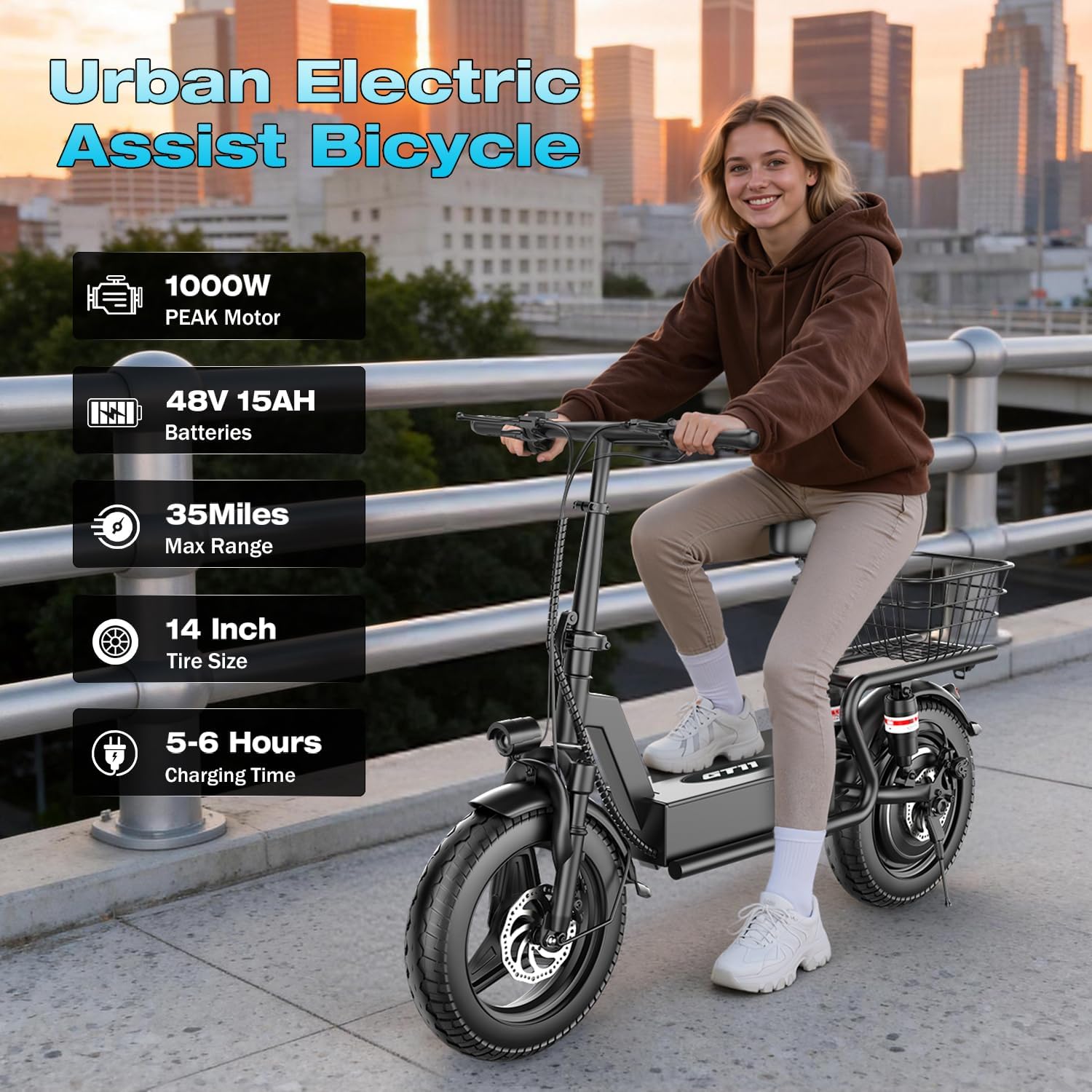
Image: The AZHAR GT12 Electric Scooter with Seat, highlighting its 1000W peak motor, 48V 15AH battery, 35-mile maximum range, 14-inch tire size, and 5-6 hour charging time.
Key Features:
- Motor: 1000W Peak Power (500W Continuous) for speeds up to 25 MPH.
- Battery: 48V 15AH for a range of up to 35 miles per charge.
- Suspension: Dual suspension system for a smooth ride.
- Tires: 14" x 2.125" pneumatic, all-terrain tires for stability.
- Braking System: Dual braking system for reliable stopping power.
- Lighting: High-brightness headlight, taillight, and brake lights for visibility.
- Display: Intelligent LCD display showing speed, battery level, and riding modes (E, D, S).
- Portability: Foldable handlebars for easy storage and transport.
- Deck: Wide 17.7" × 8.6" deck for rider comfort.

Image: Close-up of the intelligent LCD display on the handlebar, indicating key-start, 3-speed modes (E, D, S), and trip/odometer functions.
3. Setup and Assembly
Your AZHAR GT12 Electric Scooter arrives 95% pre-assembled. Follow these steps for final assembly and initial setup.
Unboxing and Inspection:
- Carefully remove all components from the packaging.
- Verify that all included components are present: Electric Scooter x1, Charger x1, User Manual x1, Tool Kit x1.
- Inspect the scooter for any signs of damage during shipping. Contact customer support immediately if any damage is found.
Assembly Steps:
The primary assembly involves attaching the front fender and headlight, and ensuring all connections are secure. Refer to the video below for a visual guide.
Video: This video demonstrates the assembly process for the electric scooter, including attaching the front fender and headlight.
Initial Charging:
Before your first ride, fully charge the scooter's battery. Connect the charger to the scooter's charging port and then to a power outlet. The indicator light on the charger will change when charging is complete (typically 5-6 hours).
4. Operating Instructions
Follow these instructions to operate your AZHAR GT12 Electric Scooter safely and effectively.
Powering On/Off:
- To power on, insert the key into the ignition and turn it to the 'ON' position. The LCD display will illuminate.
- To power off, turn the key to the 'OFF' position and remove it.
- Ensure the battery power-off switch (located near the battery compartment) is in the 'ON' position for operation and 'OFF' for extended storage to save energy.
Video: This video demonstrates how to use the battery switch on the electric scooter.
Understanding the LCD Display:
The intelligent LCD display provides real-time information:
- Speedometer: Shows current riding speed.
- Battery Level: Indicates remaining battery charge.
- Riding Modes: Select between E (Eco - 15 MPH), D (Drive - 20 MPH), and S (Sport - 25 MPH) modes using the mode button.
- Trip/ODO: Displays current trip distance or total odometer reading.
Riding and Braking:
- To start, gently push off with your foot and then press the throttle.
- Use the handlebar levers for braking. The scooter features a dual braking system for effective stopping.
- Adjust the handlebar height to your preference for optimal comfort.
Folding and Storage:
The handlebars can be folded for compact storage and transport.

Image: The electric scooter folded and stored in a car trunk, illustrating its compact design for easy travel and storage indoors or outdoors.
5. Maintenance
Regular maintenance ensures the longevity and safe operation of your AZHAR GT12 Electric Scooter.
Battery Care:
- Charge the battery fully after each use.
- Do not allow the battery to completely drain.
- If storing the scooter for an extended period, charge the battery to 50-70% and recharge every 2-3 months.
- Store the battery in a cool, dry place away from direct sunlight.
Tires and Brakes:
- Check tire pressure regularly and inflate to the recommended PSI (refer to tire sidewall).
- Inspect tires for wear, punctures, or damage before each ride.
- Test brakes before each ride to ensure proper function. Adjust if necessary.
- Check brake pads for wear and replace when needed.
Cleaning and General Inspection:
- Clean the scooter with a damp cloth. Do not use high-pressure water or immerse the scooter in water.
- Regularly check all bolts and fasteners for tightness.
- Ensure all cables and wires are securely connected and free from damage.
6. Troubleshooting
This section addresses common issues you might encounter with your AZHAR GT12 Electric Scooter.
| Problem | Possible Cause | Solution |
|---|---|---|
| Scooter does not turn on | Battery is low or depleted Battery power-off switch is OFF Key not fully inserted/turned | Charge the battery fully Ensure battery switch is ON Insert key fully and turn to 'ON' |
| Reduced range or power | Low battery charge Riding in 'E' mode Heavy load or uphill riding Low tire pressure | Charge battery fully Switch to 'D' or 'S' mode This is normal behavior Inflate tires to correct pressure |
| Brakes feel loose or ineffective | Brake cable needs adjustment Worn brake pads | Adjust brake cable tension Inspect and replace brake pads if worn |
| Unusual noises during operation | Loose components Debris in wheels/brakes | Check all bolts and fasteners Inspect wheels and brakes for foreign objects |
If you encounter issues not listed here or if solutions do not resolve the problem, please contact customer support.
7. Specifications
Detailed technical specifications for the AZHAR GT12 Electric Scooter.

Image: The electric scooter with key dimensions and specifications such as recommended height (4'9"-6'), maximum load (365 lbs), and bicycle weight (58.1 lbs).
| Feature | Specification |
|---|---|
| Model Name | GT12 |
| Motor Power | 1000W Peak (500W Continuous) |
| Battery | 48V 15AH |
| Max Speed | Up to 25 MPH (40 km/h) |
| Max Range | Up to 35 Miles (56 km) |
| Tire Size | 14" x 2.125" Pneumatic |
| Suspension Type | Dual Suspension |
| Brake Style | Electronic Braking, Front Braking, Rear Braking |
| Weight Limit | 300 Pounds (136 kg) |
| Scooter Weight | 58.1 Pounds (26.3 kg) |
| Charging Time | 5-6 Hours |
| Frame Material | Alloy Steel |
| Recommended Age Range | Adult |
8. Warranty and Support
Your AZHAR GT12 Electric Scooter is backed by a manufacturer's warranty and dedicated customer support.
Warranty Information:
- The scooter comes with a 1-year limited warranty from the date of purchase.
- This warranty covers manufacturing defects. It does not cover damage due to misuse, accidents, or normal wear and tear.
- For detailed warranty terms and conditions, please refer to the warranty card included with your product.
Customer Support:
For any questions, technical assistance, or warranty claims, please contact our professional support team. We aim to reply within 24 hours (Monday-Friday).
Contact information can be found on the AZHAR brand website or your purchase documentation.