
1. Introduction
The ECOSELF HAP609 Air Purifier is designed to improve indoor air quality by effectively removing airborne particles. Featuring a 360° air intake system, it efficiently purifies large rooms up to 1800 sq ft. This manual provides essential information for the safe and effective use of your air purifier.

Image: The ECOSELF HAP609 Air Purifier operating in a living room, demonstrating its 360-degree air intake and distribution for comprehensive air purification.
2. Safety Information
- Read all instructions before operating the appliance.
- Do not operate the air purifier with a damaged cord or plug.
- Keep the air purifier away from water or wet areas.
- Ensure proper ventilation around the unit; do not block air inlets or outlets.
- Unplug the appliance before cleaning or performing any maintenance.
- This appliance is for indoor use only.
- Do not insert objects into any openings.
- Keep out of reach of children and pets.
3. Product Overview
The ECOSELF HAP609 features advanced technology for efficient air purification. Key components and features include:
- 360° Air Intake: Ensures rapid air circulation and purification throughout the room.
- Smart Auto Mode: Automatically adjusts fan speed based on real-time PM2.5 levels detected by the built-in sensor.
- Real-Time Air Quality Display: Shows current PM2.5 readings and uses a color ring (green, blue, amber, red) to indicate air quality.
- 3-Stage Filtration System: Comprises a Pre-Filter, HEPA Filter, and Activated Carbon Filter to capture dust, pollen, smoke, pet dander, odors, and VOCs.
- Ultra-Quiet Sleep Mode: Operates at a low noise level of 20 dB with all lights off for undisturbed sleep.
- 1-24 Hour Timer: Allows scheduling of operation for convenience.
- Child/Pet Lock: Prevents accidental changes to settings.
- Filter Replacement Reminder: Indicates when the filter needs to be replaced.

Image: A detailed diagram illustrating the ECOSELF HAP609's 3-stage filtration system, showing the Pre-Filter, HEPA Filter, and Activated Carbon Filter layers.

Image: The ECOSELF HAP609 Air Purifier's display showing real-time PM2.5 levels and corresponding air quality indicators (Excellent, Good, Fair, Poor) via AQI-SMART Airflow Tech.
4. Setup
Follow these steps to set up your ECOSELF HAP609 Air Purifier:
- Unpack: Carefully remove the air purifier from its packaging.
- Open Base Cover: Twist to unlock the base cover of the air purifier.
- Remove Adapter & Wrapper: Take out the power adapter and remove the plastic wrapper from the filter.
- Reinstall the Filter: Place the unwrapped filter back into the unit and close the base cover by twisting to lock.
- Placement: Place the air purifier on a flat, stable surface, ensuring at least 6 inches of clearance from walls or furniture for optimal airflow.
- Plug In: Connect the power adapter to the air purifier and then plug it into a suitable electrical outlet.
Video: An official ECOSELF guide demonstrating the easy setup process for the HAP609 Air Purifier, including filter unwrapping and installation.
5. Operating Instructions
Power On/Off
Press the power button on the top panel to turn the air purifier on or off. The unit will display the current PM2.5 level upon activation.
Auto Mode
Press the AUTO button to activate Auto Mode. The built-in PM2.5 sensor will detect air quality and automatically adjust the fan speed (Low, Medium, High) to optimize purification. The color ring indicator will change according to air quality: Green (Excellent), Blue (Good), Amber (Fair), Red (Poor).
Fan Speed Adjustment
Press the SPEED button to manually cycle through fan speeds: Low, Medium, High. This overrides Auto Mode.
Sleep Mode
Press the SLEEP button to enter Sleep Mode. The fan speed will reduce to its lowest setting (20 dB), and all indicator lights will turn off for a quiet, dark environment.
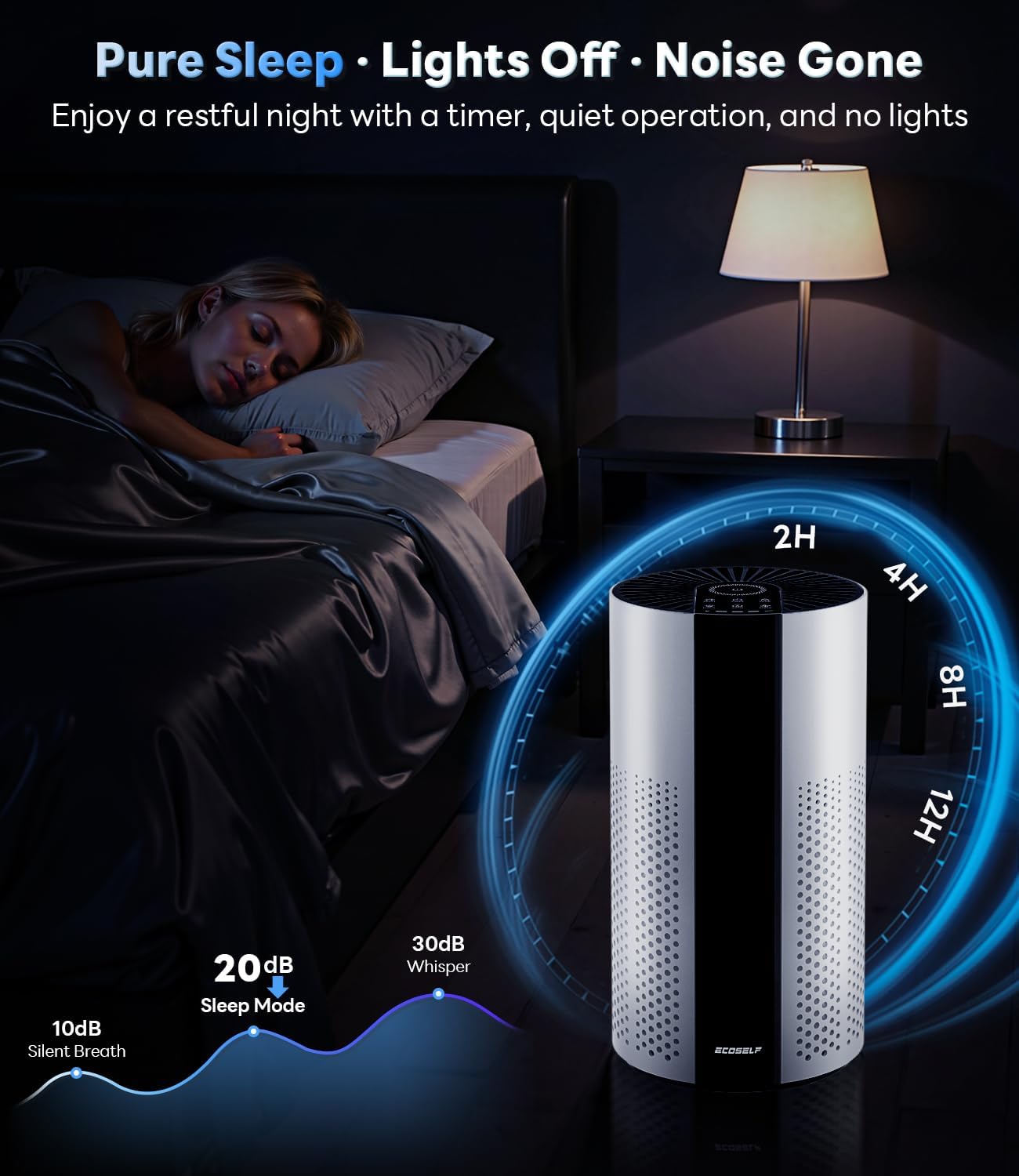
Image: The ECOSELF HAP609 Air Purifier operating in a bedroom at night, highlighting its quiet 20dB Sleep Mode and timer function for undisturbed rest.
Timer Function
Press the TIMER button to set the operating duration from 1 to 24 hours. The unit will automatically turn off after the set time.
Child/Pet Lock
Press and hold the LOCK button for 3 seconds to activate or deactivate the Child/Pet Lock. This prevents unintended changes to settings.
Light Control
Press the LIGHT button to turn the display lights on or off, independent of Sleep Mode.
Video: An official ECOSELF overview of the HAP609 Air Purifier, demonstrating its various operating modes and features.
6. Maintenance
Filter Replacement
The air purifier is equipped with a filter replacement reminder. A red light will illuminate on the control panel when it's time to replace the filter. For optimal performance, replace the filter every 6-8 months, or as indicated by the unit.
- Unplug: Disconnect the air purifier from the power outlet.
- Open Base Cover: Twist to unlock and remove the base cover.
- Remove Old Filter: Carefully pull out the used filter.
- Insert New Filter: Place a new ECOSELF HAP609 replacement filter into the unit. Ensure it is correctly oriented.
- Close Base Cover: Replace the base cover and twist to lock it securely.
- Reset Indicator: Plug in the air purifier. Press and hold the RESET button for 3 seconds until the red filter indicator light turns off.
Video: An official ECOSELF video demonstrating the steps for replacing the filter in the HAP609 Air Purifier.
Cleaning the Exterior
Wipe the exterior of the air purifier with a soft, dry cloth. Do not use abrasive cleaners or solvents.
7. Troubleshooting
| Problem | Possible Cause | Solution |
|---|---|---|
| Unit does not turn on | Not plugged in; Power outage; Filter not installed correctly. | Ensure power cord is securely plugged in; Check power supply; Verify filter is unwrapped and correctly installed. |
| Weak airflow | Filter is dirty; Air inlets/outlets blocked. | Replace the filter; Ensure no obstructions around the unit. |
| Unusual noise | Foreign object inside; Unit not on a flat surface. | Unplug and check for foreign objects; Place on a stable, flat surface. |
| Filter replacement indicator remains on after changing filter | Filter reset not performed. | Press and hold the RESET button for 3 seconds to reset the indicator. |
| Air quality reading seems inaccurate | Sensor dirty; Unit placed near strong odors or vents. | Clean the sensor area (refer to manufacturer guidelines if available); Relocate the unit away from direct sources of pollution. |
8. Specifications
- Model Number: HAP609
- Product Dimensions: 7.2 x 7.2 x 13.9 inches
- Item Weight: 3.79 Pounds
- Power Source: Corded Electric
- Control Method: Touch
- Filter Type: 3-Stage Filter (Pre-Filter, HEPA, Activated Carbon)
- Floor Area Coverage: Up to 1800 Square Feet (based on 1 air change per hour)
- Noise Level: 20 Decibels (in Sleep Mode)
- Particle Retention Size: 0.3 microns
- Wattage: 20 watts
- Contaminant Filtration Capability: Cigarette smoke, dust, odors, pet dander, pet hair, pollen
- Special Features: 20dB Sleep Mode, 360° Air Intake, 360° Air Outlet, Smart Auto Mode, Real-Time PM2.5 Display, 1-24 Hour Timer, Child/Pet Lock, Filter Replacement Reminder
- Certifications: CARB Certified, ETL Listed, EPA Endorsed, CA65 Compliant

Image: The ECOSELF HAP609 Air Purifier with its dimensions (7.2 x 7.2 x 13.9 inches) indicated, shown in different home environments like a living room, bedroom, office, and kitchen.

Image: A display of the certifications for the ECOSELF HAP609 Air Purifier, including ETL Listed, CARB Approved, EPA Endorsed, and CA65 Compliant, indicating adherence to safety and performance standards.
9. Warranty and Support
For warranty information or technical support, please refer to the warranty card included with your product or visit the official ECOSELF website. If you encounter any issues not covered in this manual, please contact ECOSELF customer service for assistance.
Online Support: Visit the ECOSELF Store on Amazon