
1. Product Overview
The Garvee 8000 BTU Portable Air Conditioner is a versatile unit designed to provide cooling, dehumidification, and fan functions for spaces up to 350 sq. ft. This unit features remote control operation, a 24-hour timer, and a quiet sleep mode, making it suitable for various residential applications. Its portable design with caster wheels allows for easy relocation.

Image 1.1: The Garvee 8000 BTU Portable Air Conditioner.
2. Important Safety Information
Please read all instructions carefully before using this appliance. Failure to follow these instructions may result in electric shock, fire, or injury. Keep this manual for future reference.
- Ensure the power supply matches the voltage specified on the unit's rating label.
- Do not operate the unit with a damaged cord or plug.
- Do not block air inlets or outlets. Maintain at least 12 inches (30 cm) clearance from walls and other objects.
- Always place the unit on a flat, stable surface.
- Unplug the unit before cleaning or performing any maintenance.
- Do not use in wet areas such as bathrooms or laundry rooms.
- Keep children and pets away from the unit during operation.
3. Package Contents
Verify that all items listed below are included in your package. If any parts are missing or damaged, contact customer support.
- AC Unit
- Window Boards (x2)
- Hose
- Drainage Pipe
- Hose Coupler To Machine
- Hose Coupler To Window
- Remote Control

Image 3.1: Included components in the package.
4. Setup and Installation
The Garvee portable air conditioner is designed for quick and easy setup. Follow these steps for proper installation.
4.1 Unit Placement
Place the unit on a flat, stable surface near a window and a power outlet. Ensure there is at least 12 inches (30 cm) of space around the unit for proper airflow.
4.2 Window Kit Installation
- Connect the exhaust hose: Attach one end of the exhaust hose to the hose coupler for the machine.
- Attach window kit: Connect the other end of the exhaust hose to the hose coupler for the window.
- Adjust window kit length: Insert the window sealing kit into your window opening. Adjust its length to fit snugly. The kit is compatible with both double-hung and sliding windows.
- Connect hose to window kit: Insert the exhaust hose with its coupler into the opening of the window sealing kit.
- Secure window: Close the window securely against the window kit to prevent air leakage.
- Power on: Plug the unit into a grounded electrical outlet.

Image 4.1: Easy installation steps for the window kit.

Image 4.2: Compatible window types for installation.
5. Operating Instructions
Your Garvee portable air conditioner offers multiple operating modes and convenient controls via its LED panel or remote control.
5.1 Control Panel and Remote Control
The unit can be controlled using the touch-sensitive LED panel on top of the unit or the included remote control. The remote control allows operation from up to 17 feet away.
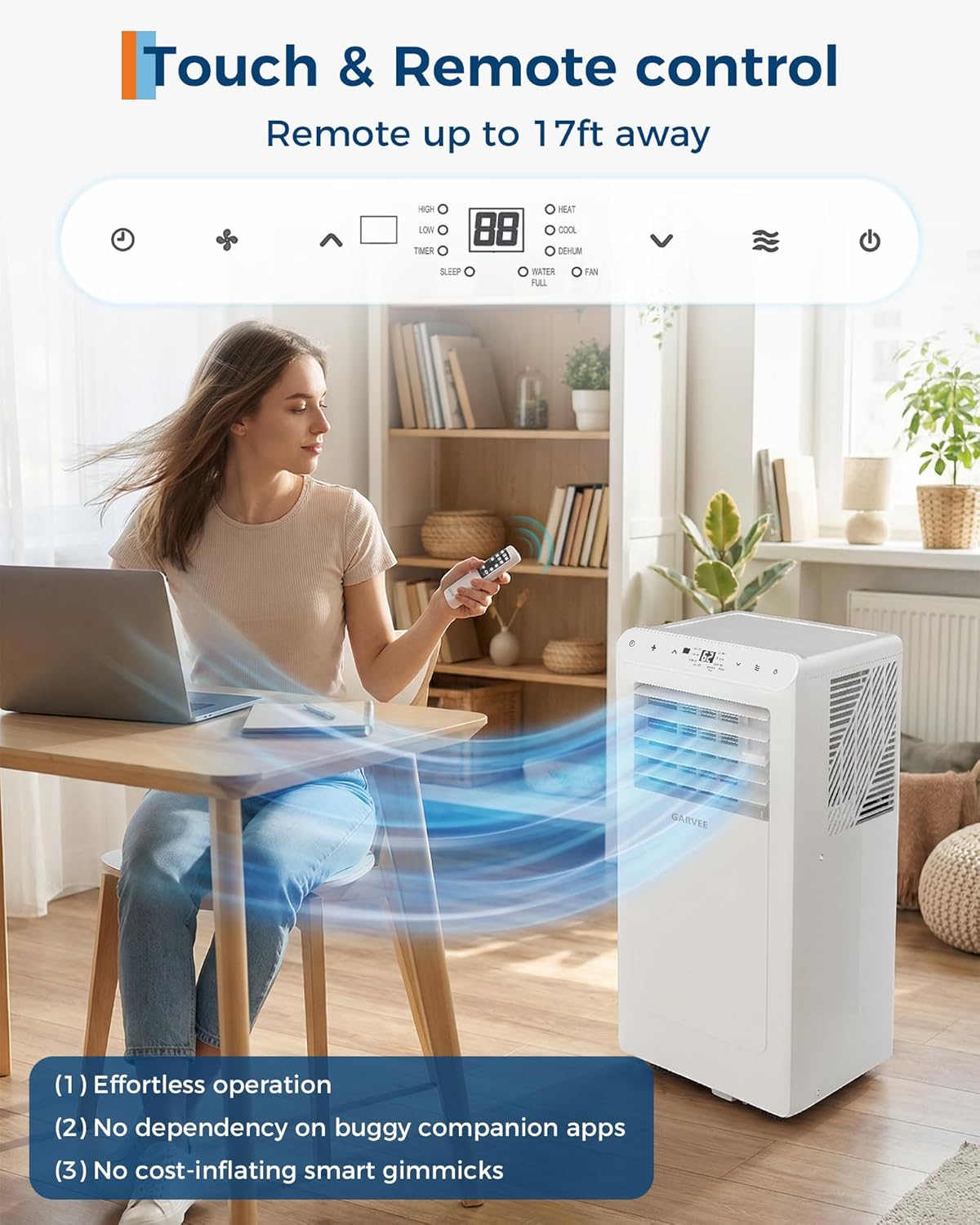
Image 5.1: Operating the unit with the remote control.
5.2 Operating Modes
Select the desired mode using the 'Mode' button on the control panel or remote.
- Cooling Mode: Provides powerful cooling with adjustable temperature settings (62°F–86°F).
- Dehumidifier Mode: Reduces humidity in the room, with a capacity of up to 50 pints/day.
- Fan Mode: Circulates air without cooling, offering two-speed settings (Low/High).
- Sleep Mode: Operates quietly with display lights off for energy-saving and undisturbed sleep.

Image 5.2: Three primary operating modes: Cool, Dry, and Fan.

Image 5.3: Sleep Mode for quiet, energy-efficient operation.
5.3 Timer Function
The 24-hour programmable timer allows you to set the unit to turn on or off automatically after a specified duration (1 to 24 hours).

Image 5.4: Setting the 24-hour timer for automatic operation.
6. Maintenance
Regular maintenance ensures optimal performance and longevity of your portable air conditioner.
6.1 Cleaning the Air Filter
The unit features a removable and washable mesh filter. Clean the filter regularly (every two weeks or more often depending on usage) to maintain air quality and cooling efficiency.
- Unplug the unit from the power outlet.
- Locate and remove the air filter from the back or side of the unit.
- Wash the filter under running water with a mild detergent.
- Allow the filter to air dry completely before reinstalling.

Image 6.1: Removable and washable air filter.
6.2 Drainage
The unit features auto-evaporation technology, which typically eliminates the need for manual drainage in cooling mode under normal humidity conditions. However, in high humidity environments or when operating in dehumidifier mode, manual drainage may be required.
- Continuous Drainage: For continuous operation in dehumidifier mode, connect the included drainage pipe to the continuous drain port and direct it to a suitable drain or container.
- Manual Drainage: If the internal water tank becomes full, the unit will indicate a 'Water Full' alarm and stop operation. Unplug the unit, place a shallow pan under the drain port, remove the drain plug, and allow the water to empty. Reinsert the drain plug firmly.

Image 6.2: Dehumidifier function and drainage considerations.
7. Troubleshooting
Refer to this section for common issues and their solutions. If the problem persists, contact customer support.
| Problem | Possible Cause | Solution |
|---|---|---|
| Unit does not turn on | No power supply; Power cord not plugged in; Circuit breaker tripped. | Check power outlet; Ensure plug is fully inserted; Reset circuit breaker. |
| Unit not cooling effectively | Air filter dirty; Exhaust hose blocked or disconnected; Room size too large; Doors/windows open. | Clean air filter; Check exhaust hose connection; Ensure room is within specified area (350 sq. ft.); Close all doors and windows. |
| Water leakage | Drain plug loose; Unit not level; Continuous drain hose blocked. | Ensure drain plug is secure; Place unit on a level surface; Check continuous drain hose for kinks or blockages. |
| Unusual noise | Unit not on a level surface; Internal components vibrating. | Ensure unit is on a flat, stable surface; Contact support if noise persists. |
| Error codes on display | Specific internal issue. | Refer to the full manual for specific error code meanings or contact customer support. |
8. Specifications
| Feature | Detail |
|---|---|
| Model Name | NPLJ12A-05C/X1E |
| Cooling Power | 8000 BTU |
| Coverage Area | Up to 350 sq. ft. |
| Dehumidifying Capacity | 50 pints/day |
| Temperature Range | 62°F–86°F |
| Noise Level | 48 dB |
| Voltage | 115V |
| Wattage | 770W |
| Refrigerant | R-32 |
| CEER Rating | 6.2 |
| Annual Energy Consumption | 585 kWh |
| Product Dimensions (D x W x H) | 14"D x 28"W x 12"H |
| Item Weight | 49.6 pounds |
| Control Method | Remote Control, LED Panel |
| Filter Type | Mesh Filter |

Image 8.1: Key specifications and noise comparison.
9. Warranty and Customer Support
9.1 Warranty Information
This Garvee portable air conditioner comes with a 30-day manufacturer's warranty. Additionally, a 30-day refund/replacement policy is offered through Amazon. Please retain your proof of purchase for warranty claims.
9.2 Customer Support
For technical assistance, troubleshooting not covered in this manual, or warranty inquiries, please contact Garvee customer support through the retailer's platform or visit the official Garvee website for contact details.
Online Support: Refer to the product page on Amazon for updated support information.
Manufacturer: Nantong Ningpu Electrical Appliance Co.,Ltd