
Introduction
Thank you for purchasing the TRASPED 1:64 Die Cast Metal F1 RC Car. This manual provides essential information for the safe operation, setup, and maintenance of your new remote-controlled vehicle. Please read this manual thoroughly before use to ensure proper function and to maximize your racing experience.
Safety Information
- Age Recommendation: This product is suitable for users aged 6 years and above. Adult supervision is recommended for younger users.
- Battery Safety: Use only the provided rechargeable Li-ion battery and charging cable. Do not attempt to charge non-rechargeable batteries. Do not short-circuit, disassemble, or expose batteries to extreme temperatures or fire.
- Operating Environment: Operate the RC car in open, clear areas, away from obstacles, people, and pets. Avoid operating near water or in wet conditions.
- Avoid Collisions: Do not intentionally crash the car into objects or people. High-speed impacts can cause damage to the car or injury.
- Choking Hazard: This product contains small parts and is not suitable for children under 3 years due to potential choking hazards.
Package Contents
Please check the package to ensure all items are present:
- 1 x F1 RC Car
- 1 x Remote Control
- 1 x Rechargeable Li-ion Battery (pre-installed or separate)
- 1 x Charging Cable
- 1 x Product Manual (this document)
Product Overview
The TRASPED 1:64 F1 RC Car is a detailed die-cast metal model designed for racing enthusiasts. It features a 2.4GHz remote control system, app control compatibility, and three selectable gear modes for varied driving experiences. The car is powered by a rechargeable Li-ion battery, ensuring consistent performance.
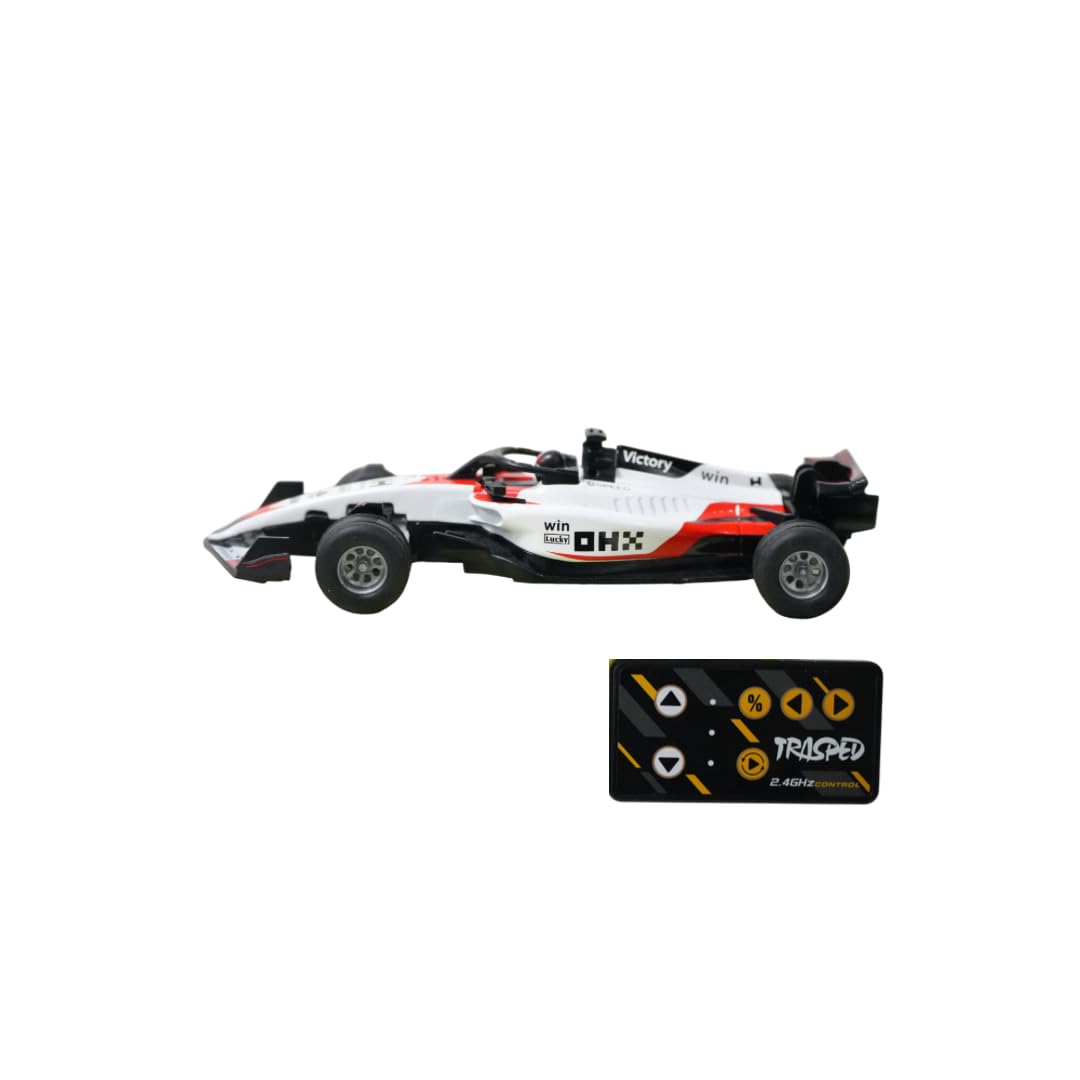
Image showing the TRASPED 1:64 F1 RC Car, its packaging, and diagrams illustrating the 2.4GHz control system, app control, 3 gear modes, lighting, and Li-ion battery. The car itself is white, red, and black, measuring approximately 12cm in length. Also visible are the remote control and app control interfaces.
Setup
1. Battery Installation and Charging
- Car Battery: Locate the battery compartment on the underside of the F1 RC car. If not pre-installed, insert the rechargeable Li-ion battery, ensuring correct polarity. Secure the battery compartment cover.
- Charging: Connect the provided charging cable to the car's charging port and to a suitable USB power source (e.g., computer USB port, USB wall adapter). The charging indicator light will show the charging status (e.g., red for charging, off when fully charged). A full charge typically takes 60-90 minutes.
- Remote Control Batteries: The remote control typically requires 2x AAA batteries (not always included, check packaging). Open the battery compartment on the back of the remote and insert the batteries, observing polarity.
2. Pairing the Remote Control
- Ensure both the RC car and the remote control have fresh or fully charged batteries.
- Turn on the RC car using the power switch.
- Turn on the remote control. The indicator light on the remote will flash.
- The remote control and car should automatically pair within a few seconds. The remote's indicator light will become solid once paired. If pairing fails, turn both devices off and repeat the process.
3. App Control Setup
- Download the official TRASPED RC app from your device's app store (iOS or Android). Refer to the packaging or product manual for the specific app name or QR code.
- Ensure your smartphone's Bluetooth is enabled.
- Turn on the RC car.
- Open the TRASPED RC app and follow the on-screen instructions to connect to your F1 RC car.
Operating Instructions
1. Remote Control Operation
- Forward/Backward: Use the throttle trigger or joystick to move the car forward or backward.
- Steering: Use the steering wheel or directional buttons to turn the car left or right.
- Gear Modes: The remote control features a button to cycle through 3 different speed/gear modes (e.g., beginner, intermediate, advanced). Select the mode appropriate for your skill level and environment.
2. App Control Operation
Once connected via the app, you can control the car using the virtual joysticks and buttons displayed on your smartphone screen. The app may offer additional features such as fine-tuning controls or viewing battery status.
Maintenance
- Cleaning: Use a soft, dry cloth to wipe down the car after use. Avoid using water or chemical cleaners, which can damage electronic components.
- Battery Care: Always fully charge the Li-ion battery before storage if not used for an extended period. Remove batteries from the remote control if it will not be used for a long time.
- Storage: Store the RC car and remote control in a cool, dry place, away from direct sunlight and extreme temperatures.
- Inspection: Regularly check for loose screws, damaged parts, or debris in the wheels.
Troubleshooting
| Problem | Possible Cause | Solution |
|---|---|---|
| Car does not respond to remote. | Low battery in car or remote; Not paired; Out of range. | Charge car battery; Replace remote batteries; Re-pair car and remote; Operate within range. |
| Short operating time. | Battery not fully charged; Old battery. | Ensure battery is fully charged; Consider replacing battery if performance degrades significantly. |
| Car moves slowly or erratically. | Low battery; Obstruction in wheels/gears. | Charge car battery; Check and clear any obstructions. |
| App cannot connect to car. | Bluetooth off; Car not powered on; App permissions. | Ensure Bluetooth is on; Turn on car; Check app permissions and restart app. |
Specifications
- Brand: Trasped
- Model Number: Trasped-f1-164-rc
- Scale: 1:64 Scale
- Material: Die Cast Metal, Plastic, Rubber
- Power Source: Rechargeable Li-ion Battery
- Operation Mode: 2.4GHz Remote Control and App Control
- Gear Modes: 3 Speed Modes
- Item Weight: 150 Grams
- Item Dimensions: 12 x 10 x 3.5 Centimeters (approximate)
- Age Range: 6 Years and Above
- Included Components: F1 RC Car, Remote, Rechargeable Li-ion Battery, Charging Cable, Product Manual
Warranty and Support
For any questions, technical support, or warranty inquiries regarding your TRASPED 1:64 F1 RC Car, please refer to the contact information provided on the product packaging or contact your retailer. Keep your purchase receipt as proof of purchase.