
1. Introduction
Thank you for choosing the Varin Smart Ceiling Fan with LED Lighting. This product combines modern design with silent air circulation and intelligent lighting control to create a comfortable indoor environment. This manual provides essential information for the safe and efficient use of your new ceiling fan.
Key Features:
- Integrated LED lighting (18W, 3000-6000K CCT, 1800 lumens).
- Six fan speeds (approx. 20-35 dB, very quiet operation).
- Summer and Winter modes for year-round comfort.
- Control via Tuya app (iOS/Android), remote control, or wall switch.
- Dimmable light, color temperature selection, fan speed control, and scene settings.
- Timer and wake-up functions.
- Voice control compatibility.
- Large diameter (Ø 132 cm) for effective air distribution.
2. Safety Instructions
Please read these safety instructions carefully before installation and use. Failure to follow these instructions may result in electric shock, fire, or personal injury.
- Electrical Safety: Always disconnect power at the main circuit breaker before installation, maintenance, or cleaning. Ensure all wiring is done by a qualified electrician and complies with local electrical codes.
- Mounting: The ceiling fan must be securely mounted to a structural ceiling joist or a suitable support system capable of holding at least 50 kg (110 lbs).
- Blade Clearance: Ensure there is at least 2.3 meters (7.5 feet) clearance from the floor to the fan blades and at least 30 cm (12 inches) from the wall to the blade tips.
- Moving Parts: Do not insert any objects into the path of the fan blades while the fan is operating.
- Children and Pets: Keep children and pets away from the fan during operation and installation.
- Power Supply: The fan must be permanently connected to power and not switched off via a standard wall switch if app/remote control functionality is desired.
3. Package Contents
Verify that all components are present before beginning installation:
- Ceiling Fan Motor Housing
- Fan Blades (ABS material)
- LED Light Kit
- Remote Control (AAA batteries not included)
- Mounting Bracket and Hardware
- User Manual (this document)
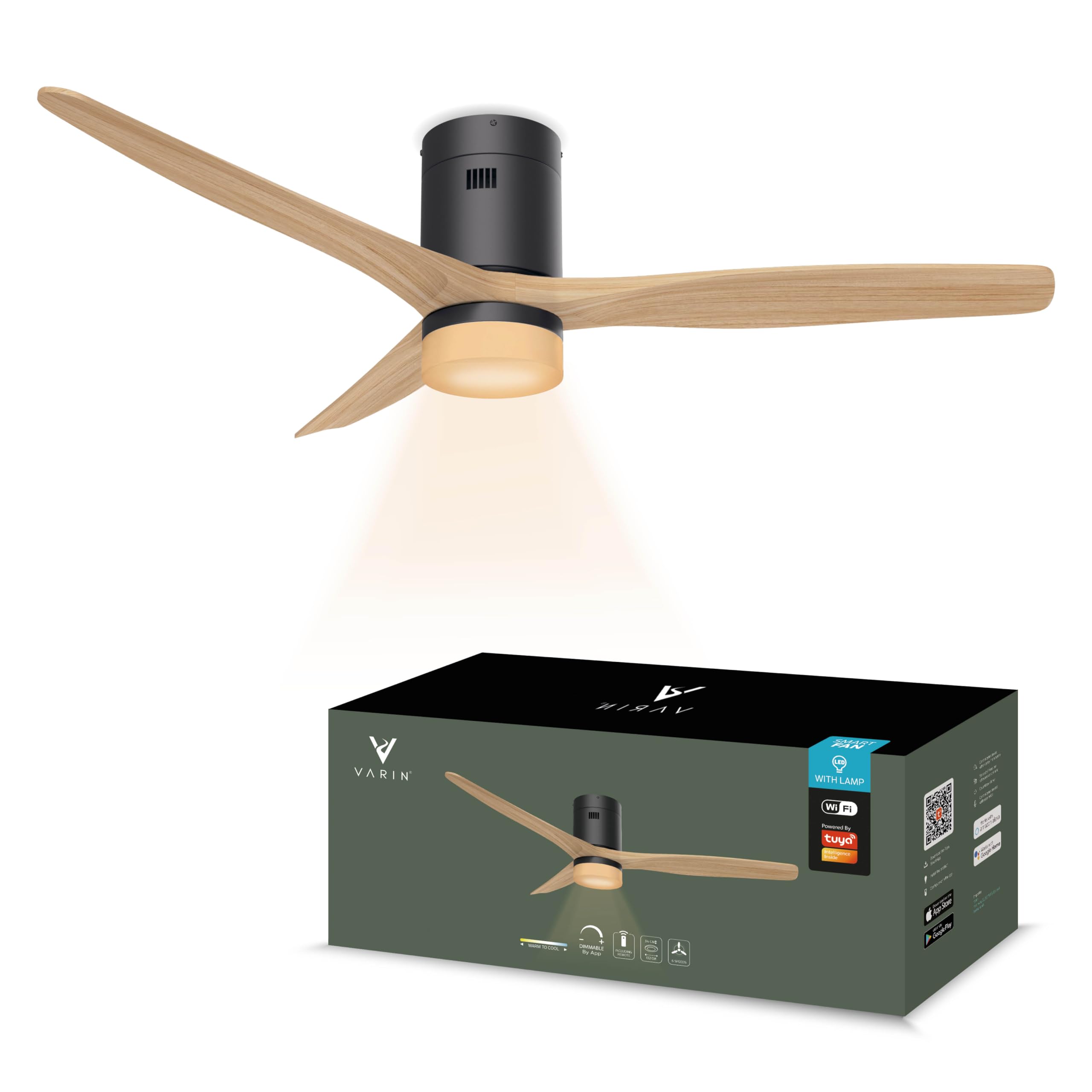
Figure 1: Varin Smart Ceiling Fan with LED Lighting. This image displays the complete fan unit, highlighting its modern design with wooden-look blades and the central LED light fixture.
4. Installation Guide
Follow these steps for proper installation. It is recommended to have a second person assist during installation.
- Prepare for Installation:
- Turn off power at the circuit breaker to prevent electric shock.
- Ensure the mounting location is structurally sound and can support the fan's weight.
- Mount the Bracket:
- Attach the mounting bracket securely to the ceiling junction box or support beam using the provided hardware.
- Wiring Connections:
- Connect the fan's wires to your household wiring:
- Blue wire to Blue wire (Neutral)
- Brown wire to Brown wire (Live)
- Yellow/Green wire to Yellow/Green wire (Ground)
- Ensure all connections are tight and secure.
- Important: The fan must be permanently under power and should not be switched off via a wall switch if you intend to use the app or remote control for full functionality.
- Connect the fan's wires to your household wiring:
- Attach Fan Body and Blades:
- Carefully lift the fan motor housing and attach it to the mounting bracket.
- Secure the fan blades to the motor housing according to the instructions in the assembly diagram (refer to product packaging for detailed diagrams if available).
- Install Light Kit:
- Connect the LED light kit wiring to the fan's light wiring.
- Attach the light kit to the bottom of the fan housing.
- Restore Power:
- Once installation is complete, restore power at the circuit breaker.
5. Operating Instructions
Your Varin Smart Ceiling Fan can be operated using the included remote control, the Tuya Smart Life app, or voice commands.
5.1. Remote Control Operation
Insert 2x AAA batteries (not included) into the remote control. The remote allows direct control over the fan and light functions:
- Fan ON/OFF: Press to turn the fan on or off.
- Fan Speed: Buttons to increase or decrease fan speed (6 levels).
- Light ON/OFF: Press to turn the light on or off.
- Light Dimming: Buttons to adjust light brightness.
- Color Temperature (CCT): Buttons to cycle through warm white, neutral white, and cool white (3000K-6000K).
- Summer/Winter Mode: Button to switch between modes.
- Summer Mode: Fan rotates counter-clockwise, creating a downward airflow for cooling.
- Winter Mode: Fan rotates clockwise, creating an upward airflow to circulate warm air trapped near the ceiling.
- Timer: Set a timer for the fan/light to turn off automatically.
5.2. Tuya Smart Life App Control
The Tuya Smart Life app provides advanced control and smart features for your fan.
- Download the App: Search for "Tuya Smart" or "Smart Life" in your smartphone's app store (iOS/Android) and install it.
- Register/Log In: Create a new account or log in with an existing one.
- Add Device:
- Ensure your phone is connected to a 2.4 GHz Wi-Fi network.
- Open the app, tap "+" to add a device.
- Select "Lighting" or "Fan" category, then choose "Ceiling Fan with Light" or similar.
- Follow the on-screen instructions to put the fan into pairing mode (usually by cycling power or holding a button on the remote/fan). The fan will typically blink to indicate pairing mode.
- Enter your Wi-Fi network password.
- The app will search for and connect to your fan.
- Note: This is a one-time pairing process. Once paired, you can control the fan from multiple devices and remotely (with an active internet connection).
- App Features:
- All remote control functions (ON/OFF, speed, dimming, CCT, modes).
- Scenes: Create custom lighting and fan settings for different activities (e.g., "Reading," "Sleep," "Work").
- Timer Function: Schedule specific ON/OFF times.
- Wake-up Function: Gradually increase light and/or fan speed at a set time.
- Remote Access: Control your fan from anywhere with an internet connection.
5.3. Voice Control
The Varin Smart Ceiling Fan is compatible with popular voice assistants (e.g., Amazon Alexa, Google Assistant) via the Tuya Smart Life app integration.
- Link Tuya Smart Life: In your voice assistant app (e.g., Alexa app), enable the "Tuya Smart" or "Smart Life" skill.
- Authorize Account: Link your Tuya Smart Life account to your voice assistant account.
- Discover Devices: Ask your voice assistant to discover new devices.
- Voice Commands: You can now use voice commands for basic functions like:
- "Alexa, turn on the ceiling fan."
- "Hey Google, set ceiling fan speed to 3."
- "Alexa, turn off the ceiling fan light."
6. Maintenance
Regular maintenance ensures optimal performance and extends the lifespan of your Varin Smart Ceiling Fan.
- Cleaning:
- Before cleaning, ensure the power is turned off at the circuit breaker.
- Use a soft, damp cloth to wipe down the fan blades and motor housing. Do not use abrasive cleaners or solvents.
- Dust the blades regularly to prevent accumulation, which can affect balance and performance.
- Blade Tightness: Periodically check that all blade screws are tight. Loose blades can cause wobbling and noise.
- Light Source: The LED light source is integrated and designed for long life. If it requires service, please contact customer support.
7. Troubleshooting
If you encounter issues with your Varin Smart Ceiling Fan, refer to the following common problems and solutions:
| Problem | Possible Cause | Solution |
|---|---|---|
| Fan does not turn on. | No power supply; loose wiring; remote control batteries dead. | Check circuit breaker. Ensure wiring connections are secure. Replace remote control batteries. Verify the fan is permanently powered. |
| Light does not turn on. | No power supply; loose wiring; light function off. | Check power. Ensure wiring is secure. Use remote/app to turn on the light. |
| Fan wobbles or makes noise. | Loose blades; unbalanced blades; loose mounting. | Ensure all blade screws are tight. Check mounting bracket for secure attachment. Balance blades if necessary (balancing kit not included). |
| Remote control not working. | Dead batteries; remote not paired; obstruction. | Replace AAA batteries. Ensure line of sight to the fan's receiver. Re-pair remote if necessary (refer to specific pairing instructions if provided with remote). |
| App control not working. | Fan not connected to Wi-Fi; incorrect Wi-Fi password; 5GHz Wi-Fi network. | Ensure fan is paired with the Tuya app. Verify your Wi-Fi is 2.4 GHz. Check internet connection. Re-pair the device in the app if needed. |
If the problem persists after trying these solutions, please contact Varin customer support.
8. Specifications
| Feature | Detail |
|---|---|
| Brand | Varin |
| Model Number | 8720828286395 |
| Color | Black - Light Wood, with light |
| Material | Acrylonitrile Butadiene Styrene (ABS), Metal |
| Indoor/Outdoor Use | Indoor Area |
| Control Method | Application (Tuya Wi-Fi), Remote Control, Voice Control |
| Power (LED) | 18 Watts |
| Power (Fan) | 35 Watts |
| Item Weight | 5.5 Kilograms |
| Unit Count | 1.0 Count |
| Assembly Required | Yes |
| Lamp Diameter | 25 cm |
| Wing Diameter (Fan) | 132 cm |
| Height | 30 cm |
| LED Lumens | 1800 lumens |
| Color Temperature | Warm White - Cool White (3000-6000K) |
| Maximum Airflow | 10200 m³/h |
9. Warranty and Support
Varin products are manufactured to high-quality standards. For warranty information, please refer to the documentation provided with your purchase or contact your retailer. If you require technical assistance or have questions not covered in this manual, please contact Varin customer support through their official website or the contact information provided with your product.
For further assistance, please visit: www.varin.com (example link, replace with actual if available).


