
1. Introduction
Thank you for choosing the OLIXIS Cordless Vacuum Cleaner, Model HJ-6309C. This lightweight and versatile vacuum is designed for efficient cleaning across various surfaces, including hardwood floors and carpets. Its cordless design, flexible steering, and multiple attachments provide convenience and thorough cleaning for your home.
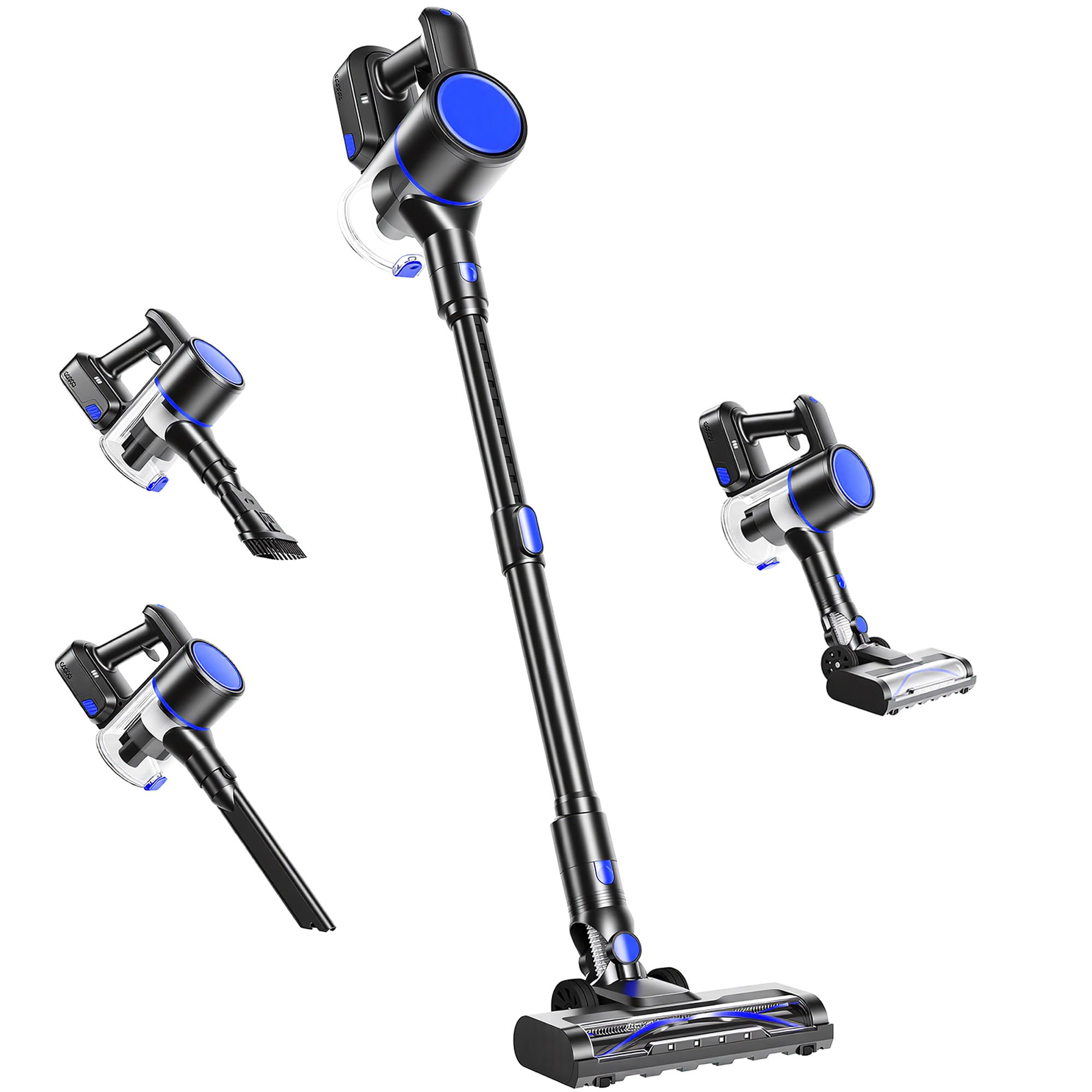
Image 1.1: The OLIXIS Cordless Vacuum Cleaner main unit.
2. Important Safety Information
Please read all instructions carefully before using this appliance. Retain this manual for future reference.
- This appliance is for household use only. Do not use outdoors or on wet surfaces.
- Do not allow children to operate the vacuum cleaner. Close supervision is necessary when used near children.
- Do not pick up flammable or combustible liquids, such as gasoline, or use in areas where they may be present.
- Do not pick up anything that is burning or smoking, such as cigarettes, matches, or hot ashes.
- Do not use without the dust cup and filters in place.
- Turn off the appliance before connecting or disconnecting the motorized brush head or other accessories.
- Use only as described in this manual. Use only manufacturer’s recommended attachments.
- Keep hair, loose clothing, fingers, and all parts of body away from openings and moving parts.
- Exercise extra care when cleaning on stairs.
- If the appliance is not working as it should, has been dropped, damaged, left outdoors, or dropped into water, return it to a service center.
3. Package Contents
Verify that all components are present in the package:
- Main Body (Vacuum Unit)
- Floor Brush (Motorized Brush Head with LED Light)
- Crevice Brush
- Flat Nozzle (Dusting Brush)
- Wall Hanger (Mounting Hardware Included)
- Power Adapter/Charger
- User Manual
4. Setup Instructions
4.1 Assembly
- Connect the Extension Pole: Insert the extension pole into the main body until it clicks securely into place.
- Attach the Floor Brush: Connect the floor brush to the other end of the extension pole. Ensure it clicks firmly.
- Alternative Handheld Assembly: For handheld use, attach the crevice brush or flat nozzle directly to the main body.
4.2 Initial Charging
Before first use, fully charge the vacuum cleaner. The battery charge time is approximately 4 hours.
- Connect the power adapter to the charging port on the main body.
- Plug the adapter into a wall outlet.
- The LED battery level indicator on the main body will show charging status.
4.3 Wall Mount Installation
To save space and store your vacuum conveniently, use the included wall hanger.
- Choose a suitable location near a power outlet for charging.
- Secure the wall hanger to the wall using the provided mounting hardware.
- Hang the vacuum cleaner on the wall mount for storage and charging.

Image 4.1: Self-standing design and wall mount accessory for convenient storage.
5. Operating Instructions
5.1 Power On/Off and Mode Selection
The vacuum features an LED Smart Touch Screen for easy control.
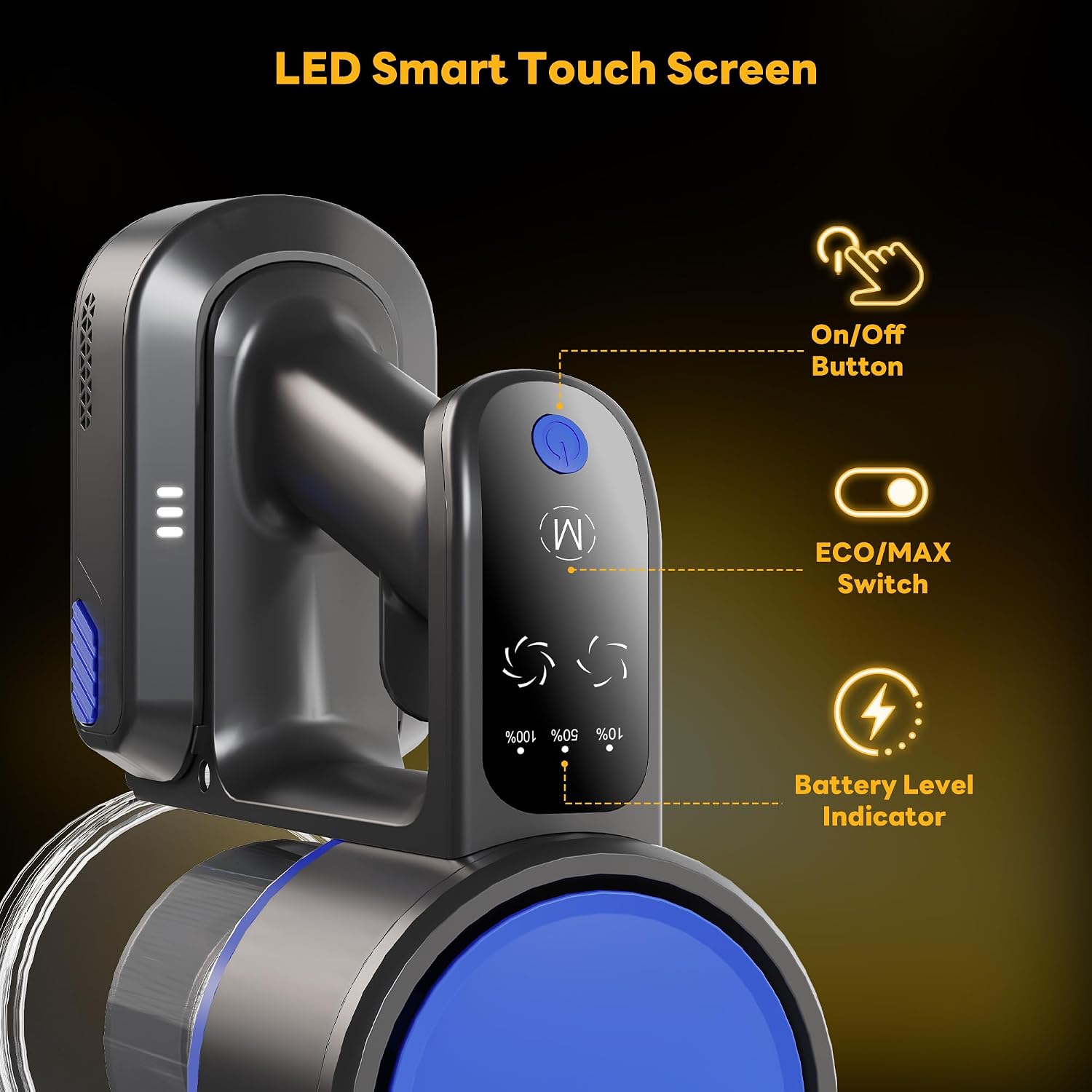
Image 5.1: LED Smart Touch Screen controls.
- Power On/Off: Press the On/Off button to start or stop the vacuum.
- Suction Modes: Use the ECO/MAX switch to toggle between two power levels (standard and maximum suction) depending on your cleaning needs.
- Battery Indicator: The screen displays the current battery level.
5.2 Using Attachments
The OLIXIS vacuum comes with three brush heads for versatile cleaning.

Image 5.2: 3-in-1 Versatility with Floor Brush, Crevice Brush, and Flat Nozzle.
- Floor Brush: Ideal for cleaning hardwood floors and carpets. It features an LED light to illuminate dust and debris, and offers 90° vertical and 180° horizontal swivel motion for easy maneuverability under furniture.
- Crevice Brush: Use for narrow gaps, corners, and hard-to-reach areas like sofa seams or car seats.
- Flat Nozzle (Dusting Brush): Suitable for delicate surfaces, upholstery, and general dusting.

Image 5.3: Flexible steering and extendable pole for reaching difficult areas.
5.3 Official Product Video
Video 5.1: This video demonstrates the flexible steering capabilities and washable components of the OLIXIS Cordless Vacuum Cleaner.
6. Maintenance
Regular maintenance ensures optimal performance and extends the life of your vacuum cleaner.
6.1 Emptying the Dust Cup
The vacuum features a large 0.8L dust cup with a one-touch release mechanism.
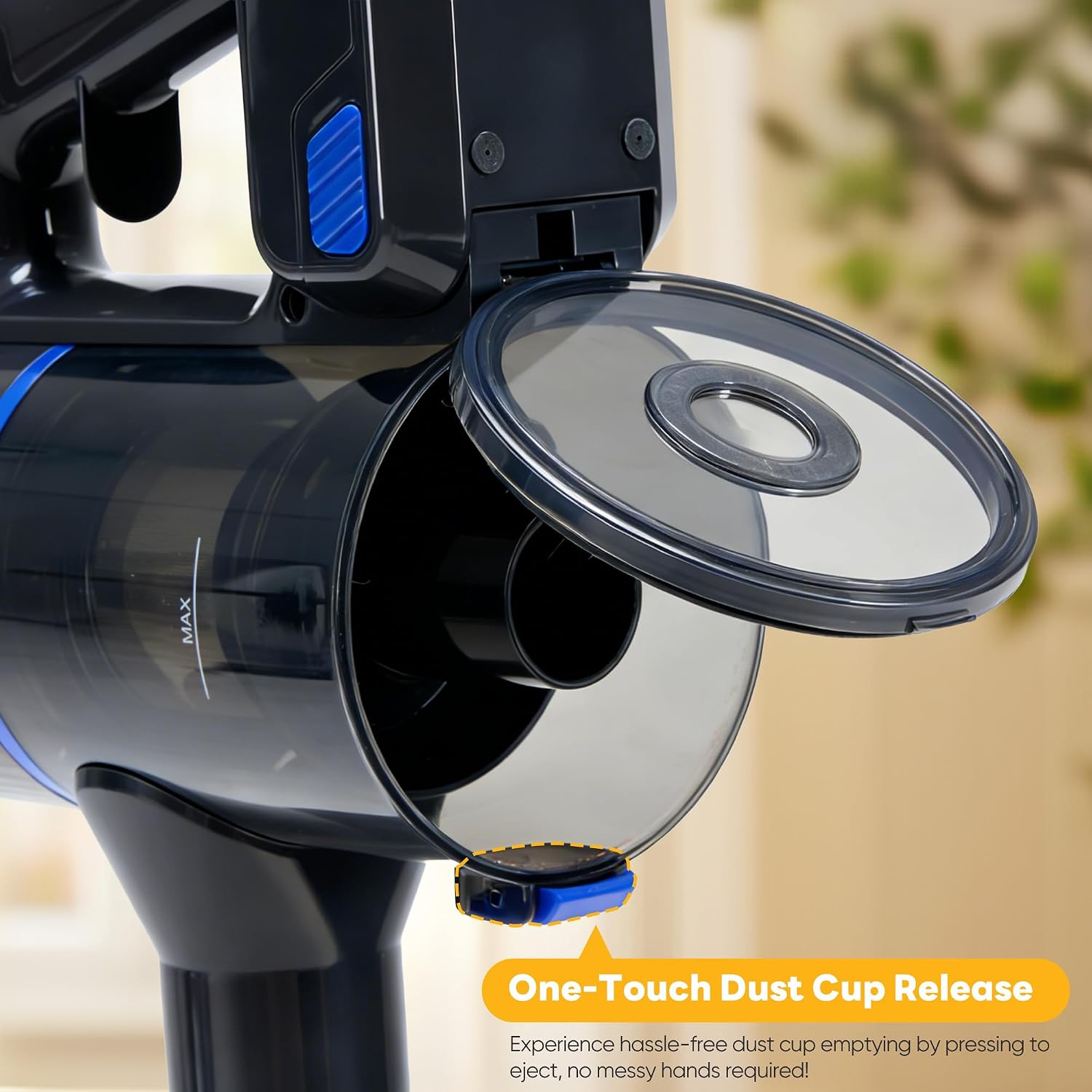
Image 6.1: One-touch dust cup release for easy emptying.
- Ensure the vacuum is turned off.
- Press the one-touch release button located on the dust cup.
- Empty the contents into a trash bin.
- Close the dust cup securely until it clicks.
6.2 Cleaning Filters and Brush Roll
The filter and brush roll are fully removable and washable.

Image 6.2: Washable filter and brush roll for easy maintenance.
- Filter: Remove the HEPA filter from the dust cup. Rinse it under cold running water until the water runs clear. Allow it to air-dry completely for at least 24 hours before reinserting. Do not use a dryer or heat to dry.
- Brush Roll: Remove the brush roll from the floor brush head. Use scissors or a hair removal tool to cut away any tangled hair or debris. Rinse the brush roll under cold water if necessary and allow it to air-dry completely before reinserting.
- Frequency: Clean the dust cup after each use. Clean the filter and brush roll regularly, or when suction power decreases.
7. Troubleshooting
If you encounter issues with your OLIXIS Cordless Vacuum Cleaner, refer to the following table for common problems and solutions.
| Problem | Possible Cause | Solution |
|---|---|---|
| Vacuum does not turn on | Battery is depleted Power button not pressed correctly | Charge the battery fully Ensure the power button is pressed firmly |
| Reduced suction power | Dust cup is full Filter is clogged Brush roll is tangled Hose/nozzle is blocked | Empty the dust cup Clean or replace the HEPA filter Clean the brush roll Check and clear any blockages in the hose or attachments |
| Battery not charging | Charger not connected properly Faulty power outlet Damaged charger | Ensure charger is securely plugged into vacuum and outlet Try a different power outlet Contact customer support for a replacement charger |
| Brush roll not spinning | Brush roll is tangled Attachment not properly connected | Clean the brush roll of hair and debris Ensure the floor brush is securely attached to the pole |
If the problem persists after attempting these solutions, please contact customer support.
8. Product Specifications
| Feature | Detail |
|---|---|
| Brand | OLIXIS |
| Model Name | Cordless Vacuum Cleaner |
| Model Number | HJ-6309C |
| Special Feature | Lightweight |
| Filter Type | HEPA Filter |
| Surface Recommendation | All floors |
| Power Source | Battery Powered |
| Capacity | 0.8 liters |
| Recommended Uses | Bed, Car, Pet Hair |
| Number of Power Levels | 2 |
| Indoor Outdoor Usage | Indoor |
| Voltage | 22.2 volts |
| Wattage | 150 watts |
| Battery Charge Time | 4 hours |
| Battery Type | Lithium-Ion |
| Runtime | Up to 35 minutes |
| Item Weight | 5.7 pounds (2.59 kg) |
| Item Dimensions (L x W x H) | 9.85"L x 8.27"W x 41.34"H |
| Form Factor | Stick |
9. Warranty and Support
9.1 Manufacturer Warranty
This OLIXIS Cordless Vacuum Cleaner (Model HJ-6309C) is covered by a 1-year manufacturer's warranty from the date of purchase. This warranty covers defects in materials and workmanship under normal use. It does not cover damage caused by misuse, neglect, accident, alteration, or unauthorized repair.
Please retain your proof of purchase for warranty claims.
9.2 Customer Support
For technical assistance, warranty claims, or any questions regarding your product, please contact OLIXIS customer support through the retailer where the product was purchased or visit the official OLIXIS website for contact information.
When contacting support, please have your model number (HJ-6309C) and purchase date available.

