
1. Introduction
The Lionelo Puls Automatic Arm Blood Pressure Monitor is a certified medical device designed for accurate and regular monitoring of blood pressure and pulse rate at home. This device features advanced functions such as arrhythmia detection, a color-coded WHO classification indicator, and a large, backlit LCD for clear readability. It supports two users, each with memory for up to 120 measurements, facilitating long-term health tracking.
2. Safety Information
- Consult a Physician: Always consult your physician before using this device, especially if you are pregnant, have a pacemaker, or suffer from severe circulatory problems.
- Medical Advice: This device is for home use and should not replace professional medical advice or treatment. Do not self-diagnose or self-medicate based on measurements.
- Cuff Placement: Ensure the cuff is placed correctly and comfortably. Incorrect placement can lead to inaccurate readings.
- Movement: Avoid movement, talking, or eating during measurement to ensure accuracy. The device includes a movement sensor to detect errors.
- Children and Pets: Keep the device out of reach of children and pets.
- Power Source: Use only the specified power sources (USB-C cable or AAA batteries).
3. Package Contents
Please check that all items are present in the package:
- Lionelo Puls Blood Pressure Monitor Unit
- XL Arm Cuff (22-42 cm)
- USB-C Cable
- Storage Case
- User Manual

Image: Lionelo Puls Blood Pressure Monitor with its XL arm cuff and included storage case, demonstrating the complete package contents.
4. Product Overview
Familiarize yourself with the components of your Lionelo Puls Blood Pressure Monitor:

Image: A detailed diagram of the Lionelo Puls Blood Pressure Monitor, highlighting key components such as the display, control buttons, cuff connection, and power port.
- LCD Display: Large 2.8-inch backlit screen for clear display of systolic, diastolic, pulse, time, date, user ID, and various indicators.
- START/STOP Button: Initiates and terminates measurements.
- User Selection Button: Toggles between User 1 and User 2 profiles.
- Memory Button: Accesses stored measurement data.
- Cuff Connection Port: Connects the arm cuff to the main unit.
- USB-C Power Port: For external power supply.
- Battery Compartment: Located on the bottom, for AAA batteries.
- Arm Cuff: XL size, adjustable from 22 to 42 cm.
5. Setup
5.1 Power Supply
The device can be powered by either AAA batteries or a USB-C cable.
- Battery Installation: Open the battery compartment cover on the bottom of the device. Insert 4 AAA batteries, ensuring correct polarity (+/-). Close the cover securely.
- USB-C Power: Connect the provided USB-C cable to the device's USB-C port and the other end to a compatible USB power adapter (not included) or a computer USB port.

Image: The Lionelo Puls Blood Pressure Monitor shown with a USB-C cable connected, illustrating the power supply option.
5.2 Attaching the Arm Cuff
Connect the air tube from the arm cuff to the air jack on the left side of the blood pressure monitor unit. Ensure a secure connection.
6. Operating Instructions
6.1 Before Measurement
- Rest for at least 5 minutes before taking a measurement.
- Avoid eating, drinking alcohol, smoking, exercising, and bathing for 30 minutes prior to measurement.
- Sit in a comfortable position with your back supported and feet flat on the floor.
- Place your arm on a flat surface so the cuff is at heart level.
6.2 Applying the Arm Cuff
- Slide the cuff onto your bare upper arm, approximately 2-3 cm above the elbow joint.
- Ensure the air tube runs down the center of your arm in line with your middle finger.
- Wrap the cuff snugly around your arm, but not too tightly. The correct cuff placement indicator on the display will help confirm proper application.
6.3 Taking a Measurement
- Press the User Selection button to choose User 1 or User 2.
- Press the START/STOP button. The cuff will automatically inflate, and the measurement will begin.
- Remain still and silent during the measurement. The device will detect movement and indicate an error if detected.
- Once the measurement is complete, the systolic pressure, diastolic pressure, and pulse rate will be displayed on the screen. The result will be automatically saved to the selected user profile.
- Press the START/STOP button again to turn off the device, or it will automatically shut off after 1 minute of inactivity.

Image: A person demonstrating the correct way to take a blood pressure measurement using the Lionelo Puls monitor, showing proper arm and cuff positioning.
7. Memory Function
The Lionelo Puls monitor stores up to 120 measurements for each of two users, allowing for easy tracking of blood pressure trends over time.
- Selecting a User: Before measurement, press the User Selection button to choose between User 1 and User 2.
- Accessing Memory: With the device off, press the Memory button. The most recent measurement for the currently selected user will be displayed. Press the Memory button repeatedly to scroll through past readings.
- Clearing Memory: Refer to the detailed instructions in the full manual for clearing stored data.

Image: The Lionelo Puls display indicating the selection of user profiles, demonstrating the device's two-user memory function.
8. WHO Classification Indicator
The device features a color-coded indicator based on the World Health Organization (WHO) guidelines, providing an immediate visual interpretation of your blood pressure readings.
- Green: Optimal/Normal blood pressure.
- Yellow: High-normal blood pressure or mild hypertension.
- Red: Moderate to severe hypertension.
Always consult a healthcare professional for a complete diagnosis and treatment plan.

Image: The Lionelo Puls display showing different blood pressure readings with corresponding WHO color indicators (green, yellow, red) for easy interpretation.
9. Arrhythmia Detection
The Lionelo Puls monitor is equipped with an arrhythmia detection function. If an irregular heartbeat is detected during the measurement, a specific symbol will appear on the display.
- If the arrhythmia symbol appears frequently, it is recommended to consult your physician for further evaluation.
- This feature is for informational purposes and does not replace a medical diagnosis.
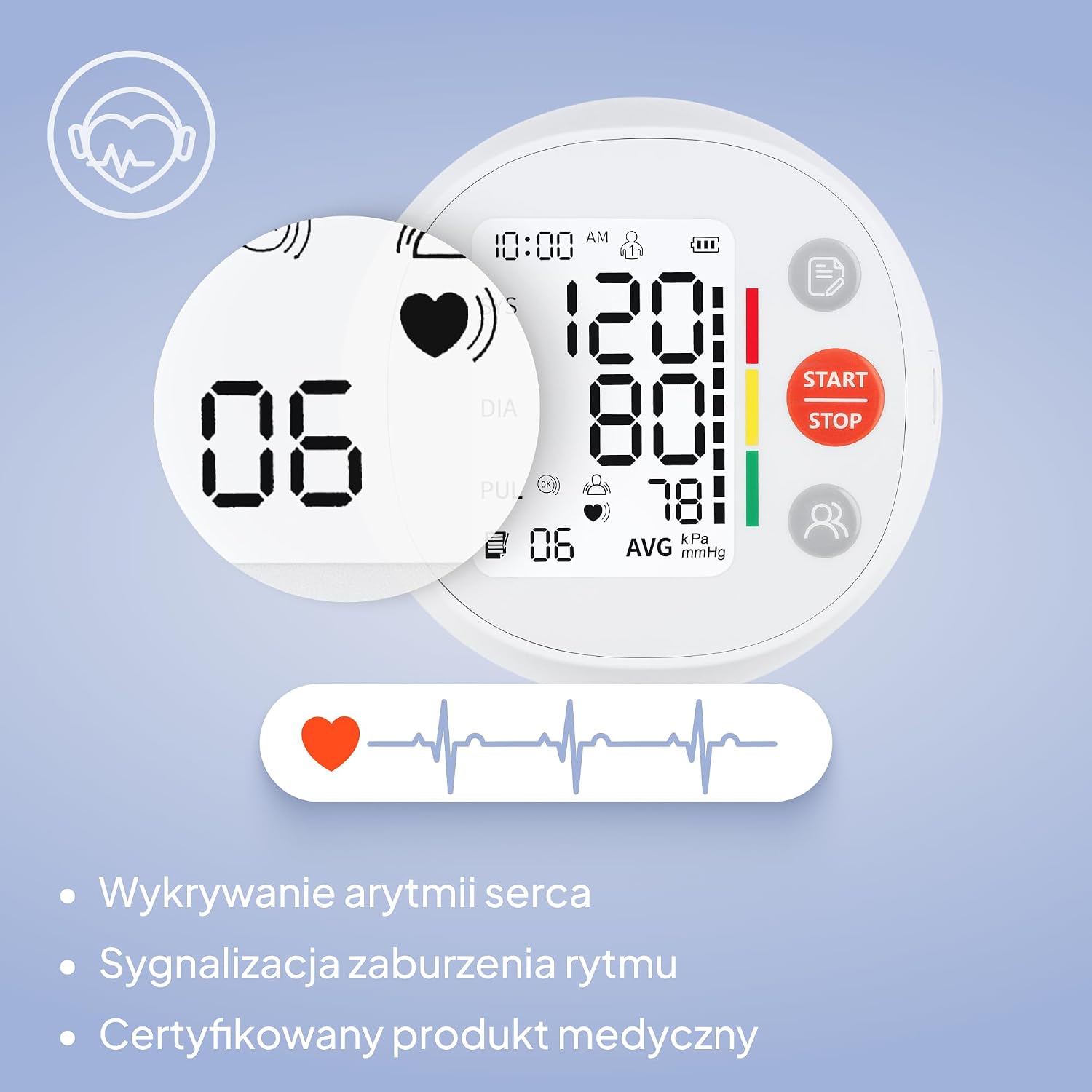
Image: The Lionelo Puls display showing the heart icon with an irregular heartbeat waveform, indicating the arrhythmia detection feature.
10. Maintenance and Care
- Cleaning: Wipe the device and cuff with a soft, dry cloth. If necessary, use a slightly damp cloth with mild soap, then dry thoroughly. Do not use abrasive cleaners or immerse the device in water.
- Storage: Store the device and cuff in the provided storage case in a cool, dry place, away from direct sunlight and extreme temperatures.
- Battery Replacement: Replace all 4 AAA batteries when the low battery indicator appears on the display. Remove batteries if the device will not be used for an extended period.
- Cuff Care: Do not wash the cuff in a washing machine. Clean it gently by hand if needed.
11. Troubleshooting
| Problem | Possible Cause | Solution |
|---|---|---|
| No display when powered on | Batteries are dead or incorrectly inserted; USB-C cable not connected properly. | Check battery polarity and replace if necessary. Ensure USB-C cable is securely connected. |
| Inaccurate readings | Incorrect cuff placement; movement or talking during measurement; not resting before measurement. | Re-apply cuff correctly. Remain still and silent. Rest for 5 minutes before measuring. |
| Cuff does not inflate or inflates too little | Air tube disconnected; cuff leakage. | Check air tube connection. Inspect cuff for damage. |
| Arrhythmia symbol appears frequently | Irregular heartbeat detected. | Consult a physician for medical advice. |
| Movement error indicator | Movement detected during measurement. | Repeat measurement, ensuring no movement or talking. |
12. Specifications
| Feature | Detail |
|---|---|
| Model Number | LOC-PULSO WHITE |
| Product Dimensions | 10 x 10 x 6 cm; 190 g |
| Display Type | 2.8-inch LCD with backlight |
| Power Source | 4 x AAA batteries or USB-C cable |
| Cuff Size | XL (22-42 cm) |
| Memory | 2 users x 120 measurements |
| Special Features | Certified medical device, Arrhythmia detection, WHO color indicator, Correct cuff placement indicator, Movement sensor |

Image: The Lionelo Puls Blood Pressure Monitor and its cuff with key dimensions (10cm width, 10cm depth, 5.9cm height for the unit, and 22-42cm for the cuff) clearly marked.
13. Warranty and Support
Lionelo products are covered by a manufacturer's warranty. For detailed information regarding warranty terms, product registration, or technical support, please refer to the official Lionelo website or contact their customer service directly. Keep your purchase receipt as proof of purchase.
Manufacturer: Lionelo