
1. Introduction
Thank you for choosing the YOMILUVE Computer Desk with Hutch and 5 Drawers. This multi-functional workstation is designed to enhance your home office or study space with ample storage and convenient features. This manual provides essential information for assembly, operation, maintenance, and troubleshooting to ensure optimal use and longevity of your desk.
2. Safety Information
- Always assemble the desk on a soft, clean surface to prevent scratches.
- Ensure all screws and fasteners are securely tightened before use. Periodically check and re-tighten as necessary.
- Do not overload shelves or drawers. Distribute weight evenly.
- Keep small parts away from children during assembly to avoid choking hazards.
- Use the desk on a level surface to prevent tipping.
- Do not stand or sit on the desk or hutch.
- When moving the desk, lift it rather than dragging to prevent damage to the structure or floor.
- Ensure power cords for the built-in outlets are properly routed and not pinched.
3. Package Contents
Please verify that all components are present before beginning assembly. Refer to the separate assembly guide for a detailed list of parts and hardware.
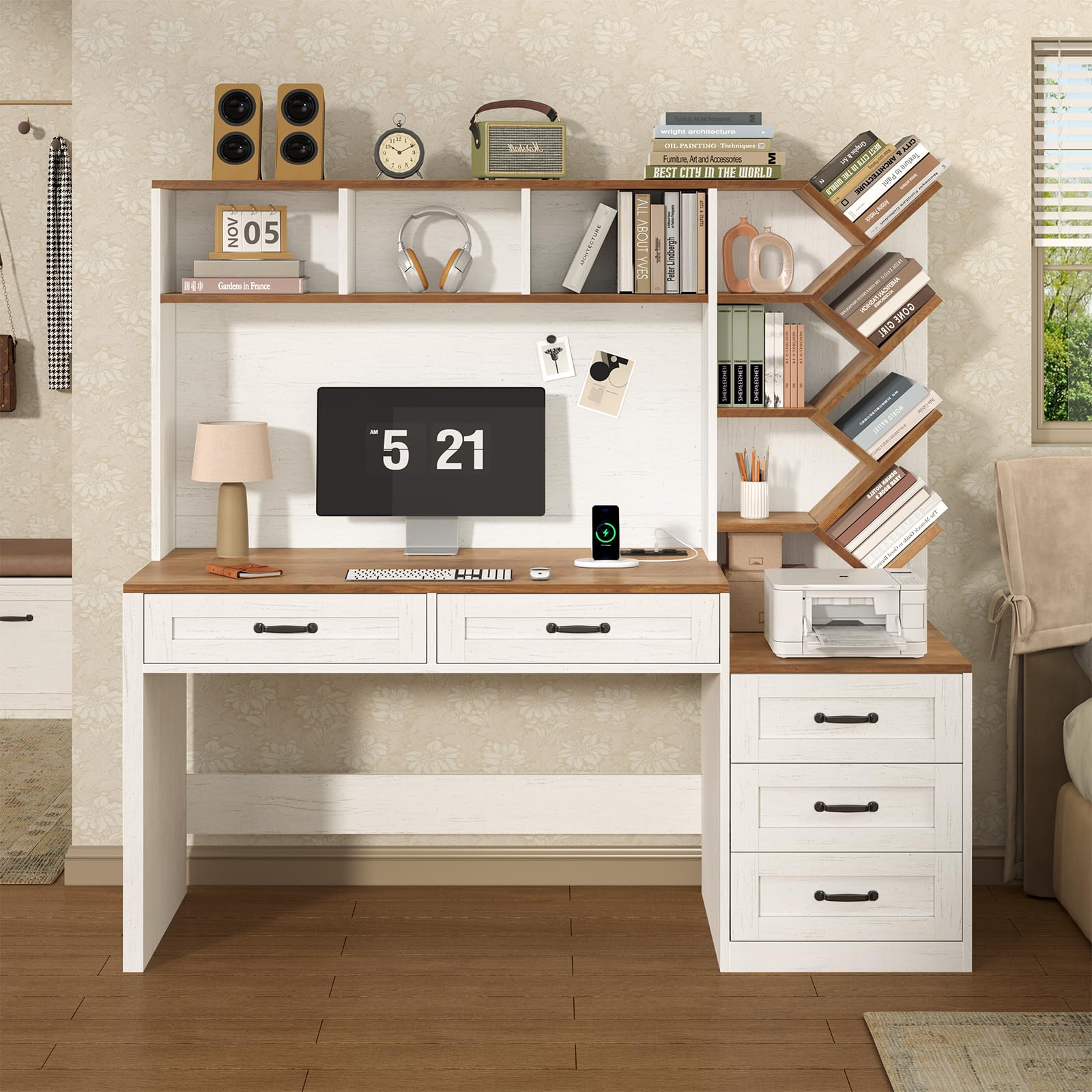
Figure 1: Overall dimensions and component layout of the desk.
The package typically includes:
- Main Desk Frame components
- Hutch components (top shelf, dividers, tree-shaped bookshelf)
- Drawer components (for 5 drawers)
- Printer Stand components
- Hardware pack (screws, dowels, cam locks, drawer slides, handles)
- Built-in power strip with AC outlets, USB, and Type-C ports
- Assembly Instructions manual
4. Assembly Instructions
Assembly is required for this product. It is recommended to have two people for assembly. Please follow the detailed step-by-step instructions provided in the separate assembly guide included in your package. Ensure you have all necessary tools (typically a Phillips head screwdriver) before starting.
- Unpack and Identify Parts: Carefully unpack all components and lay them out on a protected surface. Refer to the parts list in your assembly guide to identify each piece.
- Assemble the Main Desk Base: Begin by constructing the main desk frame, including the desktop and side panels.
- Install Drawers: Assemble the 5 drawers according to the instructions, ensuring the drawer slides are correctly oriented. Insert the assembled drawers into their respective compartments.
- Attach the Hutch: Secure the hutch structure to the main desk. This includes the top shelf, central storage compartments, and the tree-shaped bookshelf.
- Integrate Printer Stand: Assemble and attach the printer stand section, which typically includes additional drawers.
- Install Power Outlets: Secure the built-in power strip into its designated slot on the desktop. Route the power cord safely.
- Final Checks: Once assembled, gently move the desk to its desired location. Ensure all connections are tight and the desk is stable.

Figure 2: Assembled desk view.

Figure 3: Detail of the 5 storage drawers.
5. Operating Instructions
Your YOMILUVE Computer Desk is designed for versatile use. Here's how to utilize its key features:
- Desktop Workspace: The spacious 55-inch desktop accommodates monitors, laptops, keyboards, and other office essentials.
- Storage Drawers: The five drawers (three under the main desk, two in the side cabinet) provide concealed storage for documents, stationery, and personal items. Pull handles gently to open and close.
- Hutch Shelves: The open shelves in the hutch and the tree-shaped bookshelf are ideal for organizing books, files, decorative items, and small office supplies.
- Printer Stand: The dedicated space on the side cabinet is designed to hold a standard printer, keeping it easily accessible.
- Built-in Power Outlets:

Figure 4: Built-in power outlets.
Plug the desk's power cord into a wall outlet. The integrated power strip provides:
- 2 x 120V/12A AC Outlets
- 1 x 5V/2A USB Port
- 1 x 5V/3A Type-C Port
Use these ports to conveniently charge your devices or power your office equipment directly from your desk.

Figure 5: Large storage capacity overview.
6. Maintenance
- Cleaning: Wipe surfaces with a soft, damp cloth. Avoid harsh chemicals or abrasive cleaners, which can damage the finish.
- Spills: Clean up spills immediately to prevent staining or damage to the engineered wood.
- Hardware: Periodically check all screws and fasteners to ensure they remain tight. Re-tighten if necessary to maintain stability.
- Sunlight: Avoid prolonged exposure to direct sunlight to prevent fading or discoloration of the wood finish.
7. Troubleshooting
| Problem | Possible Cause | Solution |
|---|---|---|
| Desk is wobbly. | Loose fasteners; uneven floor. | Check and tighten all screws. Ensure the desk is on a level surface; use shims if necessary. |
| Drawers do not slide smoothly. | Improperly installed drawer slides; obstruction. | Verify drawer slides are correctly aligned and installed. Check for any objects obstructing the slides. |
| Power outlets not working. | Desk power cord not plugged in; wall outlet issue. | Ensure the desk's power cord is securely plugged into a functional wall outlet. Test the wall outlet with another device. |
| Missing parts during assembly. | Packaging error. | Contact YOMILUVE customer support with your purchase details and the specific missing parts. |
8. Specifications
- Brand: YOMILUVE
- Model: B0GX5W1RML
- Desk Design: Computer Desk, Writing Desk
- Product Dimensions (D x W x H): 19.7"D x 55"W x 29.5"H
- Material: Engineered Wood
- Color: Brown and White
- Number of Drawers: 5
- Number of Shelves: 2 (main hutch shelves) + Tree Bookshelf (8 shelves)
- Special Feature: Built-In USB Outlet (2 AC, 1 USB-A, 1 Type-C)
- Assembly Required: Yes
9. Warranty and Support
YOMILUVE stands behind the quality of its products. For specific warranty information, please refer to the documentation included with your purchase or visit the official YOMILUVE website. If you encounter any issues, have questions about assembly, or require replacement parts, please contact YOMILUVE customer support. Our team is available to assist you.
Customer Support: Please refer to your purchase receipt or the YOMILUVE brand store for contact information.
Note: Product specifications are subject to change without notice.