
1. Introduction
This manual provides detailed instructions for the assembly, operation, maintenance, and troubleshooting of your Itaar Twin Loft Bed. This innovative loft bed features an L-shaped desk, eight storage drawers, integrated LED lights, a charging station, a hall tree, and a safety ladder, designed to optimize space and functionality in a child's bedroom.

Figure 1.1: Itaar Twin Loft Bed Overview
Please read this manual thoroughly before beginning assembly or use to ensure safe and correct operation. Keep this manual for future reference.
2. Safety Information
Includes safety warnings for proper assembly, use, and weight limits. Adhere to all safety guidelines to prevent injury or damage. The upper bunk can support up to 400 pounds. Important: Ensure the top of the mattress is at least 5 inches from the edge of the guardrail. Always use the provided anti-tip devices to secure the bed to the wall.
3. Package Contents
Verify that all components are present before starting assembly. If any parts are missing or damaged, contact customer support immediately.
- Metal Frame Components
- L-Shaped Desk Panels
- 8 Storage Drawers (including hardware)
- Ladder
- Guardrails
- LED Light Strip with Remote Control
- Charging Station Unit (4 AC outlets, 2 USB ports)
- Hall Tree Components (coat rack, shelves)
- Pegboard with 8 Hooks
- Storage Pockets/Bag
- Assembly Hardware (screws, bolts, Allen keys)
- Instruction Manual
4. Setup and Assembly
Assembly of the Itaar Twin Loft Bed requires careful attention to detail. Follow the included clear and detailed instructions, which feature numbered parts for easy identification. It is recommended to have at least two adults for assembly.
- Unpack and Identify Parts: Lay out all components and hardware. Compare them against the parts list in the separate assembly guide.
- Assemble the Main Frame: Begin by connecting the primary metal frame sections as indicated in the assembly guide. Ensure all connections are secure.
- Install Guardrails and Ladder: Attach the full-length raised guardrails to the upper bunk. Securely fasten the thick, sturdy ladder for safe climbing.
- Construct the L-Shaped Desk: Assemble the L-shaped desk panels and integrate them into the bed frame structure.
- Install Storage Units: Assemble and insert the eight large storage drawers into their designated compartments. Attach the side coat rack and open shelves for the hall tree.
- Integrate Charging Station and LED Lights: Install the charging station into the designated desk cutout. Affix the RGB LED light strip according to the instructions.
- Attach Accessories: Mount the pegboard with hooks and attach the storage pockets/bag.
- Final Checks: Ensure all screws and bolts are tightened. Verify the bed's stability and secure it to the wall using the anti-tip devices.

Figure 4.1: Product Dimensions

Figure 4.2: Flexible Placement Options
5. Operating Instructions
5.1. LED Lights Operation
The integrated RGB LED lights offer extensive customization for ambiance. They can be controlled via a remote control or a dedicated smartphone application.
- Power On/Off: Use the power button on the remote or in the app.
- Color Selection: Choose from over 60,000 colors using the color wheel in the app or preset buttons on the remote.
- Flashing Modes: Select from 29 flashing modes to create dynamic lighting effects.
- Music Sync Function: The built-in sensitivity-adjustable microphone allows the LED light color to change with the rhythm of sound and music. Activate this feature via the app or remote.
- Timing Function: Set schedules for the lights to turn on or off automatically using the app.

Figure 5.1: RGB LED Lights in Operation
5.2. Charging Station Usage
The built-in charging station provides convenient power access for your electronic devices.
- Power Outlets: Features four 120V/12A AC outlets.
- USB Ports: Includes two 5V/2A USB ports for charging smaller devices.
- Power Switch: A single-touch power switch controls all outlets and USB ports for added safety and convenience.
- Power Cord: The charging station is equipped with a 6.5-foot power cord.
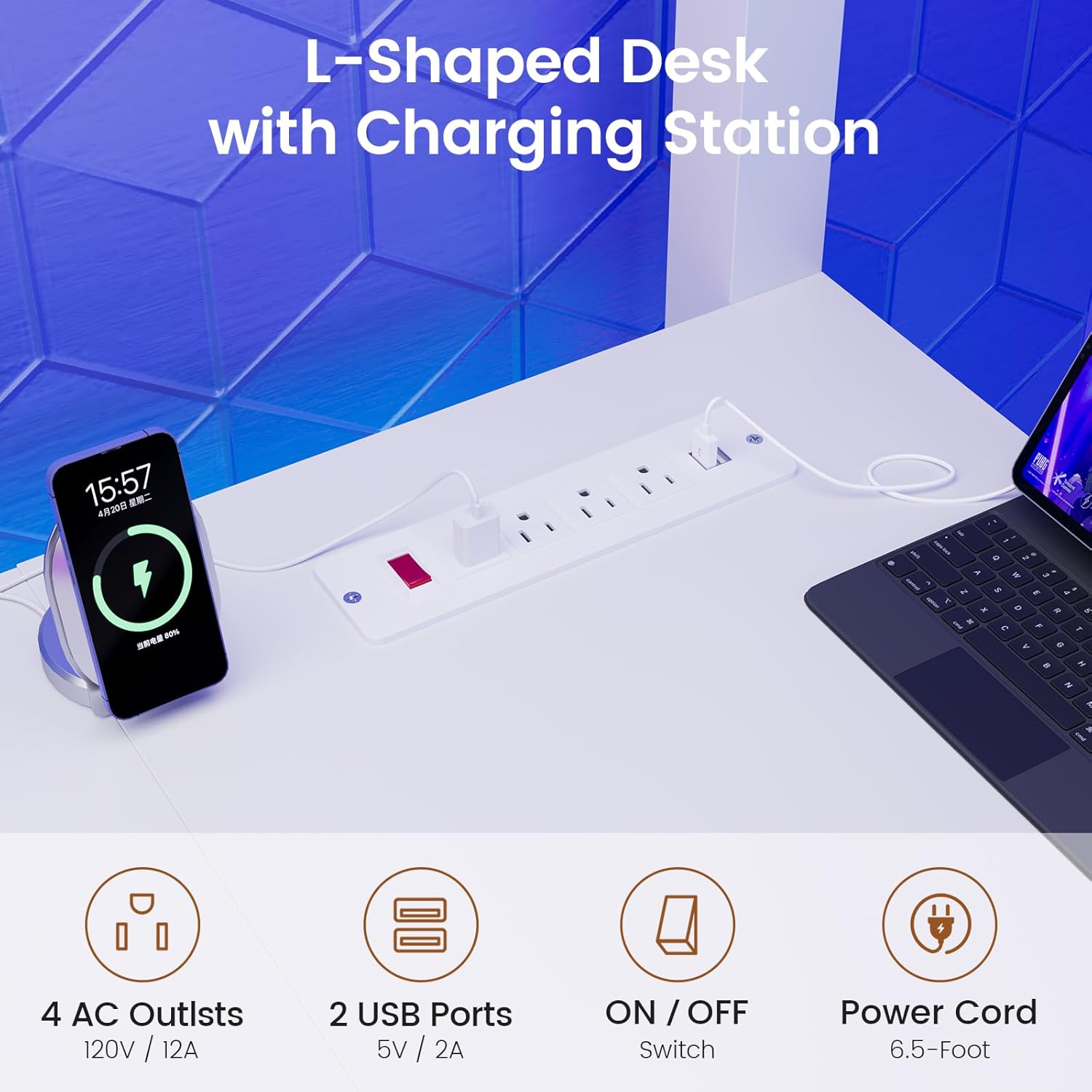
Figure 5.2: Integrated Charging Station
5.3. Storage Features
The loft bed is designed with multiple storage solutions to keep your space organized.
- L-Shaped Desk: Provides ample surface area (78.7"L x 14.2"W and 37.8"L x 11.8"W) for study, work, or play.
- 8 Large Storage Drawers: Ideal for storing books, documents, clothing, or other personal items.
- Multifunctional Hall Tree: Includes a side coat rack for hanging clothes, scarves, or bags, and two open shelves for decorative items or storage boxes.
- Pegboard with 8 Hooks: Utilize this space to display and organize small items like headphones, keys, hats, or toys.
- Storage Pockets/Bag: Conveniently located for easy access to small belongings from the top bunk.
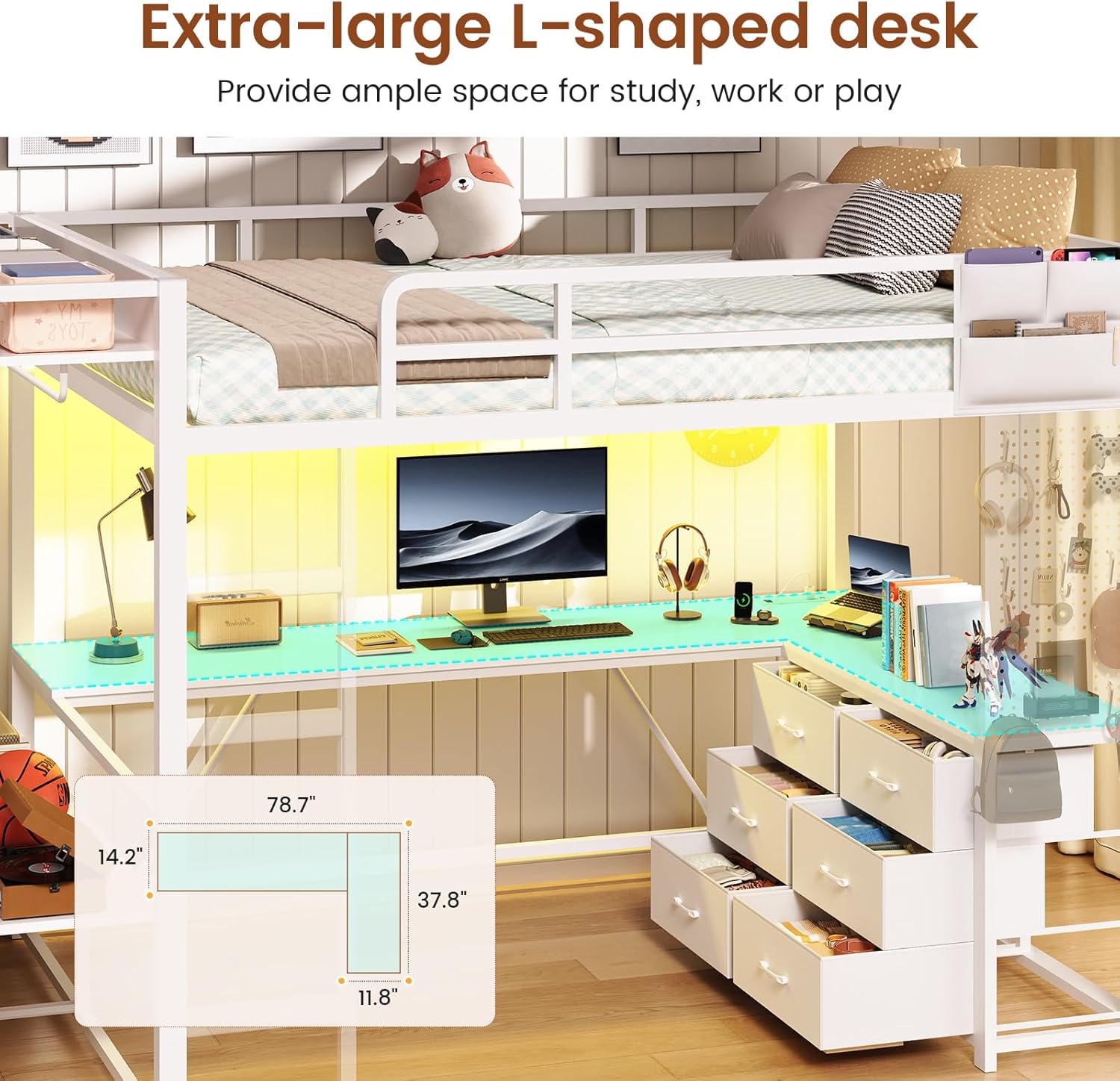
Figure 5.3: L-Shaped Desk Area

Figure 5.4: Eight Large Storage Drawers

Figure 5.5: Multifunctional Hall Tree
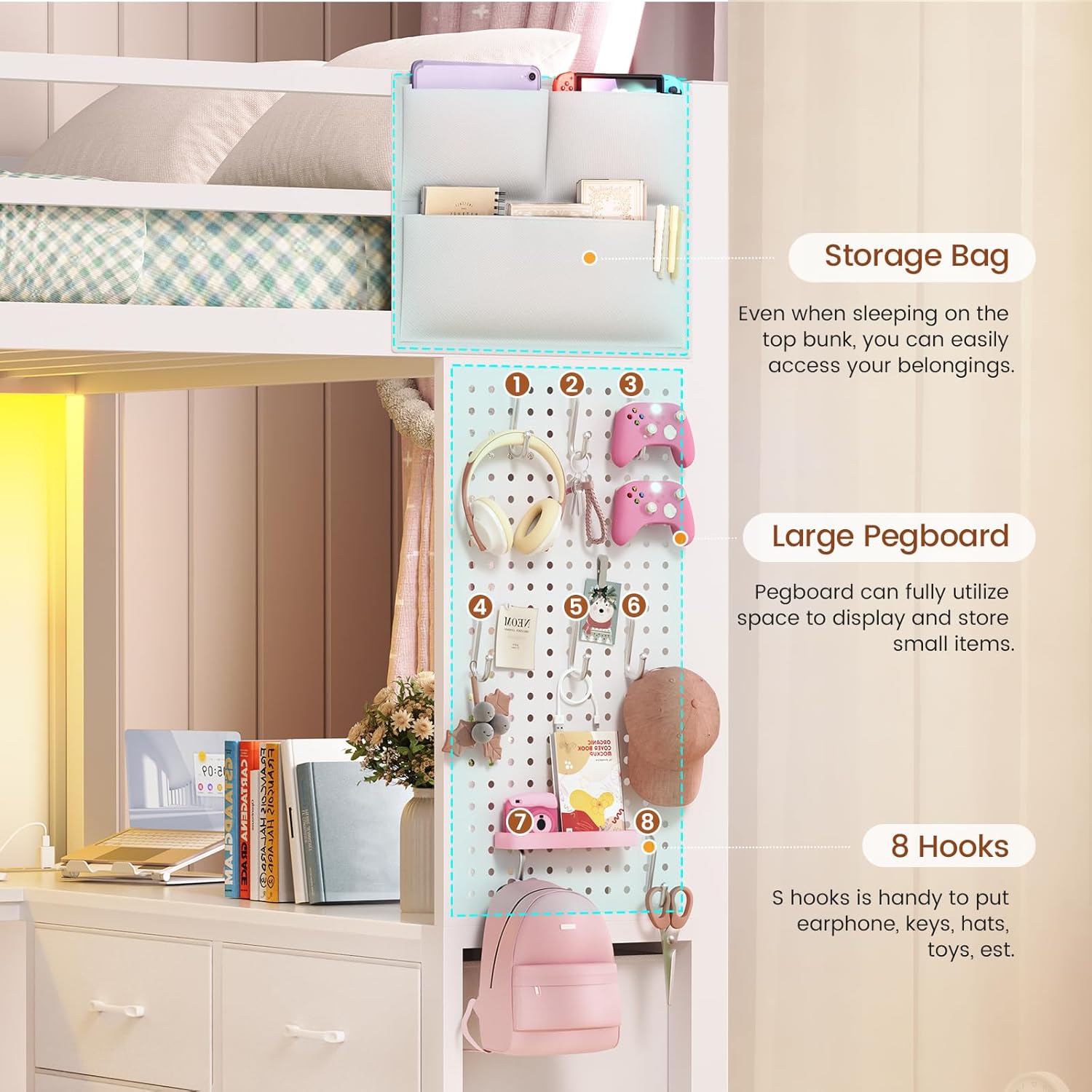
Figure 5.6: Pegboard and Storage Bag
6. Maintenance
Regular maintenance ensures the longevity and safety of your loft bed.
- Cleaning: Wipe down the metal frame and wooden surfaces with a soft, damp cloth. Avoid harsh chemicals that may damage the finish.
- Hardware Check: Periodically check all screws, bolts, and connections to ensure they remain tight. Retighten as necessary.
- LED Lights: Ensure the LED strip and connections are free from dust. If the lights malfunction, check the power connection and remote control battery.
- Charging Station: Keep the charging station free from spills and dust. Do not overload the outlets.
7. Troubleshooting
Refer to this section for solutions to common issues.
- Missing Parts: If you find any components missing upon unboxing, refer to the package contents list and contact customer support for replacements.
- Bed Instability/Wobbling: Ensure all assembly hardware is fully tightened. Verify that the anti-tip devices are correctly installed and secured to the wall.
- LED Lights Not Working: Check if the power adapter is securely plugged into a working outlet. Ensure the LED strip is properly connected to the controller. Replace the remote control battery if necessary.
- Charging Station Not Functioning: Confirm the charging station's power cord is plugged into a live outlet. Press the single-touch power switch to ensure it is turned on.
8. Specifications
| Feature | Detail |
|---|---|
| Model Number | Twin Loft Bed |
| Size | Twin |
| Frame Material | Metal |
| Color | White |
| Item Dimensions (L x W x H) | 89" x 40.9" x 70.9" |
| Item Weight | 124 Pounds |
| Weight Capacity (Upper Bunk) | 400 Pounds |
| Number of Drawers | 8 |
| L-Shaped Desk Dimensions | 78.7"L x 14.2"W and 37.8"L x 11.8"W |
| Charging Station | 4 AC Outlets (120V/12A), 2 USB Ports (5V/2A) |
| LED Lights | RGB, APP/Remote Control, Music Sync, Timing Function |
| Required Assembly | Yes |
9. Warranty and Support
Itaar is committed to providing quality products and customer satisfaction. If your bed arrives damaged, scratched, or with missing parts, please contact our customer service team. We will arrange for a free replacement or offer a partial refund as appropriate.
For further assistance, please refer to the contact information provided with your purchase documentation or visit the official Itaar store on Amazon.
Video 9.1: Itaar Twin Loft Bed Overview and Features
This video provides a visual overview of the Itaar Twin Loft Bed, highlighting its key features such as the L-shaped desk, storage drawers, and overall design. It demonstrates the product's functionality and aesthetic appeal.