
Introduction
This manual provides comprehensive instructions for the SILLAID GW20 Golf Distance Watch. It covers product features, setup procedures, operating guidelines, maintenance tips, troubleshooting, and detailed specifications. Please read this manual thoroughly to ensure proper use and to maximize the performance of your device.
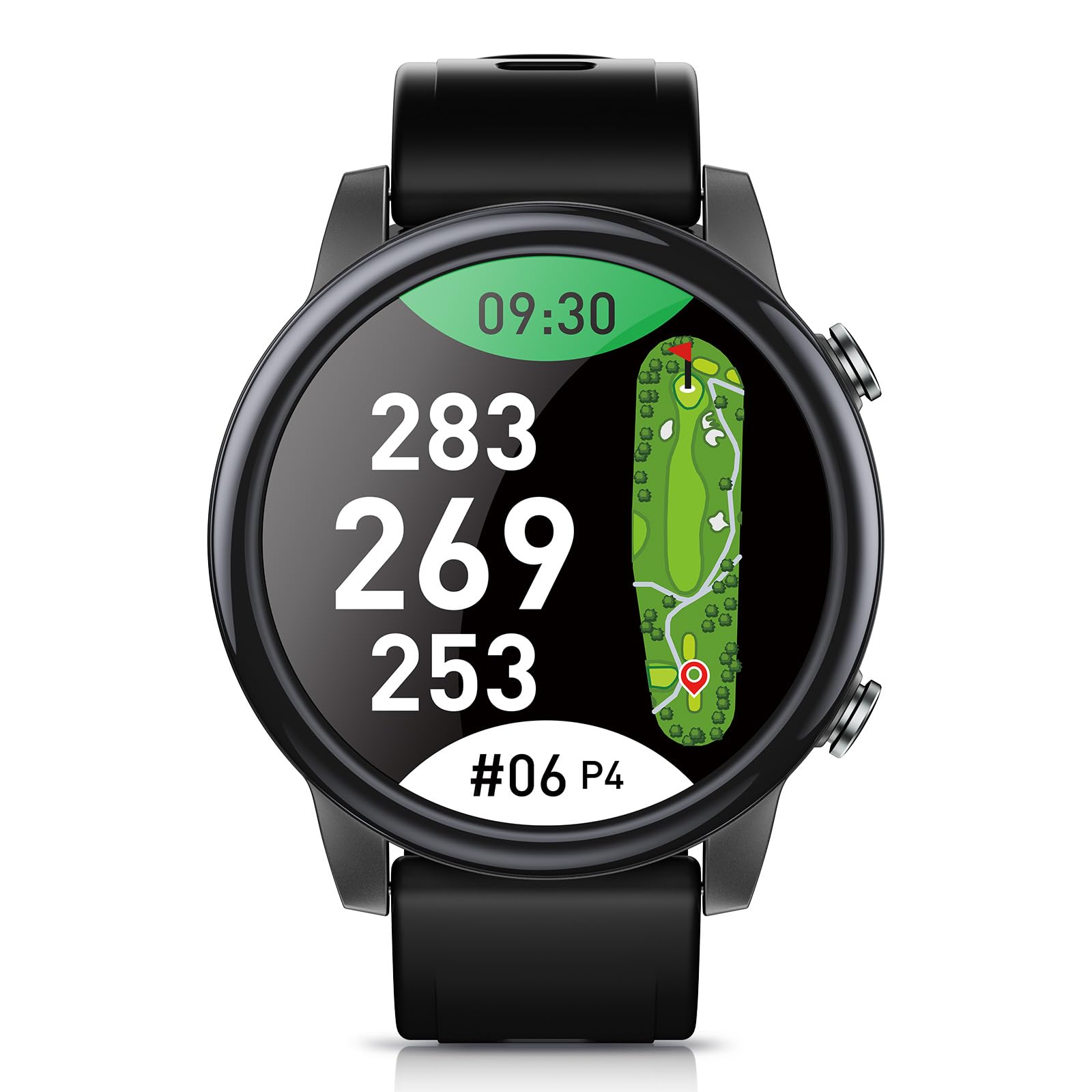
Image: The SILLAID GW20 Golf Distance Watch displayed on a wrist, showing its sleek design and digital interface.
Product Overview
The SILLAID GW20 is a golf distance watch designed to enhance your golf experience with advanced features and user-friendly operation.
Key Features:
- Vibrant AMOLED Display: Features a large 1.43-inch AMOLED display with high brightness and vivid colors, ensuring clear visibility even outdoors.
- Extensive Course Compatibility: Supports over 40,000 golf courses worldwide, including approximately 99% of courses in Japan. Utilizes multiple satellite systems (GPS, GLONASS, QZSS, Galileo) for high-precision distance measurement.
- Intuitive Touchscreen Operation: The 60Hz high refresh rate touchscreen provides quick and responsive control, making navigation smooth and effortless.
- Clear Hole View: Displays distances to the front, center, and back edges of the green in large, easy-to-read characters. Includes slope compensation for strategic play.
- Custom Distance Measurement: Allows users to measure the distance to any point on the screen with a simple touch, useful for layups and hazard assessment.
- Score Management: Connects with a dedicated app to easily review past play data and manage score history, aiding in objective analysis of your golf performance.
- Comfortable and Lightweight Design: The main unit weighs approximately 29g, offering a comfortable fit for an uninterrupted round. Features a standard 22mm strap for easy customization.
- Smart Functions: Beyond score recording, it includes health management features like step counting and calorie consumption tracking, as well as smartphone notification capabilities for daily convenience.

Image: The SILLAID GW20 Golf Distance Watch displaying its rich and user-friendly golf functions, including distances and course layout.
Setup
1. Charging the Device
Before initial use, fully charge the SILLAID GW20. Connect the provided USB charging cable to the watch and a power source. A full charge takes approximately 1 hour. The watch can operate for about 12 days in smartwatch mode or 8 hours in continuous GPS mode on a full charge.

Image: The SILLAID GW20 Golf Distance Watch displaying its battery status, highlighting its long battery life.
2. Power On/Off
- To Power On: Press and hold the power button (usually located on the side of the watch) until the screen illuminates.
- To Power Off: Press and hold the power button, then select the 'Power Off' option on the screen.
3. App Pairing
Download the dedicated SILLAID app on your smartphone. Follow the in-app instructions to pair your GW20 watch via Bluetooth. This enables score management, data synchronization, and notification features.
4. Course Data
The watch comes pre-loaded with extensive course data. Ensure your watch is synchronized with the app to receive the latest course updates. The device automatically recognizes nearby golf courses, eliminating manual selection.

Image: The SILLAID GW20 Golf Distance Watch shown with satellite imagery and a world map, illustrating its multi-satellite positioning and global course coverage.
Operating Instructions
1. Basic Navigation
- Touchscreen: Swipe left/right or up/down to navigate through menus and screens. Tap to select options.
- Buttons: Use the physical buttons on the side for quick access to specific functions or to return to the previous screen.
- Automatic Screen Activation: Raise your hand to automatically illuminate the screen. The 60Hz refresh rate ensures smooth transitions.

Image: The SILLAID GW20 Golf Distance Watch displaying multiple interactive screens, demonstrating its easy operation and smooth interface.
2. Golf Mode
Upon starting a round, the watch will automatically detect the course. Select 'Golf Mode' to access golf-specific features.
- Distance Display: View distances to the front, center, and back of the green.
- Hole View: Provides a visual representation of the current hole, including hazards.
- Green View: Allows you to visually grasp the green's shape and manually adjust the pin position for improved shot accuracy.
- Slope Correction: Quickly switch between distances with and without slope compensation.
- Custom Distance: Touch any point on the screen to get the distance to that specific location.

Image: The SILLAID GW20 Golf Distance Watch on a golfer's wrist, showing the green view feature with clear distances.
3. Score Recording
The GW20 supports multiple score recording methods, including Stroke Play, Stableford, and Modified Stableford. Record your scores directly on the watch during play.

Image: The SILLAID GW20 Golf Distance Watch displaying various multi-score recording methods, such as Stroke Play and Stableford.
4. Smartwatch Functions
- Activity Tracking: Automatically records daily steps, distance, and calorie consumption.
- Notifications: Receive notifications from your smartphone (calls, messages, app alerts) directly on your watch when paired via Bluetooth.
- Customization: Change watch faces and easily swap the 22mm band to match your style.

Image: The SILLAID GW20 Golf Distance Watch displaying various smart functions and notification icons from connected apps.
Maintenance
1. Cleaning
Wipe the watch body and strap with a soft, damp cloth. Avoid using harsh chemicals or abrasive materials, as they may damage the device. Ensure the charging contacts are clean and dry before charging.
2. Water Resistance
The SILLAID GW20 has a 3ATM water resistance rating. This means it is resistant to splashes, rain, and accidental immersion in shallow water. It is not suitable for swimming, diving, or high-pressure water activities. Do not operate buttons underwater.

Image: The SILLAID GW20 Golf Distance Watch shown with water splashes, illustrating its water resistance and comfortable fit.
3. Storage
Store the watch in a cool, dry place away from direct sunlight and extreme temperatures. If storing for an extended period, ensure the battery is partially charged (around 50%) to prolong its lifespan.
Troubleshooting
| Problem | Possible Cause | Solution |
|---|---|---|
| Watch does not power on. | Low battery. | Charge the watch for at least 30 minutes. |
| GPS signal not acquired. | Obstructed view of the sky; indoors. | Move to an open outdoor area with a clear view of the sky. Wait a few minutes for signal acquisition. |
| Inaccurate distance readings. | Outdated course data; GPS drift. | Ensure the watch is synchronized with the app for the latest course data. Recalibrate GPS if available in settings. |
| Cannot pair with smartphone app. | Bluetooth is off; watch is out of range; app issue. | Ensure Bluetooth is enabled on both devices. Keep devices close. Restart both the watch and the smartphone app. |
| Screen is unresponsive. | Temporary software glitch. | Restart the watch by holding the power button. If unresponsive, allow the battery to drain completely and then recharge. |
Specifications
| Brand | SILLAID |
| Model Name | GW20 |
| Screen Size | 1.43 inches |
| Display Type | AMOLED (Organic EL) |
| Features | AMOLED display, Touchscreen, Large characters, High brightness |
| Connectivity Technology | Bluetooth |
| Map Type | Golf Course |
| Included Components | USB charging cable, Golf watch, Strap |
| Mounting Type | Wrist Mount |
| Product Dimensions (L x W x H) | 48 x 27 x 13 mm |
| Product Weight | 29 grams |
| Memory Storage Capacity | 32 GB |
| Supported Satellite Positioning Systems | GLONASS, GPS, QZSS, Galileo |
| Control Method | Touch, Push Button |
| Origin | China |
Warranty and Support
Warranty Information
This product comes with a 12-month basic warranty from the date of purchase. An additional 12-month extended warranty is available upon product registration. During the warranty period, a free replacement service is provided.

Image: Visual representation of the SILLAID warranty, showing 12 months basic plus 12 months extended warranty upon registration.
How to Register for Extended Warranty:
To register your product for the extended warranty, please visit the official SILLAID website and follow the product registration instructions.
Customer Support:
For any questions, technical assistance, or warranty claims, please contact SILLAID customer support through the official website or the contact information provided with your purchase. Please have your product model (GW20) and purchase date ready when contacting support.
