
1. Introduction and Overview
Thank you for choosing the DoCred 17,500 BTU Pool Heat Pump. This manual provides essential information for the safe and efficient operation of your new pool heater. This unit is designed to extend your swimming season by providing both heating and cooling capabilities for above-ground pools up to 5,500 gallons.
Key features include ultra-quiet operation (29-45 dB), high energy efficiency with a 5.5 COP, and a simple 10-minute setup. Please read this manual thoroughly before installation and use.
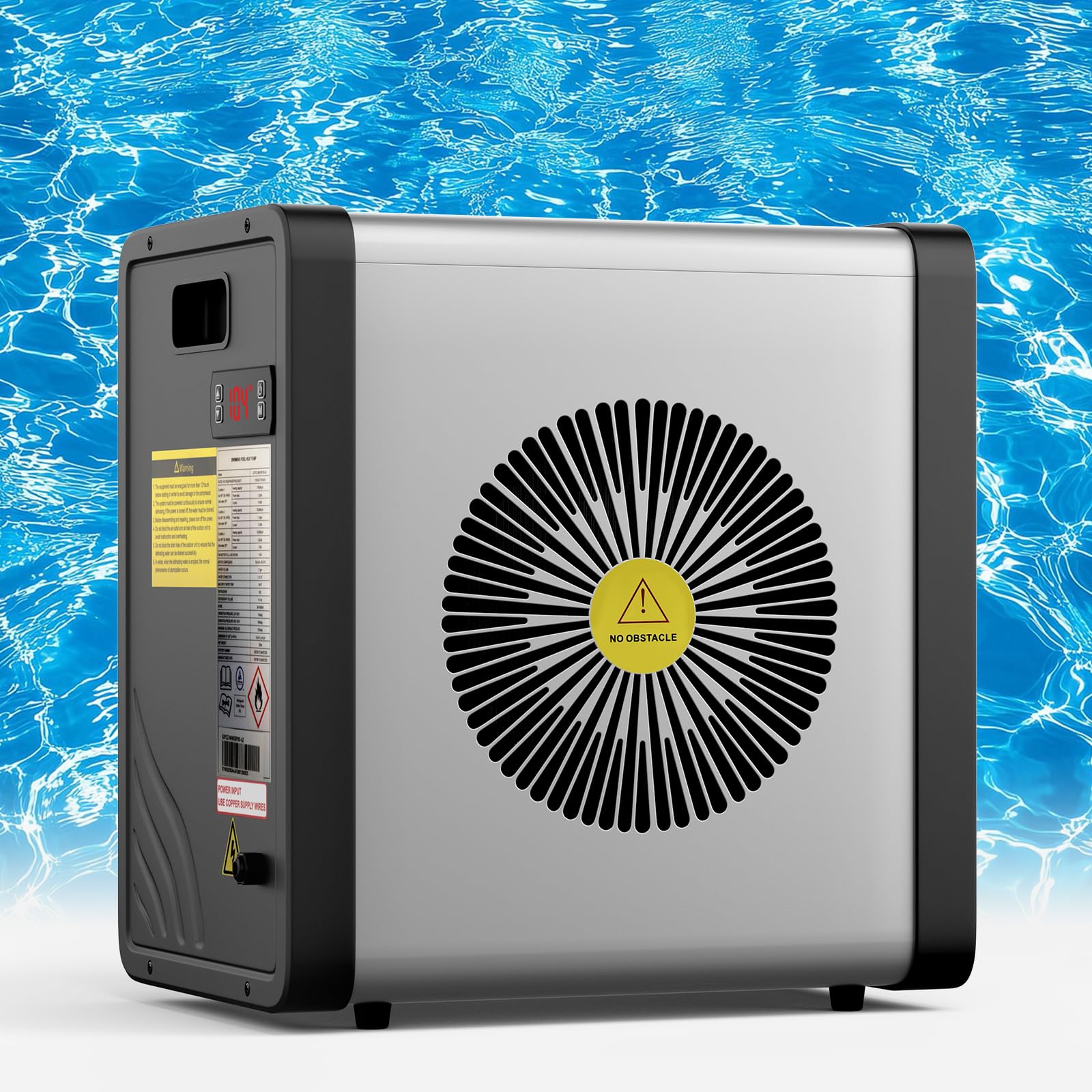
Image 1.1: The DoCred 17,500 BTU Pool Heat Pump, a compact unit designed for above-ground pools.

Image 1.2: The DoCred Pool Heat Pump allows for an extended swim season with its heating and cooling capabilities.
2. Important Safety Information
Always follow basic safety precautions when installing and operating this electrical appliance to reduce the risk of fire, electric shock, and injury to persons.
- Read all instructions before using this product.
- This unit is cTUVus certified, ensuring it meets North American safety standards.
- Connect the unit only to a standard 115V GFCI (Ground Fault Circuit Interrupter) protected outlet. Do not bypass or disable the GFCI.
- Ensure proper grounding to reduce the risk of electric shock.
- Do not operate the unit if the power cord or plug is damaged.
- Keep children and pets away from the unit during operation.
- Ensure adequate ventilation around the unit. Do not block air inlets or outlets.
- Always disconnect power before performing any maintenance or service.
3. Packing List
Carefully unpack all components and check against the list below. If any parts are missing or damaged, contact customer support immediately.
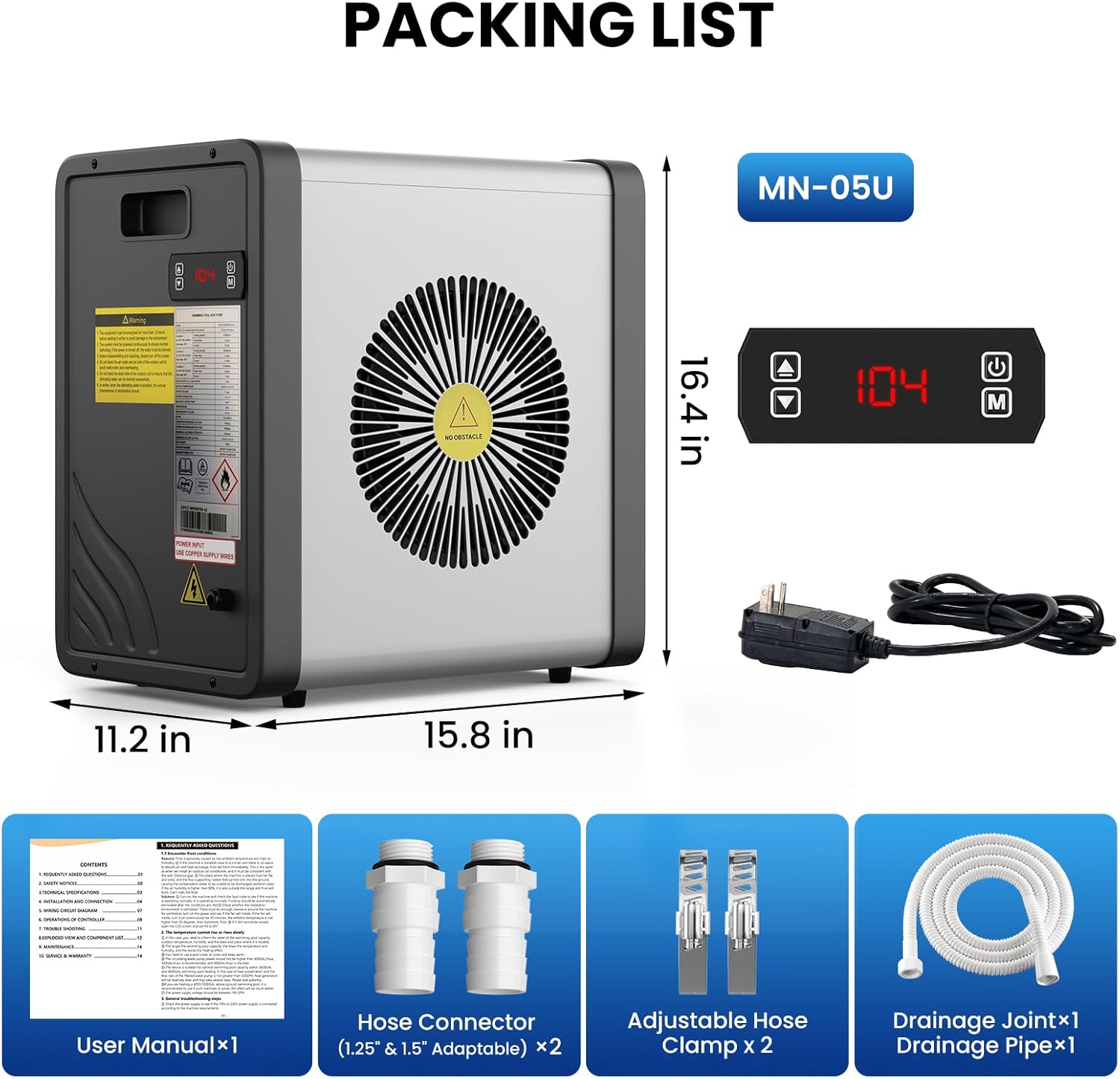
Image 3.1: Contents of the DoCred Pool Heat Pump package, including the main unit, user manual, hose connectors, clamps, and drainage pipe.
- DoCred Pool Heat Pump (MN-05U) x1
- User Manual x1
- Hose Connector (1.25" & 1.5" Adaptable) x2
- Adjustable Hose Clamp x2
- Drainage Joint x1
- Drainage Pipe x1
- Power Cord with 115V GFCI Plug x1
4. Specifications
Detailed technical specifications for the DoCred MN-05U Pool Heat Pump.

Image 4.1: Detailed specifications for the DoCred Pool Heat Pump.
| Feature | Specification |
|---|---|
| Model | MN-05U |
| Heating Capacity | 17,500 BTU/h (approx. 17,060 BTU/h) |
| Recommended Pool Volume | Up to 5,500 Gallons (approx. 5,000 Gallons) |
| Power Supply | 115VAC/1Ph/60Hz |
| Coefficient of Performance (COP) | 5.5 |
| Adjustable Heating Temperature | 59°F - 104°F |
| Adjustable Cooling Temperature | 46.4°F - 89.6°F |
| Working Temperature Range | 19.4°F - 109.4°F |
| Refrigerant | R32 |
| Waterproof Grade | IPX4 |
| Sound Pressure Level | 29 - 45 dB |
| Water Flow | 530 GPH |
| Water Connection | 1-1/4" to 1-1/2" (Inner Dia.) |
| Unit Dimensions (L×D×H) | 15.8" × 11.2" × 16.4" |
| Net Weight | 53 lbs |
5. Setup and Installation
The DoCred Pool Heat Pump is designed for quick and easy installation, typically within 10 minutes. Follow these steps for proper setup.
5.1 Placement
- Place the unit on a stable, level surface near your pool.
- Ensure there is adequate clearance around the unit for proper airflow (refer to diagram in user manual for specific distances).
- Keep the unit away from direct sunlight for prolonged periods if possible, and ensure it is not in an enclosed space.
5.2 Water Connection
- Connect the standard hoses from your pool's filtration system to the heat pump's inlet and outlet ports. The unit typically connects after the filter and before the return jet to the pool.
- Use the provided hose connectors (1.25" or 1.5" adaptable) and adjustable hose clamps to secure all connections tightly to prevent leaks.
- Ensure the water flow direction is correct: cold water from the pool enters the heat pump, and heated/cooled water returns to the pool.

Image 5.1: Step-by-step guide for connecting the DoCred Pool Heater to your pool's filtration system.

Image 5.2: Illustration of water flow from the pool, through the filter, pump, and heat pump, then back to the pool.
5.3 Electrical Connection
- Plug the unit into a standard 115V GFCI protected outlet. No special electrical work is required.
- Ensure the GFCI plug is functioning correctly before use. Test it regularly as per the GFCI manufacturer's instructions.

Image 5.3: The 115V GFCI weatherproof plug ensures electrical safety for outdoor use.
5.4 Setup Video Guide
Video 5.1: An official video guide demonstrating the easy installation process of the DoCred Electric Pool Heater.
6. Operating Instructions
Once installed, operating your DoCred Pool Heat Pump is straightforward using the integrated control panel.
6.1 Control Panel Overview

Image 6.1: Overview of the control panel buttons and display for the DoCred Pool Heater.
- On/Off Button: Powers the unit on or off.
- Up/Down Arrows: Adjust the desired water temperature.
- Function Button (M): Toggles between heating and cooling modes.
- Display: Shows current water temperature, set temperature, or error codes.
6.2 Setting Desired Temperature
- Ensure the pool pump is running to circulate water through the heat pump.
- Press the On/Off button to power on the unit.
- Use the Up/Down arrows to set your desired water temperature. The unit will automatically begin heating or cooling to reach this set point.
- Press the 'M' (Function) button to switch between heating (59°F-104°F) and cooling (46.4°F-89.6°F) modes if needed.
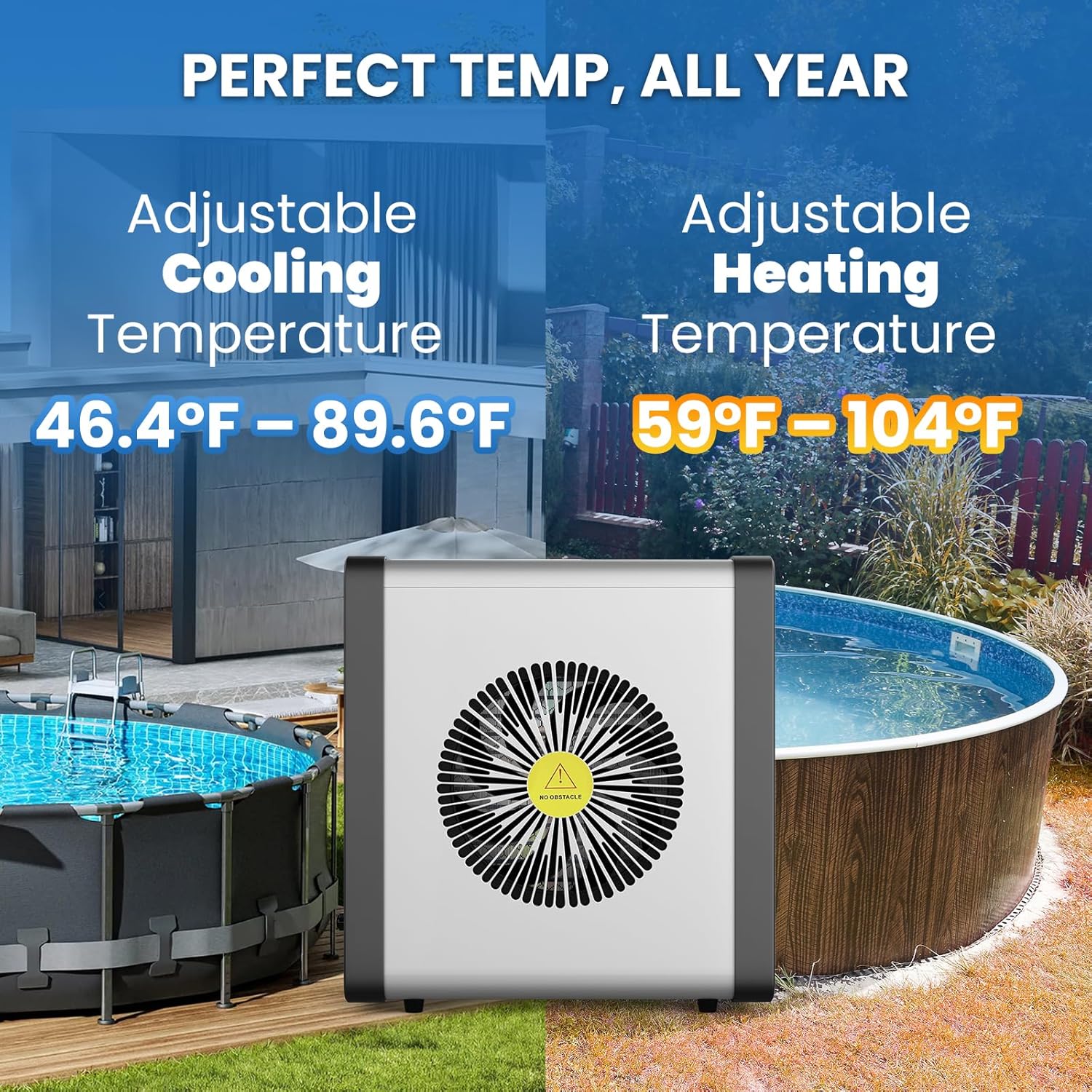
Image 6.2: The heat pump can maintain a perfect temperature year-round, offering both heating and cooling.
6.3 Quiet Operation
The DoCred heat pump operates at a low noise level of 29-45 dB, comparable to a quiet library. This allows for peaceful enjoyment of your backyard.

Image 6.3: The DoCred Pool Heat Pump is designed for surprisingly quiet operation.
6.4 Automatic Defrosting
The unit features an intelligent auto-defrost function, ensuring reliable performance in cooler weather without manual intervention. This extends the machine's lifespan and efficiency.
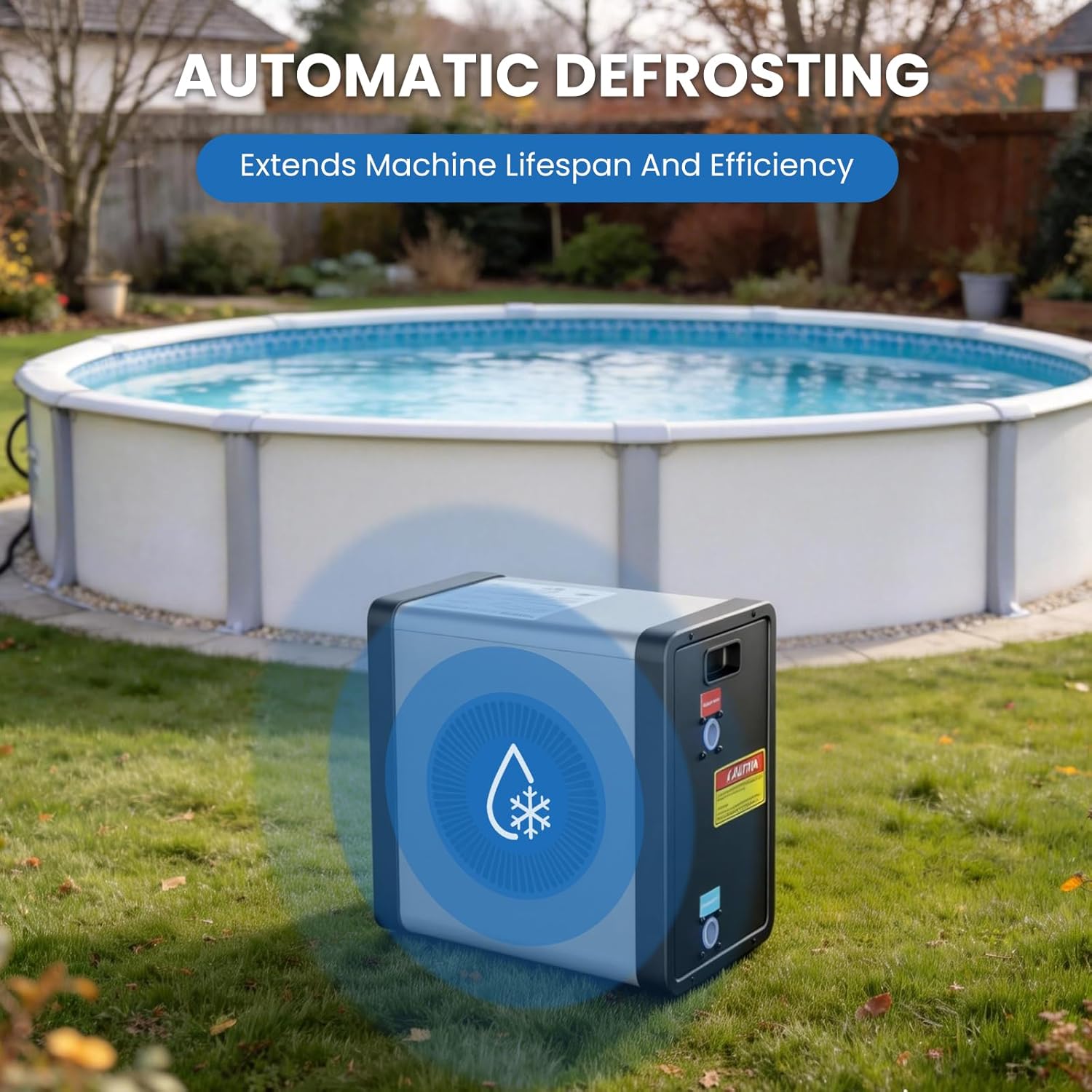
Image 6.4: The automatic defrosting feature helps maintain efficiency in colder conditions.
6.5 Enhancing Efficiency
For faster heating and improved efficiency, use a pool cover while the heat pump is running. A pool cover helps retain warmth and reduces heat loss.

Image 6.5: Using a pool cover can significantly boost heating efficiency.
7. Maintenance
Regular maintenance ensures optimal performance and longevity of your DoCred Pool Heat Pump.
- Clean the Coils: Periodically inspect and clean the evaporator coils to remove any debris, leaves, or dirt that may obstruct airflow. Use a soft brush or vacuum cleaner.
- Check Water Connections: Regularly inspect all hose connections for leaks and ensure clamps are tight.
- Winterization: Before freezing temperatures arrive, drain all water from the heat pump and disconnect hoses. Store the unit in a dry, protected area or cover it with a weather-resistant cover.
- General Cleaning: Wipe down the exterior of the unit with a damp cloth to keep it clean. Do not use harsh chemicals.
8. Troubleshooting
The DoCred Pool Heat Pump features smart self-diagnosis to help identify and resolve common issues. If an error occurs, an error code will be displayed on the control panel.

Image 8.1: The smart self-diagnosis feature displays error codes for quick troubleshooting.
8.1 Common Error Codes and Solutions
| Error Code | Description | Possible Solution |
|---|---|---|
| E1 | Water flow error | Check if the pool pump is running, ensure water valves are open, and inspect for blockages in hoses or filter. |
| E3 | Temperature sensor error | Turn off the unit, wait a few minutes, and restart. If the error persists, contact customer support. |
| E5 | High pressure protection | Ensure proper airflow around the unit. Clean evaporator coils if dirty. Check for obstructions in the water circuit. |
| E6 | Low pressure protection | Check for sufficient water flow from the pool pump. Ensure no air is trapped in the system. |
For other error codes or persistent issues, please refer to the full user manual or contact DoCred customer support.
9. Warranty and Support
Your DoCred Pool Heat Pump comes with a 3-year warranty from the date of purchase, covering defects in materials and workmanship under normal use.

Image 9.1: The DoCred Pool Heat Pump includes a 3-year warranty for peace of mind.
9.1 Warranty Claims
To make a warranty claim, please contact DoCred customer support with your proof of purchase and a description of the issue. The warranty does not cover damage caused by improper installation, misuse, neglect, or natural disasters.
9.2 Customer Support
For technical assistance, troubleshooting, or warranty inquiries, please contact DoCred customer support through the following channels:
- Website: Visit the DoCred Store on Amazon
- Email: Refer to your product packaging or the full user manual for specific email contact information.
- Phone: Refer to your product packaging or the full user manual for specific phone contact information.
Please have your model number (MN-05U) and purchase date ready when contacting support.